


Close Menu
Tech Savvyed
  • Home
  • News
  • Artificial Intelligence
  • Gadgets
  • Apps
  • Mobile
  • Gaming
  • Accessories
  • More
    • Web Stories
    • Spotlight
    • Press Release

Subscribe to Updates

Get the latest tech news and updates directly to your inbox.

What's On
Fire Emblem: Fortune’s Weave After 130+ Hours – Was It Worth It?

Fire Emblem: Fortune’s Weave After 130+ Hours – Was It Worth It?

19 September 2026
The Video Games And More You Should Play This Weekend – September 18, 2026

The Video Games And More You Should Play This Weekend – September 18, 2026

18 September 2026
Metal Gear Solid 4: Guns Of The Patriots: Part 4 – Rosemary’s Return

Metal Gear Solid 4: Guns Of The Patriots: Part 4 – Rosemary’s Return

18 September 2026
Facebook X (Twitter) Instagram
Tech Savvyed
SUBSCRIBE
  • Home
  • News
  • Artificial Intelligence
  • Gadgets
  • Apps
  • Mobile
  • Gaming
  • Accessories
  • More
    • Web Stories
    • Spotlight
    • Press Release
Tech Savvyed
Home»News»Google is testing an AI-first homepage, and the Search button is reportedly taking a back seat
News

Google is testing an AI-first homepage, and the Search button is reportedly taking a back seat

News RoomBy News Room10 August 20262 Mins Read
Google is testing an AI-first homepage, and the Search button is reportedly taking a back seat
Share
Facebook Twitter Reddit Telegram Pinterest Email

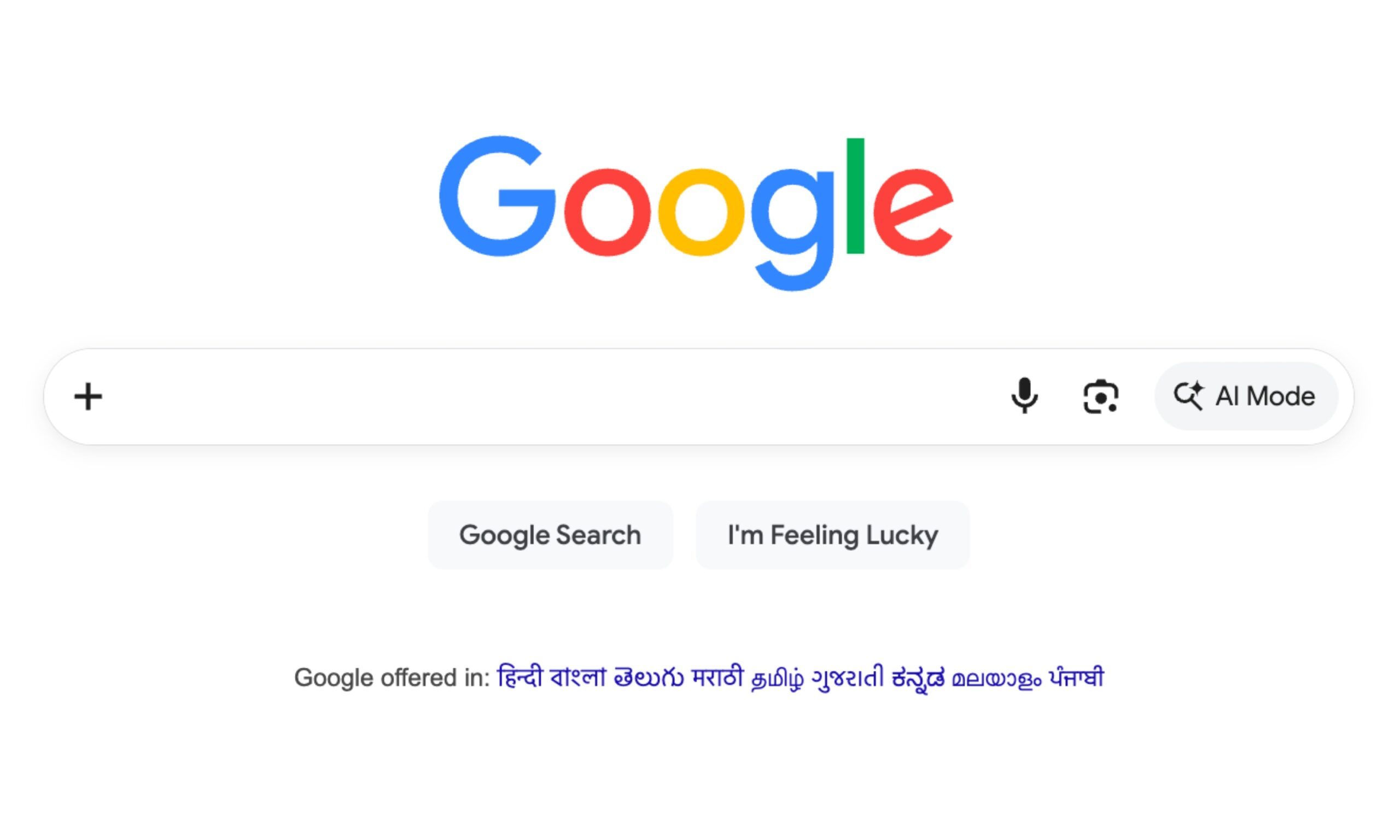
For years, the Search button has been an integral part of the Google Search experience. However, right now, typing “google.com” into a browser is reportedly bringing up a new simplified layout that doesn’t include the Search button anymore (for a select group of signed-out users). 

It appears that the search giant is testing a new, AI-first layout with three dedicated buttons, which are new for traditional Google Search users, but familiar for those who use the Gemini chatbot on a regular basis.  

What exactly did Google swap in?

Search Engine Watch first spotted the change and confirmed it independently across three different web browsers, including Chrome, Edge, and Comet (via Android Authority). The redesigned homepage drops the classic Google Search button.

It seems to feature three new AI-first buttons: Create images, Ask about files, and Brainstorm. These sit right under the horizontal search bar. The AI Mode button still remains inside the search box itself. The “I am feeling lucky” button seems to have survived the design. 

What’s even more interesting is that the Ask about files and Brainstorm reportedly work without logging in at all. The buttons apparently let users upload a document or a PDF and ask questions about it or think out loud with Gemini. 

Creating images is the one holdout, which is gated behind a sign-in wall, likely because Google wants a verified account attached before it burns through compute money on Nano Banana generations.
File, Page, Text

Is this actually rolling out, or just a test?

Here’s the catch. The report mentions this new layout only shows for logged-out visitors. Even then, not everyone’s seeing it. Factors like location, browser, and session all seem to matter. Google hasn’t confirmed the scope of change as well.

Here’s how I see this, though. This isn’t something that’s worth ignoring. Google has spent decades defending the simplicity and functionality of its homepage. However, quietly relegating “Search” behind AI-first buttons, or at least testing it, tells us about the company’s priorities. 

While I won’t ask you to expect the classic layout’s days to be numbered, I can’t deny Google’s recent push toward its AI ambitions. For now, the layout appears to be a part of an A/B test being shown to a small number of users.  

Share. Facebook Twitter Pinterest LinkedIn Telegram Reddit Email
Previous ArticleWay Of The Sword Isn’t An Open World – Aug 10, 2026
Next Article Big Walk Sells One Million Copies In Less Than A Week

Related Articles

Soundcore Space 2 Pro headphones promise crystal-clear calls with Anker’s new AI chip

Soundcore Space 2 Pro headphones promise crystal-clear calls with Anker’s new AI chip

3 September 2026
Xbox Cloud Gaming is about to become a lot more appealing to casual gamers with a new pay-as-you-go option

Xbox Cloud Gaming is about to become a lot more appealing to casual gamers with a new pay-as-you-go option

3 September 2026
Lenovo reveals iMac rival that upstages Apple with more goodies at a lower price

Lenovo reveals iMac rival that upstages Apple with more goodies at a lower price

3 September 2026
Motorola’s new Edge 70 Plus packs a 200MP camera and a massive battery

Motorola’s new Edge 70 Plus packs a 200MP camera and a massive battery

3 September 2026
We got GTA VI limited-edition DualSense controllers before GTA VI

We got GTA VI limited-edition DualSense controllers before GTA VI

3 September 2026
Anker unveils smarter chargers and power banks built to fight heat and battery degradation

Anker unveils smarter chargers and power banks built to fight heat and battery degradation

3 September 2026
Demo
Stay In Touch
  • Facebook
  • Twitter
  • Pinterest
  • Instagram
  • YouTube
  • Vimeo
Don't Miss
The Video Games And More You Should Play This Weekend – September 18, 2026

The Video Games And More You Should Play This Weekend – September 18, 2026

By News Room18 September 2026

Published by Road to Infamy Games, and themed around the classic pop art movement (think…

Metal Gear Solid 4: Guns Of The Patriots: Part 4 – Rosemary’s Return

Metal Gear Solid 4: Guns Of The Patriots: Part 4 – Rosemary’s Return

18 September 2026
More Than Anything, Zach Cregger’s Resident Evil Movie Understands How It Feels To Play A Resident Evil Game

More Than Anything, Zach Cregger’s Resident Evil Movie Understands How It Feels To Play A Resident Evil Game

18 September 2026
Control Resonant – Review In Progress

Control Resonant – Review In Progress

18 September 2026
Tech Savvyed
Facebook X (Twitter) Instagram Pinterest
  • Privacy Policy
  • Terms of use
  • Advertise
  • Contact
© 2026 Tech Savvyed. All Rights Reserved.

Type above and press Enter to search. Press Esc to cancel.