
Close Menu
Tech Savvyed
  • Home
  • News
  • Artificial Intelligence
  • Gadgets
  • Apps
  • Mobile
  • Gaming
  • Accessories
  • More
    • Web Stories
    • Spotlight
    • Press Release

Subscribe to Updates

Get the latest tech news and updates directly to your inbox.

What's On
Samsung’s next Ultra watch may be getting a massive battery glow-up

Samsung’s next Ultra watch may be getting a massive battery glow-up

14 June 2026
Nintendo just made life harder for Switch 2 scalpers

Nintendo just made life harder for Switch 2 scalpers

14 June 2026
Spotify removed tens of thousands of fake podcasts tied to online drug sales

Spotify removed tens of thousands of fake podcasts tied to online drug sales

14 June 2026
Facebook X (Twitter) Instagram
Tech Savvyed
SUBSCRIBE
  • Home
  • News
  • Artificial Intelligence
  • Gadgets
  • Apps
  • Mobile
  • Gaming
  • Accessories
  • More
    • Web Stories
    • Spotlight
    • Press Release
Tech Savvyed
Home»News»Apple iPhone’s Camera app could finally stop treating everyone like a beginner
News

Apple iPhone’s Camera app could finally stop treating everyone like a beginner

News RoomBy News Room13 May 20263 Mins Read
Apple iPhone’s Camera app could finally stop treating everyone like a beginner
Share
Facebook Twitter Reddit Telegram Pinterest Email

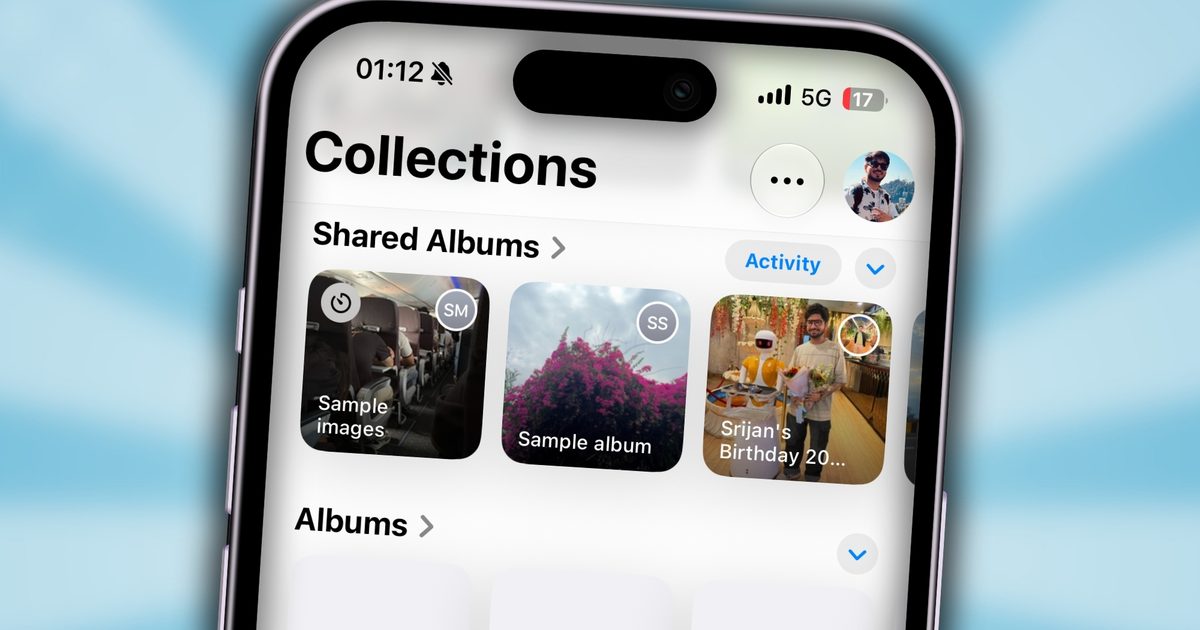
The iPhone Camera app has always been simple, sometimes to a fault. While this simplicity was great for the wider audience, the Camera app seemed to fall behind the Android competitors. But Apple may finally be ready to give users more control over what shows up on the screen.

According to Bloomberg’s Mark Gurman, Apple is planning a major Camera app interface update that will let users customize the row of controls at the top of the viewfinder. It also goes beyond just the simple UI elements being moved around, by adding new “widgets”.

How widgets work in the new Camera app

The app will still open with the same familiar default controls. So you can expect the usual toggles for resolution, night mode, flash, and Live Photos. The big difference now is that users will be able to switch to an “advanced” layout or build their own set of controls.

Each capture mode will reportedly have its own widget setup. That means Photo mode, Video mode, and other camera modes could each have distinct shooting tools instead of forcing one fixed interface across the app.

Gurman says users will be able to pick widgets from a transparent “Add Widgets” tray that slides up from the bottom of the Camera app. It sounds like a small change, but for people who constantly dig through menus for the same few controls, this could make the app feel more intuitive.

Giving the users more control

The Photo mode’s advanced tray reportedly includes depth-of-field and exposure controls, with widgets divided into categories such as basic, manual, and settings. Users will also be able to add controls for the timer and photographic styles. Apple is also adding new grid and level options inside the Camera app, which should make composition tools easier to access without having to shift through the Settings app.

iPhone Camera App Live Photos Button

Another interface tweak involves the button that reveals all available controls. Apparently, the company is planning on moving it from the top-right corner of the Camera interface to a new position on the right side of the shutter button. Putting more control in the hands of the users adds flexibility. This could be something handy for enthusiasts and those who are looking to explore more ways of shooting from their iPhones.

Even Siri is getting involved

A big addition appears to be with Siri. The updated Camera app may include a Siri mode alongside Photo, Video, and other capture options. This mode would tie into Apple’s Visual Intelligence features to help identify plants, translate text, and understand objects or scenes through the camera. Meaning, the Camera app also doubles as an AI-powered visual tool, which is in line with recent rumors of AI moving into iPhone’s photography experience.

Apple has usually kept the iPhone Camera app clean and approachable, and casual users can stick to the default setup. But more demanding users can get more mileage from this change.

Share. Facebook Twitter Pinterest LinkedIn Telegram Reddit Email
Previous ArticleYour Android phone is about to get much better at blocking scams
Next Article Android 17 will make it easier to stop apps from quietly tracking your location in the background

Related Articles

Samsung’s next Ultra watch may be getting a massive battery glow-up

Samsung’s next Ultra watch may be getting a massive battery glow-up

14 June 2026
Nintendo just made life harder for Switch 2 scalpers

Nintendo just made life harder for Switch 2 scalpers

14 June 2026
Spotify removed tens of thousands of fake podcasts tied to online drug sales

Spotify removed tens of thousands of fake podcasts tied to online drug sales

14 June 2026
Google Search can now monitor the web for updates on things you care about

Google Search can now monitor the web for updates on things you care about

14 June 2026
Wear OS 7 looks ready to land on Pixel Watchs soon

Wear OS 7 looks ready to land on Pixel Watchs soon

14 June 2026
Your first look at the Steam Machine may be just days away

Your first look at the Steam Machine may be just days away

13 June 2026
Demo
Stay In Touch
  • Facebook
  • Twitter
  • Pinterest
  • Instagram
  • YouTube
  • Vimeo
Don't Miss
Nintendo just made life harder for Switch 2 scalpers

Nintendo just made life harder for Switch 2 scalpers

By News Room14 June 2026

Nintendo is introducing a new account-history requirement for Switch 2 purchases in Japan to keep…

Spotify removed tens of thousands of fake podcasts tied to online drug sales

Spotify removed tens of thousands of fake podcasts tied to online drug sales

14 June 2026
Google Search can now monitor the web for updates on things you care about

Google Search can now monitor the web for updates on things you care about

14 June 2026
Wear OS 7 looks ready to land on Pixel Watchs soon

Wear OS 7 looks ready to land on Pixel Watchs soon

14 June 2026
Tech Savvyed
Facebook X (Twitter) Instagram Pinterest
  • Privacy Policy
  • Terms of use
  • Advertise
  • Contact
© 2026 Tech Savvyed. All Rights Reserved.

Type above and press Enter to search. Press Esc to cancel.