
Close Menu
Tech Savvyed
  • Home
  • News
  • Artificial Intelligence
  • Gadgets
  • Apps
  • Mobile
  • Gaming
  • Accessories
  • More
    • Web Stories
    • Spotlight
    • Press Release

Subscribe to Updates

Get the latest tech news and updates directly to your inbox.

What's On
I found the Prime Day TV deals that are picture-perfect, and skipped the blurry bargains

I found the Prime Day TV deals that are picture-perfect, and skipped the blurry bargains

24 June 2026
You can save big with these gaming monitor deals on Prime Day right now

You can save big with these gaming monitor deals on Prime Day right now

24 June 2026
I use portable chargers all year, and these are the 5 Prime Day power bank deals worth buying

I use portable chargers all year, and these are the 5 Prime Day power bank deals worth buying

24 June 2026
Facebook X (Twitter) Instagram
Tech Savvyed
SUBSCRIBE
  • Home
  • News
  • Artificial Intelligence
  • Gadgets
  • Apps
  • Mobile
  • Gaming
  • Accessories
  • More
    • Web Stories
    • Spotlight
    • Press Release
Tech Savvyed
Home»News»Your hard drive is giving away your browsing habits and websites can see it
News

Your hard drive is giving away your browsing habits and websites can see it

News RoomBy News Room28 May 20262 Mins Read
Your hard drive is giving away your browsing habits and websites can see it
Share
Facebook Twitter Reddit Telegram Pinterest Email

Your browsing habits may not be as private as you think, even with all the right precautions in place. According to Ars Technica, security researchers have uncovered a new attack technique that lets a malicious website figure out which other sites and apps you have open. You do not need to click anything, download anything, or grant any permission; just visiting the page is enough.

How can websites spy on your browsing activity through hard drive?

The technique is called FROST, short for Fingerprinting Remotely using OPFS-based SSD Timing. Every website and app you use generates its own unique pattern of activity on your SSD, the storage drive inside your computer.

FROST exploits a browser feature called the Origin Private File System, or OPFS, which quietly lets websites store files on your local drive without asking permission first.

The attacker’s page creates a large file on your drive and then listens to the tiny speed fluctuations that happen when your SSD is busy handling other tasks. Those fluctuations are fed into an AI model that has been trained to recognize the telltale patterns of specific websites and apps.

According to the research paper, the technique correctly identified which websites a person had visited with about 89% accuracy, and which apps were running with about 96% accuracy, when tested on an Apple M2 Mac.

The attack also works across different browsers simultaneously, meaning visiting the attacker’s page in Chrome can still expose what you are doing in Safari.

The browsers won’t fix this, but you can protect yourself

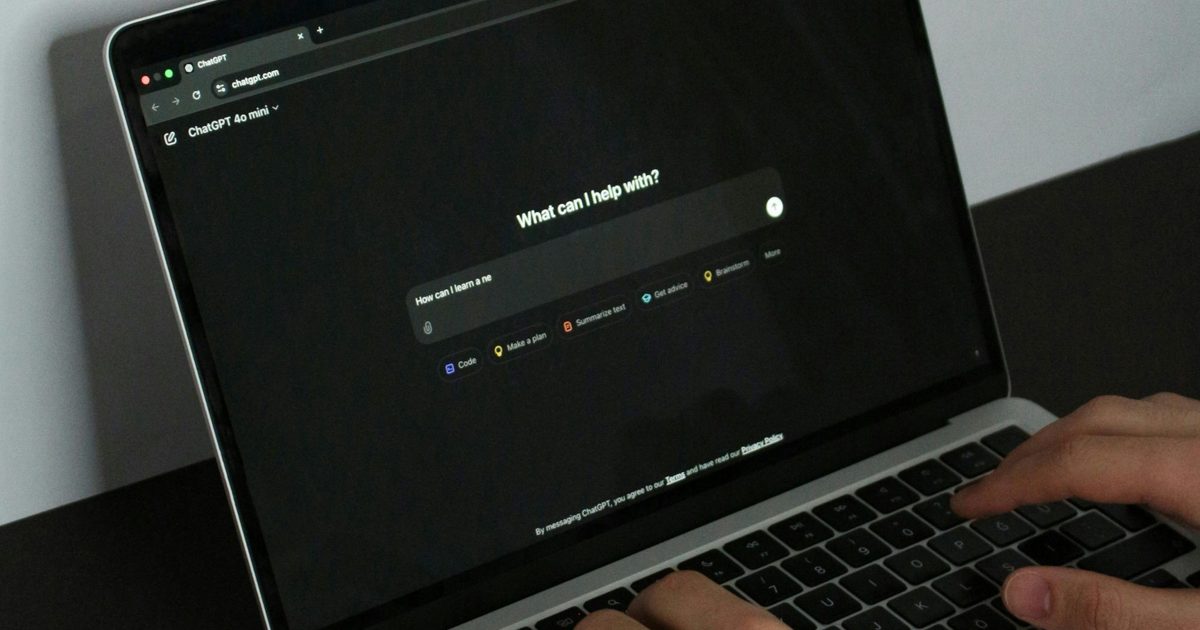
A person using a laptop on a desk

FROST has not been spotted in the wild yet, which is reassuring. It also only works while the offending tab is open, so closing it immediately stops the attack.

Google, Apple, and Mozilla were all informed, but none have committed to a fix. Your best defense right now is keeping an eye on your available disk space. A sudden, unexplained drop in storage is a red flag worth investigating immediately.

Browser-level fixes have been proposed, including capping how much disk space OPFS can claim, but given the browser makers’ responses, those changes are not coming any time soon.

Share. Facebook Twitter Pinterest LinkedIn Telegram Reddit Email
Previous ArticleThe Xiaomi 17T Pro gives you Leica cameras, big zoom, and a massive battery
Next Article YouTube just added three new podcast features but they are only for Premium subscribers

Related Articles

I found the Prime Day TV deals that are picture-perfect, and skipped the blurry bargains

I found the Prime Day TV deals that are picture-perfect, and skipped the blurry bargains

24 June 2026
You can save big with these gaming monitor deals on Prime Day right now

You can save big with these gaming monitor deals on Prime Day right now

24 June 2026
I use portable chargers all year, and these are the 5 Prime Day power bank deals worth buying

I use portable chargers all year, and these are the 5 Prime Day power bank deals worth buying

24 June 2026
I wouldn’t buy most Prime Day smart glasses, but these 4 are worth shortlisting

I wouldn’t buy most Prime Day smart glasses, but these 4 are worth shortlisting

24 June 2026
I dug through Prime Day’s smartwatch deals so you don’t have to, and these are the winners

I dug through Prime Day’s smartwatch deals so you don’t have to, and these are the winners

24 June 2026
Use this code to get 40% off the wavytalk IPL hair removal device, down to 8.99

Use this code to get 40% off the wavytalk IPL hair removal device, down to $118.99

23 June 2026
Demo
Stay In Touch
  • Facebook
  • Twitter
  • Pinterest
  • Instagram
  • YouTube
  • Vimeo
Don't Miss
You can save big with these gaming monitor deals on Prime Day right now

You can save big with these gaming monitor deals on Prime Day right now

By News Room24 June 2026

Prime Day is one of the best windows of the year to finally upgrade your…

I use portable chargers all year, and these are the 5 Prime Day power bank deals worth buying

I use portable chargers all year, and these are the 5 Prime Day power bank deals worth buying

24 June 2026
I wouldn’t buy most Prime Day smart glasses, but these 4 are worth shortlisting

I wouldn’t buy most Prime Day smart glasses, but these 4 are worth shortlisting

24 June 2026
I dug through Prime Day’s smartwatch deals so you don’t have to, and these are the winners

I dug through Prime Day’s smartwatch deals so you don’t have to, and these are the winners

24 June 2026
Tech Savvyed
Facebook X (Twitter) Instagram Pinterest
  • Privacy Policy
  • Terms of use
  • Advertise
  • Contact
© 2026 Tech Savvyed. All Rights Reserved.

Type above and press Enter to search. Press Esc to cancel.