
Close Menu
Tech Savvyed
  • Home
  • News
  • Artificial Intelligence
  • Gadgets
  • Apps
  • Mobile
  • Gaming
  • Accessories
  • More
    • Web Stories
    • Spotlight
    • Press Release

Subscribe to Updates

Get the latest tech news and updates directly to your inbox.

What's On
Samsung’s cheaper Galaxy S26 FE may get one camera feature I absolutely loved

Samsung’s cheaper Galaxy S26 FE may get one camera feature I absolutely loved

18 August 2026
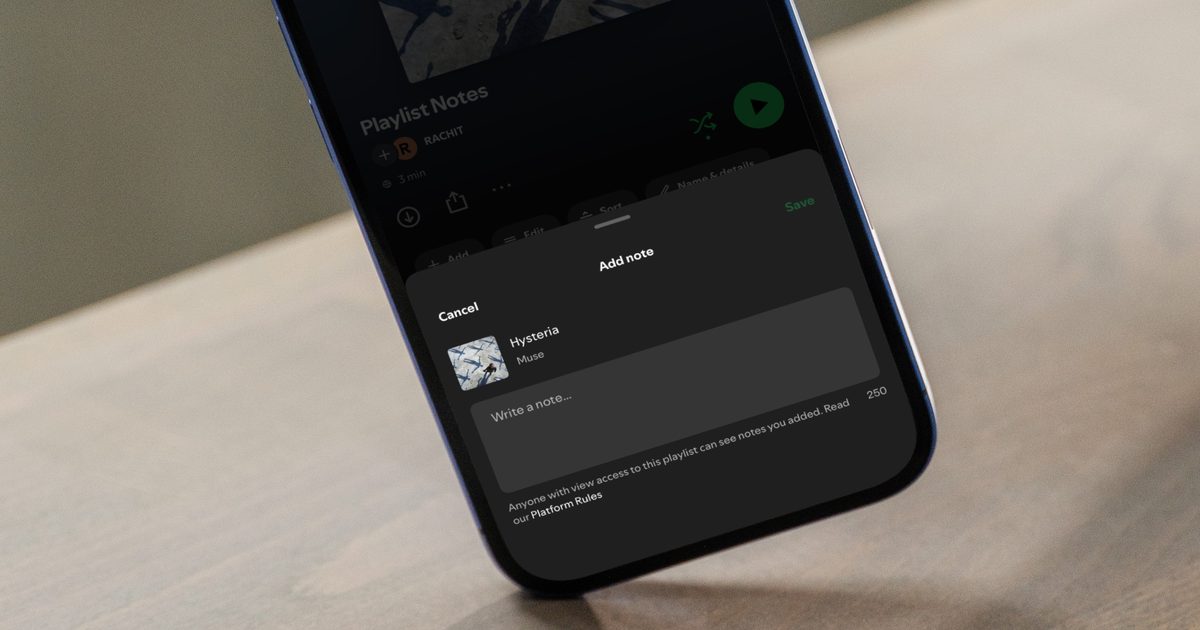
Spotify’s Playlist Notes make it easier to add context to your favorite picks

Spotify’s Playlist Notes make it easier to add context to your favorite picks

18 August 2026
YouTube is making view counts bigger, but creators aren’t getting any richer

YouTube is making view counts bigger, but creators aren’t getting any richer

18 August 2026
Facebook X (Twitter) Instagram
Tech Savvyed
SUBSCRIBE
  • Home
  • News
  • Artificial Intelligence
  • Gadgets
  • Apps
  • Mobile
  • Gaming
  • Accessories
  • More
    • Web Stories
    • Spotlight
    • Press Release
Tech Savvyed
Home»News»You can now generate images with Gemini’s memory without paying a dime
News

You can now generate images with Gemini’s memory without paying a dime

News RoomBy News Room30 June 20262 Mins Read
You can now generate images with Gemini’s memory without paying a dime
Share
Facebook Twitter Reddit Telegram Pinterest Email

Google has made one of Gemini’s most interesting AI tricks a lot easier to try. The company is rolling out its personalized image generation feature to eligible U.S. users for free, removing a paywall that previously kept it exclusive to Gemini’s paid tiers.

Powered by Google’s Nano Banana image model, the feature does more than generate pretty pictures; it taps into Gemini’s understanding of you, making AI-generated images feel surprisingly personal.

Let Gemini connect the dots

Normally, getting an AI image to match your personality means stuffing your prompt with details about your hobbies, favorite foods, pets, or travel habits. Gemini now skips much of that. If you opt into Personal Intelligence, Gemini can draw on context from connected Google services, such as Gmail, Google Photos, YouTube, and Search, to better understand your interests. Instead of painstakingly listing everything you love, you can simply ask it to create an illustration of “me and my favorite things,” and it’ll fill in the blanks using what it already knows about you.

The feature can even pull photos from your Google Photos library, so you don’t have to upload reference images every time you want AI artwork that actually resembles you. Of course, this level of personalization isn’t automatic. Personal Intelligence is entirely opt-in, and Google lets you choose which services Gemini can access. Once enabled, it’s used by default for prompts, though a new toggle in the Tools menu lets you switch it off whenever you’d rather keep things generic.

This is bigger than a freebie

This rollout is another sign that Google wants Gemini to evolve from a chatbot into a digital assistant that genuinely knows its user. Personal Intelligence first became widely available in the U.S. earlier this year before expanding to India and Japan, and personalized image generation feels like the next logical step.

Gemini Spark in action

It also fits into Google’s broader Gemini roadmap. Recent announcements include a Daily Brief feature, a refreshed app experience, access to its latest AI video capabilities, and an upcoming personal AI agent called Gemini Spark. With Gemini already crossing the 750-million monthly active user mark, Google clearly isn’t slowing down. Making one of its more impressive AI image features free could be another smart way to convince curious users that Gemini is worth keeping around — even after the novelty of AI chatbots wears off.


Share. Facebook Twitter Pinterest LinkedIn Telegram Reddit Email
Previous ArticleAI browsers like Perplexity Comet can be tricked into spilling your password through BioShocking exploit
Next Article A new OLED gaming tablet from Red Magic puts liquid cooling on display

Related Articles

Samsung’s cheaper Galaxy S26 FE may get one camera feature I absolutely loved

Samsung’s cheaper Galaxy S26 FE may get one camera feature I absolutely loved

18 August 2026
Spotify’s Playlist Notes make it easier to add context to your favorite picks

Spotify’s Playlist Notes make it easier to add context to your favorite picks

18 August 2026
YouTube is making view counts bigger, but creators aren’t getting any richer

YouTube is making view counts bigger, but creators aren’t getting any richer

18 August 2026
Viture Pro 2 review: Affordable glasses that I loved more for work than play

Viture Pro 2 review: Affordable glasses that I loved more for work than play

18 August 2026
Apple just accidentally revealed its camera-equipped AirPods

Apple just accidentally revealed its camera-equipped AirPods

18 August 2026
CMF’s next earbuds are coming, and I have a pretty good guess what they are

CMF’s next earbuds are coming, and I have a pretty good guess what they are

18 August 2026
Demo
Stay In Touch
  • Facebook
  • Twitter
  • Pinterest
  • Instagram
  • YouTube
  • Vimeo
Don't Miss
Spotify’s Playlist Notes make it easier to add context to your favorite picks

Spotify’s Playlist Notes make it easier to add context to your favorite picks

By News Room18 August 2026

If you have ever wondered why a specific song made its way to a playlist,…

YouTube is making view counts bigger, but creators aren’t getting any richer

YouTube is making view counts bigger, but creators aren’t getting any richer

18 August 2026
Viture Pro 2 review: Affordable glasses that I loved more for work than play

Viture Pro 2 review: Affordable glasses that I loved more for work than play

18 August 2026
Apple just accidentally revealed its camera-equipped AirPods

Apple just accidentally revealed its camera-equipped AirPods

18 August 2026
Tech Savvyed
Facebook X (Twitter) Instagram Pinterest
  • Privacy Policy
  • Terms of use
  • Advertise
  • Contact
© 2026 Tech Savvyed. All Rights Reserved.

Type above and press Enter to search. Press Esc to cancel.