
Close Menu
Tech Savvyed
  • Home
  • News
  • Artificial Intelligence
  • Gadgets
  • Apps
  • Mobile
  • Gaming
  • Accessories
  • More
    • Web Stories
    • Spotlight
    • Press Release

Subscribe to Updates

Get the latest tech news and updates directly to your inbox.

What's On
Windows users can finally pick when updates stop with Microsoft’s latest patch

Windows users can finally pick when updates stop with Microsoft’s latest patch

15 July 2026
Pebble is finally catching up on Time 2 orders, and I appreciate the transparency

Pebble is finally catching up on Time 2 orders, and I appreciate the transparency

14 July 2026
Can AI audiobooks narrate better than humans? This study says many listeners think so

Can AI audiobooks narrate better than humans? This study says many listeners think so

14 July 2026
Facebook X (Twitter) Instagram
Tech Savvyed
SUBSCRIBE
  • Home
  • News
  • Artificial Intelligence
  • Gadgets
  • Apps
  • Mobile
  • Gaming
  • Accessories
  • More
    • Web Stories
    • Spotlight
    • Press Release
Tech Savvyed
Home»News»Windows 11 adds a neat upgrade that enables simultaneous streaming for two audio devices
News

Windows 11 adds a neat upgrade that enables simultaneous streaming for two audio devices

News RoomBy News Room12 June 20263 Mins Read
Windows 11 adds a neat upgrade that enables simultaneous streaming for two audio devices
Share
Facebook Twitter Reddit Telegram Pinterest Email

Microsoft’s previewing Shared Audio for Windows 11, a feature that lets one eligible PC send the same sound to a pair of wireless accessories.

It’s built for common laptop moments, like watching a movie on a plane, sharing music while studying, or listening together without handing over one set of earbuds. You’ll need Bluetooth LE Audio gear since older Bluetooth headphones don’t have the broadcast support this feature uses.

For now, Microsoft says Shared Audio is available in preview on select Copilot+ PCs with compatible audio hardware and drivers. Broader Windows 11 PC support is planned, but Microsoft hasn’t given a general release date.

How shared listening works

Shared Audio uses Bluetooth LE Audio to send one stream from the PC to both output devices. Windows 11 adds a Quick Settings tile where users can choose paired accessories and start the session from the same panel.

The preview interface shown by Microsoft has two connected devices selected in the Shared Audio window, with one control to begin sharing. That keeps the process closer to joining Wi-Fi than digging through old audio menus.

The accessory list already includes Samsung Galaxy Buds2 Pro, Galaxy Buds3, Galaxy Buds3 Pro, Sony WH-1000XM6, and recent LE Audio-capable hearing aids from ReSound and Beltone. Classic Bluetooth headphones won’t work here.

Which devices can use it

The PC side is the bigger filter. Microsoft lists several Surface Laptop and Surface Pro models with Qualcomm Snapdragon X chips as supported today, provided they have the required Bluetooth and audio driver updates.

More machines are in the preview path, including 12-inch Surface Pro models, Samsung Galaxy Book4 Edge, Galaxy Book5 360, Galaxy Book5 Pro, and Galaxy Book5 Pro 360. You shouldn’t expect the tile to appear on every Windows 11 laptop after a regular update.

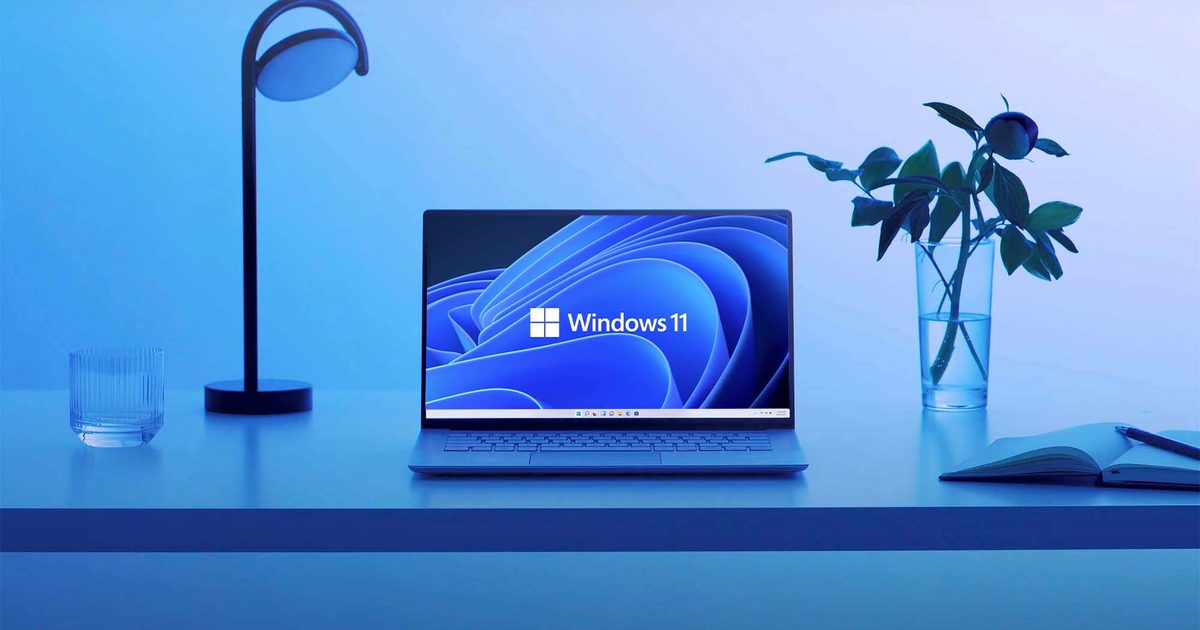
Windows 11 Laptop

There’s also a firmware step for headphones and earbuds. Microsoft recommends using the accessory maker’s app to confirm LE Audio is enabled and the latest firmware is installed. If listed gear doesn’t show up, removing and re-pairing it may help.

When users can try it

Shared Audio is still an Insider preview feature, so check eligibility before hunting for the setting. You’ll need a listed Windows 11 Copilot+ PC, the right Insider build, current drivers, and two LE Audio accessories.

When everything lines up, the Shared Audio tile should appear in Quick Settings. Microsoft has also been improving the preview with per-accessory volume sliders and a taskbar indicator while sharing is active.

Most users should wait for wider device support. People with the right hardware can try it now through the Insider path, and the Quick Settings tile is the clearest sign that the PC is ready.
Share. Facebook Twitter Pinterest LinkedIn Telegram Reddit Email
Previous ArticleiOS 27 hands-on: the iPhone update I have been waiting for
Next Article Waze is catching up on traffic lights, just not for everyone yet

Related Articles

Windows users can finally pick when updates stop with Microsoft’s latest patch

Windows users can finally pick when updates stop with Microsoft’s latest patch

15 July 2026
Pebble is finally catching up on Time 2 orders, and I appreciate the transparency

Pebble is finally catching up on Time 2 orders, and I appreciate the transparency

14 July 2026
Can AI audiobooks narrate better than humans? This study says many listeners think so

Can AI audiobooks narrate better than humans? This study says many listeners think so

14 July 2026
Gemini can make sense of the world around you, but don’t let it observe your children just yet

Gemini can make sense of the world around you, but don’t let it observe your children just yet

14 July 2026
Spotify’s new conversational AI can play tracks you request and answer your music questions

Spotify’s new conversational AI can play tracks you request and answer your music questions

14 July 2026
WhatsApp is creating its own cloud backup alternative for iPhone users

WhatsApp is creating its own cloud backup alternative for iPhone users

14 July 2026
Demo
Stay In Touch
  • Facebook
  • Twitter
  • Pinterest
  • Instagram
  • YouTube
  • Vimeo
Don't Miss
Pebble is finally catching up on Time 2 orders, and I appreciate the transparency

Pebble is finally catching up on Time 2 orders, and I appreciate the transparency

By News Room14 July 2026

If you’ve been refreshing your order tracking page for months, Pebble just gave you an…

Can AI audiobooks narrate better than humans? This study says many listeners think so

Can AI audiobooks narrate better than humans? This study says many listeners think so

14 July 2026
Gemini can make sense of the world around you, but don’t let it observe your children just yet

Gemini can make sense of the world around you, but don’t let it observe your children just yet

14 July 2026
Techland Cancels PlayStation 4 And Xbox One Versions Of Dying Light: The Beast

Techland Cancels PlayStation 4 And Xbox One Versions Of Dying Light: The Beast

14 July 2026
Tech Savvyed
Facebook X (Twitter) Instagram Pinterest
  • Privacy Policy
  • Terms of use
  • Advertise
  • Contact
© 2026 Tech Savvyed. All Rights Reserved.

Type above and press Enter to search. Press Esc to cancel.