





Every once in a while, you come across an app that fundamentally changes how you use your Mac. Over the past year, Supercharge has been that app for me. It packs hundreds of tweaks and features that solve macOS’s several annoyances and add improvements that upgrade the experience.
While it will be hard to cover all its features in a single article, here are my favorite Supercharge features that have single-handedly improved my Mac experience. They’ve become such an integral part of my workflow that I now miss them whenever I use a Mac without Supercharge.
Finder contextual menu improvement
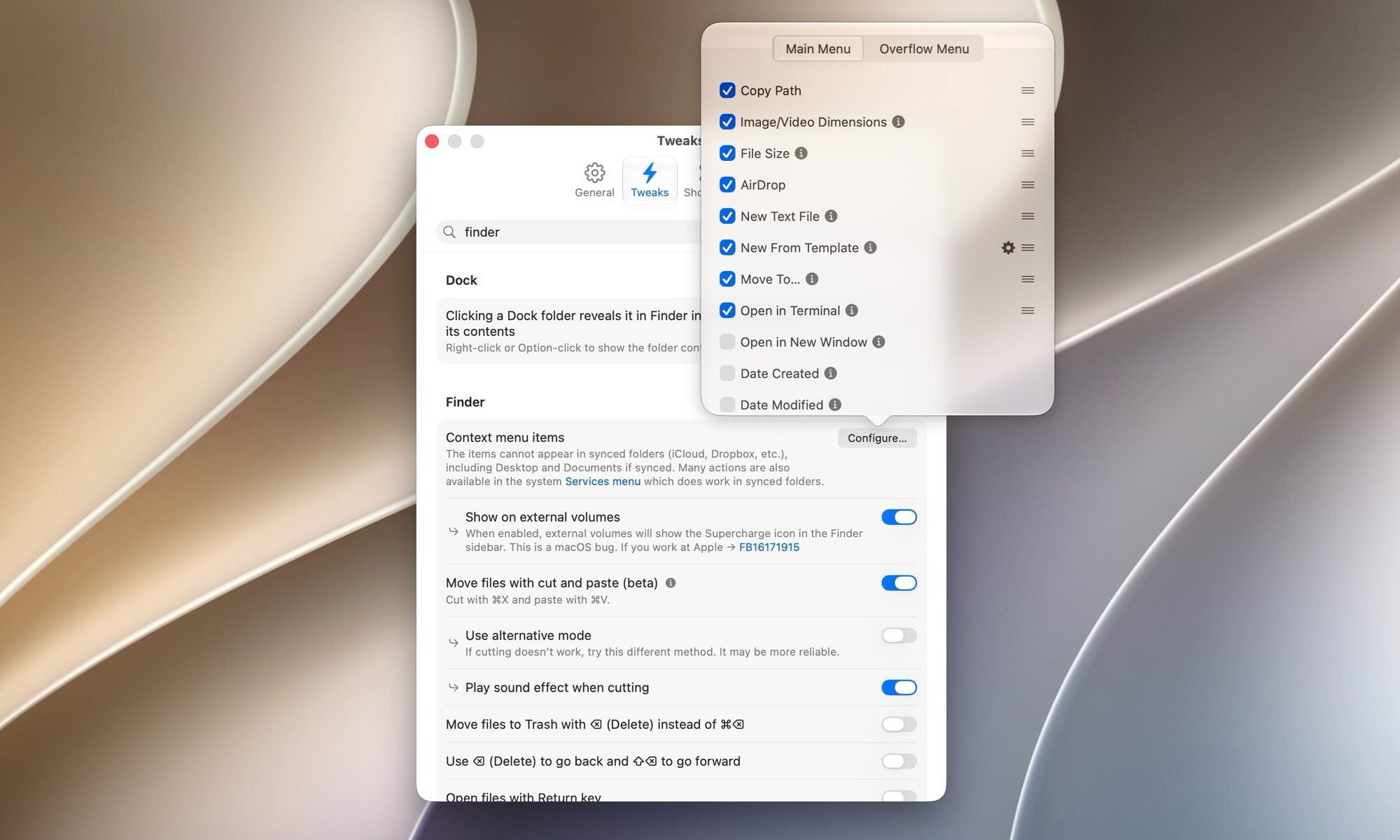
The right-click menu in Finder is pretty bare-bones. Supercharge gives you dozens of actions that you can add to the Finder menu to make it more useful. For example, it gives me the option to create a new text file, a Markdown file, or a Pages document directly from the right-click menu.
When I select a file and right-click on it, I can open it in Terminal, AirDrop it to my iPhone, or move it to a different folder. Right-clicking on an image shows me its aspect ratio, file size, and more. If I want, I can also add a toggle to create a folder inside a folder, copy the file URL, attach a file directly to an email, and so much more.
One-click DMG installs
Installing an app from outside the Mac App Store is a multi-step chore. You download the DMG file, double-click it to mount the disk, drag the app into your Applications folder, eject the disk, and then remember to delete the DMG file that is now sitting in your Downloads folder forever.
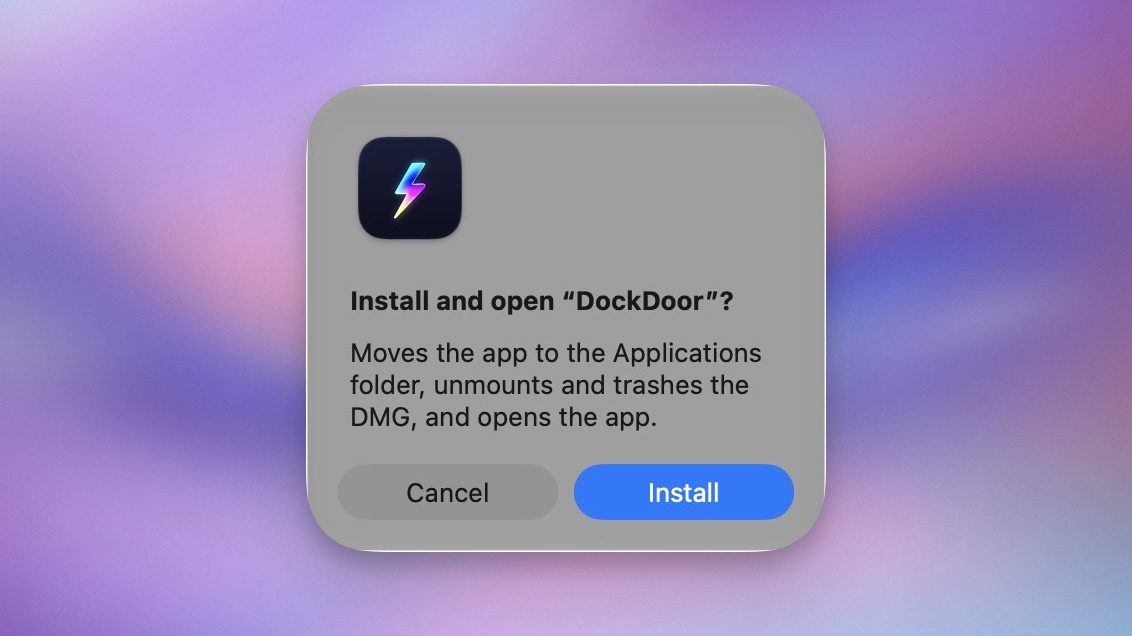
Supercharge collapses all of that into a single click. When you double-click a DMG file, the app asks whether you want to install it. You hit the Install button, and it copies the app over, ejects the disk, and sends the DMG file to the trash on its own.
Stop accidentally quitting your apps
On macOS, ⌘W closes a window, and ⌘Q quits the app entirely. Those two keys sit right next to each other on the keyboard, which means every Mac user has, at some point, wiped out an entire app when they only meant to close one window.
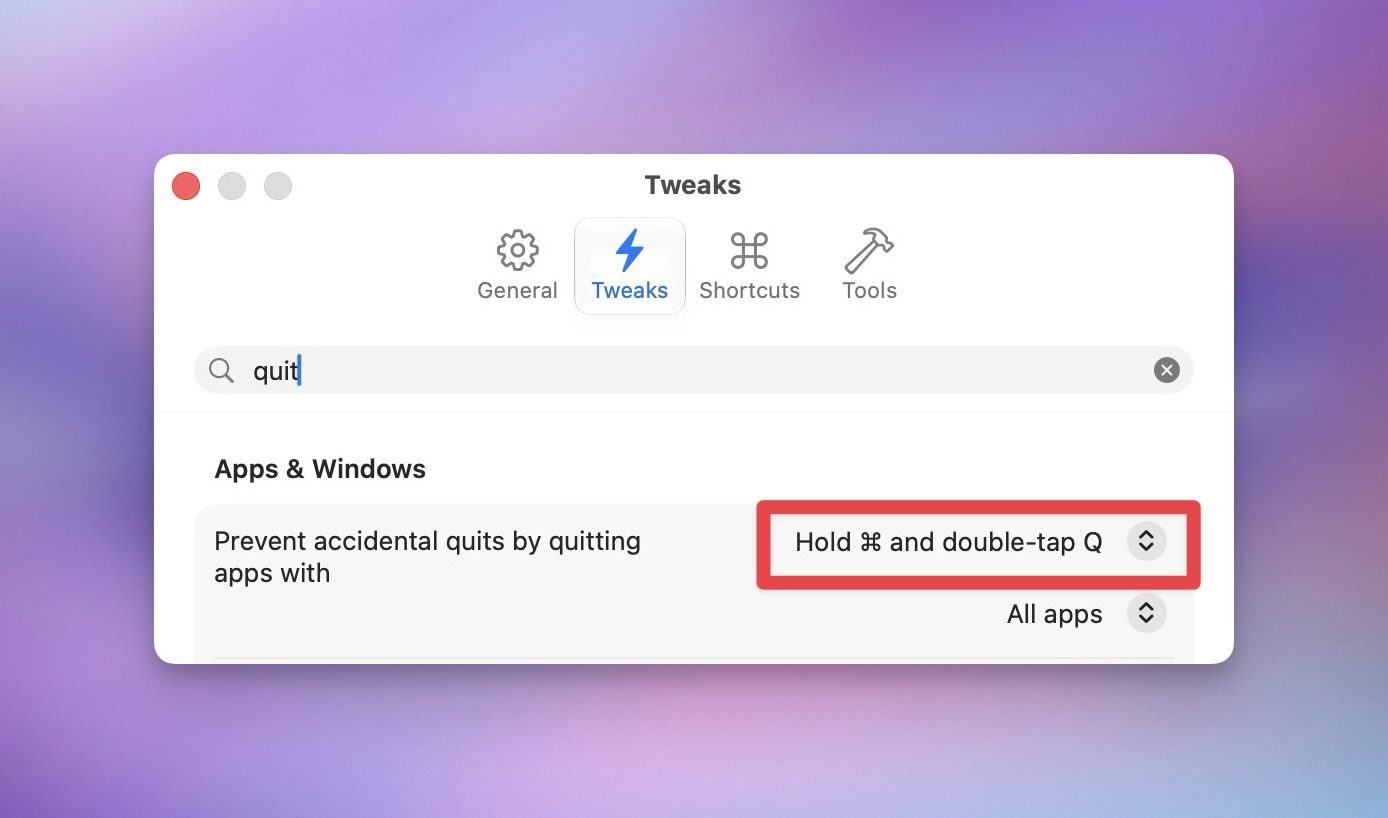
Supercharge fixes this with a few options. You can change the quit shortcut to ⌘⇧Q, require a double-tap of ⌘Q, or make you press and hold ⌘Q before the app closes. I use the double-tap option, and I have not accidentally quit an app since I turned it on. It is a small change that has saved me from losing work more than once.
Add keyboard shortcuts for almost anything
One of my favorite features of Supercharge is that it lets me add keyboard shortcuts to almost anything I want. I have assigned keyboard shortcuts to launch my most used apps so I never have to search for them or launch them from the Dock.
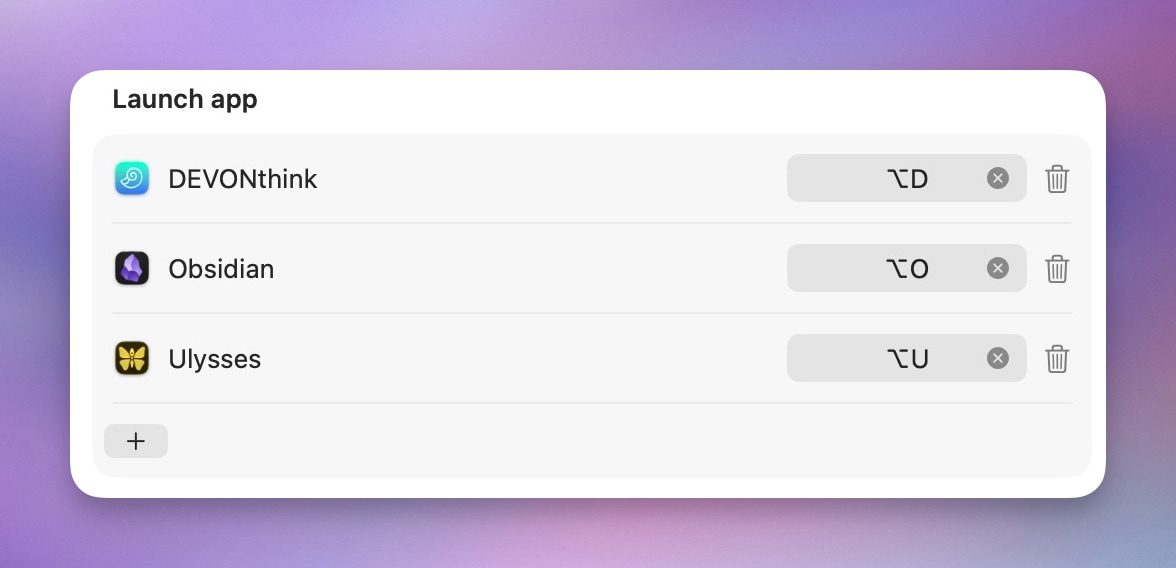
For example, I can hit ⌥O to launch Obsidian, ⌥U to launch Ulysses, and ⌥D to launch DEVONthink. I also love that Supercharge lets me add a keyboard shortcut to launch the Apple Passwords’ menu bar app.
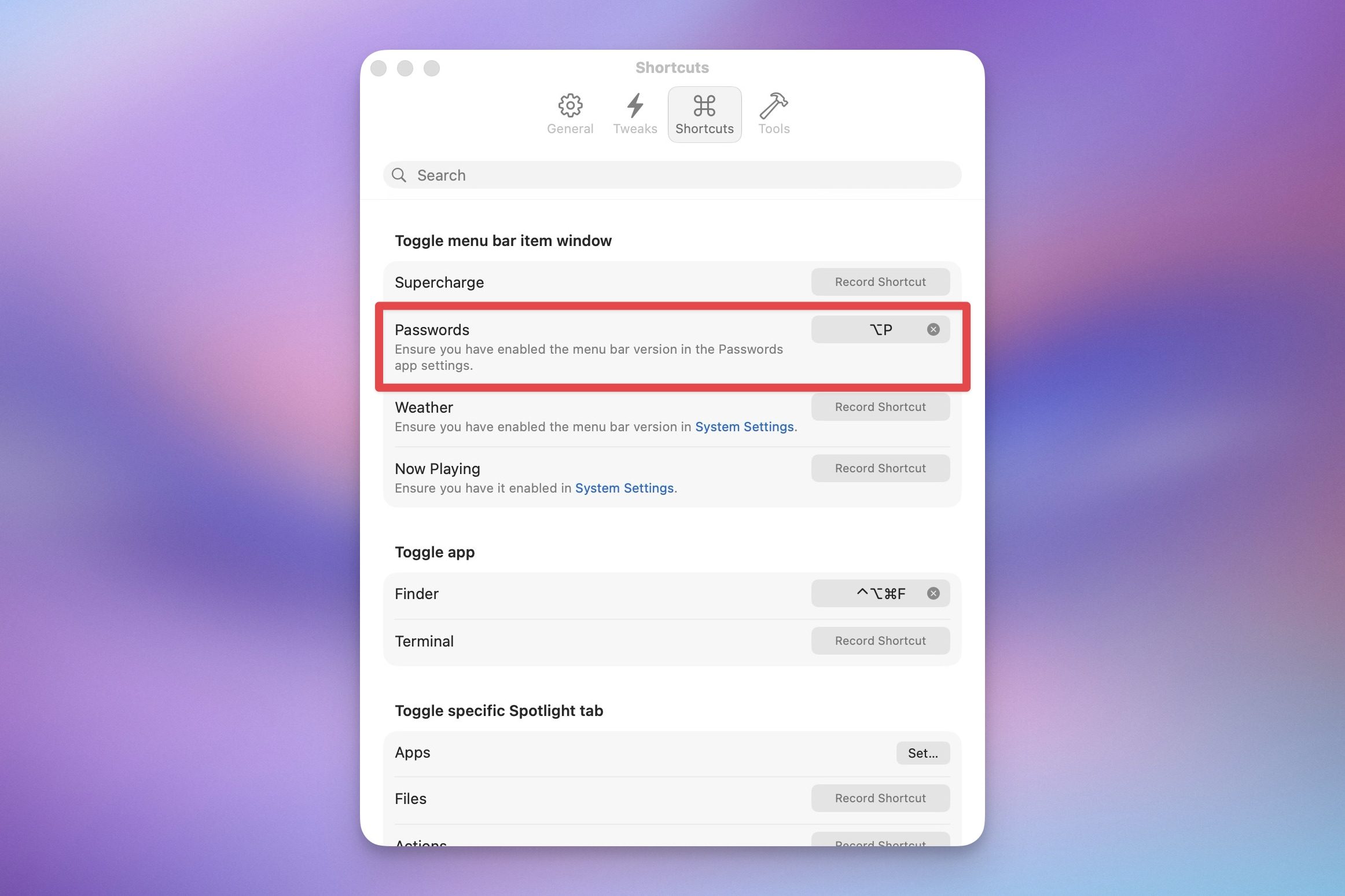
Normally, I would have to click its Menu Bar icon, but with Supercharge, I can simply hit the ⌥P keyboard shortcut, and it opens it, allowing me to easily copy and paste passwords whenever I want.
Disable keyboard and screen for easy cleaning
I don’t know about you, but my MacBook’s keyboard and display get oily and accumulate dust, so I need to clean them regularly. The problem is that it’s difficult to do so while they’re still active, as every wipe can trigger accidental key presses or unwanted clicks.
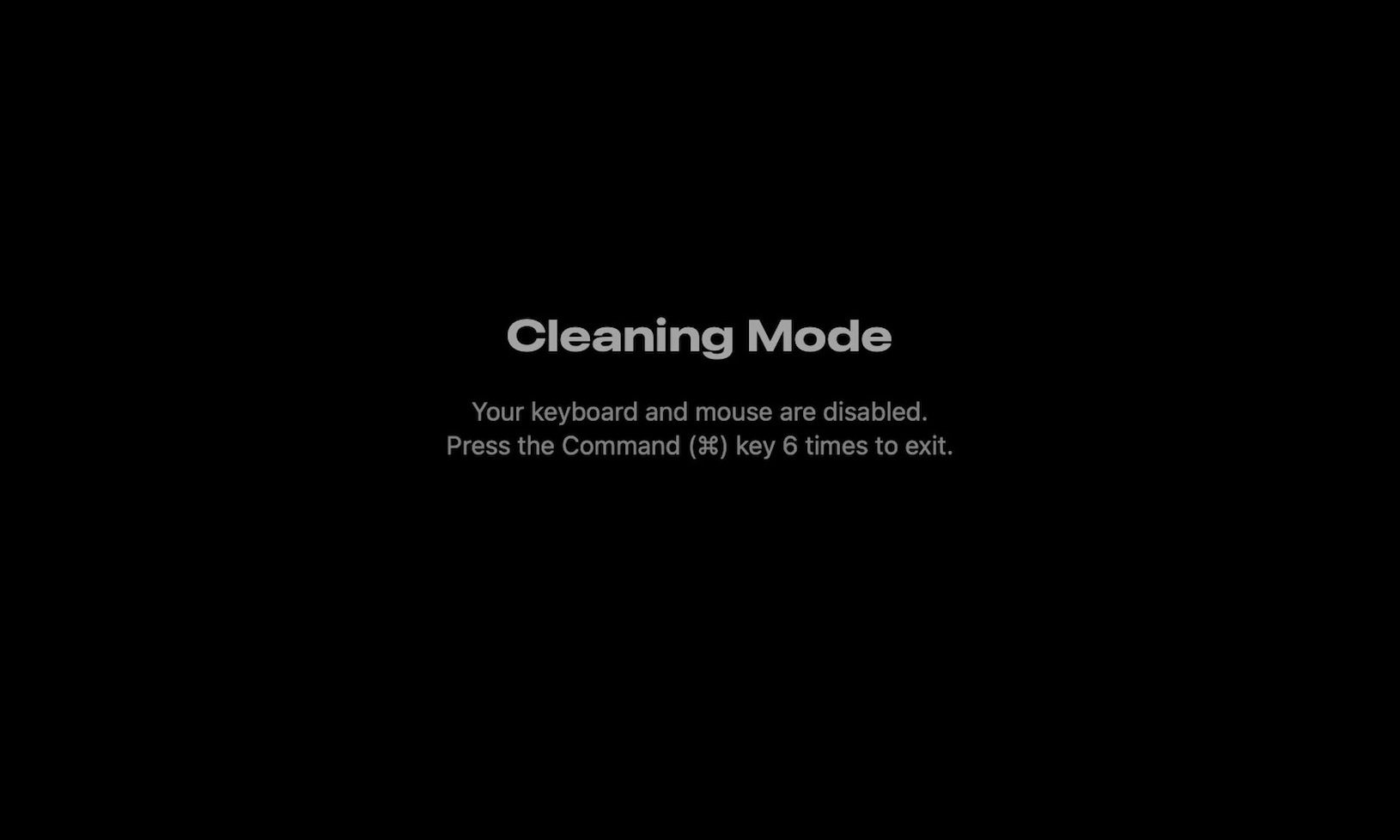
That’s where Supercharge’s Cleaning Mode comes in handy. When triggered, it disables my MacBook’s keyboard and turns off the display so I can easily clean it. After I am done cleaning, I can hit the ⌘ key six times to turn them back on. It makes cleaning your MacBook so much easier.
Prevent Apple Music from opening when you press on AirPods
You might have faced the same thing once or twice. Your AirPods are connected to your Mac, and you press the button on the stem to play the video you were watching, but since the app has gone out of focus, it opens the Apple Music app instead.
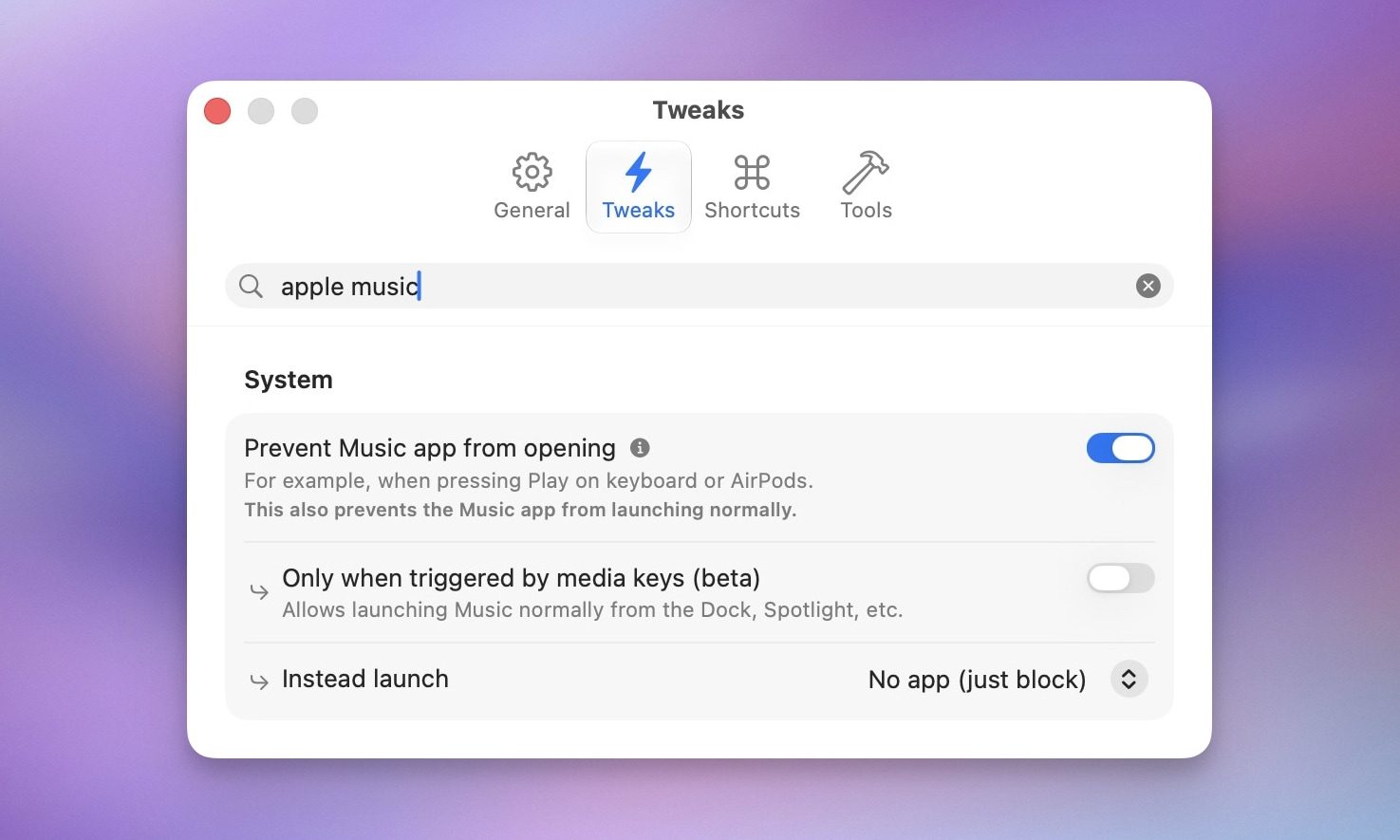
It’s a small but constant annoyance. Supercharge has a solution for this too. I just turned on a toggle, and it prevents the Music app from opening when I press play on AirPods or use the play button on my MacBook’s keyboard.
Auto-quit apps you have stopped using
We all forget to quit apps and leave them running in the background. Slack, Google Chrome, or Firefox sit in the background eating memory while you work on something else entirely. Supercharge has a tweak that quits these apps after a set period of inactivity.
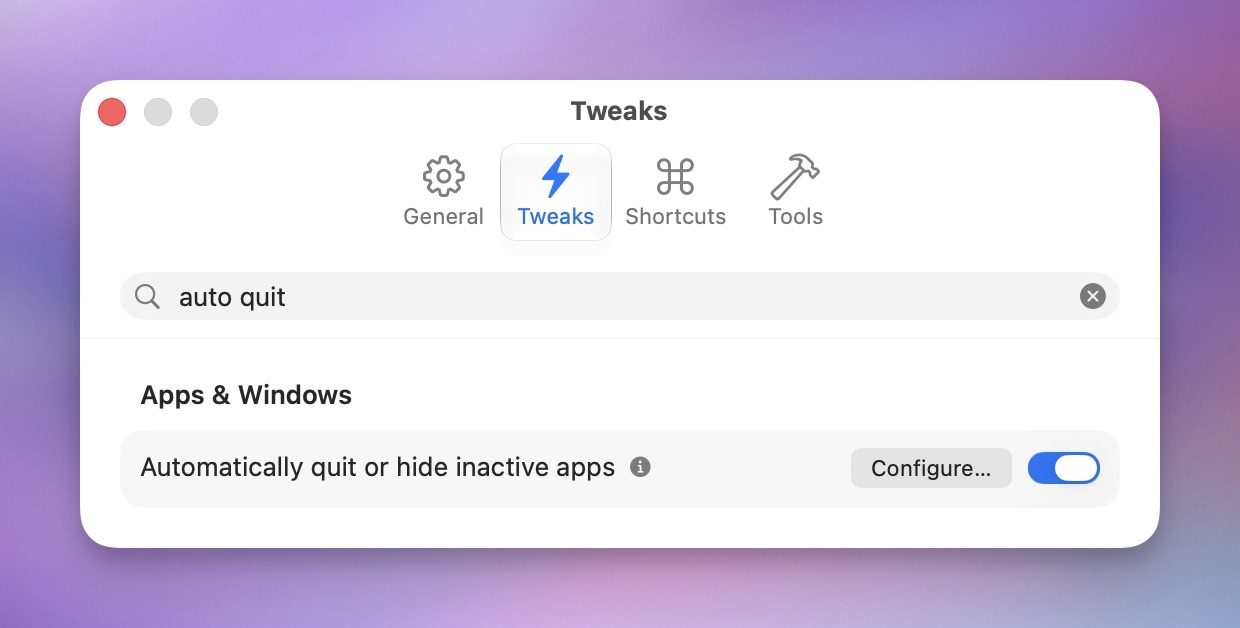
The timer starts when you switch to another app. If you set it to three minutes, the selected apps will close three minutes after you switch to another. It is smart about it too. It will never touch the app you are actively using, skips menu bar-only apps, and doesn’t quit apps while your camera or microphone is in use.
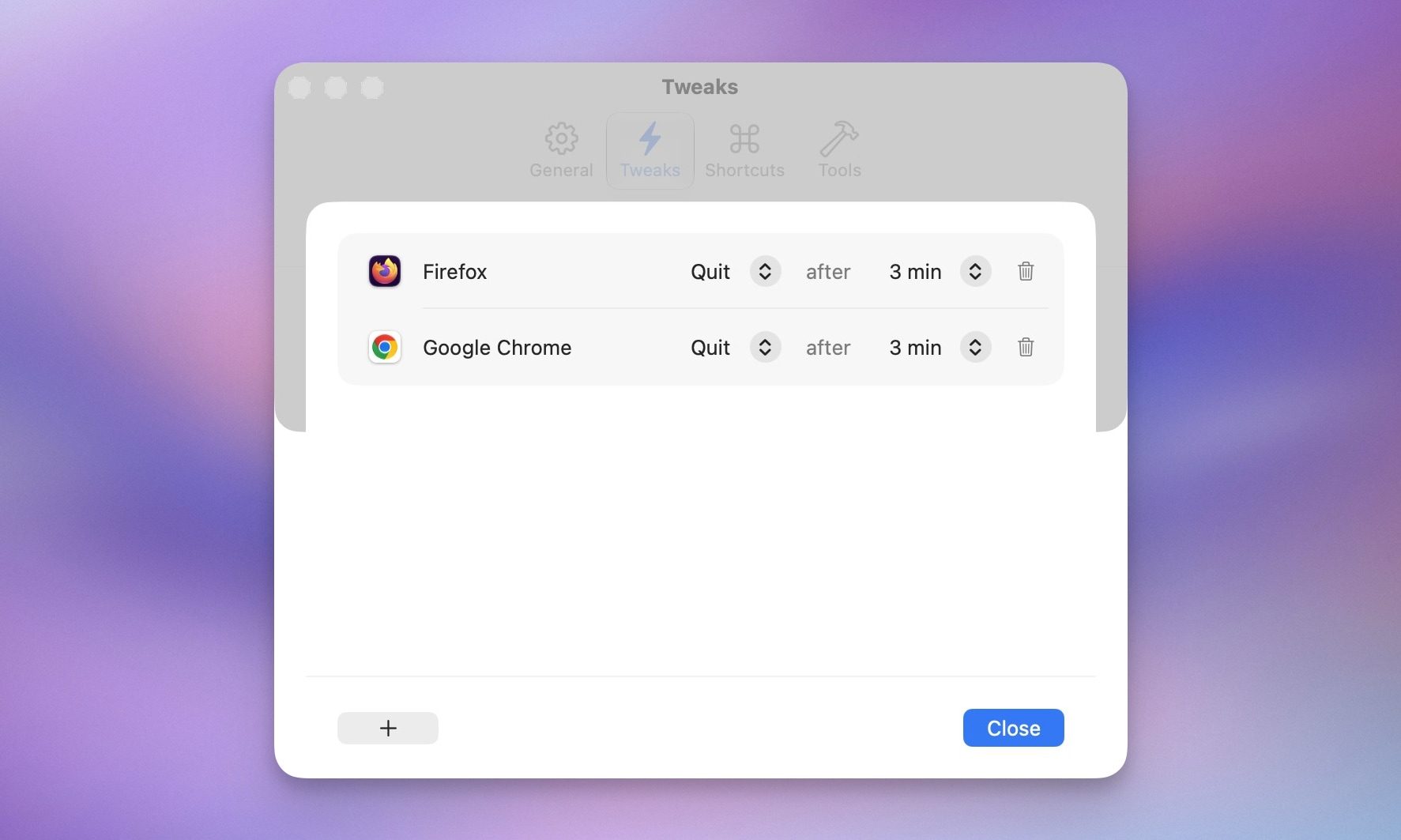
This tweak manages your apps and keeps the resources free on your Mac, so it’s not bogged down by the apps you are not using.
Supercharge for Mac: is it worth it?
Supercharge is not a flashy app, and that is exactly why I love it. The app just quietly removes the friction that has annoyed Mac users for years, and it lets you decide which fixes you actually want.
After a year with it, I can say that these tweaks have become invisible to me, which is the highest compliment I can give any utility. You can grab Supercharge from the developer’s website or get it as part of a SetApp subscription. Once you get this app, you will not be able to use a Mac without it.





