



Close Menu
Tech Savvyed
  • Home
  • News
  • Artificial Intelligence
  • Gadgets
  • Apps
  • Mobile
  • Gaming
  • Accessories
  • More
    • Web Stories
    • Spotlight
    • Press Release

Subscribe to Updates

Get the latest tech news and updates directly to your inbox.

What's On
Samsung thinks Exynos 2700 can beat Qualcomm’s best next-gen chip

Samsung thinks Exynos 2700 can beat Qualcomm’s best next-gen chip

24 August 2026
I never cared about Mac desktop widgets until I found this app

I never cared about Mac desktop widgets until I found this app

24 August 2026
Apple’s September 2026 event: Everything we know about the iPhone 18 Pro and iPhone Ultra launch event

Apple’s September 2026 event: Everything we know about the iPhone 18 Pro and iPhone Ultra launch event

24 August 2026
Facebook X (Twitter) Instagram
Tech Savvyed
SUBSCRIBE
  • Home
  • News
  • Artificial Intelligence
  • Gadgets
  • Apps
  • Mobile
  • Gaming
  • Accessories
  • More
    • Web Stories
    • Spotlight
    • Press Release
Tech Savvyed
Home»News»This app gives your Mac a music player you’ll actually enjoy using
News

This app gives your Mac a music player you’ll actually enjoy using

News RoomBy News Room13 July 20262 Mins Read
This app gives your Mac a music player you’ll actually enjoy using
Share
Facebook Twitter Reddit Telegram Pinterest Email

The Apple Music app on the Mac is not up to the mark. I don’t like how it looks or behaves, and Apple should take some inspiration from Spotify to make the app more modern and useful. Until that happens, we are stuck with a subpar app experience.

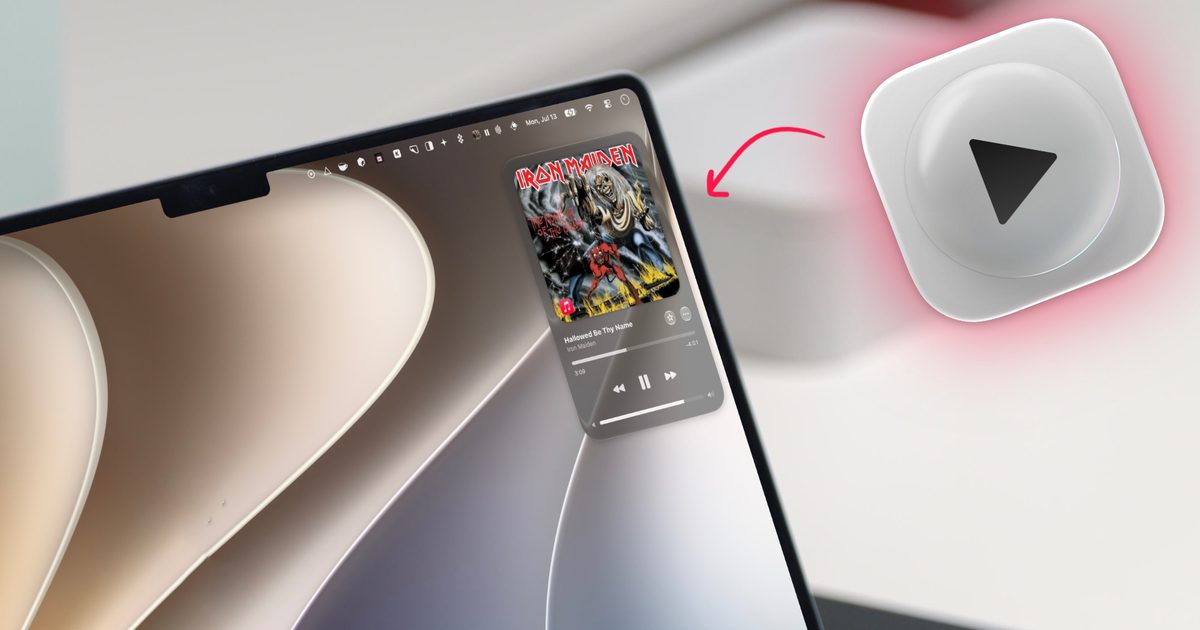
That’s why I never use the Apple Music app on my Mac and rely on third-party apps that let me control music. Today I am featuring one of the latest apps I discovered. It’s called Liqoria, and it’s probably the only music player app you will ever need.

What makes Liqoria different from other music apps?

Most third-party music player apps are glorified remote controls. They sit in your menu bar and press the play button on Apple Music or Spotify for you, which is of limited use.

Liqoria takes a different route. It works as a proper music app in its own right, letting you carry out actions without falling back on the original app. For example, it lets me not only play/pause or skip songs but also search for them, making it easy to find and play the songs I want without opening the original app.
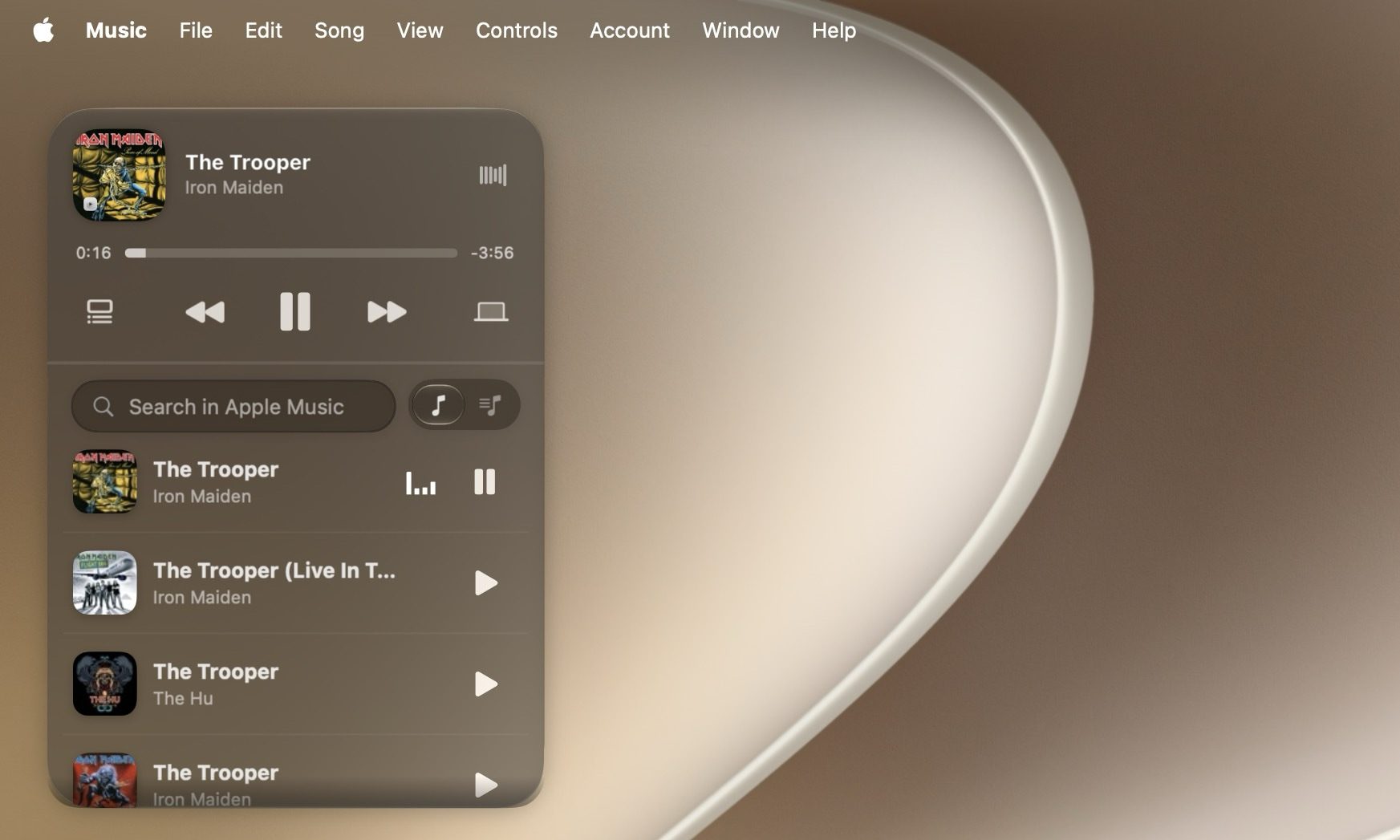
Liqoria muisc player desktop

This results in a more unified experience, where everything happens inside Liqoria instead of bouncing between apps. The app also supports Apple Music, Spotify, YouTube, and your browser, so you can control all your music from one place.

What other features does the app bring to the table?

Liqoria gives you multiple ways to control your music. There is a floating player you can place anywhere on your desktop, a menu bar player for a quick peek, and a macOS Dock player that keeps the controls in easy reach.
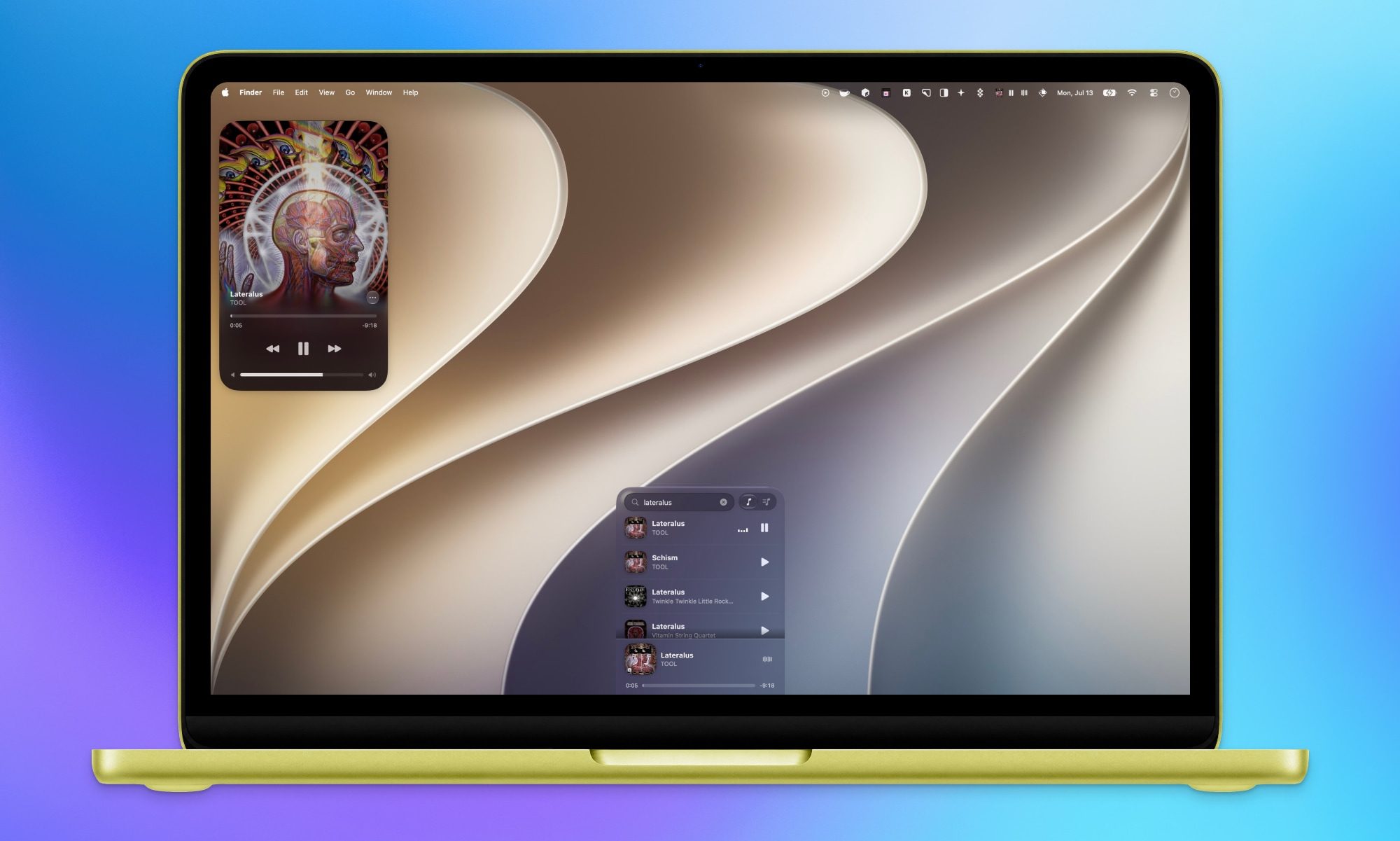
Liqoria multiple players

Because you can pick the player that suits the moment, you are not stuck with one rigid layout. Working in full screen? Use the Dock player. Sitting back with a coffee? Let the floating player do its thing.

You also get a real-time waveform, smooth animations, and some visual customization options. The app also supports animated artwork for Apple Music, but it was buggy for me.

But that might be because I am running macOS Golden Gate beta. Apart from that minor inconvenience, Liqoria seems like a solid music player that your Mac has been missing.

Share. Facebook Twitter Pinterest LinkedIn Telegram Reddit Email
Previous ArticleAnthropic is giving away Claude Fable 5 at no extra cost for a limited time
Next Article This floating AI robot looks like it escaped a Studio Ghibli film, and that’s exactly the point

Related Articles

Samsung thinks Exynos 2700 can beat Qualcomm’s best next-gen chip

Samsung thinks Exynos 2700 can beat Qualcomm’s best next-gen chip

24 August 2026
I never cared about Mac desktop widgets until I found this app

I never cared about Mac desktop widgets until I found this app

24 August 2026
Apple’s September 2026 event: Everything we know about the iPhone 18 Pro and iPhone Ultra launch event

Apple’s September 2026 event: Everything we know about the iPhone 18 Pro and iPhone Ultra launch event

24 August 2026
Samsung may be planning two Galaxy S27 Ultra sizes next year

Samsung may be planning two Galaxy S27 Ultra sizes next year

24 August 2026
In China, AI has reached dumpling shops where you also get to feed on compute tokens

In China, AI has reached dumpling shops where you also get to feed on compute tokens

23 August 2026
Silicon Valley wants AI everywhere. It just doesn’t want us to notice

Silicon Valley wants AI everywhere. It just doesn’t want us to notice

23 August 2026
Demo
Stay In Touch
  • Facebook
  • Twitter
  • Pinterest
  • Instagram
  • YouTube
  • Vimeo
Don't Miss
I never cared about Mac desktop widgets until I found this app

I never cared about Mac desktop widgets until I found this app

By News Room24 August 2026

Apple added desktop widgets to Mac with macOS Sonoma back in 2023. I remember dragging…

Apple’s September 2026 event: Everything we know about the iPhone 18 Pro and iPhone Ultra launch event

Apple’s September 2026 event: Everything we know about the iPhone 18 Pro and iPhone Ultra launch event

24 August 2026
Samsung may be planning two Galaxy S27 Ultra sizes next year

Samsung may be planning two Galaxy S27 Ultra sizes next year

24 August 2026
In China, AI has reached dumpling shops where you also get to feed on compute tokens

In China, AI has reached dumpling shops where you also get to feed on compute tokens

23 August 2026
Tech Savvyed
Facebook X (Twitter) Instagram Pinterest
  • Privacy Policy
  • Terms of use
  • Advertise
  • Contact
© 2026 Tech Savvyed. All Rights Reserved.

Type above and press Enter to search. Press Esc to cancel.



