


Close Menu
Tech Savvyed
  • Home
  • News
  • Artificial Intelligence
  • Gadgets
  • Apps
  • Mobile
  • Gaming
  • Accessories
  • More
    • Web Stories
    • Spotlight
    • Press Release

Subscribe to Updates

Get the latest tech news and updates directly to your inbox.

What's On
ChatGPT can now remember what users do on their Mac

ChatGPT can now remember what users do on their Mac

14 August 2026
Say goodbye to Chronicle. ChatGPT’s new Computer History feature does it better

Say goodbye to Chronicle. ChatGPT’s new Computer History feature does it better

14 August 2026
Google Meet can finally take notes for your in-person meetings

Google Meet can finally take notes for your in-person meetings

14 August 2026
Facebook X (Twitter) Instagram
Tech Savvyed
SUBSCRIBE
  • Home
  • News
  • Artificial Intelligence
  • Gadgets
  • Apps
  • Mobile
  • Gaming
  • Accessories
  • More
    • Web Stories
    • Spotlight
    • Press Release
Tech Savvyed
Home»News»Say goodbye to Chronicle. ChatGPT’s new Computer History feature does it better
News

Say goodbye to Chronicle. ChatGPT’s new Computer History feature does it better

News RoomBy News Room14 August 20262 Mins Read
Say goodbye to Chronicle. ChatGPT’s new Computer History feature does it better
Share
Facebook Twitter Reddit Telegram Pinterest Email

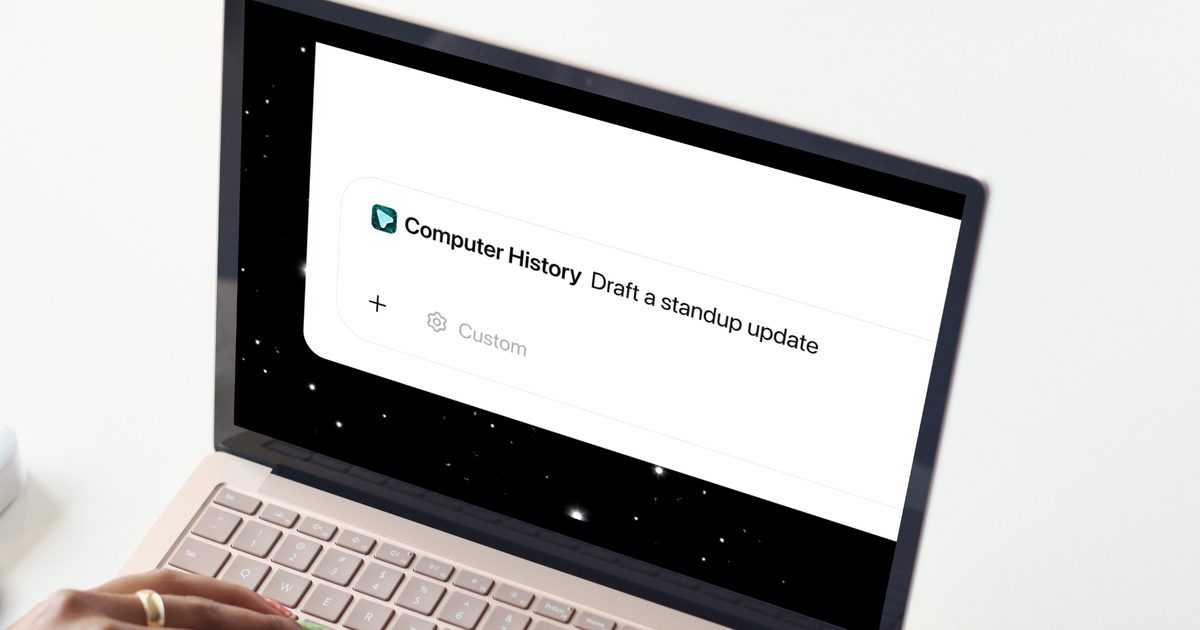
OpenAI just rolled out Computer History for the ChatGPT desktop app, and if you found Chronicle interesting but a little too screenshot-happy, this update should ease your mind.

What does Computer History do?

Instead of taking screenshots as Chronicle did, Computer History tracks your clicks, keystrokes, and app switches through macOS’s accessibility system, then turns all that activity into text summaries and a timeline you can scroll through. Think of it as ChatGPT quietly taking notes on your day so it can help you out later.

ChatGPT can now remember your activity across the apps and websites on your computer.

With Computer History in the desktop app, future interactions feel more personalized and require less explanation. pic.twitter.com/WHZPxPp31R

— OpenAI (@OpenAI) August 13, 2026

Once it’s turned on, you can ask ChatGPT things like what you were working on before your last break, or where that proposal document went. It digs through your recent activity and points you in the right direction instead of making you reconstruct your entire morning from memory.

If you find yourself doing the same task over and over, Computer History can notice the pattern and suggest turning it into a skill or automation. You just review the suggestion and let Codex build it out for you.

How do you turn it on, and is it actually private?

Computer History is off by default, and it stays that way until you flip the switch yourself. To turn it on, head to Settings → Integrations, and select Computer History to get started. You’ll also need Memories turned on, since that’s what lets ChatGPT actually use this context across your chats.

You get to pick exactly which apps and websites are allowed to contribute, and private browsing is never touched. There’s also a menu bar shortcut to pause collection whenever you want a break from being tracked, along with the option to delete your history at any time.

If you’re on a Business or Enterprise workspace, your admin needs to grant access first, and even then, you still have to opt in yourself. Pro users can enable it from the settings.

Overall, this feels like a solid privacy-first upgrade over Chronicle, and I like that OpenAI is giving users this much control over what gets remembered.

Share. Facebook Twitter Pinterest LinkedIn Telegram Reddit Email
Previous ArticleGoogle Meet can finally take notes for your in-person meetings
Next Article ChatGPT can now remember what users do on their Mac

Related Articles

ChatGPT can now remember what users do on their Mac

ChatGPT can now remember what users do on their Mac

14 August 2026
Google Meet can finally take notes for your in-person meetings

Google Meet can finally take notes for your in-person meetings

14 August 2026
Apple TV just got a bunch of classic movies, and they’re all worth a rewatch

Apple TV just got a bunch of classic movies, and they’re all worth a rewatch

14 August 2026
Researchers built a tiny wearable patch that measures cholesterol levels from your sweat

Researchers built a tiny wearable patch that measures cholesterol levels from your sweat

14 August 2026
Darksiders 4 and the next Kingdom Come game could arrive by March 2028

Darksiders 4 and the next Kingdom Come game could arrive by March 2028

14 August 2026
Google drops Gemini 3.7 Flash model, and it’s ready to handle your chores with the Spark agent

Google drops Gemini 3.7 Flash model, and it’s ready to handle your chores with the Spark agent

14 August 2026
Demo
Stay In Touch
  • Facebook
  • Twitter
  • Pinterest
  • Instagram
  • YouTube
  • Vimeo
Don't Miss
Say goodbye to Chronicle. ChatGPT’s new Computer History feature does it better

Say goodbye to Chronicle. ChatGPT’s new Computer History feature does it better

By News Room14 August 2026

OpenAI just rolled out Computer History for the ChatGPT desktop app, and if you found…

Google Meet can finally take notes for your in-person meetings

Google Meet can finally take notes for your in-person meetings

14 August 2026
Apple TV just got a bunch of classic movies, and they’re all worth a rewatch

Apple TV just got a bunch of classic movies, and they’re all worth a rewatch

14 August 2026
Researchers built a tiny wearable patch that measures cholesterol levels from your sweat

Researchers built a tiny wearable patch that measures cholesterol levels from your sweat

14 August 2026
Tech Savvyed
Facebook X (Twitter) Instagram Pinterest
  • Privacy Policy
  • Terms of use
  • Advertise
  • Contact
© 2026 Tech Savvyed. All Rights Reserved.

Type above and press Enter to search. Press Esc to cancel.



