




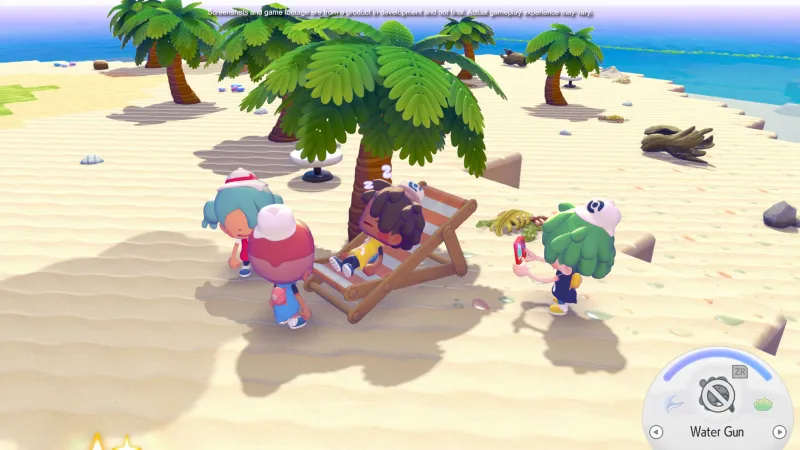
Pokémon Pokopia is an easy sell – befriend a wide roster of beloved pocket monsters, build them homes, and spend some quality time with them. It’s such an easy sell, in fact, that it would be very easy for the teams involved to phone it in, coasting on the cozy premise and the powerful brand identity. After playing it myself, I’m delighted to learn this isn’t the case.
I visited New York City in late January to preview some upcoming Switch 2 games, and while I’ve already written about Super Mario Bros. Wonder, the Virtual Boy, Resident Evil Requiem, and Pragmata, I saved the most exciting game for last. After playing Pokémon Pokopia for a little over an hour, I’m ready to pack my things and move into a quaint Pokémon town. Its habitat system seamlessly combines the joy of customizing a town with the long-running tradition of Pokémon catching, and I can’t wait to spend more time with it.
Solo Gameplay
My preview begins with a fresh save file. Players in Pokopia embody a Ditto, a shapeshifting Pokémon, which models its appearance after its long-lost trainer. Customization options are simple to start, with only two style options per piece of clothing. However, trailers show trainers wearing more diverse outfits, so I assume they become available later.
After waking up, I find myself in a cave with a strangely colored Tangrowth who calls themselves Professor Tangrowth. They explain that it’s been a long time since they’ve seen any Pokémon or humans around, and is shocked at my appearance. Behind them, a strange device starts making noise, and as I approach, we realize it’s a Pokédex. Professor Tangrowth says they’ve never gotten it to work before, and that it likely responds to me because I look like the trainer that it used to belong to. Still, we have no clue what happened to them.
After emerging from the cave, I encounter a dehydrated Squirtle collapsed on the ground. Luckily, Ditto can use its signature transform ability to copy moves from certain nearby Pokémon, so I add Water Gun to my repertoire and hydrate Squirtle with a refreshing splash. Pretty soon, I also meet Bulbasaur, who asks me to water some shriveled plants in the area, including grass, flowers, and trees. Doing so restores the flora to a healthy state, making Bulbasaur so happy that they teach me the move Leafage, which I can use to plant grass in the overworld. When I combine it with Water Gun, it becomes tall grass, and I can start creating habitats.
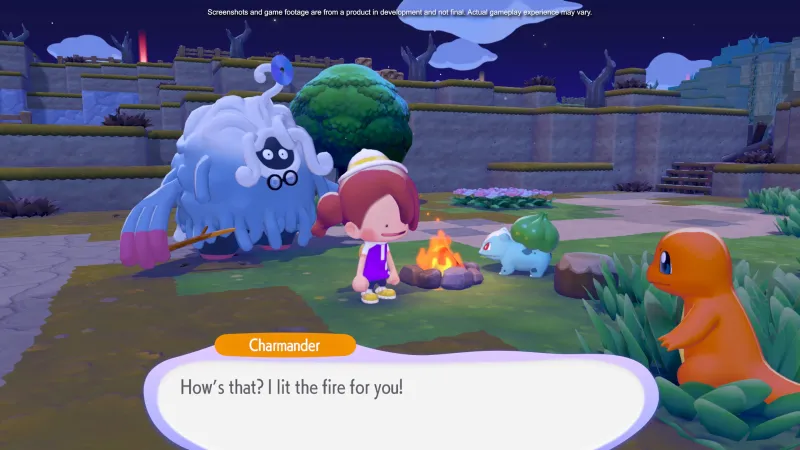
As I alluded to above, the habitat system is a core mechanic that I’m looking forward to seeing fleshed out in the full game. If certain elements are nearby each other in the overworld, they form a habitat, and over time, certain Pokémon can appear in each. Some are made of natural decorations: four patches of tall grass can summon Bulbasaur, while four patches of grass around a tree can summon a Scyther. Others are made of craftable decorations, like how a punching bag and weight bench can summon a Hitmonchan or how boxes on a cart can summon a Makuhita.
Each habitat can spawn in several Pokémon of differing rarity as well, so even though I successfully create a handful, I can see in the menu that each one can spawn a few more if I’m patient or get lucky. It’s sort of like exploring a route in a mainline Pokémon game where you know a certain creature can appear rarely. I find it satisfying to have my sustained patience and effort rewarded.
Town-building and simulation games often have hundreds of furniture items and decorations, but I’m typically only concerned with crafting items related to my personal aesthetic. The habitat system intrigues me because it incentivizes engaging with parts of the system I would otherwise never touch, creating reasons to keep crafting new items rather than making the ones I want and moving on. For example, I would not be excited to unlock an ice sculpture in Animal Crossing, but in Pokémon Pokopia, I’d be excitedly pondering which ice-types might appear when I place it in my town.
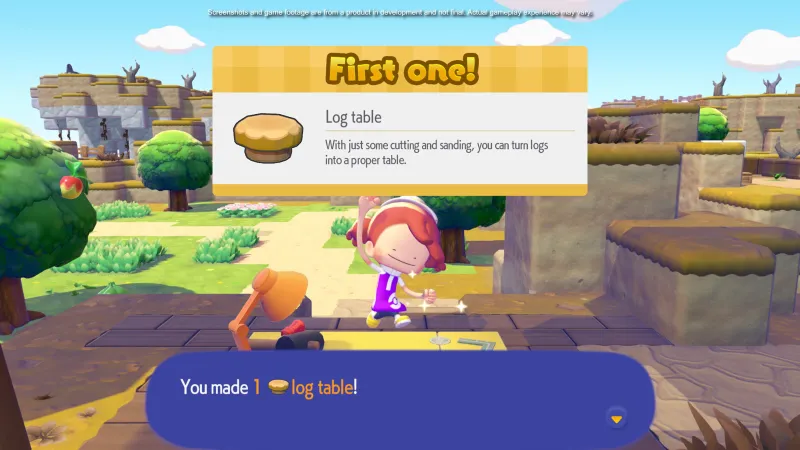
Bulbasaur eventually leads me to a crafting table, where I can fashion some of the aforementioned furniture out of items I’ve collected nearby, like sticks and leaves. Some decorations, like a straw bed I make for Bulbasaur, can make the Pokémon residents more comfortable and improve your relationship, so it’s not just about attracting new visitors.
There’s also a demolished Pokémon Center nearby. While the building itself lies in ruins, I can access the PC outside, which gives me some simple challenges to complete, like collecting a certain number of resources or adding new entries to my Pokédex. Upon completion, the PC says I’ve raised the environment level, gives me some new challenges, and opens up a furniture shop. The shop easily has two dozen more items I can acquire right away, but also includes a daily rotation, with certain items only available each real-world calendar day.
Sadly, my demo time ends here, and it’s time for us to transition into a new save, this one based on the game’s wireless multiplayer.
Wireless Multiplayer
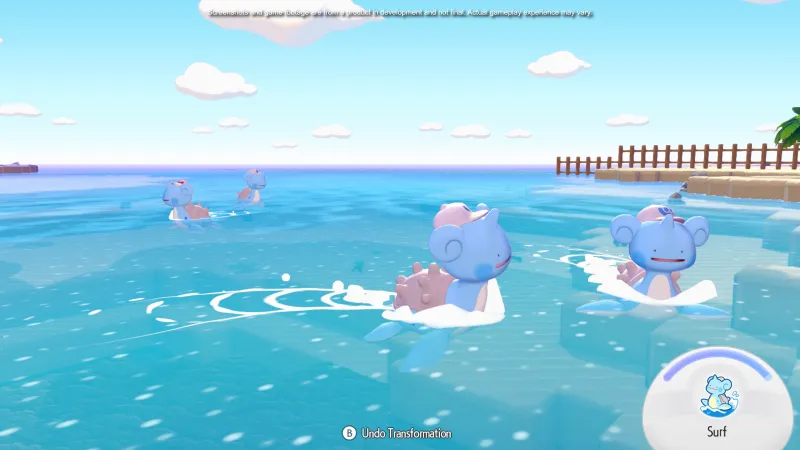
I’m one of four Dittos now, visiting someone else’s world, and it’s immediately clear that we’re all characters with a lot more progress than before. In addition to my other moves, I have Cut, which I can use to fell trees and mow grass, and Rock Smash, which allows me to break the world’s blocks Minecraft-style. We can also surf as Lapras and fly as Dragonite, and unlike the other moves, Ditto fully transforms into these Pokémon, though it’s as smaller, chibi-style versions with Ditto’s signature goofy face.
Our goal is to rebuild the Pokémon Center on this island, and while it’s not the main focus for most of us, it’s easily done, only requiring a handful of sticks, leaves, and two nearby monsters. I’m far more consumed by the level of customization I see in this save file. A second island we can swim to has half a dozen houses, each with its own Pokémon residents. Espeon and Umbreon share an address (which is very cute), while Dragonite has a log cabin all to itself. Arcanine has its own place as well. At one point, a player removes a signpost from Arcanine’s front lawn, and it gets angry, roaring for a replacement.
The island also has a different house, which requires a short loading screen to enter – the representative behind me informs me that this is a pre-made housing kit, while the Pokémon’s houses are player-made, block by block.
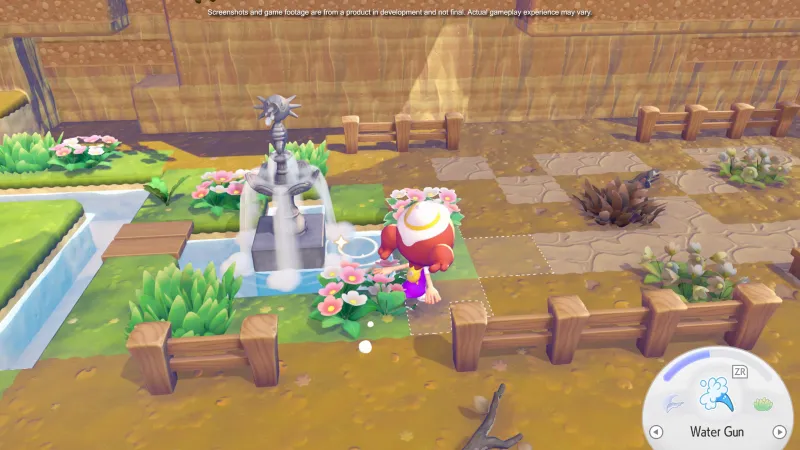
In Pokopia’s earliest hours, terraforming wasn’t something I even considered doing, but now that we all have the option, the four of us absolutely let loose. We’re having fun, sure, but it also lets us test the game’s boundaries; for the most part, anything we can destroy is something another player placed. The houses, for instance, look great, and I know they’re player-made because I can smash them apart and pocket each element. It’s always exciting to get a glimpse at a game’s sandbox options and know confidently that within a few days, players are going to build some very elaborate works of art.
I emote on a music stage while another player runs in and smashes each part of it to bits. Later, a duo breaks a hole in a fancy water fountain, spilling water all over the town. At one point, one of my fellow players even builds up to the height limit and hops off to see if there’s fall damage. Thankfully, there isn’t, though his trainer does splat back into its Ditto form on the grass below.
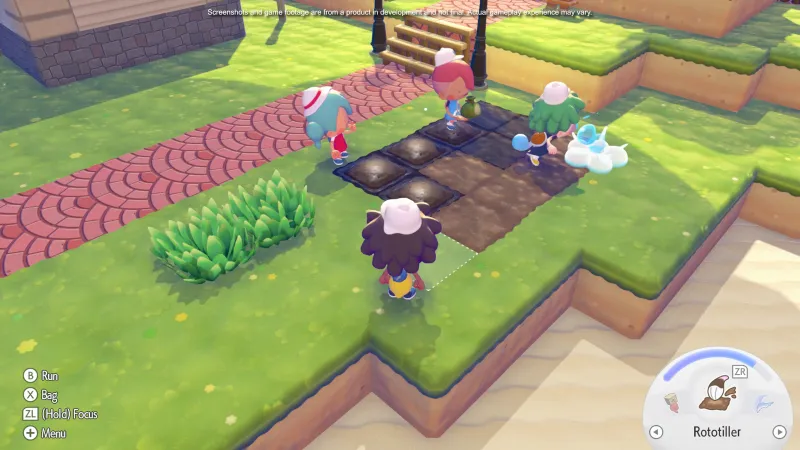
Perhaps most exciting is the fact that most of us are visitors to this world. It’s player 1’s save file, but we’ve all joined with local wireless play, and with few exceptions, like inviting wild Pokémon to the town, we have free rein to customize (or smash) as we see fit. This means it’s completely feasible to invite some friends to help you build a large structure or team up to progress one save file together, and I’m glad it’s not a limited, pared-down experience.
Pokémon spin-offs are very hit or miss for me, but after playing a bit of Pokopia, my gut says this one will be a hit. It balances the aesthetic and accessibility of Pokémon with open-ended, relaxed mechanics found in cozy simulation games, and it does so without feeling boring or overly simple. I’m looking forward to playing the final product when it launches in just a few weeks.


