



Close Menu
Tech Savvyed
  • Home
  • News
  • Artificial Intelligence
  • Gadgets
  • Apps
  • Mobile
  • Gaming
  • Accessories
  • More
    • Web Stories
    • Spotlight
    • Press Release

Subscribe to Updates

Get the latest tech news and updates directly to your inbox.

What's On
This iPhone app turns a face scan into a personalized skincare routine

This iPhone app turns a face scan into a personalized skincare routine

21 July 2026
Samsung unveils Galaxy credit card ahead of Galaxy Unpacked

Samsung unveils Galaxy credit card ahead of Galaxy Unpacked

21 July 2026
New YouTube guidelines are looking to end AI slop and clickbait traps

New YouTube guidelines are looking to end AI slop and clickbait traps

21 July 2026
Facebook X (Twitter) Instagram
Tech Savvyed
SUBSCRIBE
  • Home
  • News
  • Artificial Intelligence
  • Gadgets
  • Apps
  • Mobile
  • Gaming
  • Accessories
  • More
    • Web Stories
    • Spotlight
    • Press Release
Tech Savvyed
Home»News»Microsoft wants to stop screenshot leaks, one Edge tab at a time
News

Microsoft wants to stop screenshot leaks, one Edge tab at a time

News RoomBy News Room20 July 20262 Mins Read
Microsoft wants to stop screenshot leaks, one Edge tab at a time
Share
Facebook Twitter Reddit Telegram Pinterest Email

Microsoft is looking to improve the privacy protection of your sensitive PDFs by closing one of the more obvious loopholes in its document protection system. It is also giving businesses another reason to keep Microsoft Edge firmly installed.

Starting next month, OneDrive and SharePoint will block screen captures when users open certain sensitivity-labeled PDFs through their web viewers in Microsoft Edge. The restriction applies to enterprise organizations using Microsoft Purview Information Protection rather than ordinary personal OneDrive accounts.

Your ordinary PDFs will continue as usual

The protection applies specifically to PDFs carrying a sensitivity label without the Copy, also described as EXTRACT, permission. If these conditions are met, screen capture enforcement will activate by default when the document is viewed in Edge. Existing labels and organization policies remain in place.

Unlabeled files and labels without these restrictions continue behaving normally. The feature affects OneDrive for Business and SharePoint Online, so you will not suddenly lose the ability to screenshot a restaurant menu or instruction manual. The company added that the change aims to close a gap between its desktop applications and browser experience.

Purview labels could already prevent actions such as editing, printing, copying, and taking screenshots in supported desktop apps. However, PDFs opened in the browser did not consistently respect the same screen-capture control. Admins can also disable local downloads, preventing users from simply saving a protected document and reopening it elsewhere.

The protection currently ends at Edge
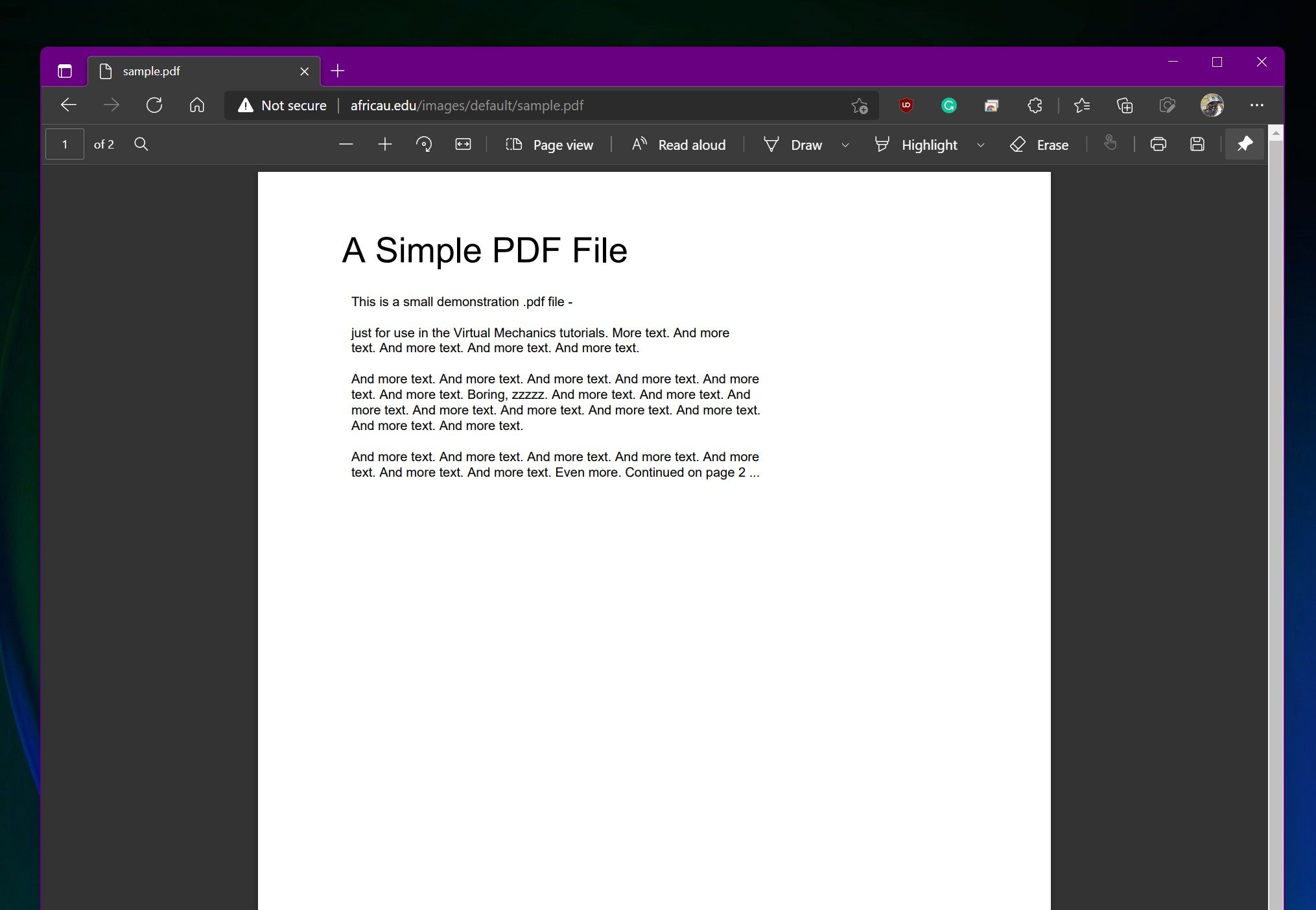
PDF on Edge

Chrome, Firefox, Safari, and other mobile web browsers will not support the restriction when it reaches general availability. Microsoft warns that users opening protected documents outside Edge may receive inconsistent enforcement, and it recommends that businesses use Conditional Access or browser-management policies to direct employees toward Edge.

Unfortunately, this is exclusive to Microsoft Edge at the moment. The security benefit is easy to understand, especially for companies sharing sensitive documents like financial records, legal material, or unreleased products. Its effectiveness depends heavily on convincing, or requiring, everyone involved to use Microsoft’s browser.

Windows Latest reports that support for additional browsers and mobile apps could arrive later. Microsoft’s current notice does not provide a broader rollout date. Targeted organizations should begin receiving the feature in early August, followed by a worldwide general rollout between the middle and end of the month.

Share. Facebook Twitter Pinterest LinkedIn Telegram Reddit Email
Previous ArticleCamera anxiety is reportedly changing how young adults party
Next Article Buying a monitor? This Mac app can expose problems before the return window closes

Related Articles

This iPhone app turns a face scan into a personalized skincare routine

This iPhone app turns a face scan into a personalized skincare routine

21 July 2026
Samsung unveils Galaxy credit card ahead of Galaxy Unpacked

Samsung unveils Galaxy credit card ahead of Galaxy Unpacked

21 July 2026
New YouTube guidelines are looking to end AI slop and clickbait traps

New YouTube guidelines are looking to end AI slop and clickbait traps

21 July 2026
NVIDIA’s new AI can detect deepfake videos in just 22 milliseconds

NVIDIA’s new AI can detect deepfake videos in just 22 milliseconds

21 July 2026
The Galaxy Watch Ultra 2 is finally ready to dive, and the Watch 9 40mm gets a bigger battery

The Galaxy Watch Ultra 2 is finally ready to dive, and the Watch 9 40mm gets a bigger battery

20 July 2026
Call of Duty: NEXT is back, and it’ll kick off the Modern Warfare 4 beta

Call of Duty: NEXT is back, and it’ll kick off the Modern Warfare 4 beta

20 July 2026
Demo
Stay In Touch
  • Facebook
  • Twitter
  • Pinterest
  • Instagram
  • YouTube
  • Vimeo
Don't Miss
Samsung unveils Galaxy credit card ahead of Galaxy Unpacked

Samsung unveils Galaxy credit card ahead of Galaxy Unpacked

By News Room21 July 2026

For years, Samsung has worked to turn Galaxy into more than a smartphone brand. Today,…

New YouTube guidelines are looking to end AI slop and clickbait traps

New YouTube guidelines are looking to end AI slop and clickbait traps

21 July 2026
NVIDIA’s new AI can detect deepfake videos in just 22 milliseconds

NVIDIA’s new AI can detect deepfake videos in just 22 milliseconds

21 July 2026
The Galaxy Watch Ultra 2 is finally ready to dive, and the Watch 9 40mm gets a bigger battery

The Galaxy Watch Ultra 2 is finally ready to dive, and the Watch 9 40mm gets a bigger battery

20 July 2026
Tech Savvyed
Facebook X (Twitter) Instagram Pinterest
  • Privacy Policy
  • Terms of use
  • Advertise
  • Contact
© 2026 Tech Savvyed. All Rights Reserved.

Type above and press Enter to search. Press Esc to cancel.



