

Close Menu
Tech Savvyed
  • Home
  • News
  • Artificial Intelligence
  • Gadgets
  • Apps
  • Mobile
  • Gaming
  • Accessories
  • More
    • Web Stories
    • Spotlight
    • Press Release

Subscribe to Updates

Get the latest tech news and updates directly to your inbox.

What's On
Instacart is testing camera-ready AI shopping carts that sound convenient, but equally scary

Instacart is testing camera-ready AI shopping carts that sound convenient, but equally scary

20 June 2026
VocabOwl is the viral vocabulary test making word nerds question everything

VocabOwl is the viral vocabulary test making word nerds question everything

20 June 2026
OpenAI wants an all-knowing personal AI agent for everyone on Earth

OpenAI wants an all-knowing personal AI agent for everyone on Earth

20 June 2026
Facebook X (Twitter) Instagram
Tech Savvyed
SUBSCRIBE
  • Home
  • News
  • Artificial Intelligence
  • Gadgets
  • Apps
  • Mobile
  • Gaming
  • Accessories
  • More
    • Web Stories
    • Spotlight
    • Press Release
Tech Savvyed
Home»News»Microsoft Edge is getting rid of sidebar apps as Windows 11 decluttering continues
News

Microsoft Edge is getting rid of sidebar apps as Windows 11 decluttering continues

News RoomBy News Room4 May 20262 Mins Read
Microsoft Edge is getting rid of sidebar apps as Windows 11 decluttering continues
Share
Facebook Twitter Reddit Telegram Pinterest Email

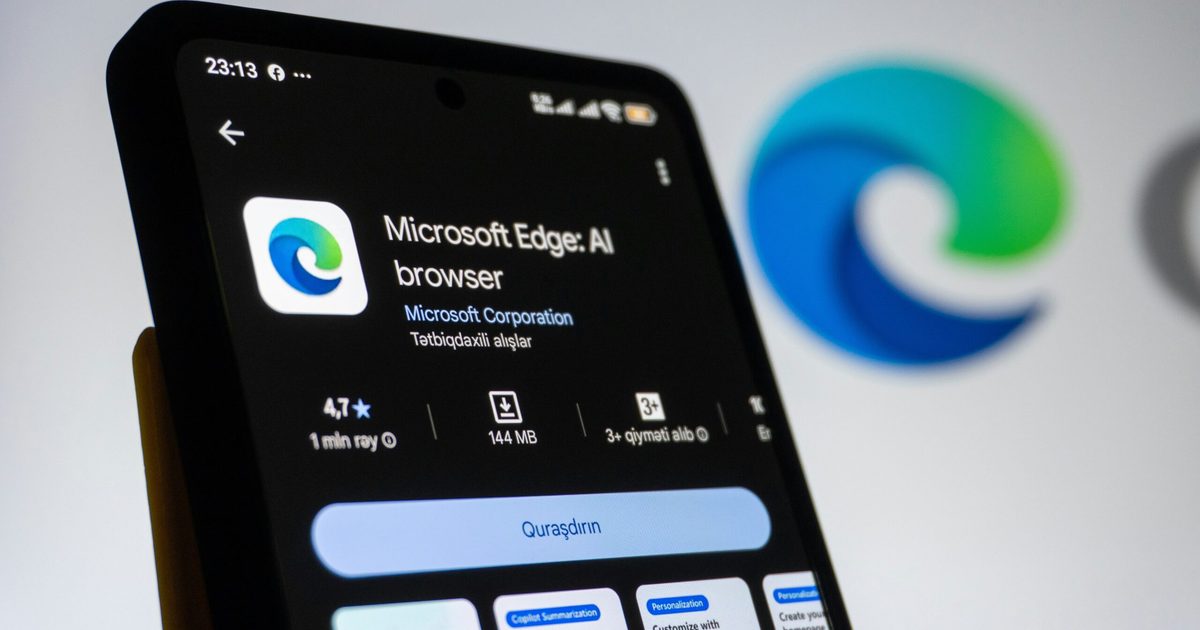
Microsoft Edge is about to lose one of its more quirky features as Microsoft continues to clean up its software experience. The company has confirmed that the sidebar app list in Edge is being “retired” in the near future, starting with Microsoft account users. Microsoft revealed in an announcement that this is a part of an effort to simplify Edge, but there’s still no word on the exact retirement date yet.

What are sidebar apps, and why is it being removed?

Edge’s sidebar basically lets users pin web apps and sites into a side panel, making it possible to quickly open things like Outlook, shopping tools, search, or other web apps without leaving the current tab. Microsoft’s own support page had described the feature as a way to streamline access to favorite sites and apps.

But now, the feature is simply being removed. Microsoft claims that new apps can no longer be added to the sidebar, and apps already pinned in the app tower will be removed in a future update. The change will roll out gradually and will be included in future Edge updates. The browser will share this via notifications to users who use this feature before it fully disappears.

Copilot is staying, of course

If they really do it, I will stop using Edge and shift to @brave. It was my primary browser. I’ve been using @MicrosoftEdge as my primary browser since 2021 because of split screen, sidebar app, and sidebar search, with Microsoft Copilot and many more. pic.twitter.com/KTtZ1Y8tyW

— Mustaque Nadim (@0xmustaquenadim) May 2, 2026

Microsoft’s support page makes it clear that Copilot is not affected by the sidebar app list retirement. The company says it will continue improving and enhancing Copilot inside Edge, which means the browser’s AI assistant survives while third-party or user-pinned sidebar apps are being phased out.

This has irritated some Edge users, especially those who actively use this feature. The sidebar app list was easily one of the features that helped Edge feel distinct from other Chromium-based browsers, as it gave users a quick mini-app setup inside the browser. And for people who actually built workflows around it, Split Screen is not an exact replacement.

Share. Facebook Twitter Pinterest LinkedIn Telegram Reddit Email
Previous ArticleDot is the Mac calendar app I wish I had found sooner in 2026
Next Article iPhone 18 might put some serious hurt on your wallet, after all

Related Articles

Instacart is testing camera-ready AI shopping carts that sound convenient, but equally scary

Instacart is testing camera-ready AI shopping carts that sound convenient, but equally scary

20 June 2026
VocabOwl is the viral vocabulary test making word nerds question everything

VocabOwl is the viral vocabulary test making word nerds question everything

20 June 2026
OpenAI wants an all-knowing personal AI agent for everyone on Earth

OpenAI wants an all-knowing personal AI agent for everyone on Earth

20 June 2026
Radiant Monitor 2 takes a sunlit approach to solve the glare and power problem

Radiant Monitor 2 takes a sunlit approach to solve the glare and power problem

20 June 2026
Sony’s wild PSN login patent could turn the DualSense into a security gatekeeper

Sony’s wild PSN login patent could turn the DualSense into a security gatekeeper

20 June 2026
These new Alogic displays are basically a touchscreen Mac workaround

These new Alogic displays are basically a touchscreen Mac workaround

20 June 2026
Demo
Stay In Touch
  • Facebook
  • Twitter
  • Pinterest
  • Instagram
  • YouTube
  • Vimeo
Don't Miss
VocabOwl is the viral vocabulary test making word nerds question everything

VocabOwl is the viral vocabulary test making word nerds question everything

By News Room20 June 2026

VocabOwl has turned vocabulary size into the kind of number people want to post, argue…

OpenAI wants an all-knowing personal AI agent for everyone on Earth

OpenAI wants an all-knowing personal AI agent for everyone on Earth

20 June 2026
Radiant Monitor 2 takes a sunlit approach to solve the glare and power problem

Radiant Monitor 2 takes a sunlit approach to solve the glare and power problem

20 June 2026
Sony’s wild PSN login patent could turn the DualSense into a security gatekeeper

Sony’s wild PSN login patent could turn the DualSense into a security gatekeeper

20 June 2026
Tech Savvyed
Facebook X (Twitter) Instagram Pinterest
  • Privacy Policy
  • Terms of use
  • Advertise
  • Contact
© 2026 Tech Savvyed. All Rights Reserved.

Type above and press Enter to search. Press Esc to cancel.