



Close Menu
Tech Savvyed
  • Home
  • News
  • Artificial Intelligence
  • Gadgets
  • Apps
  • Mobile
  • Gaming
  • Accessories
  • More
    • Web Stories
    • Spotlight
    • Press Release

Subscribe to Updates

Get the latest tech news and updates directly to your inbox.

What's On
Here’s How To Get A Steam Frame – Sep 14, 2026

Here’s How To Get A Steam Frame – Sep 14, 2026

14 September 2026
Heroes Of The Storm Gets First New Character In – Sep 12, 2026

Heroes Of The Storm Gets First New Character In – Sep 12, 2026

13 September 2026
Blizzard Announces Diablo V, Arriving Spring 2029

Blizzard Announces Diablo V, Arriving Spring 2029

12 September 2026
Facebook X (Twitter) Instagram
Tech Savvyed
SUBSCRIBE
  • Home
  • News
  • Artificial Intelligence
  • Gadgets
  • Apps
  • Mobile
  • Gaming
  • Accessories
  • More
    • Web Stories
    • Spotlight
    • Press Release
Tech Savvyed
Home»News»Meta’s detection tool fails to identify photos generated by its own Muse Image AI
News

Meta’s detection tool fails to identify photos generated by its own Muse Image AI

News RoomBy News Room10 July 20263 Mins Read
Meta’s detection tool fails to identify photos generated by its own Muse Image AI
Share
Facebook Twitter Reddit Telegram Pinterest Email

Earlier this week, Meta announced two new AI products, namely, Muse Image and Muse Video. As the name suggests, these are generative AI tools for making photos and video clips using natural language text prompts. Soon after their rollout commenced, these tools sparked controversy because Meta had automatically opted in Instagram users, allowing others to use their publicly posted media and convert them into remixed AI content. But it appears that Meta courted another loss on its side of the court.

What’s the problem?

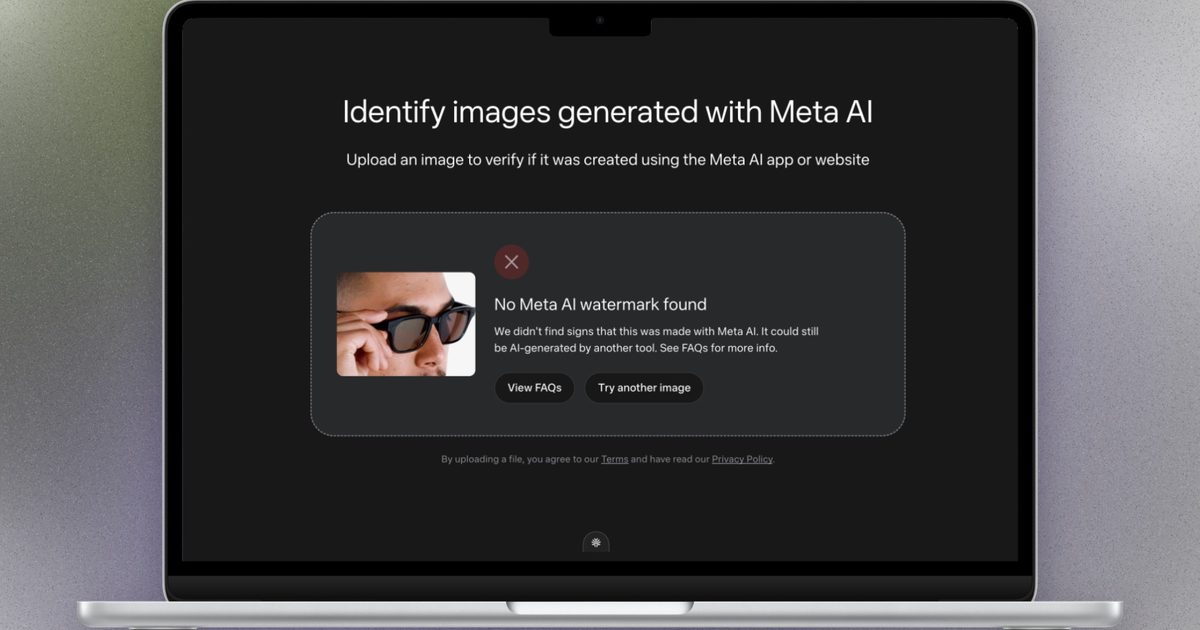
Alongside its new AI tools, Meta introduced something called Content Seal, which serves as an invisible watermarking system. Technically, all the images created by the Muse Image AI carry a hidden signal that can be used to identify whether they were made using AI or not. To go with it, the company also launched its own AI identification tool that can read this invisible Content Seal watermark. But it appears that Meta’s AI sniffing tool is not as accurate as the company claims.

According to an analysis by Reuters, images made using the company’s Muse Image AI cannot be reliably detected as AI-generated by Meta’s AI identification software. The outlet analyzed 40 images that were created by Muse Image, but in only 45% of the cases was it able to identify that they were created using AI. In the remaining 55% of the cases, when the images were cropped to one-third or one-fourth of their original size, the AI detection tool developed by Meta simply failed.

Oh, yikes. That’s embarrassing!

That’s a notable flub. On its website, Meta claims that the Content Seal system carries a “hidden provenance signal that stays intact — even when cropped, compressed, resized, or screenshotted.” Following Reuters’ analysis, Meta told the outlet that its AI detection tool is still in preview and that it can’t work reliably when a photo is “heavily cropped.” On an FAQ page available on its AI detector site, Meta also makes it clear that if an image has been generated using a third-party AI product instead of Muse Image, the detection tool will not work.
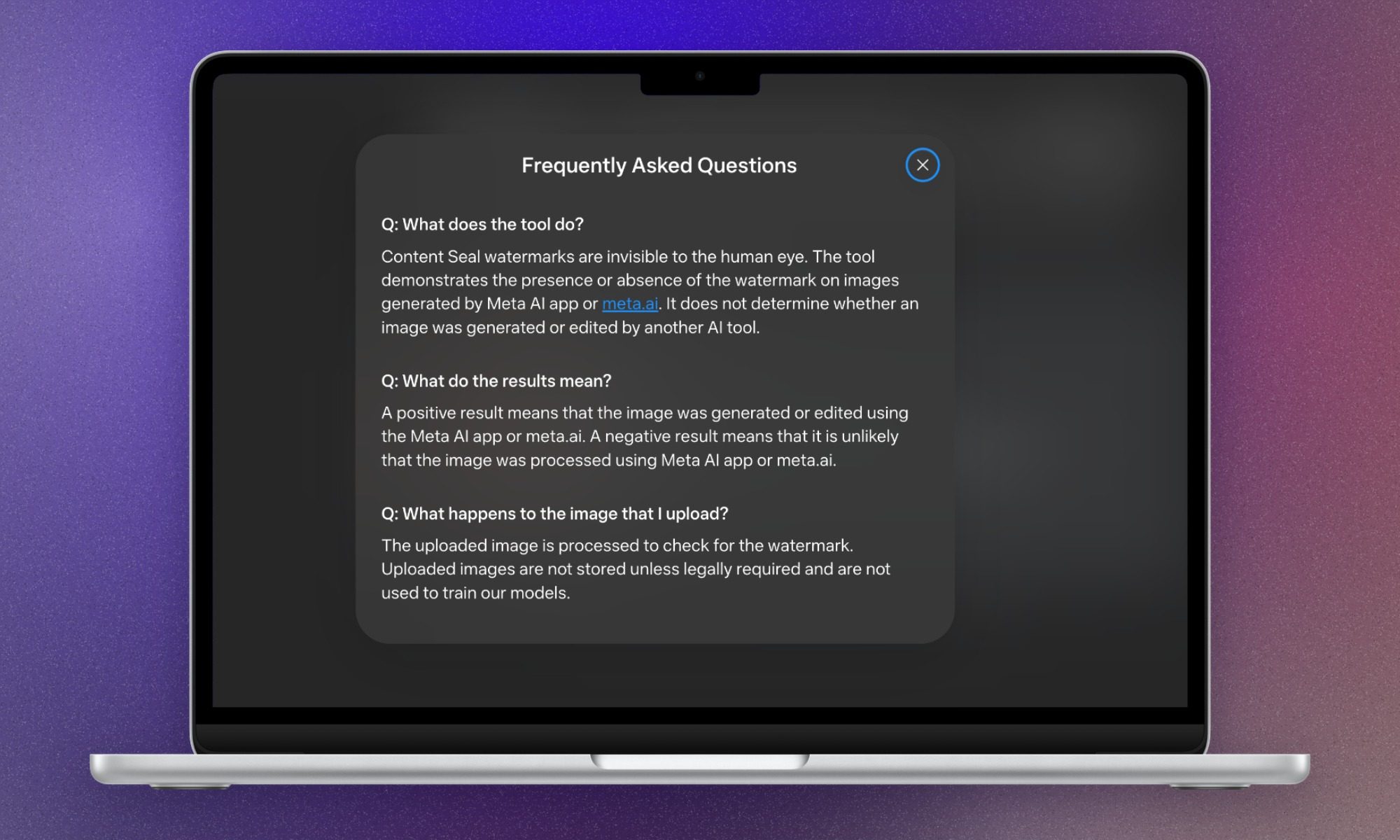
Meta AI identification tool.

Meta won’t be the only AI giant that has created a system like Content Seal. Google already has an AI image detection and watermarking system called SynthID in place. It has been adopted by the likes of OpenAI as well. That means if an image is generated using ChatGPT or Gemini, it carries the invisible SynthID watermark and can be detected using Google’s own AI identification tool, which is now available on Google Search, as well. However, Google also makes it clear that SynthID is not 100% foolproof.

Share. Facebook Twitter Pinterest LinkedIn Telegram Reddit Email
Previous ArticleIs Assassin’s Creed Black Flag Resynced A Good Remake? | The Game Informer Show
Next Article The Video Games You Should Play This Weekend – July 10, 2026

Related Articles

Soundcore Space 2 Pro headphones promise crystal-clear calls with Anker’s new AI chip

Soundcore Space 2 Pro headphones promise crystal-clear calls with Anker’s new AI chip

3 September 2026
Xbox Cloud Gaming is about to become a lot more appealing to casual gamers with a new pay-as-you-go option

Xbox Cloud Gaming is about to become a lot more appealing to casual gamers with a new pay-as-you-go option

3 September 2026
Lenovo reveals iMac rival that upstages Apple with more goodies at a lower price

Lenovo reveals iMac rival that upstages Apple with more goodies at a lower price

3 September 2026
Motorola’s new Edge 70 Plus packs a 200MP camera and a massive battery

Motorola’s new Edge 70 Plus packs a 200MP camera and a massive battery

3 September 2026
We got GTA VI limited-edition DualSense controllers before GTA VI

We got GTA VI limited-edition DualSense controllers before GTA VI

3 September 2026
Anker unveils smarter chargers and power banks built to fight heat and battery degradation

Anker unveils smarter chargers and power banks built to fight heat and battery degradation

3 September 2026
Demo
Stay In Touch
  • Facebook
  • Twitter
  • Pinterest
  • Instagram
  • YouTube
  • Vimeo
Don't Miss
Heroes Of The Storm Gets First New Character In – Sep 12, 2026

Heroes Of The Storm Gets First New Character In – Sep 12, 2026

By News Room13 September 2026

During this morning’s BlizzCon Opening Ceremony, Blizzard President Johanna Faries announced that Heroes of the…

Blizzard Announces Diablo V, Arriving Spring 2029

Blizzard Announces Diablo V, Arriving Spring 2029

12 September 2026
Forever – Sep 12, 2026

Forever – Sep 12, 2026

12 September 2026
Everything Announced At The BlizzCon 2026 Opening Ceremony

Everything Announced At The BlizzCon 2026 Opening Ceremony

12 September 2026
Tech Savvyed
Facebook X (Twitter) Instagram Pinterest
  • Privacy Policy
  • Terms of use
  • Advertise
  • Contact
© 2026 Tech Savvyed. All Rights Reserved.

Type above and press Enter to search. Press Esc to cancel.



