


Close Menu
Tech Savvyed
  • Home
  • News
  • Artificial Intelligence
  • Gadgets
  • Apps
  • Mobile
  • Gaming
  • Accessories
  • More
    • Web Stories
    • Spotlight
    • Press Release

Subscribe to Updates

Get the latest tech news and updates directly to your inbox.

What's On
GameStop shocks with a hefty multi-billion dollar bid to buy eBay

GameStop shocks with a hefty multi-billion dollar bid to buy eBay

5 May 2026
AI-fueled health policies are depriving the needy in one of the world’s poorest countries

AI-fueled health policies are depriving the needy in one of the world’s poorest countries

5 May 2026
5 great Netflix shows to watch on New Year’s Day and beyond

5 great Netflix shows to watch on New Year’s Day and beyond

5 May 2026
Facebook X (Twitter) Instagram
Tech Savvyed
SUBSCRIBE
  • Home
  • News
  • Artificial Intelligence
  • Gadgets
  • Apps
  • Mobile
  • Gaming
  • Accessories
  • More
    • Web Stories
    • Spotlight
    • Press Release
Tech Savvyed
Home»News»iOS 27 might finally let you create your own custom digital passes in Apple Wallet
News

iOS 27 might finally let you create your own custom digital passes in Apple Wallet

News RoomBy News Room5 May 20262 Mins Read
iOS 27 might finally let you create your own custom digital passes in Apple Wallet
Share
Facebook Twitter Reddit Telegram Pinterest Email

If you’ve ever stared at a paper loyalty card and wished your iPhone could just store it digitally, Bloomberg’s Mark Gurman has dropped a key update for you. Apple is developing a “Create a Pass” feature for the Wallet app as part of the iOS 27 update. 

The feature will let users build and digitize their own passes directly on their iPhones without waiting for businesses to add official Wallet support. 

What can you actually do with the new Wallet feature?

Per the report, the feature covers the passes that matter the most in daily life. These include digital tickets, reward cards, gift cards, and other membership passes (likely gym, libraries, etc.). 

You should be able to access it via two entry points. First, the “+” button in the Wallet app, and second, through the page where the credit cards are normally added. Once inside, the interface prompts users to “create passes for tickets, memberships, gift cards, and more.”

You can either build a pass from scratch or point your iPhone camera at a QR code and generate a custom digital pass. The feature is specifically designed for situations where a service provides a QR code for entry but hasn’t implemented native Apple Wallet support. 
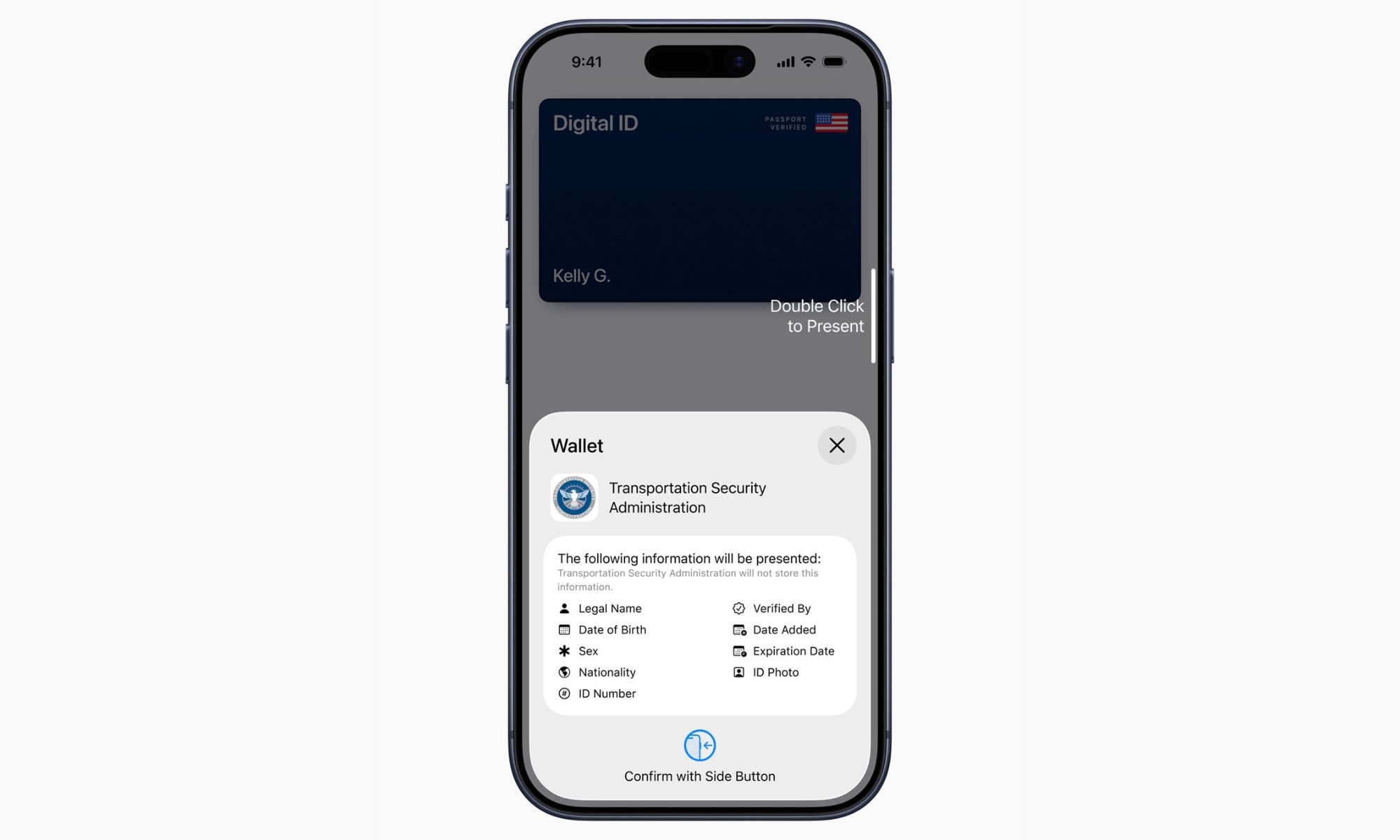
Screenshot of the confirmation screen that lets users share Digital ID details.

This is not the first time we’re hearing about it

Further, you should also be able to use the customization tools to adjust styles, images, colors, and text fields to tailor what each pass displays. For now, the company is testing three template options: Standard (orange) as the default, Membership (blue) for gyms and access-based venues, and Event (purple) for games, movies, and other ticketed occasions. 

Back in April 2026, Apple’s own back-end code referenced a feature for converting physical passes into digital Wallet entries. Gurman’s latest report now reveals more details about it, including the name and the color-coded system. 

It’s worth noting here that Google Wallet has offered the user-generated pass support for quite some time. In addition, several third-party tools allow users to digitize their physical passes into digital ones that can be stored on iPhones. Apple is just closing the gap to bring parity and address the user demand. 

Share. Facebook Twitter Pinterest LinkedIn Telegram Reddit Email
Previous ArticleThe dreams of an iPhone-rivaling face unlock on the Pixel 11 might as well be dead
Next Article Harvard launched an open-source wallet that stores biometric data on your phone instead of servers

Related Articles

GameStop shocks with a hefty multi-billion dollar bid to buy eBay

GameStop shocks with a hefty multi-billion dollar bid to buy eBay

5 May 2026
AI-fueled health policies are depriving the needy in one of the world’s poorest countries

AI-fueled health policies are depriving the needy in one of the world’s poorest countries

5 May 2026
5 great Netflix shows to watch on New Year’s Day and beyond

5 great Netflix shows to watch on New Year’s Day and beyond

5 May 2026
OpenAI is going Hollywood with ‘Critterz,’ and its Cannes-bound film used AI across its production

OpenAI is going Hollywood with ‘Critterz,’ and its Cannes-bound film used AI across its production

5 May 2026
Harvard launched an open-source wallet that stores biometric data on your phone instead of servers

Harvard launched an open-source wallet that stores biometric data on your phone instead of servers

5 May 2026
The dreams of an iPhone-rivaling face unlock on the Pixel 11 might as well be dead

The dreams of an iPhone-rivaling face unlock on the Pixel 11 might as well be dead

5 May 2026
Demo
Stay In Touch
  • Facebook
  • Twitter
  • Pinterest
  • Instagram
  • YouTube
  • Vimeo
Don't Miss
AI-fueled health policies are depriving the needy in one of the world’s poorest countries

AI-fueled health policies are depriving the needy in one of the world’s poorest countries

By News Room5 May 2026

Kenya was promising wider access to more affordable healthcare. But a new investigation has revealed…

5 great Netflix shows to watch on New Year’s Day and beyond

5 great Netflix shows to watch on New Year’s Day and beyond

5 May 2026
OpenAI is going Hollywood with ‘Critterz,’ and its Cannes-bound film used AI across its production

OpenAI is going Hollywood with ‘Critterz,’ and its Cannes-bound film used AI across its production

5 May 2026
Harvard launched an open-source wallet that stores biometric data on your phone instead of servers

Harvard launched an open-source wallet that stores biometric data on your phone instead of servers

5 May 2026
Tech Savvyed
Facebook X (Twitter) Instagram Pinterest
  • Privacy Policy
  • Terms of use
  • Advertise
  • Contact
© 2026 Tech Savvyed. All Rights Reserved.

Type above and press Enter to search. Press Esc to cancel.