




Close Menu
Tech Savvyed
  • Home
  • News
  • Artificial Intelligence
  • Gadgets
  • Apps
  • Mobile
  • Gaming
  • Accessories
  • More
    • Web Stories
    • Spotlight
    • Press Release

Subscribe to Updates

Get the latest tech news and updates directly to your inbox.

What's On
Here’s How To Get A Steam Frame – Sep 14, 2026

Here’s How To Get A Steam Frame – Sep 14, 2026

14 September 2026
Heroes Of The Storm Gets First New Character In – Sep 12, 2026

Heroes Of The Storm Gets First New Character In – Sep 12, 2026

13 September 2026
Blizzard Announces Diablo V, Arriving Spring 2029

Blizzard Announces Diablo V, Arriving Spring 2029

12 September 2026
Facebook X (Twitter) Instagram
Tech Savvyed
SUBSCRIBE
  • Home
  • News
  • Artificial Intelligence
  • Gadgets
  • Apps
  • Mobile
  • Gaming
  • Accessories
  • More
    • Web Stories
    • Spotlight
    • Press Release
Tech Savvyed
Home»News»I let Radial menu take over my Mac, and I’m never going back
News

I let Radial menu take over my Mac, and I’m never going back

News RoomBy News Room4 July 20264 Mins Read
I let Radial menu take over my Mac, and I’m never going back
Share
Facebook Twitter Reddit Telegram Pinterest Email

I have been testing Radial for the past week, and it’s quickly become one of those apps I didn’t know how I could live without. It’s a radial menu for macOS that puts your shortcuts, scripts, and automations right where your cursor is, so you never have to go hunting through menus to find what you need.

The app just received its 5.0 update, adding AI actions powered by Claude, window layouts, variables, a redesigned settings interface, a new Atmosphere background effect, and a squircle menu shape. I got to try most of these, and here’s what I found.

How Radial fits into my workflow

Before I even got into the new features, let’s first understand the problems this app is trying to solve. All of us have several repetitive tasks we perform on our Macs. Whether it’s renaming documents, compressing and converting files, opening the same set of apps every morning, typing out the same replies, or running the same terminal commands, our day is filled with repetitive tasks. Radial makes it easy to execute these repetitive tasks, saving you both time and headache.

From the menu, I can launch apps, open files, folders, and URLs, insert text snippets, simulate keyboard shortcuts, manage app windows, and run system actions, all without leaving what I’m doing. I can invoke the app with a simple jiggle of my mouse cursor and all my shortcuts appear at my fingertips.

The app also offers app-specific shortcuts. For example, when I invoke the Radial menu with Finder selected, it gives me options to copy the file path, create a new text file, batch-rename selected files, and more. Similarly, when I open my CleanShot X menu, it lets me capture a screenshot, record the screen, extract text, and more. 
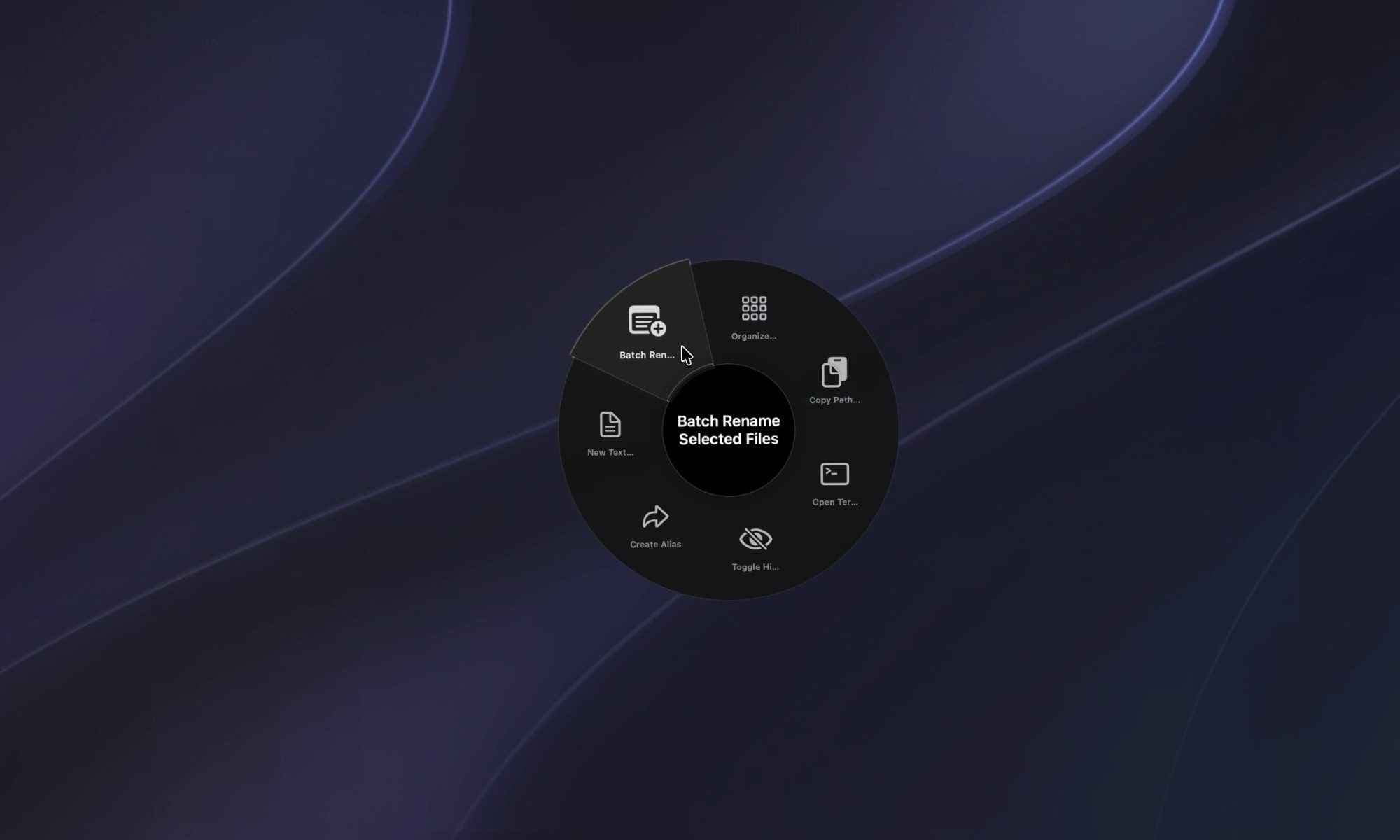
Radial Menu for Finder

This means I no longer have to learn all the keyboard shortcuts for different apps. I just invoke the Radial menu, and it gives me quick access to all the actions I need for the app. 

There’s a community section which you can browse to find and install shortcuts other Radial users have already built. This makes it easy to get started with the app, as you don’t have to meticulously build all the shortcuts you use. If there’s a need, it’s possible that someone else has already built a shortcut for it. 
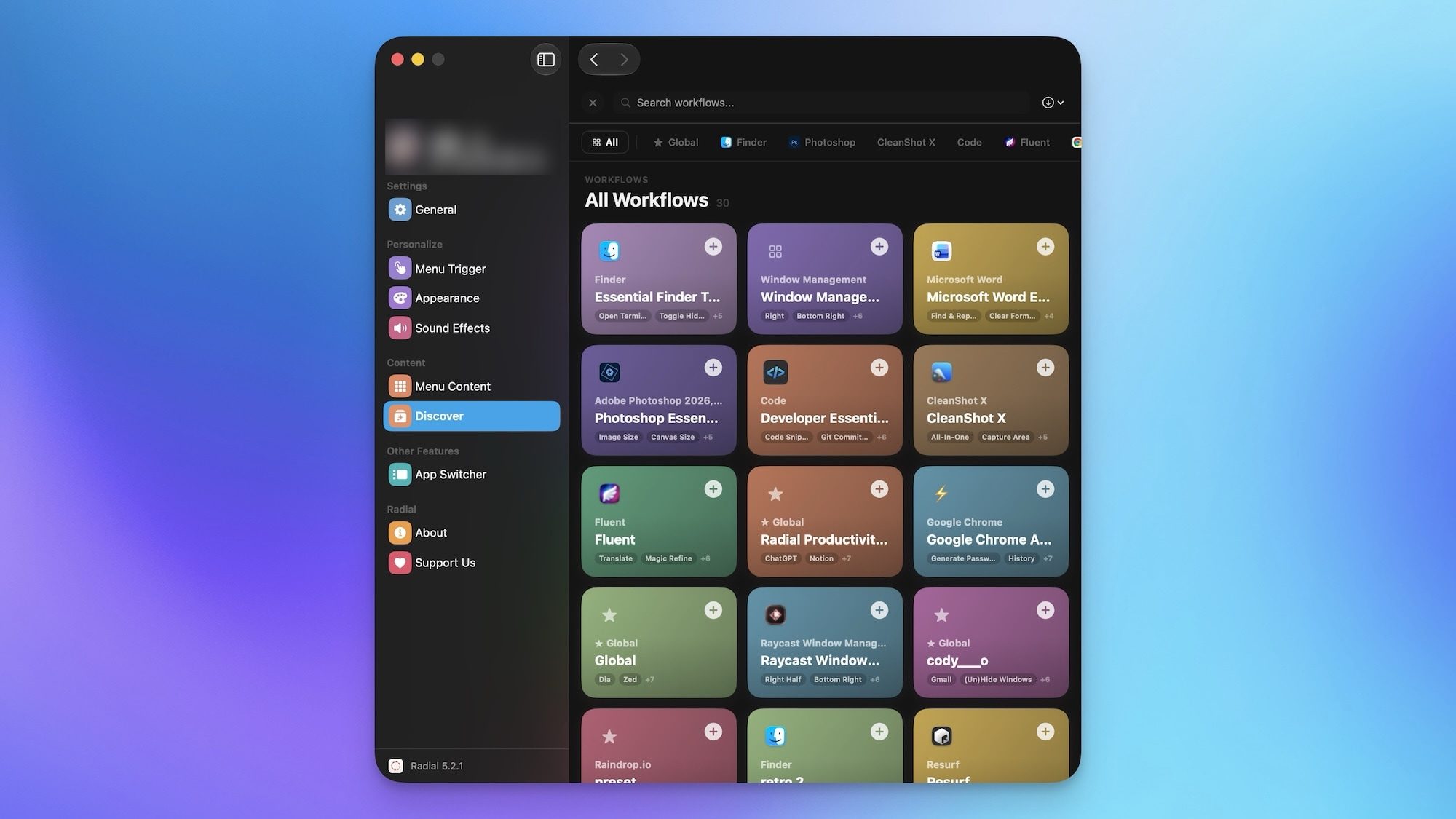
Radial community to download shortcuts

Using Radial to execute shortcuts is great, but stacking them together is where the app gets genuinely useful. You can chain multiple shortcuts to execute routines with a single gesture, and once you get used to it, it’s honestly hard to go back.

Some new tricks up its sleeve

As I mentioned, the app has just received its version 5.0 update, and it has added several new useful features. The AI actions are the feature I keep coming back to. Powered by Claude, they let me select any text on my Mac and have Radial summarize, rewrite, or transform it on the spot, without switching apps. It sounds small, but it has quietly saved me a lot of time.
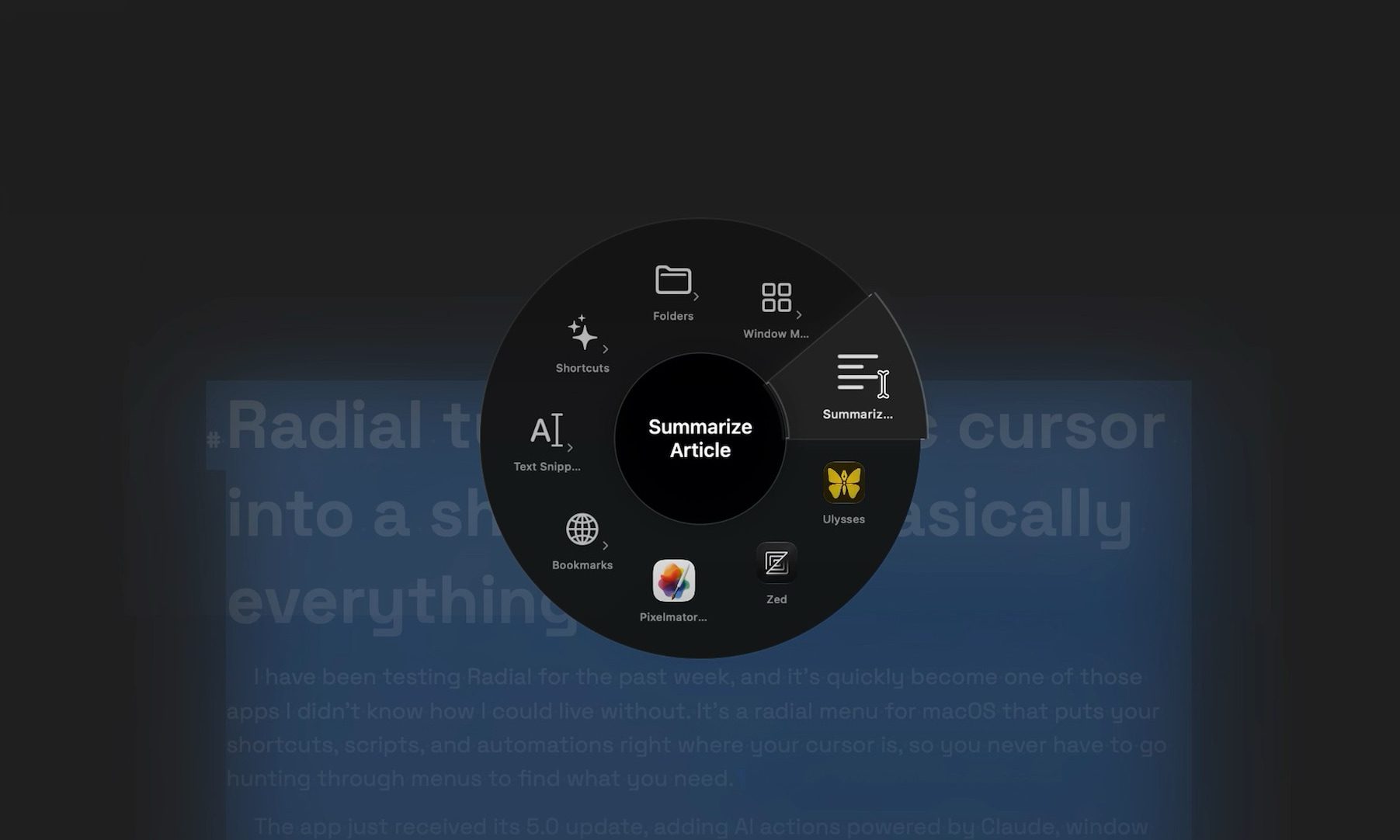
Radial summarize article

Window layouts are another one I ended up using more than expected. Instead of manually arranging my apps every morning, I saved a layout once and now trigger my entire workspace setup with a single gesture. And I have not even scratched the surface of what I can do with the app. It also lets users run macros, Apple scripts, shortcuts, and create automation and workflows.
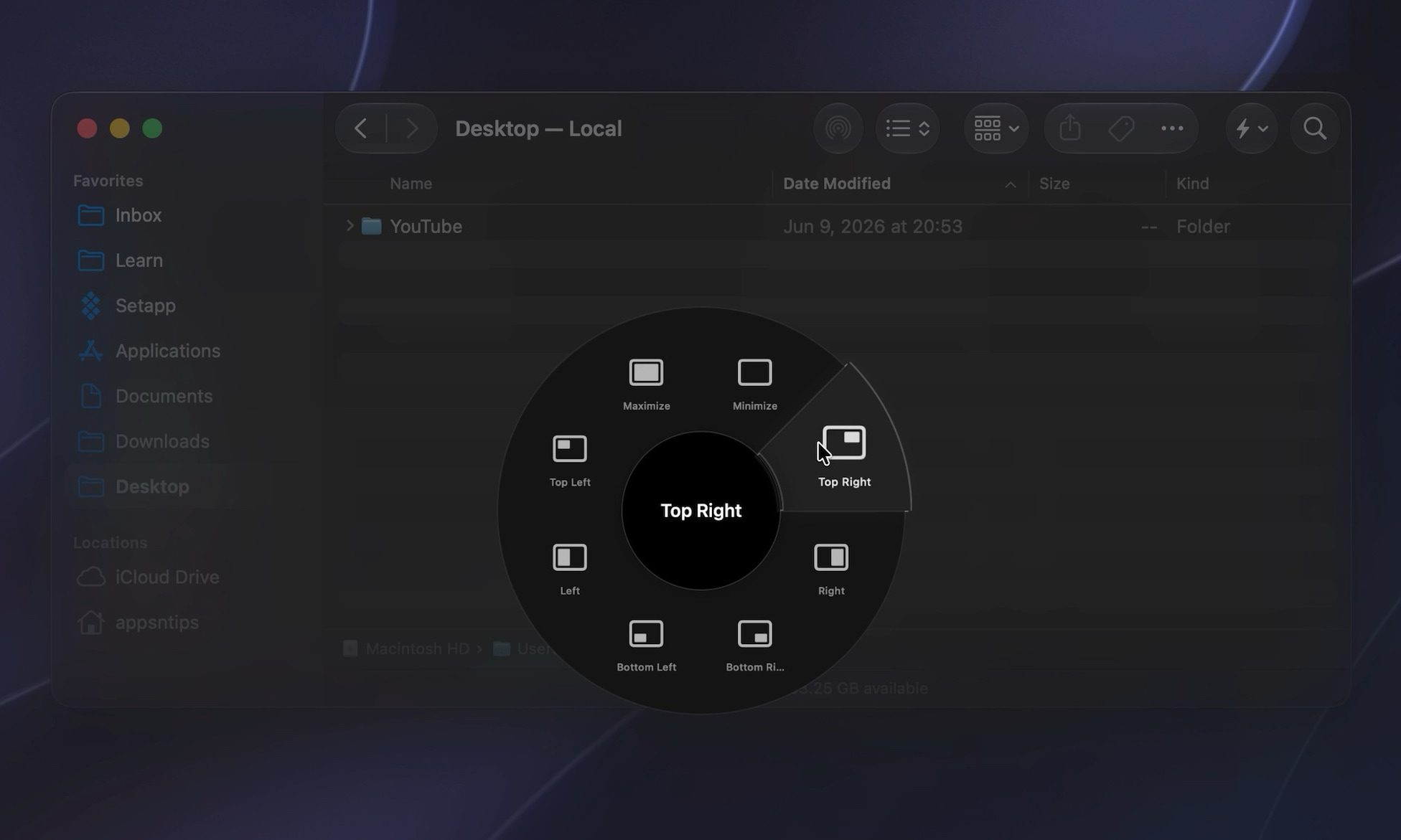
organizing windows using radial

Radial has quietly become part of how I use my Mac every day. It’s not a flashy app, but it saves me time in a dozen small ways that add up fast. If you’ve been looking for a faster way to get things done, it’s worth trying for yourself.

Share. Facebook Twitter Pinterest LinkedIn Telegram Reddit Email
Previous ArticleYou can now buy a frunk fridge for your Model Y straight from Tesla
Next Article Robots can now ‘see’ touch thanks to a new color-changing tactile sensor

Related Articles

Soundcore Space 2 Pro headphones promise crystal-clear calls with Anker’s new AI chip

Soundcore Space 2 Pro headphones promise crystal-clear calls with Anker’s new AI chip

3 September 2026
Xbox Cloud Gaming is about to become a lot more appealing to casual gamers with a new pay-as-you-go option

Xbox Cloud Gaming is about to become a lot more appealing to casual gamers with a new pay-as-you-go option

3 September 2026
Lenovo reveals iMac rival that upstages Apple with more goodies at a lower price

Lenovo reveals iMac rival that upstages Apple with more goodies at a lower price

3 September 2026
Motorola’s new Edge 70 Plus packs a 200MP camera and a massive battery

Motorola’s new Edge 70 Plus packs a 200MP camera and a massive battery

3 September 2026
We got GTA VI limited-edition DualSense controllers before GTA VI

We got GTA VI limited-edition DualSense controllers before GTA VI

3 September 2026
Anker unveils smarter chargers and power banks built to fight heat and battery degradation

Anker unveils smarter chargers and power banks built to fight heat and battery degradation

3 September 2026
Demo
Stay In Touch
  • Facebook
  • Twitter
  • Pinterest
  • Instagram
  • YouTube
  • Vimeo
Don't Miss
Heroes Of The Storm Gets First New Character In – Sep 12, 2026

Heroes Of The Storm Gets First New Character In – Sep 12, 2026

By News Room13 September 2026

During this morning’s BlizzCon Opening Ceremony, Blizzard President Johanna Faries announced that Heroes of the…

Blizzard Announces Diablo V, Arriving Spring 2029

Blizzard Announces Diablo V, Arriving Spring 2029

12 September 2026
Forever – Sep 12, 2026

Forever – Sep 12, 2026

12 September 2026
Everything Announced At The BlizzCon 2026 Opening Ceremony

Everything Announced At The BlizzCon 2026 Opening Ceremony

12 September 2026
Tech Savvyed
Facebook X (Twitter) Instagram Pinterest
  • Privacy Policy
  • Terms of use
  • Advertise
  • Contact
© 2026 Tech Savvyed. All Rights Reserved.

Type above and press Enter to search. Press Esc to cancel.



