


Close Menu
Tech Savvyed
  • Home
  • News
  • Artificial Intelligence
  • Gadgets
  • Apps
  • Mobile
  • Gaming
  • Accessories
  • More
    • Web Stories
    • Spotlight
    • Press Release

Subscribe to Updates

Get the latest tech news and updates directly to your inbox.

What's On
Apple’s budget MacBook Neo is already outrunning the M1 MacBook Air in early tests

Apple’s budget MacBook Neo is already outrunning the M1 MacBook Air in early tests

6 March 2026
The Video Games You Should Play This Weekend – March 6

The Video Games You Should Play This Weekend – March 6

6 March 2026
Microsoft pulls “Real Talk” mode for Copilot AI chats that had more personality

Microsoft pulls “Real Talk” mode for Copilot AI chats that had more personality

6 March 2026
Facebook X (Twitter) Instagram
Tech Savvyed
SUBSCRIBE
  • Home
  • News
  • Artificial Intelligence
  • Gadgets
  • Apps
  • Mobile
  • Gaming
  • Accessories
  • More
    • Web Stories
    • Spotlight
    • Press Release
Tech Savvyed
Home»News»Here’s how the Galaxy S26 Ultra’s Privacy Display could protect your screen from prying eyes
News

Here’s how the Galaxy S26 Ultra’s Privacy Display could protect your screen from prying eyes

News RoomBy News Room2 January 20262 Mins Read
Here’s how the Galaxy S26 Ultra’s Privacy Display could protect your screen from prying eyes
Share
Facebook Twitter Reddit Telegram Pinterest Email

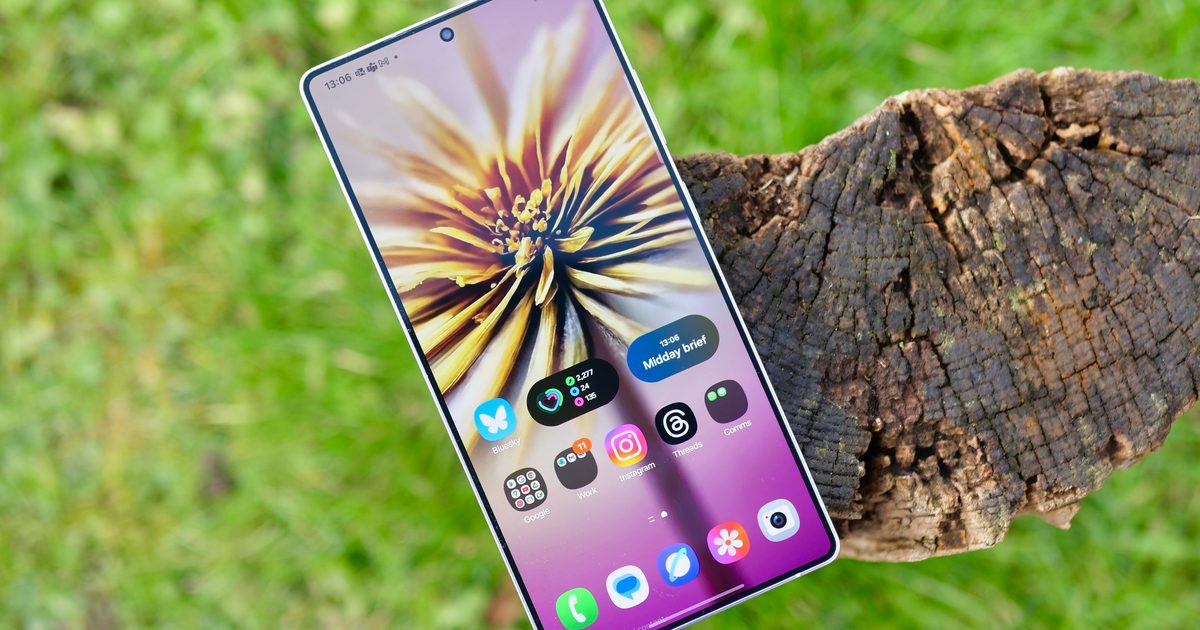
Samsung reportedly plans to offer a new privacy feature on the Galaxy S26 Ultra that helps users keep on-screen content hidden from prying eyes. References to this feature were first spotted in a leaked internal build of One UI 8.5 last year. While Samsung has yet to make anything official, a new report has shed light on how the “Privacy Display” feature could work.

Back in September, code spotted in the leaked One UI 8.5 build revealed that the feature would limit screen visibility from side angles. It also indicated that the feature would activate automatically while using sensitive apps in crowded places. Now, SammyGuru has unearthed a new page in Samsung’s updated Tips app that reveals a few more details.

According to the app, users will be able to activate the Privacy Display feature from either the display section of the Settings app or via a Quick Settings toggle. Additionally, users will be able to configure it to activate automatically while using certain apps or from a notification pop-up.

The app also includes an animation showing the feature in action, which reveals that the screen will appear normal when viewed straight on but dim when viewed at an angle. While users can achieve similar results by applying a privacy screen protector on any device, Samsung’s software-based approach should offer a couple of key advantages.

Better than privacy screen protectors

By building the feature right into the Galaxy S26 Ultra, Samsung will save users the cost of a separate screen protector. It will also offer flexibility, allowing users to disable it when not needed, while avoiding the perpetually dimmer display that comes with using a privacy screen protector.

The Privacy Display feature is expected to arrive with the Galaxy S26 Ultra later this month, though it’s still unclear if it will be limited to the flagship model.

Share. Facebook Twitter Pinterest LinkedIn Telegram Reddit Email
Previous ArticleApple wants AR glasses that fit you, not the other way around
Next Article Samsung’s Freestyle+ projector will bring a brighter picture to your movie nights

Related Articles

Apple’s budget MacBook Neo is already outrunning the M1 MacBook Air in early tests

Apple’s budget MacBook Neo is already outrunning the M1 MacBook Air in early tests

6 March 2026
Microsoft pulls “Real Talk” mode for Copilot AI chats that had more personality

Microsoft pulls “Real Talk” mode for Copilot AI chats that had more personality

6 March 2026
You can’t see this tiny sensor with your eyes, but it can solve processor heating woes

You can’t see this tiny sensor with your eyes, but it can solve processor heating woes

6 March 2026
Motorola’s upcoming Razr 70 foldable could get a camera and memory boost

Motorola’s upcoming Razr 70 foldable could get a camera and memory boost

6 March 2026
If you code Android apps with AI, Google’s new benchmark makes it easier to pick the right model

If you code Android apps with AI, Google’s new benchmark makes it easier to pick the right model

6 March 2026
Vivo to unsettle iPhone 17 Pro and Galaxy S26 Ultra with DSLR-level tech on its next

Vivo to unsettle iPhone 17 Pro and Galaxy S26 Ultra with DSLR-level tech on its next

6 March 2026
Demo
Stay In Touch
  • Facebook
  • Twitter
  • Pinterest
  • Instagram
  • YouTube
  • Vimeo
Don't Miss
The Video Games You Should Play This Weekend – March 6

The Video Games You Should Play This Weekend – March 6

By News Room6 March 2026

I’m what you would call a lapsed Pokémon fan. I was 10 when Pokémon Red…

Microsoft pulls “Real Talk” mode for Copilot AI chats that had more personality

Microsoft pulls “Real Talk” mode for Copilot AI chats that had more personality

6 March 2026
You can’t see this tiny sensor with your eyes, but it can solve processor heating woes

You can’t see this tiny sensor with your eyes, but it can solve processor heating woes

6 March 2026
From Comic To Fighting Game: Invincible VS

From Comic To Fighting Game: Invincible VS

6 March 2026
Tech Savvyed
Facebook X (Twitter) Instagram Pinterest
  • Privacy Policy
  • Terms of use
  • Advertise
  • Contact
© 2026 Tech Savvyed. All Rights Reserved.

Type above and press Enter to search. Press Esc to cancel.