Close Menu
Tech Savvyed
  • Home
  • News
  • Artificial Intelligence
  • Gadgets
  • Apps
  • Mobile
  • Gaming
  • Accessories
  • More
    • Web Stories
    • Spotlight
    • Press Release

Subscribe to Updates

Get the latest tech news and updates directly to your inbox.

What's On
Netflix has 325 million subscribers, but its CEO thinks the real battle is just beginning

Netflix has 325 million subscribers, but its CEO thinks the real battle is just beginning

20 November 2026
Samsung’s next Galaxy Buds and over-ear headphones leave little to the imagination

Samsung’s next Galaxy Buds and over-ear headphones leave little to the imagination

20 November 2026
Google’s desktop homepage now keeps your AI Mode chats on the left

Google’s desktop homepage now keeps your AI Mode chats on the left

20 November 2026
Facebook X (Twitter) Instagram
Tech Savvyed
SUBSCRIBE
  • Home
  • News
  • Artificial Intelligence
  • Gadgets
  • Apps
  • Mobile
  • Gaming
  • Accessories
  • More
    • Web Stories
    • Spotlight
    • Press Release
Tech Savvyed
Home»Gaming»Grand Theft Auto VI’s Auto Drive Is A Beautiful And Free Version Of Hands-Free Travel
Gaming

Grand Theft Auto VI’s Auto Drive Is A Beautiful And Free Version Of Hands-Free Travel

News RoomBy News Room20 November 20262 Mins Read
Grand Theft Auto VI’s Auto Drive Is A Beautiful And Free Version Of Hands-Free Travel
Share
Facebook Twitter Reddit Telegram Pinterest Email

Grand Theft Auto VI is a game where you spend a lot of time behind the wheel. Always has been. But sometimes, you just won’t feel like actively driving, but you also don’t to waste money on a cab.

This is where Auto Drive comes in. It let’s the game take over and drive you where you need to go in real time and all with a cinematic camera that shifts and moves, letting you take in the environment without all that pesky having to pay attention to the road. Red Dead Redemption 2 had the same feature and I have fond memories of taking advantage of it to watch Arthur ride his horse through that game’s incredible environment. It’s a great option in GTAVI, but how to use it and turn it on isn’t immediately apparent.

First, you must select a destination. Get the GPS set up to direct you to where you want to go.

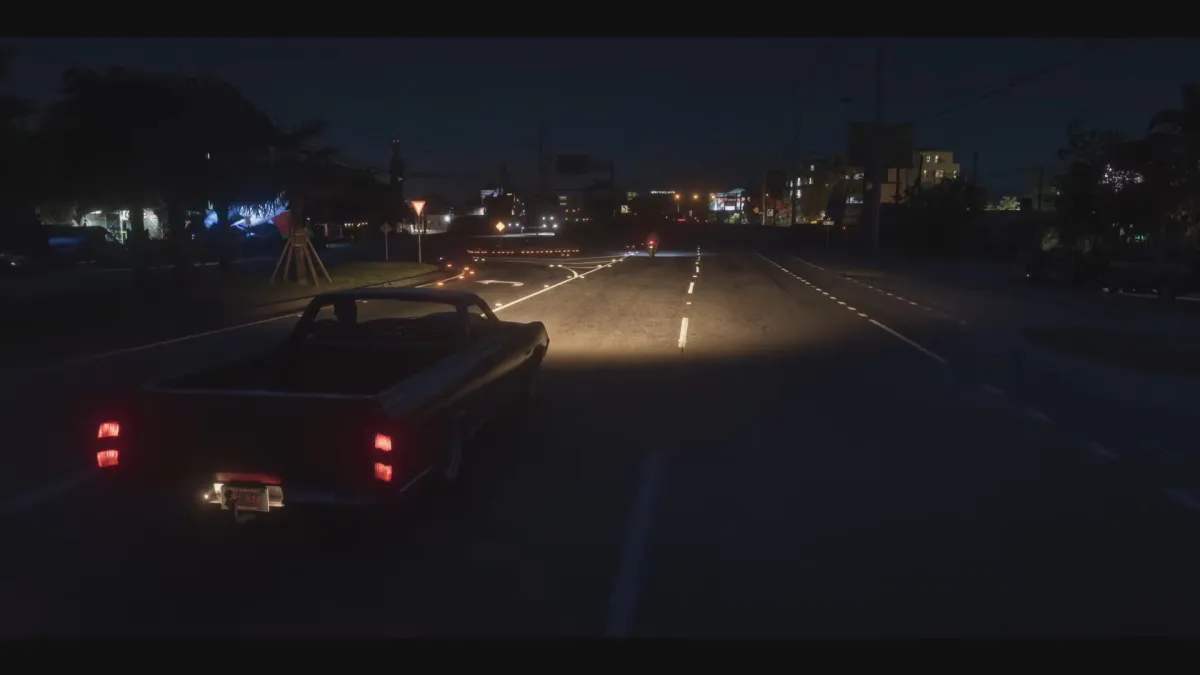
Note Cinematic in the bottom right corner

Next, start driving. The Auto Drive is smart, but doesn’t seem to be smart enough to make three-point turns or back out of parking lots. You need to be on your way before you can turn it on.

Once you’re on the path, hold down in the d-pad and press start to activate Cinematic.
Grand Theft Auto VI's Auto Drive Is A Beautiful And Free Version Of Hands-Free Travel

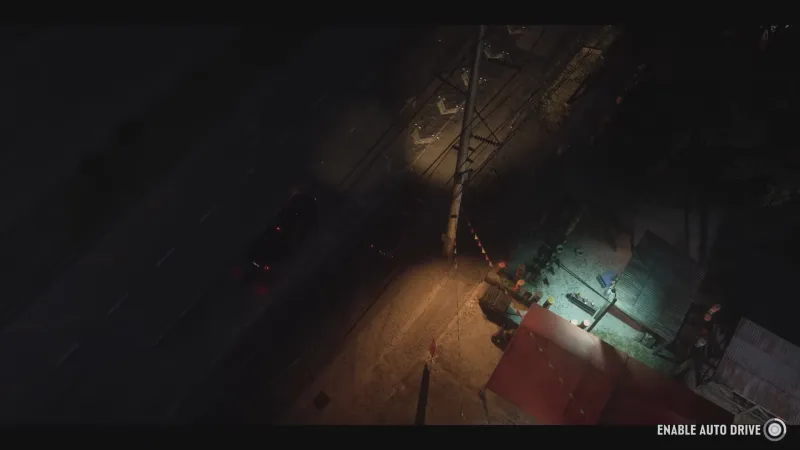
Note Auto Drive in the bottom right corner

Once you’ve done this you should be able to hold down the Circle button on PlayStation or the B button on Xbox to activate Auto Drive and… voilà! You can sit back make and let Jason or Lucia take the wheel. They will drive legally, even stopping at lights, but you can speed them up if they’re taking too long.

I’ve always enjoyed driving in Grand Theft Auto, but I was grateful to find this almost-hidden option early in the game.

For a whole lot more on Grand Theft Auto VI, head here.
Share. Facebook Twitter Pinterest LinkedIn Telegram Reddit Email
Previous ArticleLatest leak showcases Motorola Razr Flex in two unique colorways
Next Article Could Your Next Mini PC Double as an AI Workstation?

Related Articles

Why Do I Want To Paint The Walls In Grand Theft Auto VI?

Why Do I Want To Paint The Walls In Grand Theft Auto VI?

19 November 2026
Rockstar Talks GTAVI’s Jason And Lucia

Rockstar Talks GTAVI’s Jason And Lucia

19 November 2026
102 Things That Happened Before GTA VI

102 Things That Happened Before GTA VI

19 November 2026
Game Informer’s Top Scoring Reviews Of 2026

Game Informer’s Top Scoring Reviews Of 2026

18 November 2026
Grand Theft Auto VI Review: Outrageous Fortune

Grand Theft Auto VI Review: Outrageous Fortune

18 November 2026
Civilization Developer Firaxis Lays Off A Third Of Its Staff

Civilization Developer Firaxis Lays Off A Third Of Its Staff

17 November 2026
Demo
Stay In Touch
  • Facebook
  • Twitter
  • Pinterest
  • Instagram
  • YouTube
  • Vimeo
Don't Miss
Samsung’s next Galaxy Buds and over-ear headphones leave little to the imagination

Samsung’s next Galaxy Buds and over-ear headphones leave little to the imagination

By News Room20 November 2026

Samsung appears to be taking its audio ambitions beyond the traditional wireless earbuds we’ve grown…

Google’s desktop homepage now keeps your AI Mode chats on the left

Google’s desktop homepage now keeps your AI Mode chats on the left

20 November 2026
ChatGPT is getting a new look on your phone, and your dot now has its own tab

ChatGPT is getting a new look on your phone, and your dot now has its own tab

20 November 2026
Google is set to make sideloading harder as its Android developer checks go worldwide in January

Google is set to make sideloading harder as its Android developer checks go worldwide in January

20 November 2026
Tech Savvyed
Facebook X (Twitter) Instagram Pinterest
  • Privacy Policy
  • Terms of use
  • Advertise
  • Contact
© 2026 Tech Savvyed. All Rights Reserved.

Type above and press Enter to search. Press Esc to cancel.