



Close Menu
Tech Savvyed
  • Home
  • News
  • Artificial Intelligence
  • Gadgets
  • Apps
  • Mobile
  • Gaming
  • Accessories
  • More
    • Web Stories
    • Spotlight
    • Press Release

Subscribe to Updates

Get the latest tech news and updates directly to your inbox.

What's On
Fire Emblem: Fortune’s Weave After 130+ Hours – Was It Worth It?

Fire Emblem: Fortune’s Weave After 130+ Hours – Was It Worth It?

19 September 2026
The Video Games And More You Should Play This Weekend – September 18, 2026

The Video Games And More You Should Play This Weekend – September 18, 2026

18 September 2026
Metal Gear Solid 4: Guns Of The Patriots: Part 4 – Rosemary’s Return

Metal Gear Solid 4: Guns Of The Patriots: Part 4 – Rosemary’s Return

18 September 2026
Facebook X (Twitter) Instagram
Tech Savvyed
SUBSCRIBE
  • Home
  • News
  • Artificial Intelligence
  • Gadgets
  • Apps
  • Mobile
  • Gaming
  • Accessories
  • More
    • Web Stories
    • Spotlight
    • Press Release
Tech Savvyed
Home»News»Google Health just made Fitbit Air a better fit for Apple Health users
News

Google Health just made Fitbit Air a better fit for Apple Health users

News RoomBy News Room4 August 20262 Mins Read
Google Health just made Fitbit Air a better fit for Apple Health users
Share
Facebook Twitter Reddit Telegram Pinterest Email

I’ve found it a little absurd that health apps from different companies and service providers refuse to communicate with each other, even when you’re the one who owns the data. Google just took one small yet important step toward fixing it. 

Google Health version 5.05 started rolling out today. And compared to the last several releases, this one’s fairly light, especially since it follows four crucial updates packed into June and July. 

So what’s new in this update?

Given that it’s a Google app, it’s interesting how the latest version is available for iOS users right now, while the Android version will follow shortly after. If you’re wondering why, that’s because the app’s headline change is aimed squarely at iPhone users. 

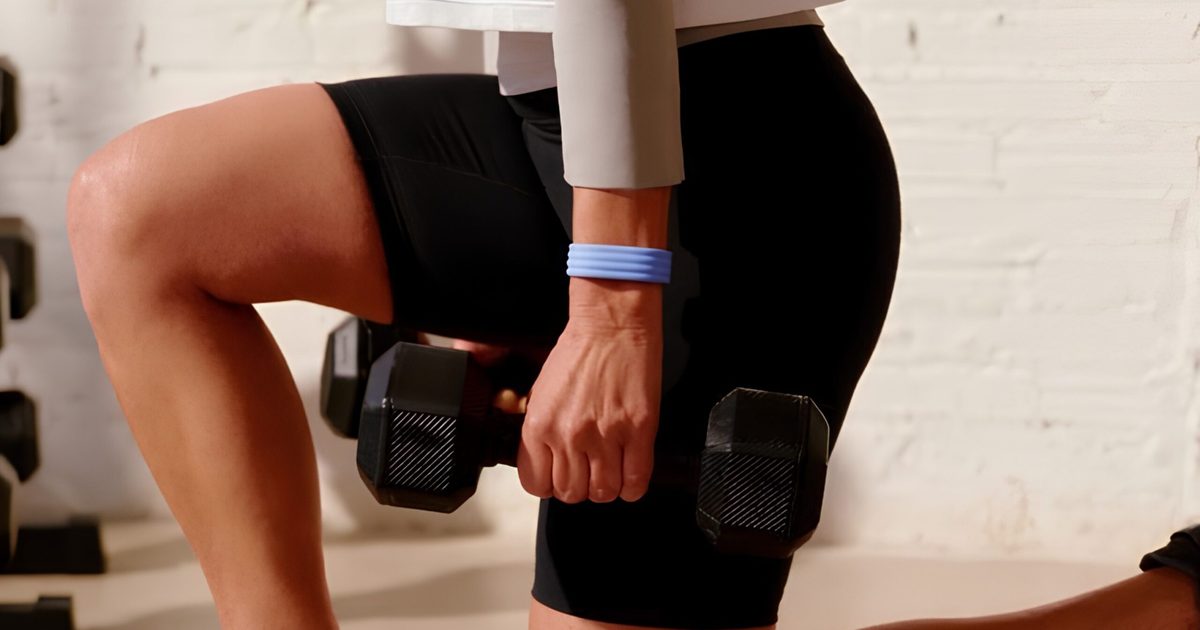
Google Health can now send your health and fitness-related data, such as steps, workouts, vitals, and sleep tracked through a Fitbit Air device directly to Apple Health. This basically bridges the data synchronization gap between Google’s hardware and Apple’s ecosystem. 

Setting it up just takes a moment. Simply head to your profile icon, then Partner Apps, and then Apple Health. There, follow the on-screen instructions to connect the platforms together. If you’ve already linked the two apps, you can tap “Review permissions” to unlock the new cross-platform sharing options.

New Google Health app.

What else is packed into this release?

US users also get a genuinely useful addition. It’s the ability to generate secure Smart Health Links, which summarize your medical records for sharing with doctors or family members. Some healthcare providers may even accept these links during check-in instead of the paper forms.

You’ll find it under the Health tab, inside the Medical section. There, tapping “Shareable records” will let you pick the parts you want to include and generate a link. Rounding things out, Google fixed some annoying bugs that were affecting VO2Max readings, exercise map rendering, and editing workouts after you’ve already logged them.

To me, this looks like the beginning of something more interesting. Letting Google Health write data back into Apple Health, rather than only pulling from it, suggests Google is finally treating cross-platform data sharing as a real selling point, giving Apple users the flexibility to choose the Fitbit Air as their health tracker rather than sticking to the Apple Watch.

Share. Facebook Twitter Pinterest LinkedIn Telegram Reddit Email
Previous ArticleDave Bautista Reportedly In Talks To Replace Injured Ryan Hurst
Next Article Save big on DJI creator gear with these AliExpress August deals

Related Articles

Soundcore Space 2 Pro headphones promise crystal-clear calls with Anker’s new AI chip

Soundcore Space 2 Pro headphones promise crystal-clear calls with Anker’s new AI chip

3 September 2026
Xbox Cloud Gaming is about to become a lot more appealing to casual gamers with a new pay-as-you-go option

Xbox Cloud Gaming is about to become a lot more appealing to casual gamers with a new pay-as-you-go option

3 September 2026
Lenovo reveals iMac rival that upstages Apple with more goodies at a lower price

Lenovo reveals iMac rival that upstages Apple with more goodies at a lower price

3 September 2026
Motorola’s new Edge 70 Plus packs a 200MP camera and a massive battery

Motorola’s new Edge 70 Plus packs a 200MP camera and a massive battery

3 September 2026
We got GTA VI limited-edition DualSense controllers before GTA VI

We got GTA VI limited-edition DualSense controllers before GTA VI

3 September 2026
Anker unveils smarter chargers and power banks built to fight heat and battery degradation

Anker unveils smarter chargers and power banks built to fight heat and battery degradation

3 September 2026
Demo
Stay In Touch
  • Facebook
  • Twitter
  • Pinterest
  • Instagram
  • YouTube
  • Vimeo
Don't Miss
The Video Games And More You Should Play This Weekend – September 18, 2026

The Video Games And More You Should Play This Weekend – September 18, 2026

By News Room18 September 2026

Published by Road to Infamy Games, and themed around the classic pop art movement (think…

Metal Gear Solid 4: Guns Of The Patriots: Part 4 – Rosemary’s Return

Metal Gear Solid 4: Guns Of The Patriots: Part 4 – Rosemary’s Return

18 September 2026
More Than Anything, Zach Cregger’s Resident Evil Movie Understands How It Feels To Play A Resident Evil Game

More Than Anything, Zach Cregger’s Resident Evil Movie Understands How It Feels To Play A Resident Evil Game

18 September 2026
Control Resonant – Review In Progress

Control Resonant – Review In Progress

18 September 2026
Tech Savvyed
Facebook X (Twitter) Instagram Pinterest
  • Privacy Policy
  • Terms of use
  • Advertise
  • Contact
© 2026 Tech Savvyed. All Rights Reserved.

Type above and press Enter to search. Press Esc to cancel.



