

Close Menu
Tech Savvyed
  • Home
  • News
  • Artificial Intelligence
  • Gadgets
  • Apps
  • Mobile
  • Gaming
  • Accessories
  • More
    • Web Stories
    • Spotlight
    • Press Release

Subscribe to Updates

Get the latest tech news and updates directly to your inbox.

What's On
Claude can now use your computer while you get other things done

Claude can now use your computer while you get other things done

3 September 2026
Range Rover Electric arrives with 543hp, 600km range, and a starting price of the moon

Range Rover Electric arrives with 543hp, 600km range, and a starting price of the moon

3 September 2026
The wearable deals worth buying this Labor Day are surprisingly easy to miss

The wearable deals worth buying this Labor Day are surprisingly easy to miss

3 September 2026
Facebook X (Twitter) Instagram
Tech Savvyed
SUBSCRIBE
  • Home
  • News
  • Artificial Intelligence
  • Gadgets
  • Apps
  • Mobile
  • Gaming
  • Accessories
  • More
    • Web Stories
    • Spotlight
    • Press Release
Tech Savvyed
Home»News»Claude can now use your computer while you get other things done
News

Claude can now use your computer while you get other things done

News RoomBy News Room3 September 20263 Mins Read
Claude can now use your computer while you get other things done
Share
Facebook Twitter Reddit Telegram Pinterest Email

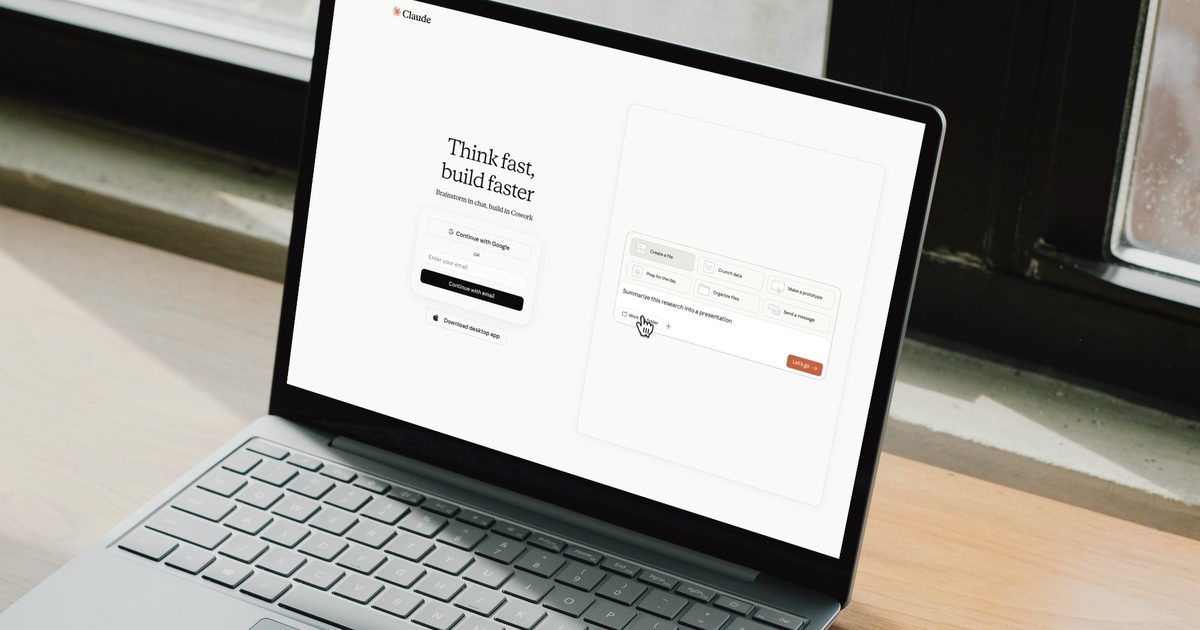
Anthropic just rolled out a genuinely useful update. Computer use in Claude Cowork and Claude Code now lets Claude work in the background on your Mac, meaning it clicks, types, and opens apps while you do literally anything else.

How does Claude work in the background without taking over my screen?

Claude now runs in a background window instead of taking over your display. That means you can keep browsing, writing, or coding while Claude quietly handles its own task behind the scenes.

Claude can now use your computer in the background in Claude Cowork and Claude Code.

Give it something to do on your desktop and Claude clicks, types, and opens apps just like you would, while you work on something else. pic.twitter.com/AOiup03pQK

— Claude (@claudeai) September 2, 2026

It won’t grab your mouse or keyboard mid-task, and it waits if you’re in the middle of typing. The only time it interrupts you is when a task needs the full screen, and even then, it asks permission first, just once per session.

What tool does Claude actually use to get things done?

Claude doesn’t jump straight to clicking around your screen. It first checks if a connector like Gmail, Google Drive, or Slack can handle the job, since that’s the fastest route. If there’s no connector, it tries your browser next, either the one built into Claude Desktop or your own Chrome browser through Claude in Chrome. 

Only when neither option works does Claude fall back to navigating your screen directly, handy for internal dashboards or specialized tools at work without a proper connector.

What can you actually hand off?

There’s plenty of busy work you can hand off to Claude. You could ask Claude to pull together a competitive analysis from local files and connected tools, then format it into a report. Or have it open your phone simulator, poke around the app you’re building, and flag any UX issues. And since Claude works in the background, if your task depends on a physical machine, it will keep chugging along even after you walk away from your desk, as long as your computer stays on.

The feature is currently in beta for Pro and Max plans and is available in Cowork and Claude Code on both macOS and Windows. Head to Settings → General → Computer use to turn it on, and make sure you read up on using Cowork safely before you let Claude loose on your desktop.

Share. Facebook Twitter Pinterest LinkedIn Telegram Reddit Email
Previous ArticleRange Rover Electric arrives with 543hp, 600km range, and a starting price of the moon

Related Articles

Range Rover Electric arrives with 543hp, 600km range, and a starting price of the moon

Range Rover Electric arrives with 543hp, 600km range, and a starting price of the moon

3 September 2026
The wearable deals worth buying this Labor Day are surprisingly easy to miss

The wearable deals worth buying this Labor Day are surprisingly easy to miss

3 September 2026
Acer’s new Vero 16 proves repairable laptops don’t have to feel like a compromise

Acer’s new Vero 16 proves repairable laptops don’t have to feel like a compromise

3 September 2026
Norway takes aim at smart glasses with plans for tighter regulations, and I’m all for it

Norway takes aim at smart glasses with plans for tighter regulations, and I’m all for it

3 September 2026
Google’s AI Mode shows the same products at higher prices than regular Search, study finds

Google’s AI Mode shows the same products at higher prices than regular Search, study finds

3 September 2026
The Galaxy S27 Ultra could use an Exynos processor for the first time since 2022

The Galaxy S27 Ultra could use an Exynos processor for the first time since 2022

3 September 2026
Demo
Stay In Touch
  • Facebook
  • Twitter
  • Pinterest
  • Instagram
  • YouTube
  • Vimeo
Don't Miss
Range Rover Electric arrives with 543hp, 600km range, and a starting price of the moon

Range Rover Electric arrives with 543hp, 600km range, and a starting price of the moon

By News Room3 September 2026

The Range Rover has never been shy about luxury, size or price, and its first…

The wearable deals worth buying this Labor Day are surprisingly easy to miss

The wearable deals worth buying this Labor Day are surprisingly easy to miss

3 September 2026
Acer’s new Vero 16 proves repairable laptops don’t have to feel like a compromise

Acer’s new Vero 16 proves repairable laptops don’t have to feel like a compromise

3 September 2026
Norway takes aim at smart glasses with plans for tighter regulations, and I’m all for it

Norway takes aim at smart glasses with plans for tighter regulations, and I’m all for it

3 September 2026
Tech Savvyed
Facebook X (Twitter) Instagram Pinterest
  • Privacy Policy
  • Terms of use
  • Advertise
  • Contact
© 2026 Tech Savvyed. All Rights Reserved.

Type above and press Enter to search. Press Esc to cancel.