





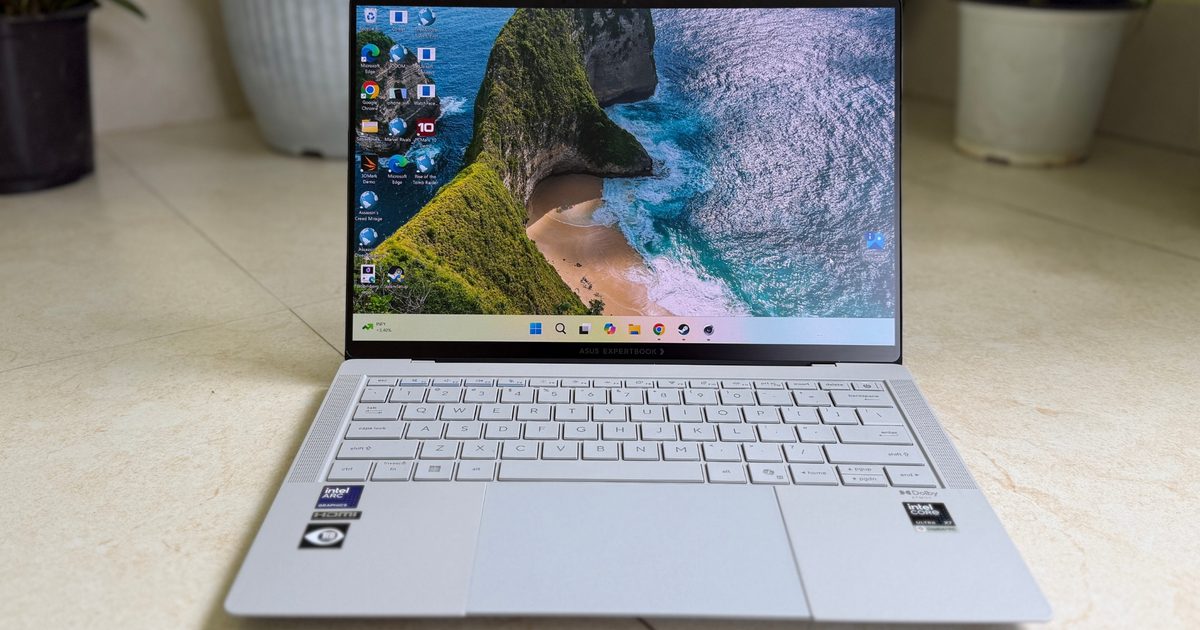
Asus ExpertBook Ultra
MSRP $3,599.99
“One of the finest business laptops out there.”
Pros
- Terrific build in a sleek form
- OLED display with anti-glare
- Massive and reliable trackpad
- Solid Panther Lake performance
- Adequate battery mileage
- Audio output is punchy
Cons
- Matte layer is an OLED trade-off
- It’s quite expensive
- Deserves more GPU power
Quick Review
I have spent the better part of a decade being bored to tears by business laptops. They are the beige minivans of the tech world, which broadly means sensible, reliable, and about as exciting as a quarterly compliance meeting. So when ASUS sent me the ExpertBook Ultra (2026) and told me it was an enterprise machine, I braced myself for another grey slab designed by a committee that had never heard about delightful engineering.
Instead, I got a 2.4-pound magnesium-aluminum silver machine that shrugs off military-grade drop tests, offers a lovely 3K Tandem OLED screen that laughs in the face of office glare, and Intel’s brand-new Panther Lake silicon that can play games at 1080p while barely raising its voice. This is a corporate laptop that forgot it was supposed to be dull, and I am here for every second of it. In fact, I prefer this sharp machine over the sleek ZenBook A14 any given day.
There are compromises, of course, with this kind of waistline. The RAM is soldered (aka no scope for upgrades), the trackpad is occasionally a touch too eager, and you’ll want to keep it plugged in when you’re pushing it hard. For the executive, creator, or hybrid worker who wants power and portability without the theatrics of a gaming rig, this is arguably the most compelling Windows machine you can buy right now. Currently listed at roughly $3,600, it isn’t cheap, but so is the status of the entire PC market. It’s also, frustratingly, worth it.
Asus ExpertBook Ultra design and build: A leap in laptop engineering
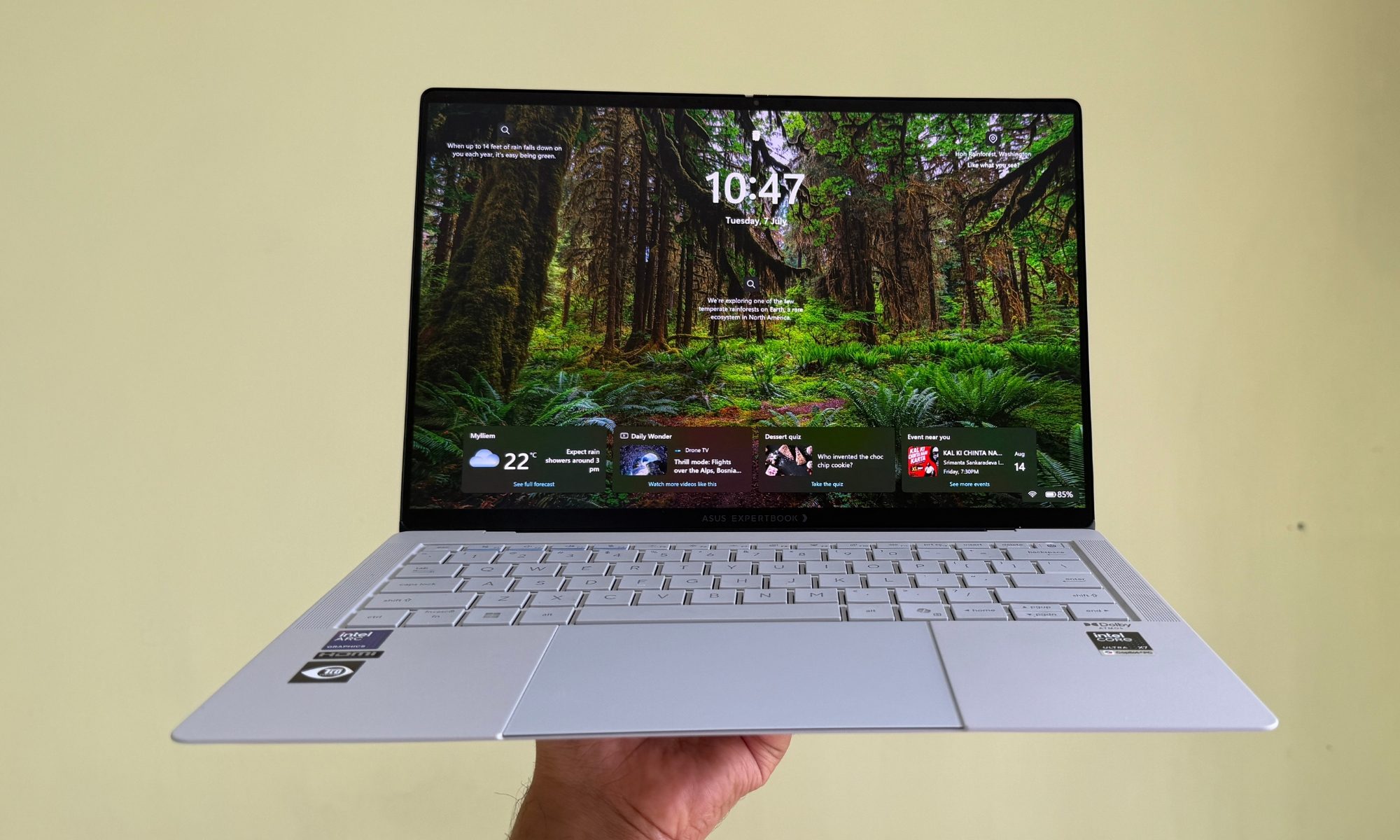
For as long as I can remember, the business laptop has been a study in deliberate blandness. The unspoken rule was that if a machine was going to sit in a boardroom, it had to look like it belonged in a filing cabinet. ASUS clearly never got that memo, because the ExpertBook Ultra is the rare enterprise laptop that I actually enjoyed carrying around.
I carrying it around like a diary and loved the in-hand feel.
The chassis is forged from an aerospace-grade magnesium-aluminum alloy, and depending on the exact configuration you land on, it tips the scales somewhere between an almost unbelievable 0.99kg and 1.11kg. Let me put that in human terms. This is a laptop you can toss into a tote bag on your way out the door and genuinely forget is there until you go looking for it. At its thinnest point, it measures just 10.9mm, which is the kind of number that used to require sacrificing every port you cared about. It does not, but more on that in a moment.
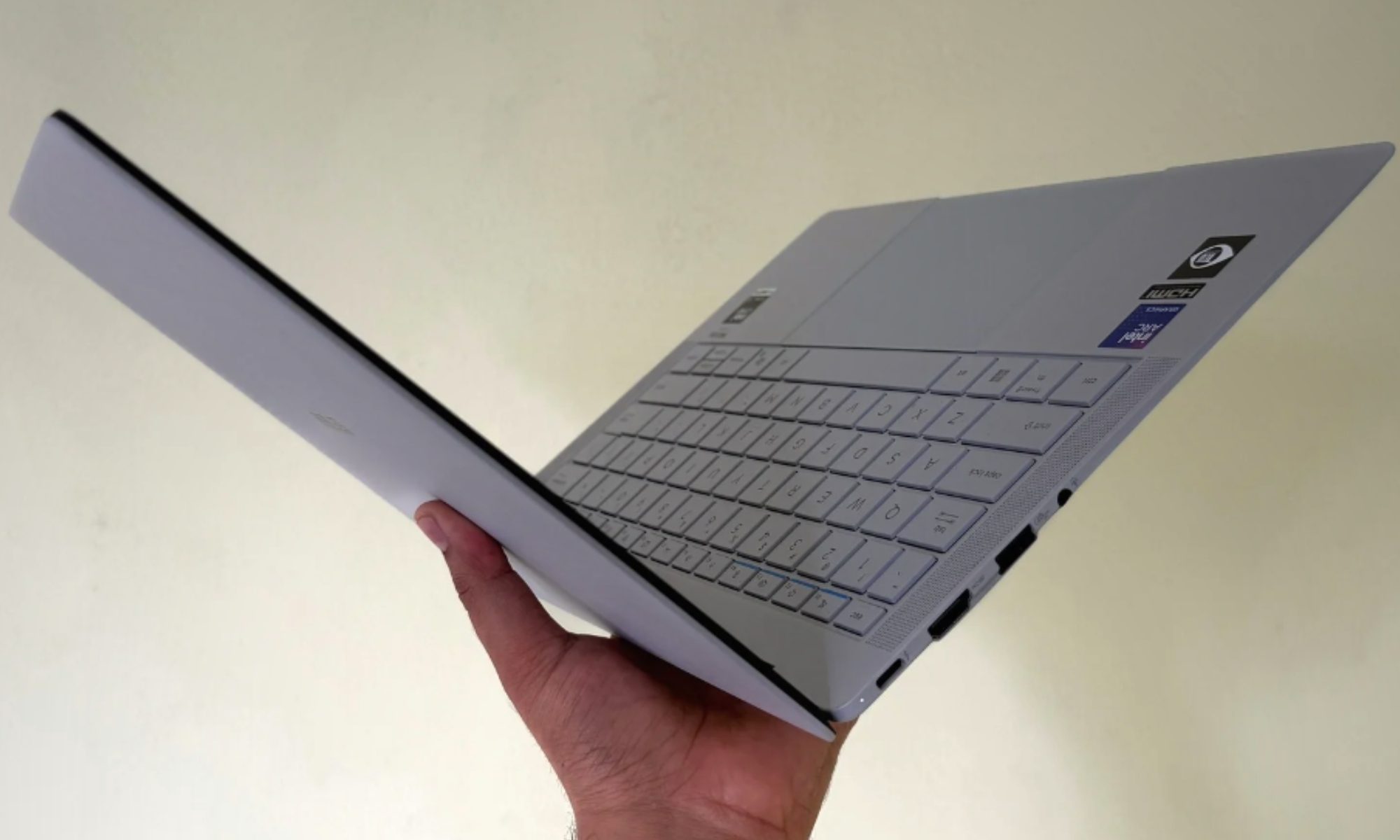
What surprises me is that none of this featherweight engineering comes at the cost of durability. The ExpertBook Ultra carries MIL-STD-810H certification, meaning it has been dropped, shocked, frozen, and baked in the sort of torture testing that most premium consumer ultrabooks would fail on the first attempt. The DNA of the ExpertBook P1 has been carried over pretty well on this one.
I didn’t throw it down a flight of stairs, of course, but everything about the way it feels in the hand suggests it would survive a few such accidents. There’s a specific kind of confidence you develop with a machine like this, where you stop treating it like a fragile heirloom and start treating it like the tool it was built to be. I slid it into a crowded backpack next to a water bottle and a set of keys without the low-grade panic that usually accompanies a four-figure laptop, and that peace of mind is worth more than any spec on the sheet.
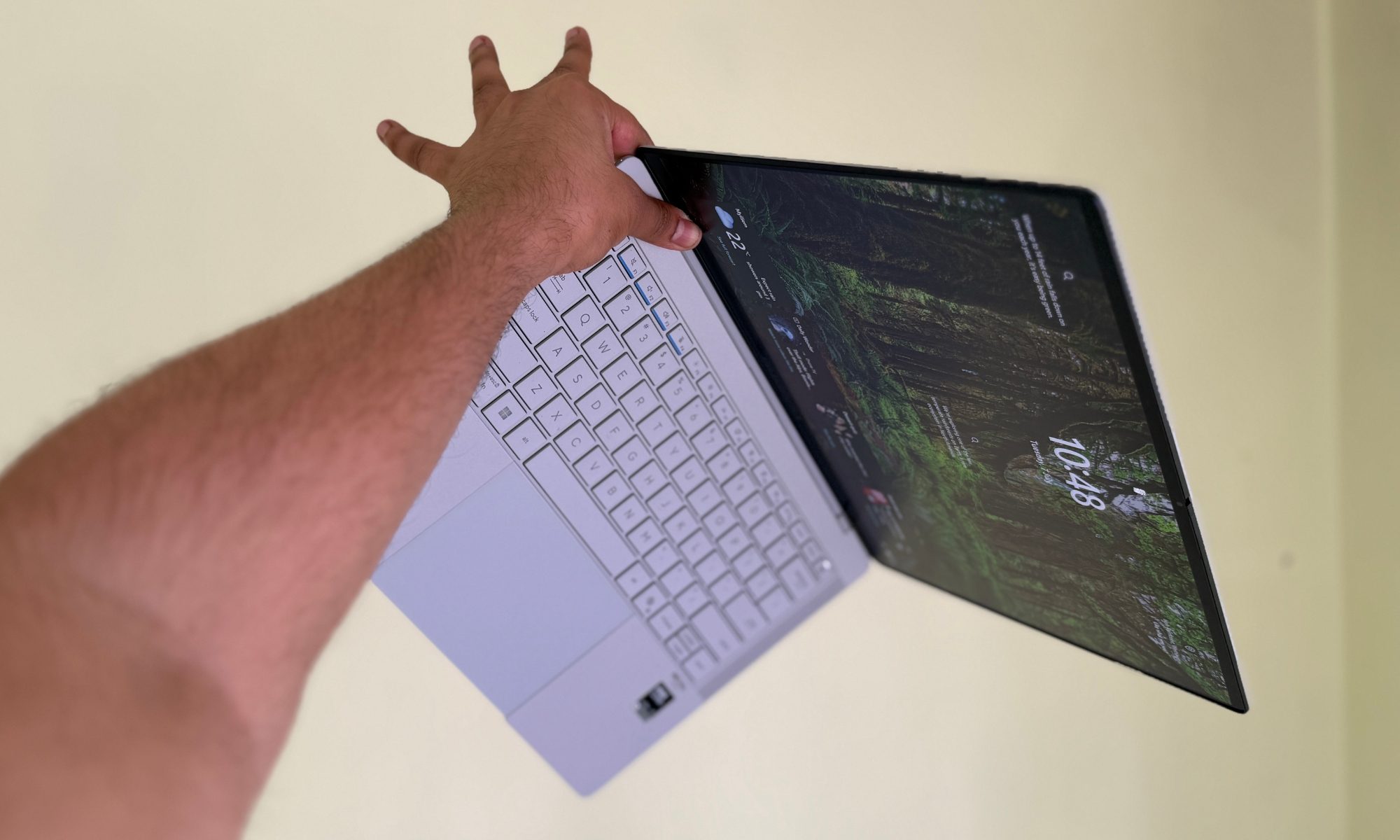
It’s also worth appreciating just how uncommon this combination is. Plenty of laptops are light. Plenty are rugged. Very few manage both without ballooning in thickness or turning into a creaky, hollow-feeling shell that flexes the moment you apply real pressure. ASUS threaded that needle here, and the more time I spent with the machine, the more I appreciated the restraint it took to get there.
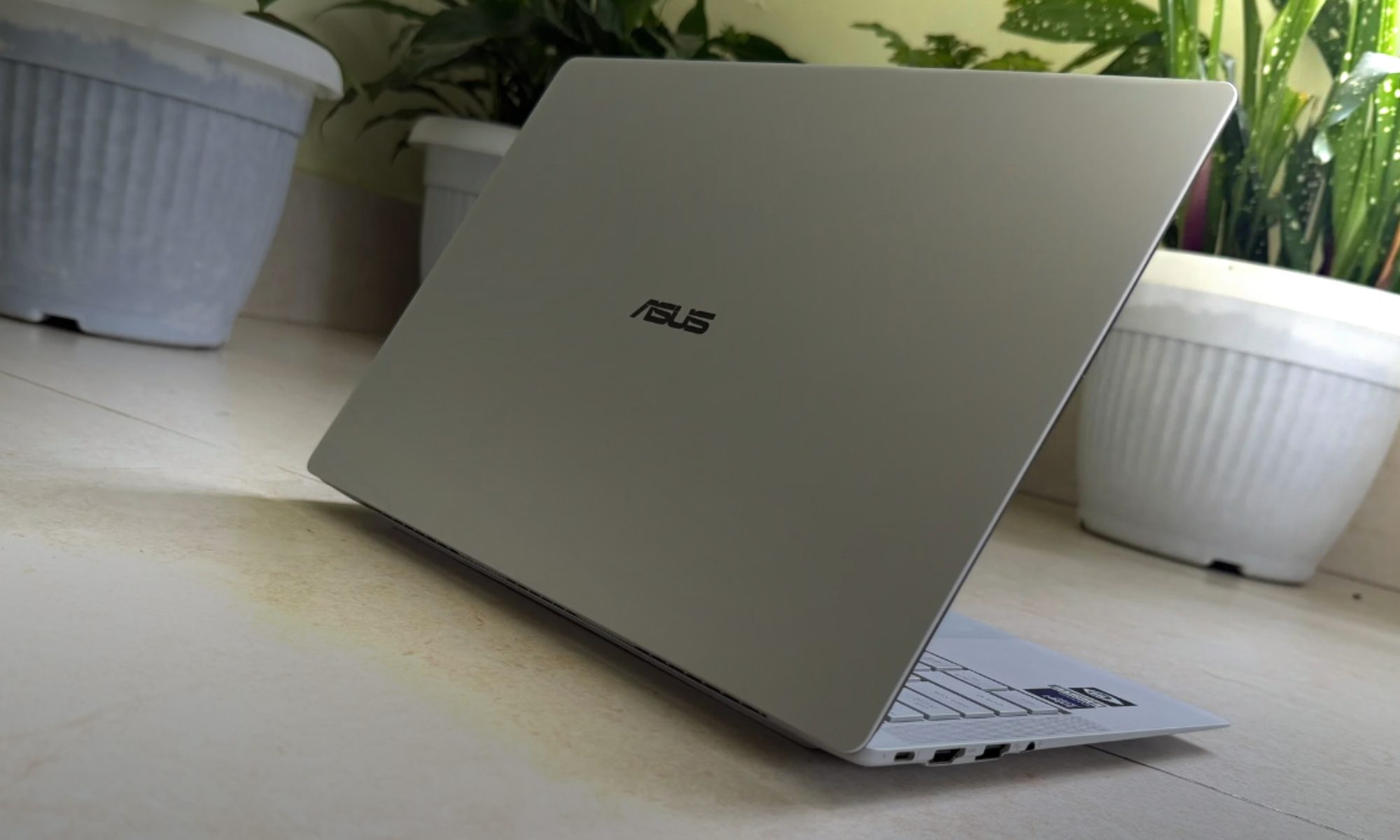
If there’s one design decision I want other manufacturers to steal immediately, it’s the coating. ASUS calls it “nano-ceramic,” or Ceraluminum, and it is the single best answer I’ve seen to a problem that has plagued laptops forever. The grimy fingerprints and flat smudging. Standard brushed metal turns into a greasy smudge gallery within about four minutes of real-world use. This matte, faintly textured surface simply refuses to hold oils, smudges, or the little surface scratches that make a two-week-old laptop look two years old.
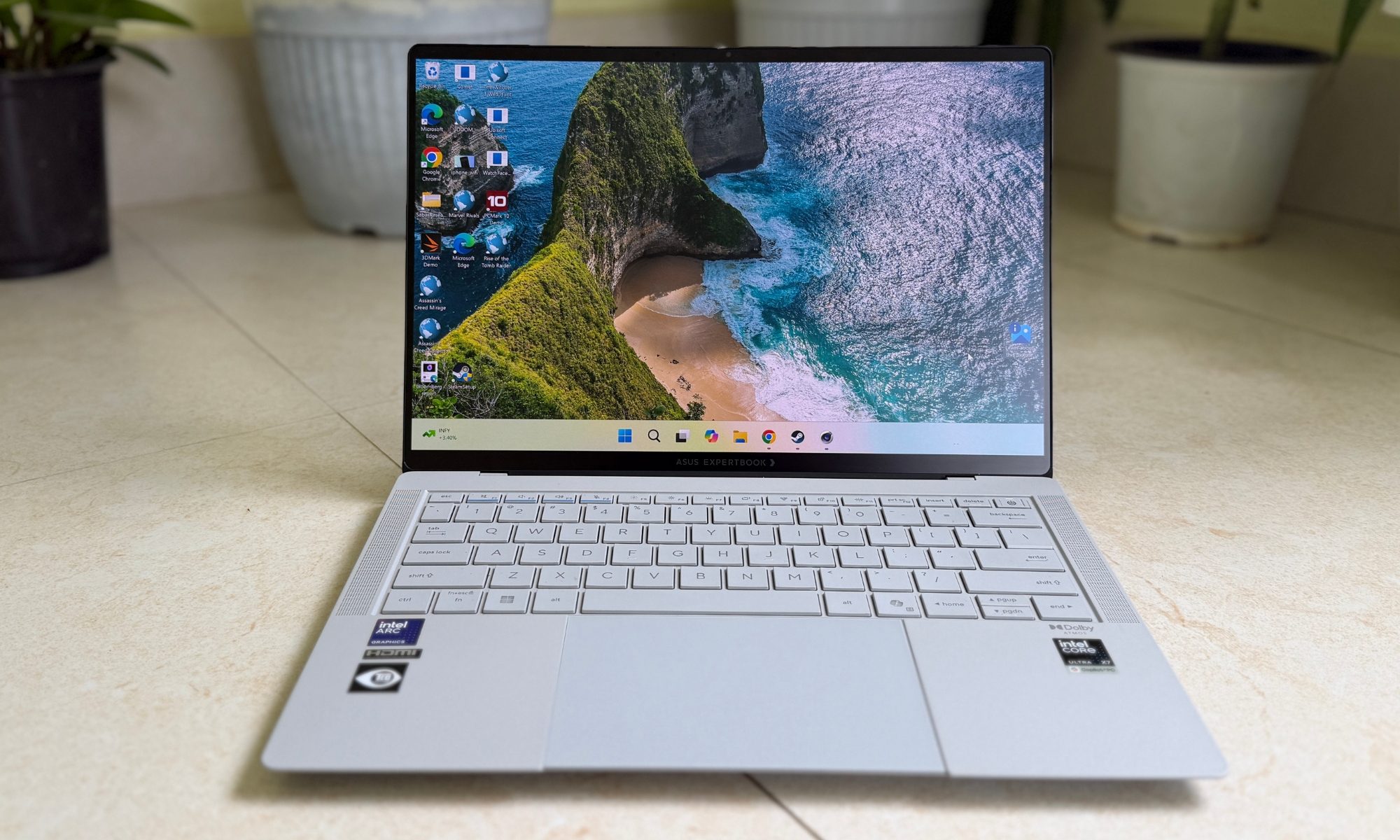
Whether you go for the stealthy Jet Fog black or the more understated Morn Grey, this machine looks clean and professional no matter how many airport lounges it passes through. I have the Morn Grey variant for testing, and it’s simply stunning. The rigidity story is mostly a good one.
The keyboard deck exhibits virtually zero flex, even when I typed on it like I had a personal vendetta against the spacebar. That said, I’d be doing you a disservice if I pretended it was flawless. There’s minor lateral flex in the razor-thin display lid if you twist it from the corners. Thankfully, the hinge is sturdy, but I wish it were a tad bit more stable and in the same league as the MacBook Pro. It’s a small caveat, but at this price, small bumps get noticed quickly.
ASUS also snuck in a little personality with the “ExpertLumi” white light bar running along the bottom edge of the display hinge. It glows during boot-up and login, and it serves no functional purpose whatsoever. I love it anyway. It’s the kind of small flourish that tells you the designers actually cared, and in a category defined by not caring, these little aesthetic easter eggs make a difference.
Score: 9/10
Asus ExpertBook Ultra ports and connectivity: Pretty generous for the waistline
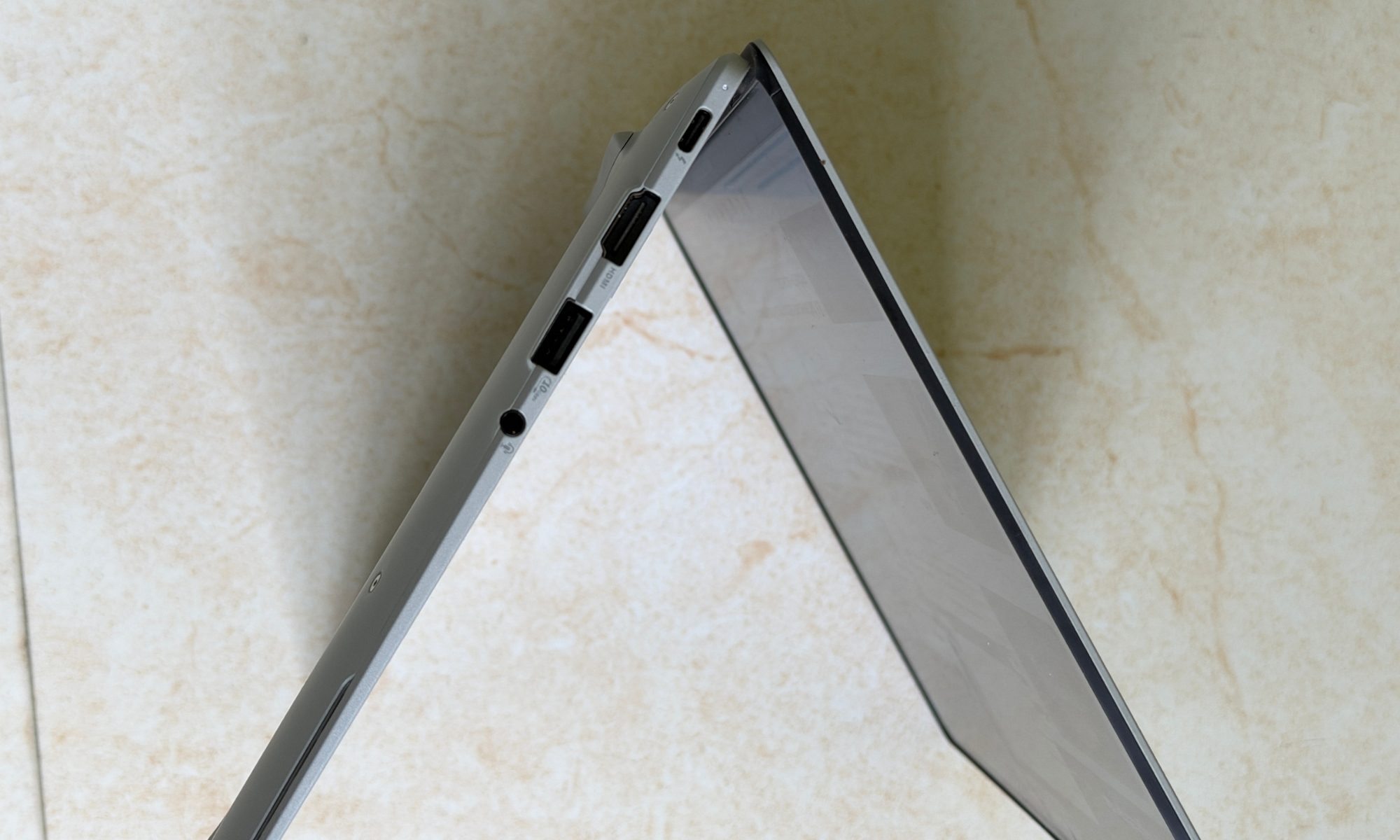
The port situation is where Asus emerges as the industry-wide guide. This is also where the ExpertBook Ultra separates itself from the ultrabook pack that has spent the last several years happily shoving us all into dongle hell. ASUS gives you two Thunderbolt 4 ports with a USB-C interface, but the masterstroke is the placement. One lives on the left, one on the right, which means you can charge from whichever side happens to be nearest an outlet.
If you’ve ever contorted a cable across a coffee shop table because the only USB-C port was on the wrong side, you understand why this small decision feels revelatory. I am looking at you, Apple!
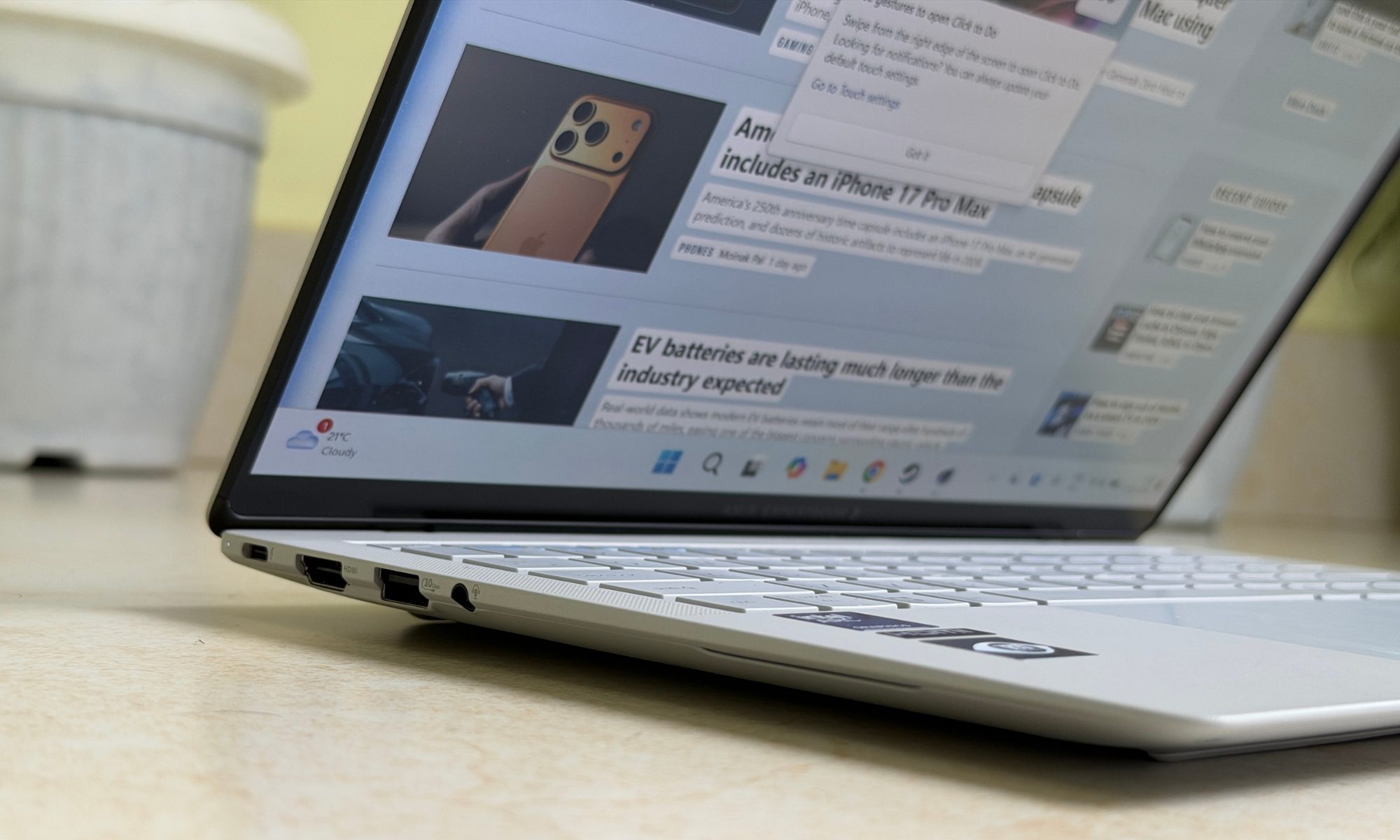
The rest of the layout is refreshingly complete. On the left, you get that first Thunderbolt 4, an HDMI 2.1, a USB-A 3.2 Gen 2 port, and a 3.5mm combo audio jack. On the right sit the second Thunderbolt 4, another USB-A 3.2 Gen 2, and a microSD card reader. That is a genuinely thoughtful spread for anyone who still lives in a world of projectors, external drives, and camera cards. Or to put it in more practical terms, anyone who actually works for a living.
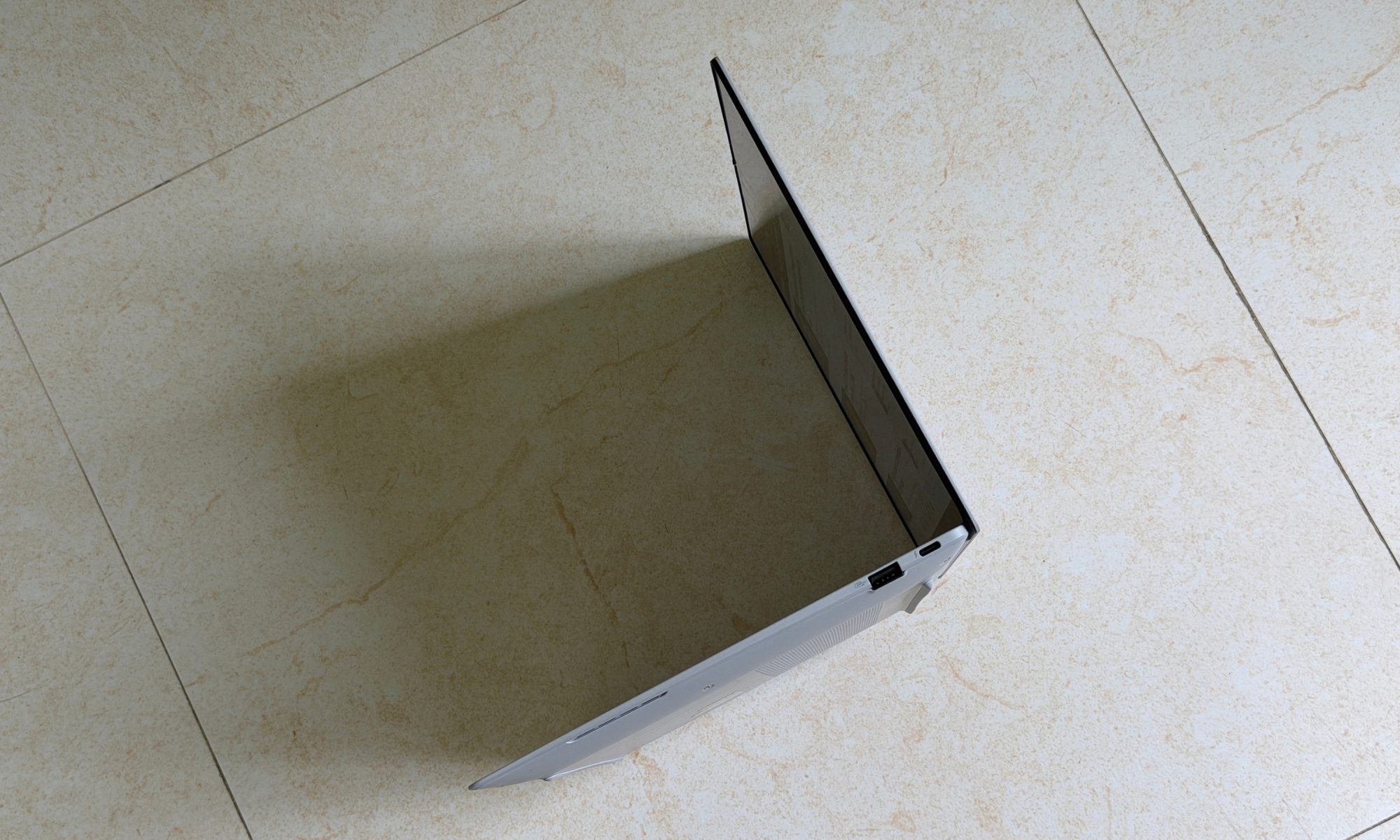
Wireless duties fall to Wi-Fi 7 and Bluetooth 6.0, and both held rock-solid throughout my testing. Connections were fast, stable, and utterly uneventful, which is exactly what you want. This is a machine built for hybrid work, and it behaves like one.
Score: 10/10
Asus ExpertBook Ultra display: Beauty with a thoughtful upgrade
The screen on the ExpertBook Ultra is simultaneously its most fascinating feature and its most polarizing, somewhat like the privacy-leaning screen on the Samsung Galaxy S26 Ultra. I’ve gone back and forth on it more than any single component I’ve tested this year. On the ExpertBook Ultra, you’re looking at a 14-inch 3K (2880 x 1800) Tandem OLED panel in a productivity-friendly 16:10 aspect ratio.
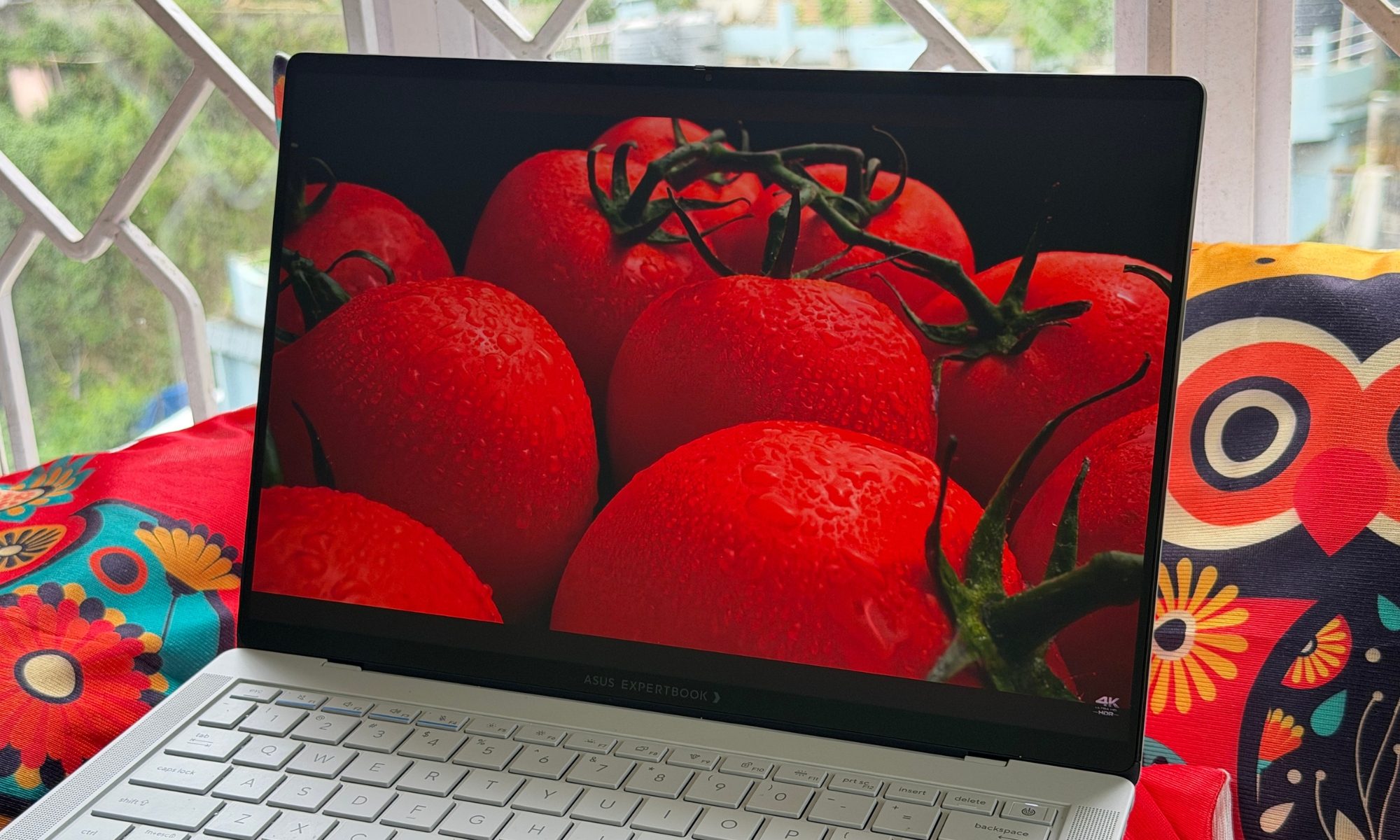
The Tandem OLED part is the clever bit, because it stacks two OLED layers on top of each other, which lets the screen push to much higher brightness. In this case, you get a genuinely blinding 1,400 nits of brightness output in HDR, while also degrading far more slowly than a traditional single-layer OLED. That means brighter highlights and a much lower risk of burn-in over the years you’ll actually own this thing.
The refresh rate is variable, dropping to 60Hz for static content to sip battery and climbing all the way to 120Hz for the kind of buttery scrolling and fluid animation. There’s also a 960Hz PWM modulation rate, which is a spec most people ignore until they’re the person who gets eye strain from screen flicker. If that’s you, this panel should keep the headaches at bay through a long workday. Now, for the part that had me arguing with myself.
ASUS applied a Corning Gorilla Glass Victus matte coating to this OLED panel, and it is a bold, genuinely divisive choice. The upside is enormous. In a bright environment, such as an office drenched in harsh fluorescent lights or outdoors in actual daylight, this screen is a revelation. It essentially wipes out the mirror-like reflections that turn most glossy OLED laptops into very expensive mirrors the moment a window enters the frame. For real-world usability, especially for the professional who works near windows or on the move, it’s a massive upgrade.
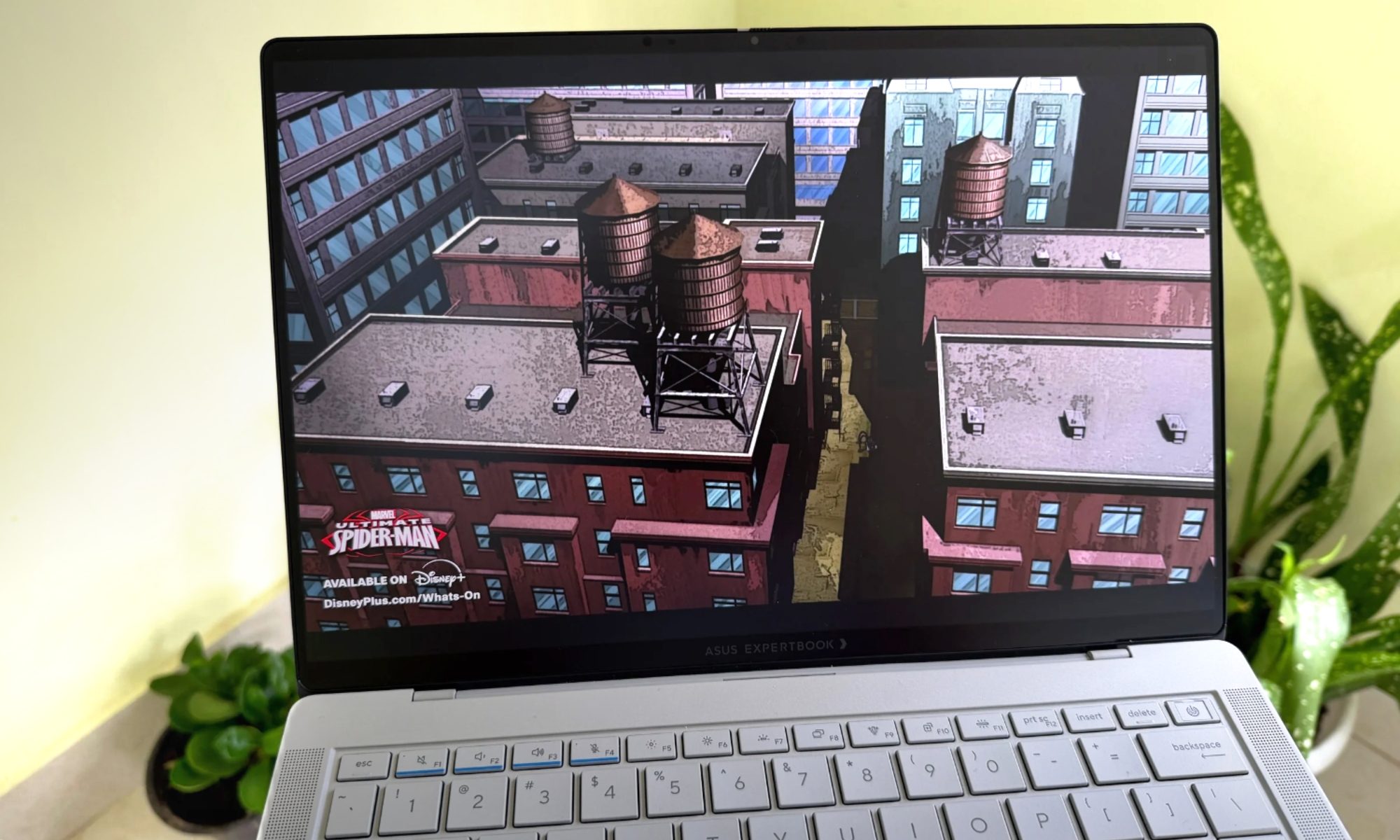
The trade-off is real, though. The matte layer diffuses light, which introduces a faint graininess to the image, and it takes just enough edge off the contrast that OLED’s famous inky blacks lean closer to a very dark charcoal grey. If you’re a content creator chasing absolute cinematic purity, you’ll notice, and you might even resent it. But for the business professional this laptop is squarely aimed at, I’d take the anti-glare superpower over showroom shine every single time. It’s a productivity-first decision, and I respect the conviction behind it.
I spent a full afternoon working on a sun-drenched balcony, the kind of setting that turns most glossy OLED laptops into unusable mirrors where you spend more time staring at your own reflection than your document. The ExpertBook Ultra just kept working. Text stayed crisp, colors stayed legible, and I never once tilted the screen at an awkward angle to dodge a glare hotspot. That’s a scenario the average reviewer rarely tests but the average traveling professional lives in constantly, and it reframed the entire matte-versus-glossy debate for me. The graininess I fussed over in a dark room simply stopped mattering the moment I stepped into the environments this laptop was actually designed to conquer.
Color accuracy, for what it’s worth, is excellent out of the box, with the panel covering the full DCI-P3 gamut and handling the sort of photo and light video work a creator might throw at it during a trip. You’re not going to grade a feature film on it, and the matte coating means a colorist would still reach for a reference monitor, but for the on-the-go editing and review work this machine will realistically see, the display is more than up to the task.
Score: 9/10
Asus ExpertBook Ultra performance: A solid performer for the form factor
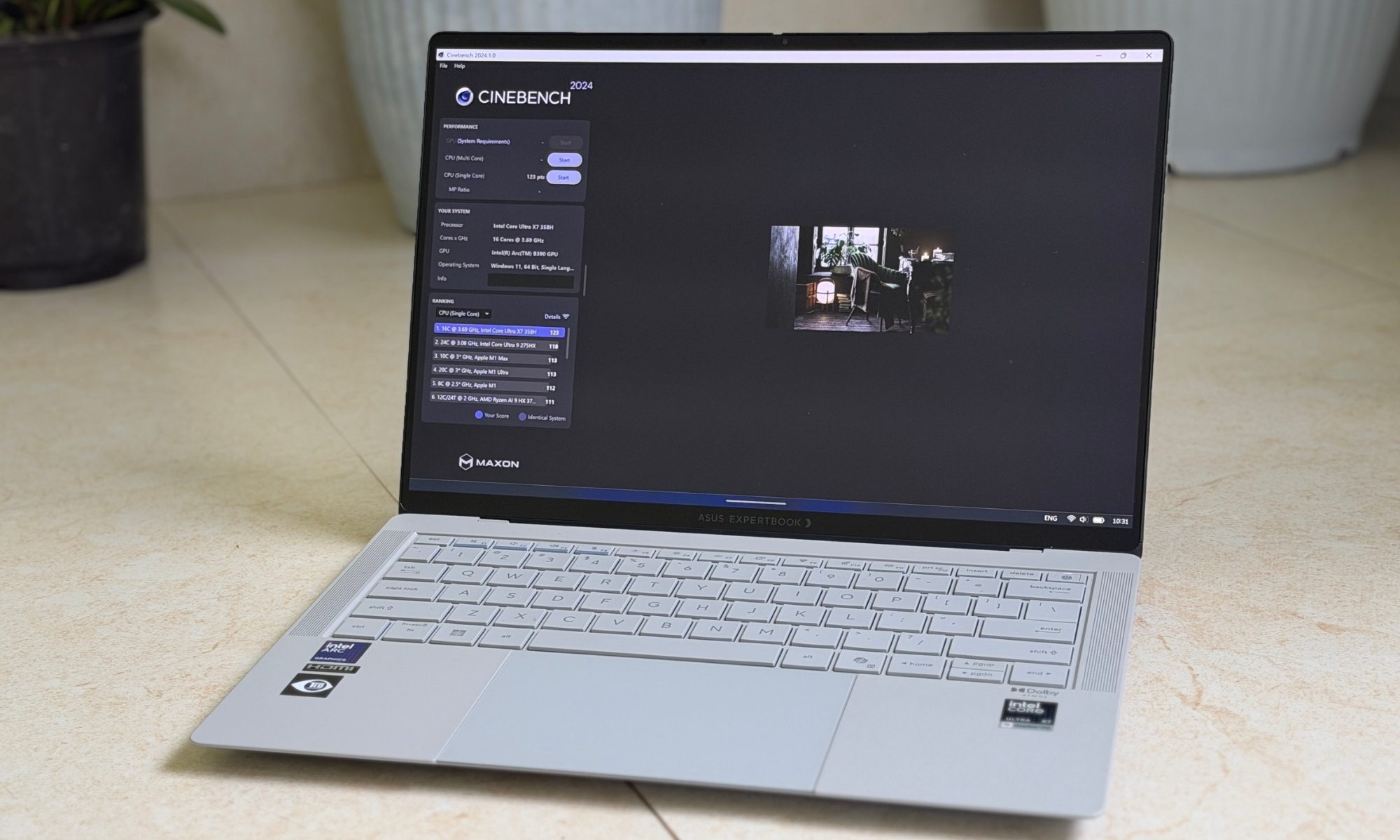
Ultrabooks, as a category, are usually relegated to watered-down chips. The ExpertBook Ultra is no exception, but it still packs enough power that it will leave you surprised with sheer usage fluidity. It’s one of the first machines I’ve tested running Intel’s much-hyped 18A architecture aka Panther Lake. The Core Ultra X7 358H processor at the heart of my review unit packs 16 cores ( 4 Performance, 8 Efficiency, and 4 Low-Power Efficiency cores), and it completely rewrites what I expect a 14-inch business laptop to be capable of.
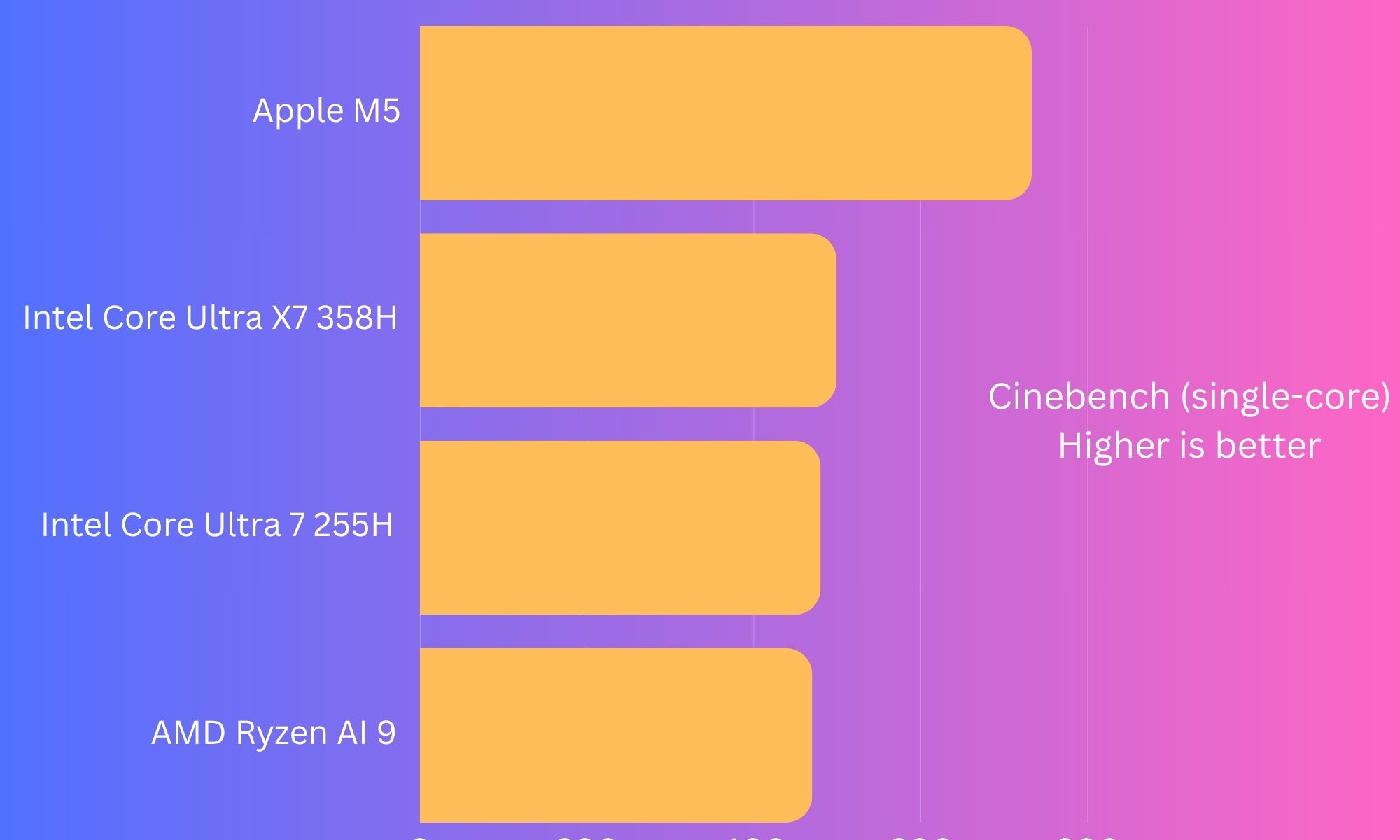
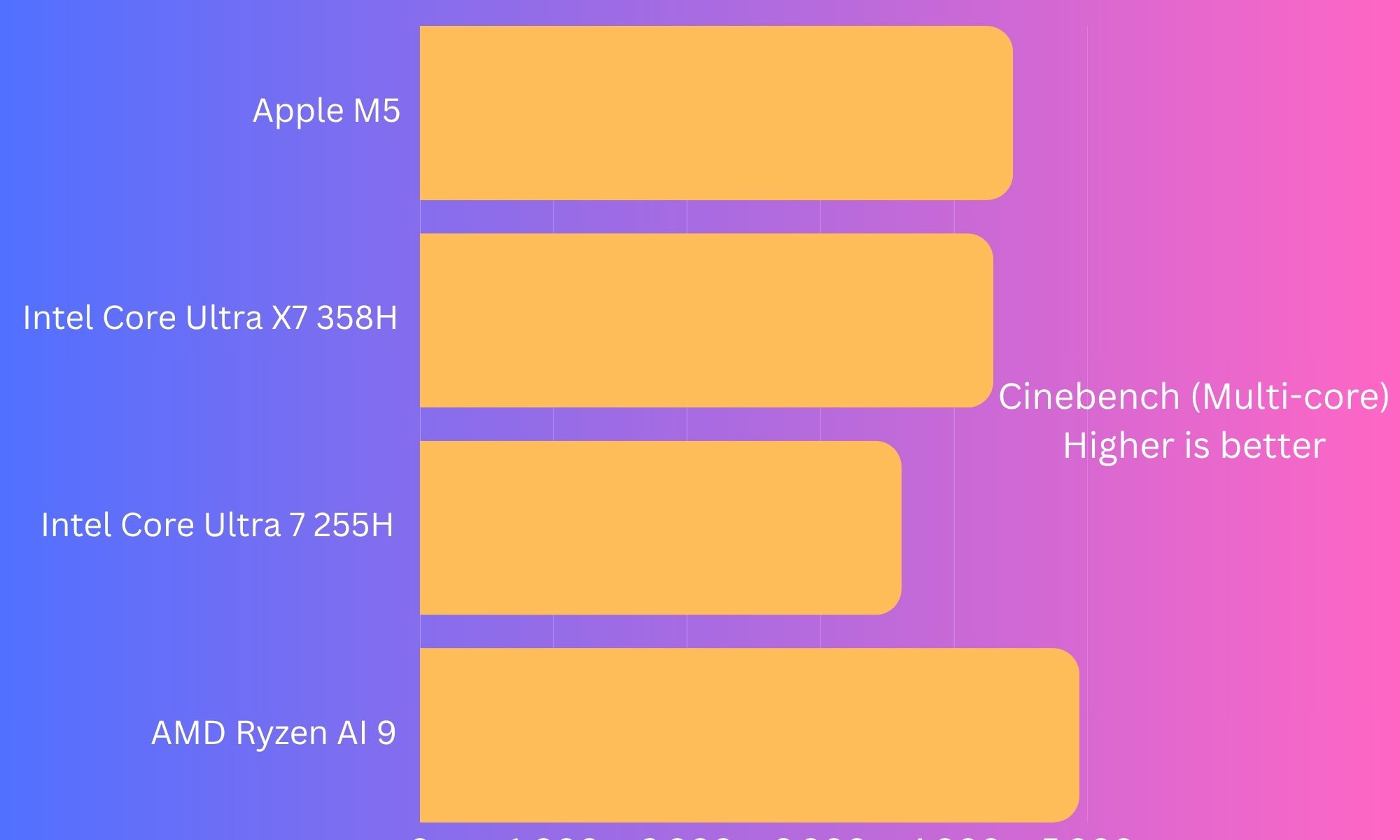
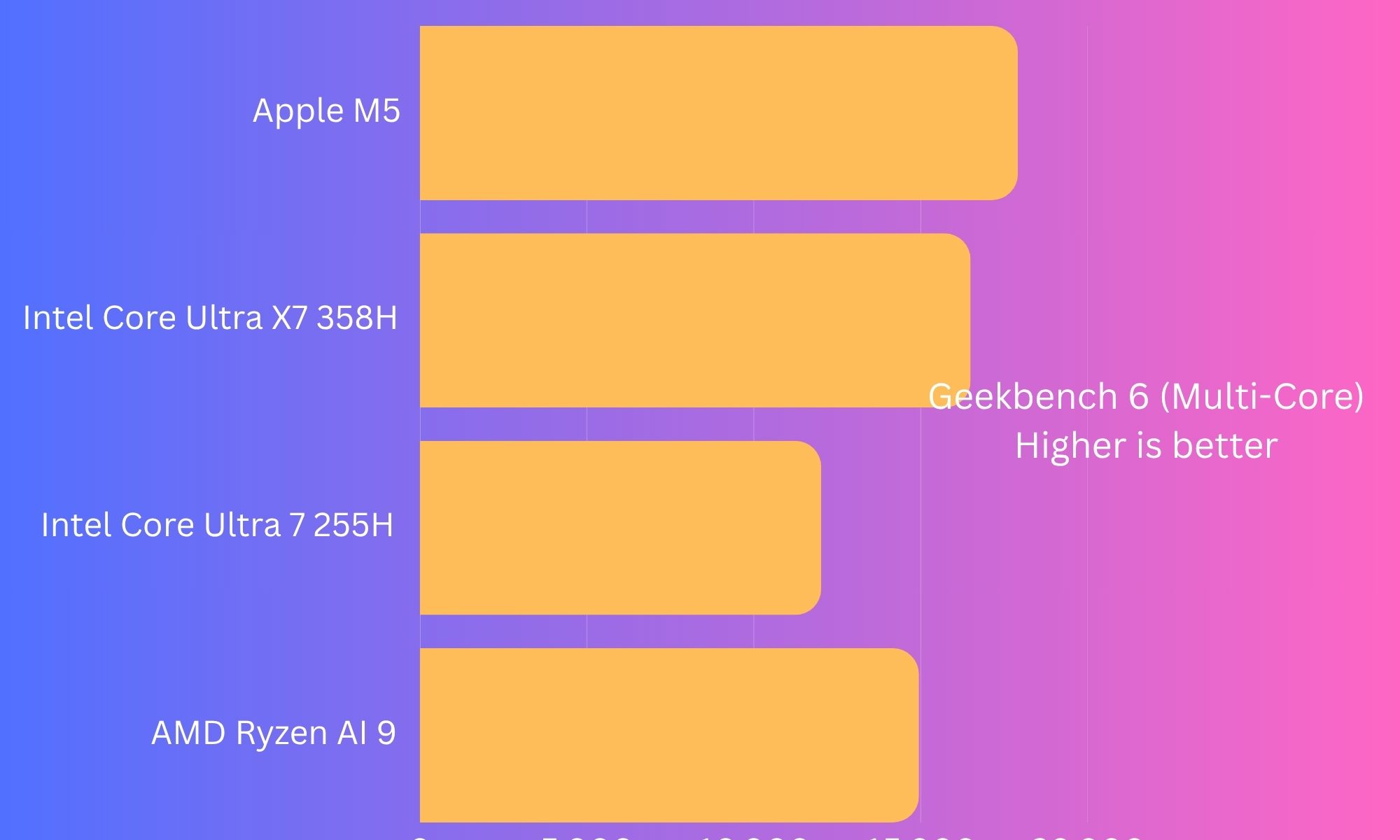
Pair it with up to 64GB of soldered LPDDR5X RAM and a blistering 2TB PCIe Gen 5 NVMe SSD, and what you have stops resembling a corporate ultrabook and starts behaving like a portable workstation that happens to weigh nothing. In multi-core workloads, the Ultra X7 358H doesn’t just beat last year’s Lunar Lake chips, but it humbles them.
Code compilations, heavy Excel models, and 4K timelines in Premiere Pro all went through without the machine so much as clearing its throat. This is the first time an enterprise laptop this thin has made me stop reaching for my desktop out of habit. I threw a genuinely obnoxious workload at it, which entailed a 4K export rendering in the background, a dozen browser tabs, a Teams call, and a heavy spreadsheet, expecting the usual stutter and fan-scream. To my surprise, the Asus machine maintained its composure.
That kind of headroom is what separates a laptop you tolerate from one you actually trust with your workday, and the ExpertBook Ultra lands firmly in the latter camp. What impressed me most wasn’t the peak numbers so much as the consistency. Plenty of thin laptops can post a strong benchmark score in a single burst, and then degrade the output the moment you ask them to sustain it. The Panther Lake chip in here held its performance across long, punishing sessions far better than I expected from a chassis this slim, and that endurance is where the generational leap really shows itself in day-to-day use.
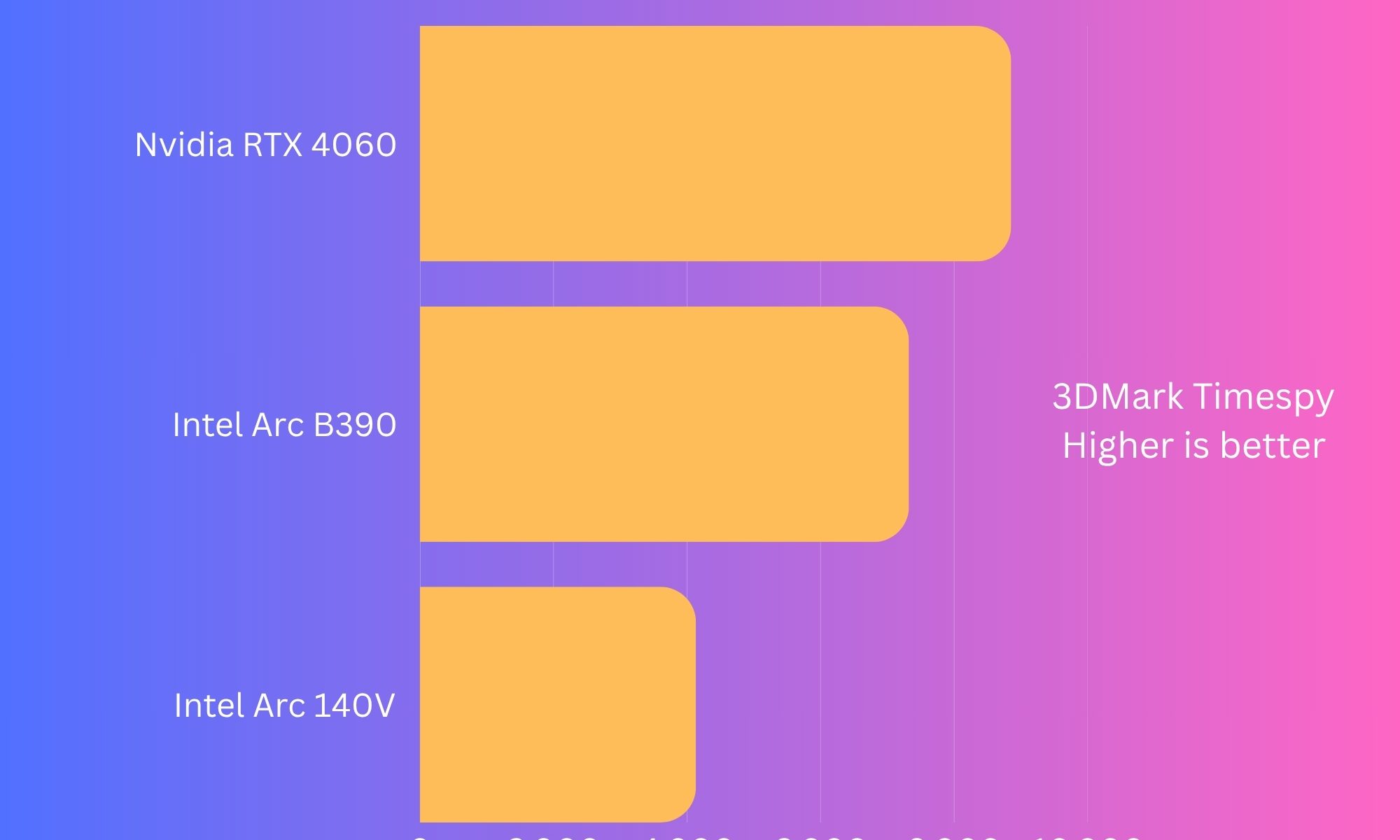
The real showstopper, though, is the Intel Arc B390 integrated GPU. On paper, it delivers an unprecedented 80% leap over the previous generation, and in practice, it does something I genuinely didn’t expect from an integrated graphics engine in a laptop. It goes toe-to-toe with entry-level discrete graphics like NVIDIA’s RTX 4050. I ran the games because I didn’t believe the numbers, and the numbers held up.
Cyberpunk 2077 touched 60 FPS at 1080p resolution on Medium graphics settings, which is nothing short of absurd, coming from an integrated GPU in a business laptop. It’s a sentence I did not expect to write this year. Overwatch 2 and Forza Horizon 5 both sailed past 90 FPS on High and Medium settings, respectively.
This isn’t a gaming laptop, mind you, and ASUS isn’t pretending it is, but the fact that you can close the spreadsheet and unwind with a proper AAA title on the same sub-1.1kg machine is nothing short of a miracle. But for the price you are paying, it deserved a little bit more firepower, like the Asus ProArt PX13. But then, the form factor will also get thicker to handle the power and thermal requirements, as well.
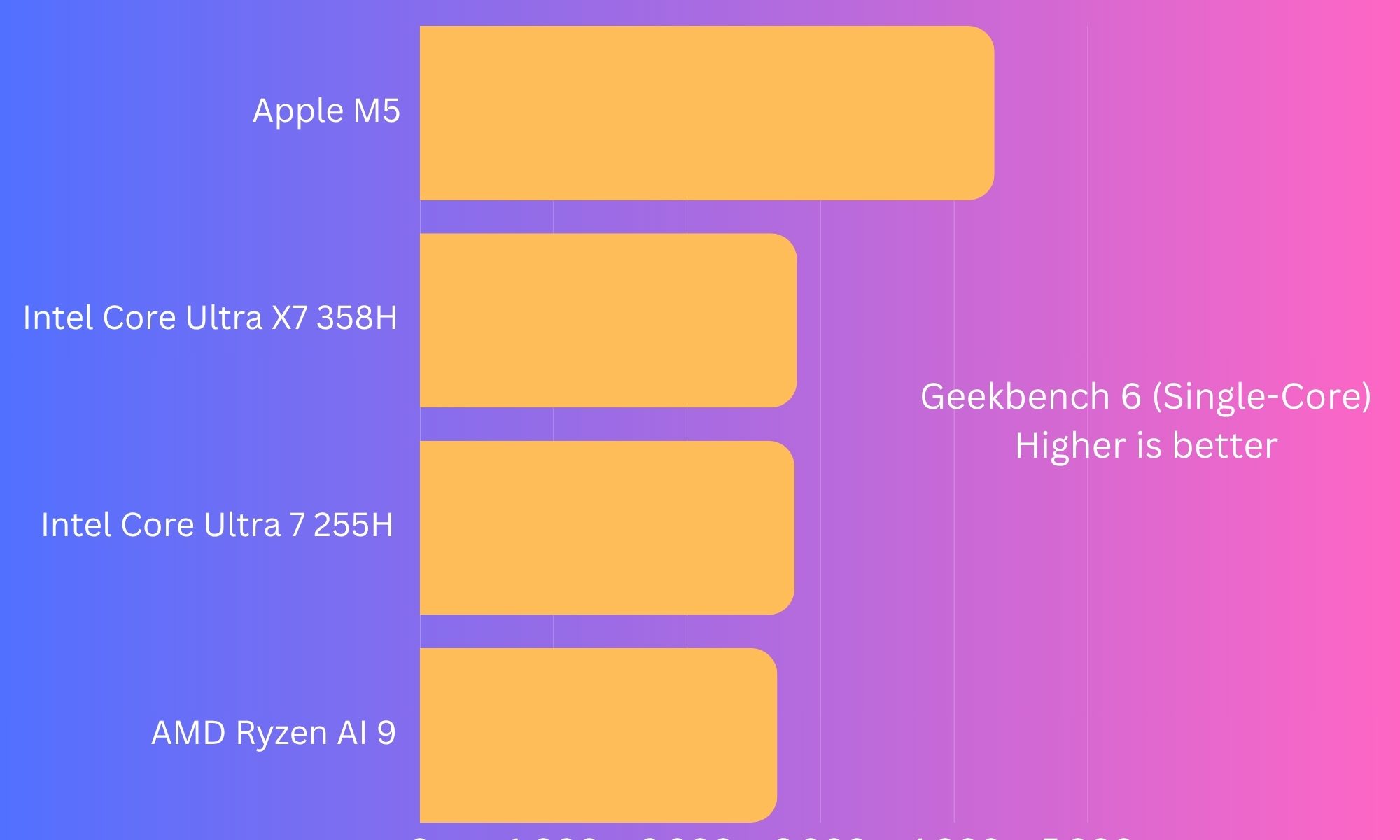
To keep the kit from melting, ASUS uses a dual-fan cooling setup with a generous run of copper heat pipes. Under everyday loads, it stays whisper-quiet, to the point where I forgot it had fans at all. Push it into Performance Mode with a higher TDP reach, and temperatures climb into the mid-to-high 80s (°C) while fan noise jumps, too. That’s par for the course for an H-series chip, but it’s noticeably louder than a standard ultrabook, so don’t expect silence when you’re really leaning on it.
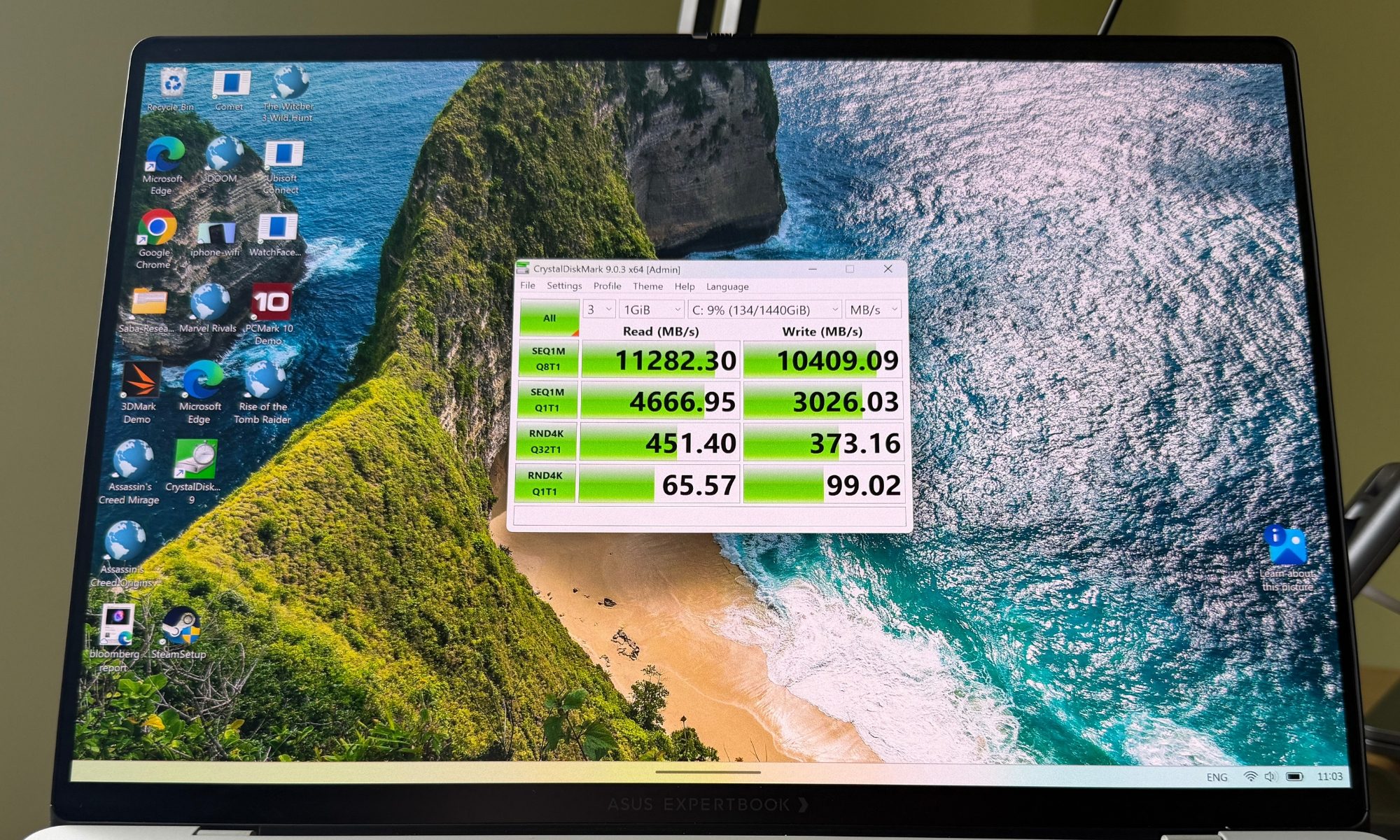
There are two throttling caveats worth flagging honestly, because they will matter to the people who buy this for its power. First, the battery. To hit its ceiling, this laptop wants to be plugged in, because running on battery caps the TDP and leaves a real, measurable performance deficit in heavy gaming or rendering. Second, the SSD. Those jaw-dropping 11,000+ MB/s initial read speeds you see above are real, but the Gen 5 drive lacks a dedicated heat spreader. So, under sustained, minutes-long read/write loops, it thermal-throttles down to roughly 5,000 MB/s ballpark. That’s still pretty fast, but not the headline number, and you deserve to know that before the marketing convinces you otherwise.
Score: 8/10
Asus ExpertBook Ultra keyboard and trackpad: Fares better than expected
ASUS clearly understands exactly who is buying this laptop, because the typing experience is dialed in for people who type for a living. The keyboard offers a comfortable 1.5mm of key travel with a subtle 0.1mm dish on each keycap to cradle your fingertips. The feedback lands in a near-perfect sweet spot between the shallow, mushy switches of most modern ultrabooks and the chunky, deliberate keys of the old-guard ThinkPads. There are dedicated macro keys and a fingerprint scanner baked into the power button.
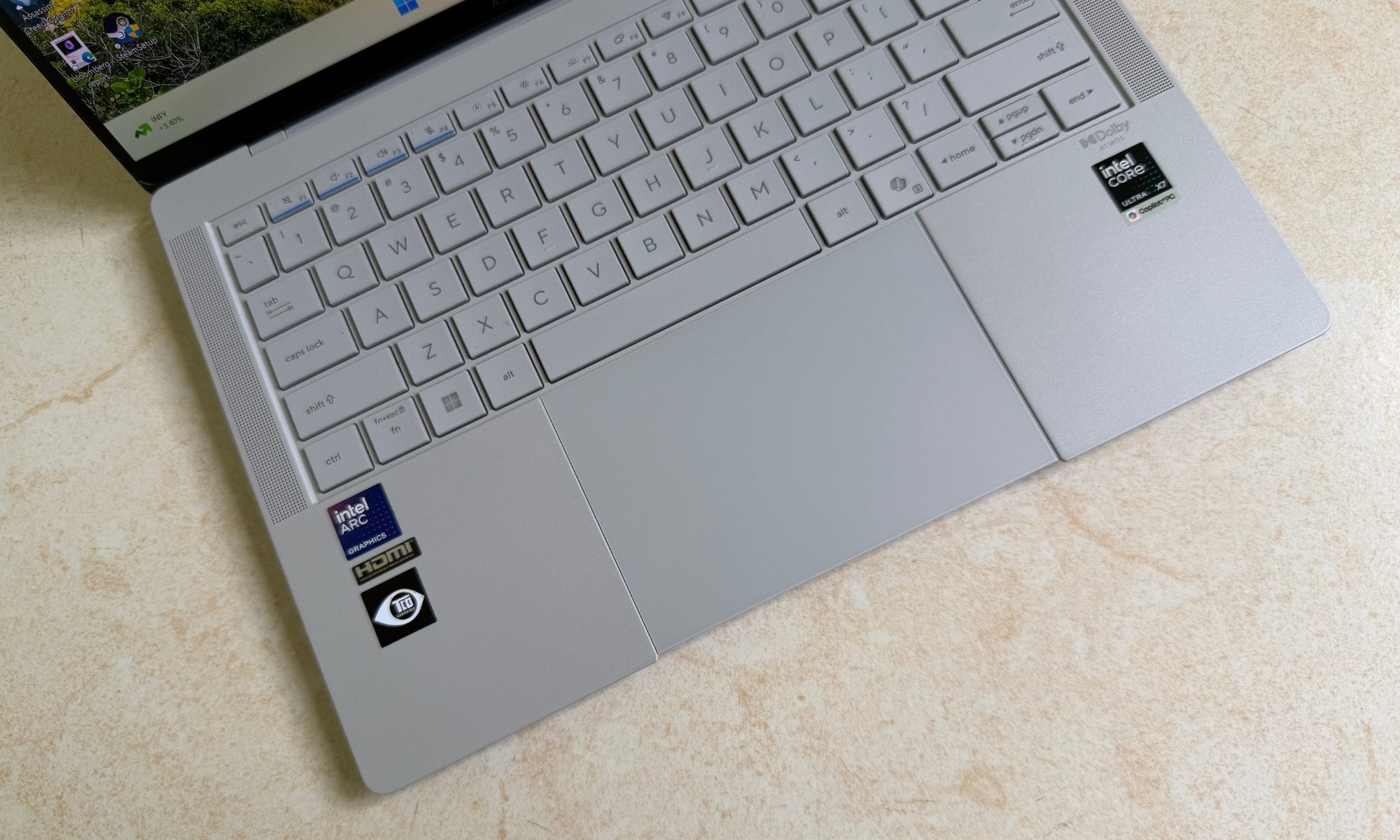
After a full day of writing and editing articles on it, I had zero complaints about fatigue. I do have one gripe, and it’s oddly specific. On the lighter Morn Grey model, the white LED backlighting provides poor contrast against the grey keycaps in a moderately lit room, which makes the lettering weirdly hard to read unless you’re sitting in near-darkness. It’s a strange oversight on an otherwise excellent board, and it’s the kind of miss you’ll notice on your third evening flight of the month.
If you’re a touch typist, it won’t bother you in the slightest, but anyone who still glances down to hunt for a symbol key will find themselves squinting in dimly lit environments where a backlit keyboard is supposed to earn its keep. The Jet Fog model sidesteps the problem entirely thanks to its darker keycaps, so if this sounds like a dealbreaker, the color you choose actually matters.
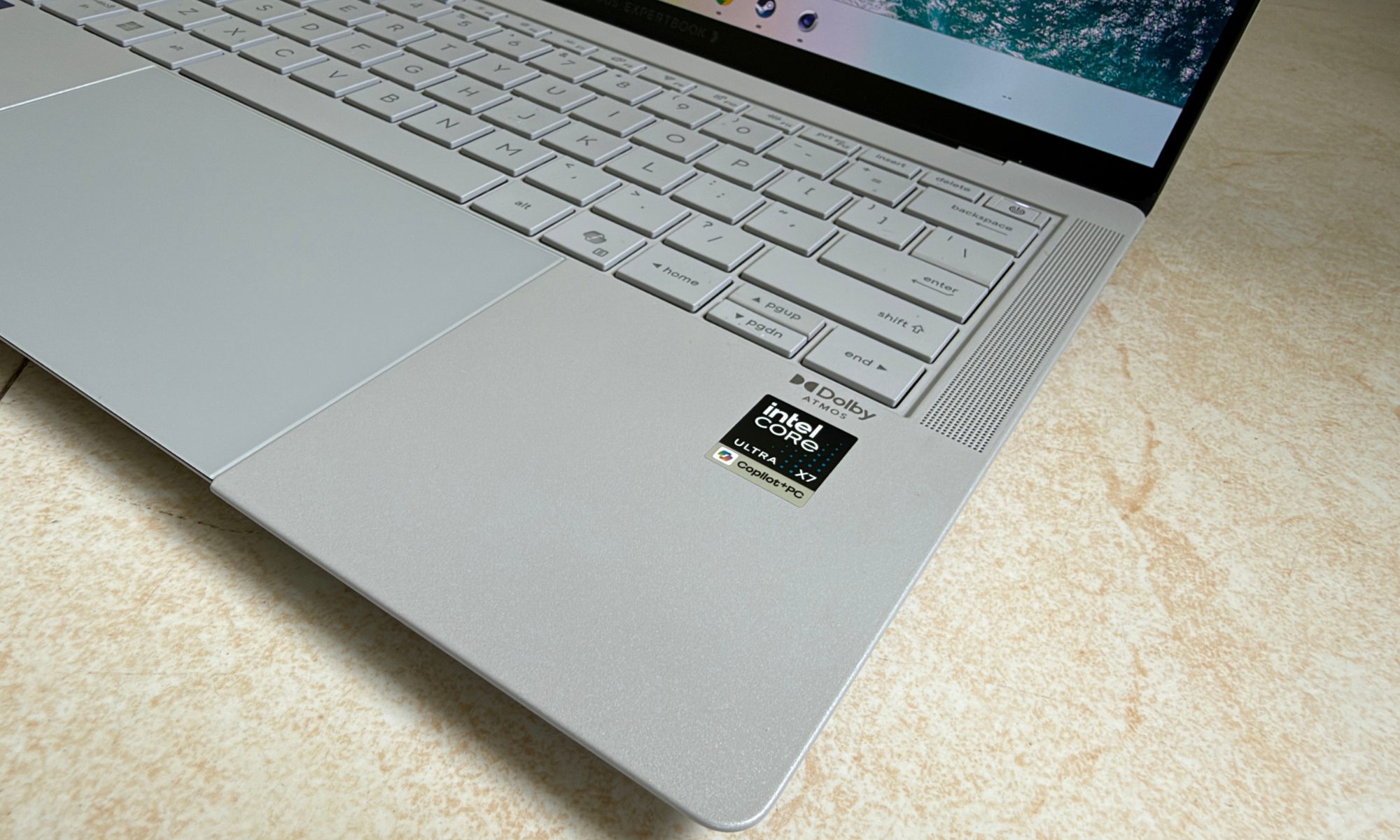
ASUS ditched the old mechanical diving-board trackpad for a large glass haptic touchpad, and for the most part, it’s a triumph. Tracking is precise, clicks register consistently anywhere on the surface, and there are genuinely clever edge gestures that Asus ships on its laptop portfolio. You swipe the left edge for volume, the right edge for brightness, and the top edge to scrub through video.
When it works, it feels like a MacBook rival, which is the highest compliment you can pay a Windows trackpad. Another personal hiccup I can’t ignore is the Copilot key. I know I can remap it. But why make a user dig into the settings and set it as the seconday Ctrl button? Just give me my two-Ctrl-key layout, Asus!
But my overall experience is a little split with itself here. The haptic motor’s feedback feels slightly weak compared to the best in the business. Moreover, because the trackpad sits completely flush against the front lip of the chassis, I caught the occasional accidental palm click during fast typing. The bottom edge of the glass also feels a touch sharp against the wrist over long sessions. None of this is a dealbreaker, but on a laptop this expensive, the almost-perfect debare deserves the nitpicking, and the trackpad is where I see the personal turmoil.
Score: 8/10
Asus ExpertBook Ultra speakers and webcam: Vibrant, but could do better
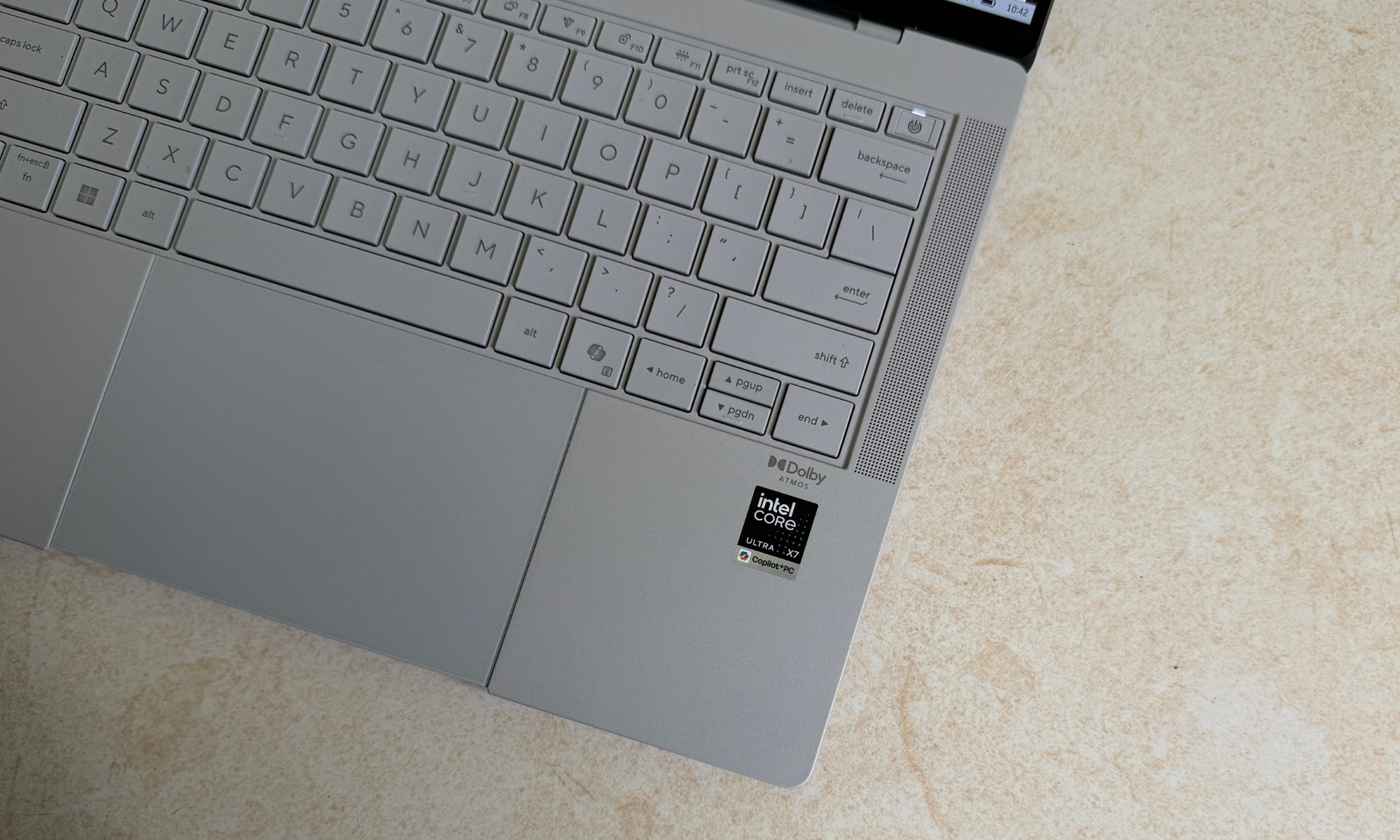
Business laptops usually treat audio as a rounding error. The ExpertBook Ultra, thankfully, doesn’t, and it’s better for it. ASUS fitted a six-speaker array here, which includes two up-firing tweeters and four woofers. The output is honestly phenomenal for a Windows machine of this size. Vocals come through clear, there’s a genuinely surprising amount of bass presence, and the stereo separation is wide enough to make a podcast or a quick meeting feel spacious rather than tinny.
It doesn’t quite dethrone the 14-inch MacBook Pro, which remains the benchmark, but it fills a small conference room without a hint of distortion or crackle even when you push the volume, and that’s more than enough. When compared side by side, the Asus machine is louder, but at high volume levels, it just sounds a tad bit shrill. On the positive, the vocals are sharper instrumental separation seems sharper.
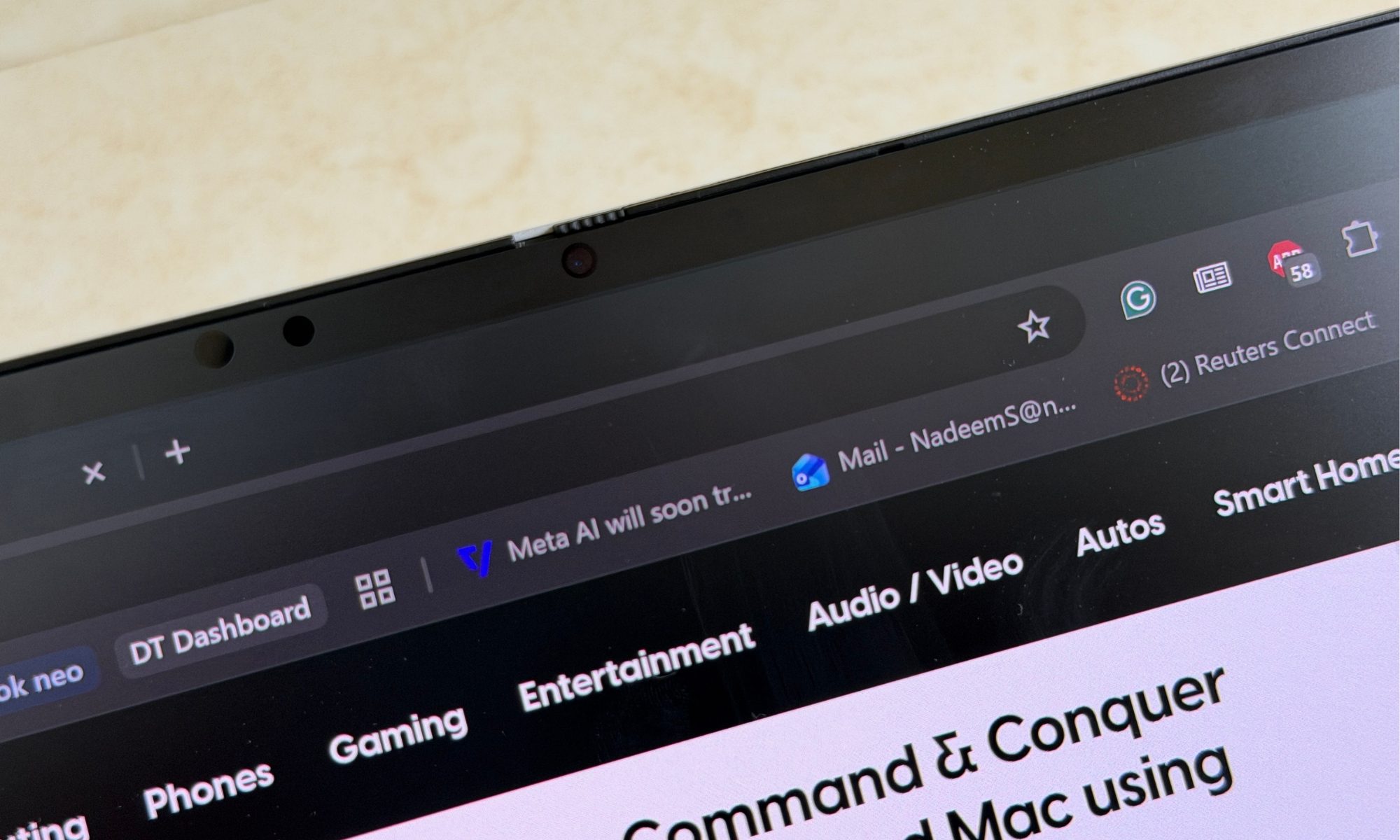
The webcam is a more mixed affair. The top bezel houses a 1080p FHD shooter with a physical privacy shutter, and in a well-lit office, it delivers sharp, color-accurate footage with a nicely wide field of view. Drop the lighting, though, and the image softens with visual noise creeping in quickly. It’s adequate for your daily Teams video calling, but it won’t be winning any awards. Low-light video calls are where it shows its limits, so keep that in mind.
On the security side, there’s very little to complain about. The IR camera handles Windows Hello facial recognition quickly and reliably. I never once found myself waiting on it or retyping a PIN because it failed to recognize me. The fingerprint reader tucked into the power button makes for a fast, dependable backup on the rare occasion the face unlock has an off moment.
For a machine explicitly targeting corporate buyers, where IT departments care deeply about biometric security, this dual-layer approach is exactly right. The dedicated NPU in the Panther Lake chip also powers local AI effects like background blur and noise cancellation efficiently. Those features run without hammering your battery or your CPU, and they do it on-device rather than shipping your video feed off to a server somewhere. It’s a privacy win that the enterprise crowd will quietly appreciate.
Score: 8/10
Asus ExpertBook Ultra battery life and charging: Nothing too remarkable, yet expectedly reliable
For years, the deal with Windows laptops carrying H-series processors and high-refresh OLED screens was simple and unpleasant. You had to stay tethered to a wall outlet, or you watched your battery evaporate before lunch. Intel’s Panther Lake silicon changes that equation, and it’s one of the most impressive aspects of this machine.
Packing a 70Wh battery, the ExpertBook Ultra delivers endurance I didn’t think was possible from a spec sheet like this. In standardized testing, which involves endurance benchmarks and real-world days of heavy web browsing, document editing, a running Teams window, and intermittent video calls, it consistently pulled 12 to 16 hours of per-charge mileage.
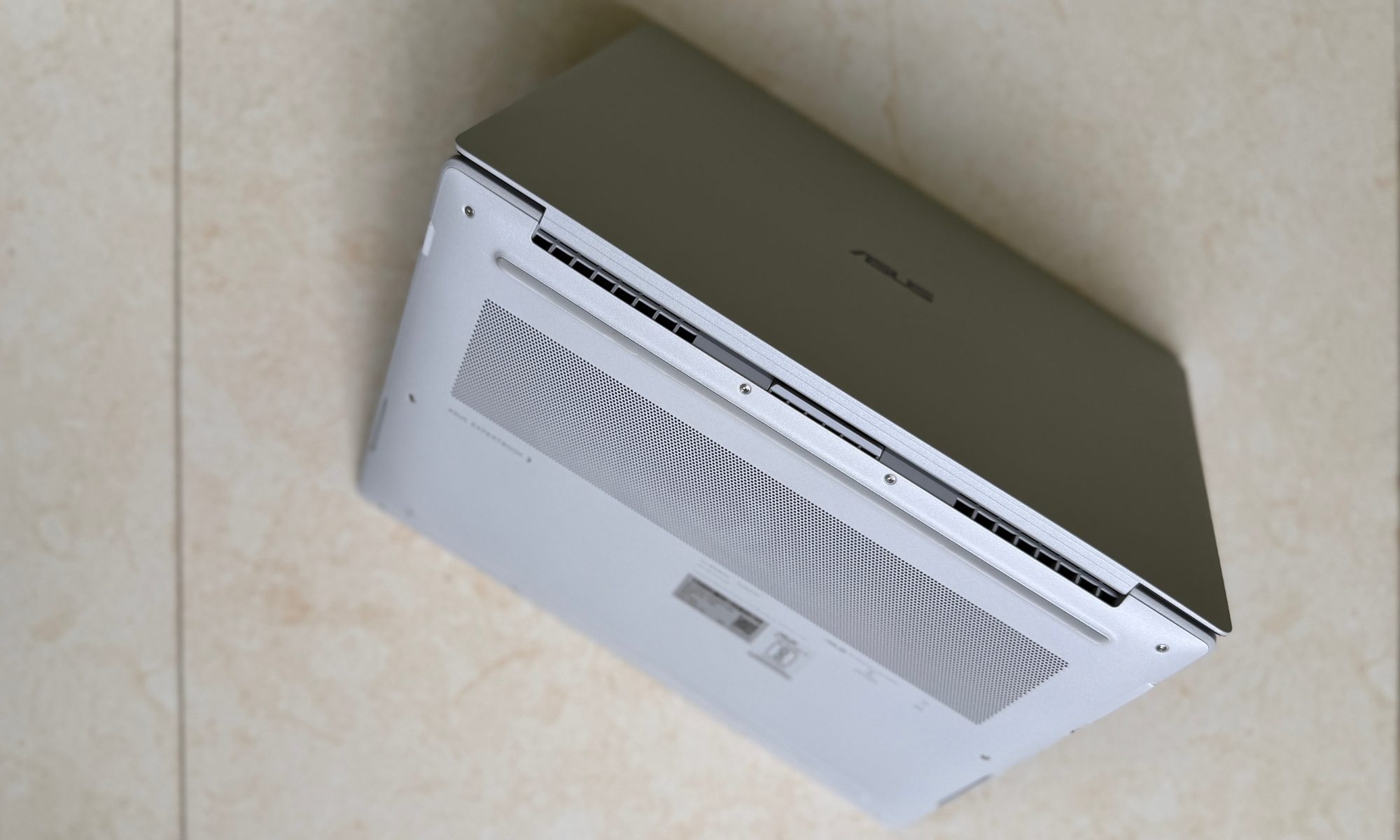
That comfortably outlasts a transatlantic flight or a brutal day of back-to-back meetings. Needless to say, I stopped experiencing the low-grade battery anxiety that usually shadows a laptop this powerful. When you finally drain it, the included 90W USB-C PD charger is impressively compact. It’s small enough that it doesn’t undo all the weight savings the laptop itself worked so hard for. Fast charging takes you from 0% to 50% in roughly 30 minutes, which is enough to rescue you during a quick airport layover and buy hours of extra runway.
Moroever, because it charges over standard USB-C PD, you can leave the bundled brick at home and top up from any decent power bank or the same charger you already carry for your phone. It’s the kind of practical flexibility that adds up over a week of travel. After years of Windows H-series laptops that treated the wall outlet as a leash, having one that genuinely lasts a full working day, and then recovers this fast, it feels like the future has finally arrived.
Score: 8/10
Should you buy
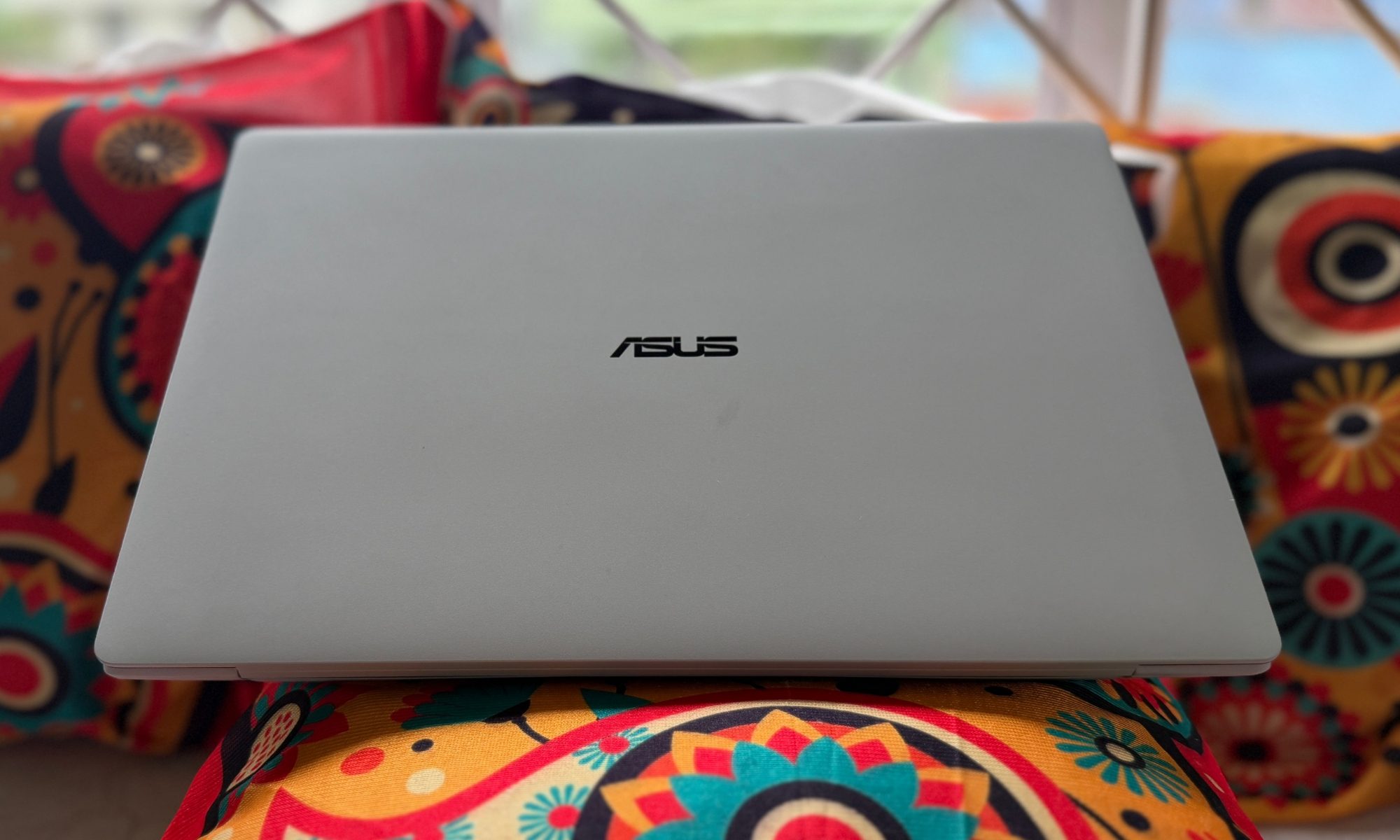
The ASUS ExpertBook Ultra (2026) is a masterclass in modern laptop engineering, and it earns that praise by refusing to accept the compromises the enterprise category has treated as gospel for years. If you’re a C-suite executive, a frequent business traveler, a hybrid worker who bounces between home and office, or a creator who occasionally wants to game at 1080p without hauling a bulky rig through security, this is the most compelling Windows machine on the market right now.
You get the raw, unfiltered power of Panther Lake and the genuinely startling Arc B390 graphics, all wrapped in a sub-1.1kg chassis that feels indestructible and looks the part in a boardroom. The catch, and there’s always a catch, is the price. Starting at roughly $3,600, this laptop sits in the absolute upper echelon of the market, going head-to-head with the legacy prestige of Apple and Dell. And to live with it, you’ll need to make peace with a few expected trade-offs.
The RAM is soldered, maximum performance seeks the AC power adapter, and that matte screen trades a sliver of cinematic gloss for its anti-glare superpower. If any one of those is a personal red line, this isn’t your machine. But if you value substance over status, and you want a laptop that quietly bridges boardroom professionalism, creative workstation muscle, and decent gaming capability without breaking your spine, the ExpertBook Ultra is a phenomenal investment and one of my favorite laptops of the year.
Why not try
Apple MacBook Pro 14 (M5 Pro)— If you’re not chained to Windows, the 14-inch MacBook Pro is still the gold standard for a premium laptop, and it’s the most obvious rival here. The M5 Pro chip offers better sustained performance on battery power, which means no plugging-in is required to hit its ceiling. It also offers slightly longer battery life for media playback and class-leading speakers that the ASUS can’t quite match. Its display is glossy, which gives it richer cinematic contrast but leaves it vulnerable to the office glare the ExpertBook Ultra was engineered to defeat. It’s far heavier than the ASUS laptop, but the build quality and brand prestige remain unmatched.
Dell XPS 14 (or Dell Pro 14 Premium) — For anyone who wants a premium Windows machine but prizes futuristic design above all, the Dell XPS 14 is the obvious alternative. It’s an exercise in minimalist cool. The compromises are deep, however. It’s noticeably heavier than the ExpertBook Ultra, leans entirely on USB-C ports, so you’re back in dongle territory for HDMI or USB-A usage, and its traditional glossy OLED screen is the reflection magnet the ASUS machine specifically set out to avoid.
Lenovo ThinkPad X1 Carbon (Gen 14 Aura Edition) — In case your top priority is the best typing experience money can buy and legendary corporate reliability, the ThinkPad X1 Carbon remains undefeated. It’s similarly light, and it still carries the iconic TrackPoint nub and a best-in-class keyboard that keyboard purists always prefer. The catch is that Lenovo generally leans on Intel’s U-series or V-series efficiency chips, so the X1 Carbon simply won’t touch the raw multi-core muscle or Arc B390 gaming chops of the ExpertBook Ultra’s Panther Lake silicon.
How we tested
For a period of two weeks, I tested the Asus ExpertBook Ultra as my primary Windows machine. I carried it while traveling away from home to a hill station. In that span, I installed all my usual day-to-day apps, communication software, and editing tools for testing the raw performance. I ran the standard suite of benchmarks, which includes PC Mark, Geekbench, CineBench, 3D Mark, and Crystal Disk Mark SSD speed test.
To test the battery life, I subjected the Asus ExpertBook Ultra to my usual day-to-day work, and also ran an endurance test while running a local video file in a loop at 50% screen brightness. I separately tested how long it lasts while streaming content. For charging, I used the supplied USB-C brick that comes in the box, and also occasionally replaced it with my universal PD charger that I use for juicing up all the other devices in my bank.





