




Close Menu
Tech Savvyed
  • Home
  • News
  • Artificial Intelligence
  • Gadgets
  • Apps
  • Mobile
  • Gaming
  • Accessories
  • More
    • Web Stories
    • Spotlight
    • Press Release

Subscribe to Updates

Get the latest tech news and updates directly to your inbox.

What's On
Fire Emblem: Fortune’s Weave After 130+ Hours – Was It Worth It?

Fire Emblem: Fortune’s Weave After 130+ Hours – Was It Worth It?

19 September 2026
The Video Games And More You Should Play This Weekend – September 18, 2026

The Video Games And More You Should Play This Weekend – September 18, 2026

18 September 2026
Metal Gear Solid 4: Guns Of The Patriots: Part 4 – Rosemary’s Return

Metal Gear Solid 4: Guns Of The Patriots: Part 4 – Rosemary’s Return

18 September 2026
Facebook X (Twitter) Instagram
Tech Savvyed
SUBSCRIBE
  • Home
  • News
  • Artificial Intelligence
  • Gadgets
  • Apps
  • Mobile
  • Gaming
  • Accessories
  • More
    • Web Stories
    • Spotlight
    • Press Release
Tech Savvyed
Home»News»Apple’s new Magic Keyboard swaps text for symbols, but skips the upgrade you actually want
News

Apple’s new Magic Keyboard swaps text for symbols, but skips the upgrade you actually want

News RoomBy News Room25 August 20262 Mins Read
Apple’s new Magic Keyboard swaps text for symbols, but skips the upgrade you actually want
Share
Facebook Twitter Reddit Telegram Pinterest Email

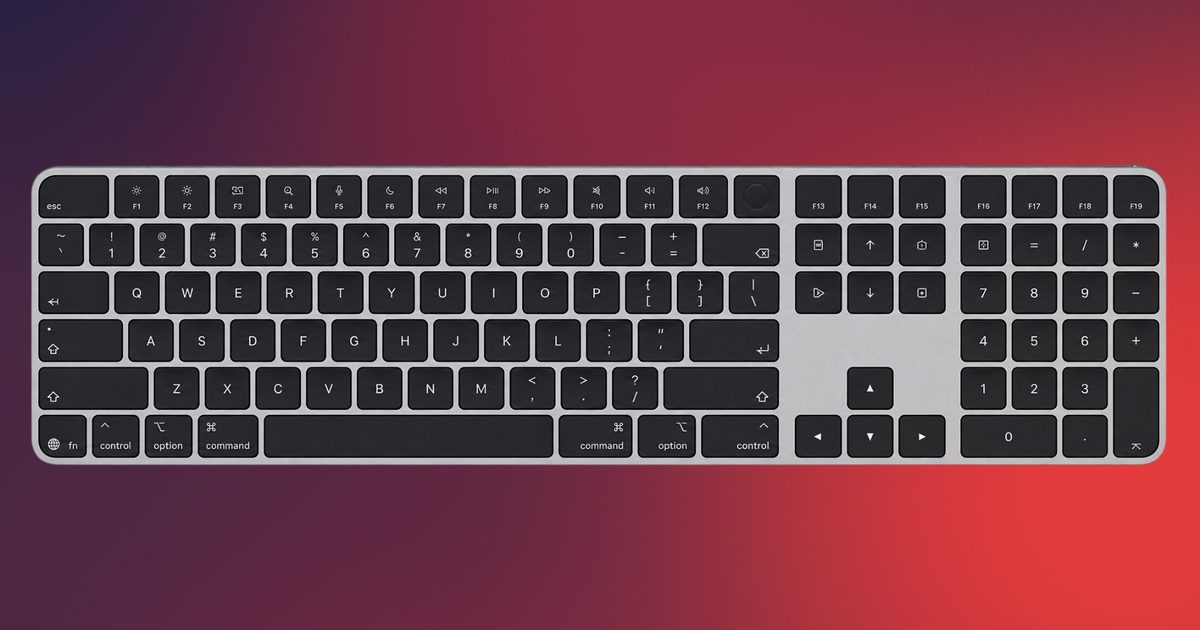
Apple has quietly refreshed its Magic Keyboard lineup, and if you look closely, you’ll notice something different about the keys. Nope, it’s not a redesign. It’s just new labels.

What exactly changed on the new Magic Keyboard?

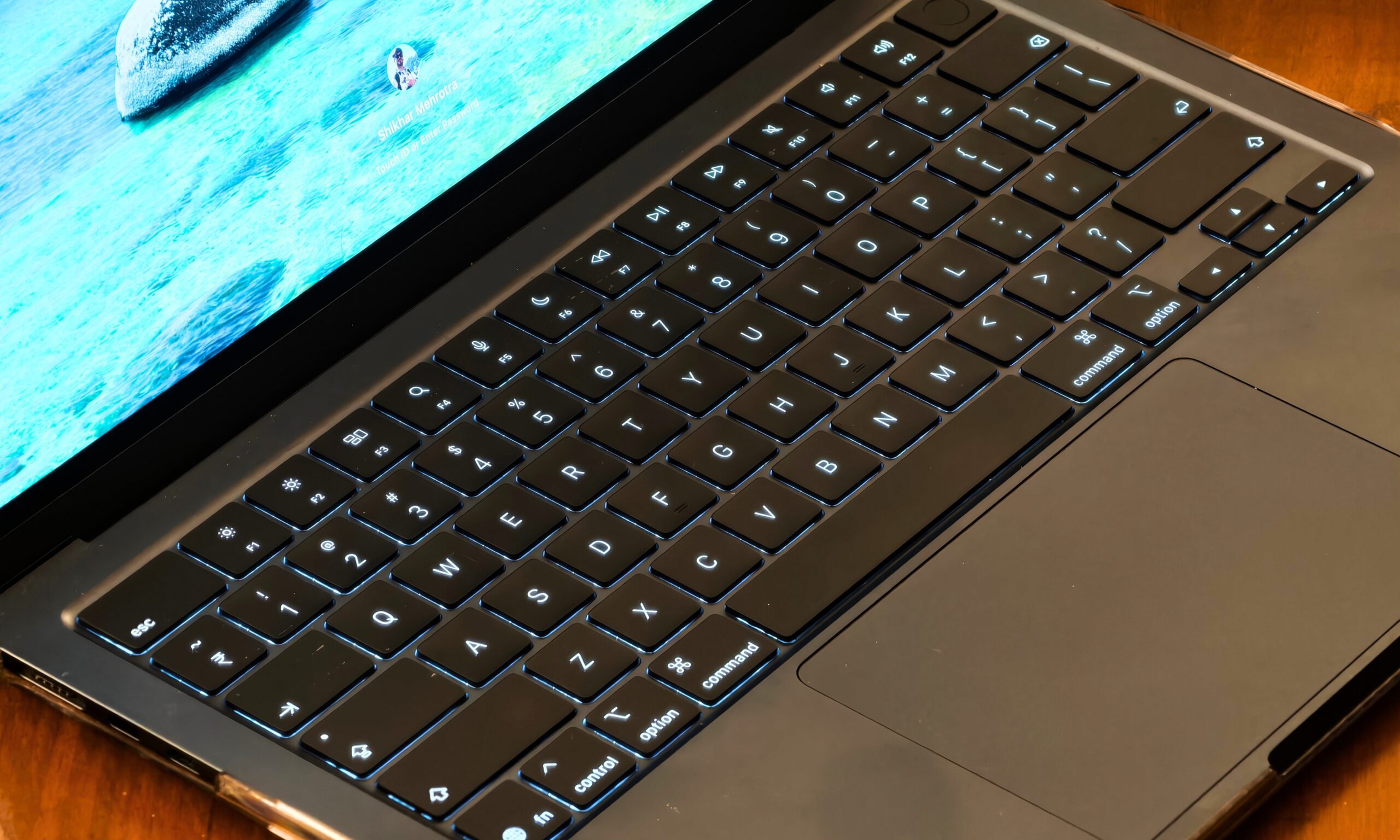
On the updated keyboards, keys like Tab, Caps Lock, Shift, Return, and Delete now show glyphs instead of text. If you look at the full-size models with a numeric keypad, the change goes even further. Keys like Home, Page Up, Page Down, End, Clear, and Enter also ditch their text for symbols now.

Apple has updated four models, including the standard Magic Keyboard, the Magic Keyboard with Touch ID, and the Magic Keyboard with Touch ID and Numeric Keypad, available in white and black colorways. The only model Apple has not refreshed is the full-size model without Touch ID. It appears that Apple will soon remove that model from its portfolio.

If this sounds familiar, that’s because Apple did the same thing to its MacBook Air, MacBook Pro, and MacBook Neo lineup earlier this year. So, this isn’t really a new design language, just Apple extending it to its desktop accessories.
Computer, Electronics, Computer Hardware

Since the US English layout is also the default in countries like Canada, Australia, New Zealand, and Singapore, this change isn’t just limited to US buyers. And if you’re used to Apple’s British English or other European keyboards, these glyphs will already look familiar since Apple has used them there for a while.

Why does this still feel like a missed opportunity?

Here’s the thing, though. While Apple is making minor cosmetic changes, it’s still ignoring the one upgrade users have been begging for over the years: backlighting. Yes, in 2026, Apple’s flagship keyboard still doesn’t light up in the dark. If you like typing at night or in dim lighting, you’re out of luck yet again.

A fresh coat of symbols is nice, but I’d trade all of them for a backlit keyboard any day. Until then, we’ll just have to keep fumbling for the right key in the dark.

Share. Facebook Twitter Pinterest LinkedIn Telegram Reddit Email
Previous ArticleApple hiked Mac prices, but the new Polishing Cloth will save you a sweet $10
Next Article The Talos Principle III’s Writers On Generative – Aug 25, 2026

Related Articles

Soundcore Space 2 Pro headphones promise crystal-clear calls with Anker’s new AI chip

Soundcore Space 2 Pro headphones promise crystal-clear calls with Anker’s new AI chip

3 September 2026
Xbox Cloud Gaming is about to become a lot more appealing to casual gamers with a new pay-as-you-go option

Xbox Cloud Gaming is about to become a lot more appealing to casual gamers with a new pay-as-you-go option

3 September 2026
Lenovo reveals iMac rival that upstages Apple with more goodies at a lower price

Lenovo reveals iMac rival that upstages Apple with more goodies at a lower price

3 September 2026
Motorola’s new Edge 70 Plus packs a 200MP camera and a massive battery

Motorola’s new Edge 70 Plus packs a 200MP camera and a massive battery

3 September 2026
We got GTA VI limited-edition DualSense controllers before GTA VI

We got GTA VI limited-edition DualSense controllers before GTA VI

3 September 2026
Anker unveils smarter chargers and power banks built to fight heat and battery degradation

Anker unveils smarter chargers and power banks built to fight heat and battery degradation

3 September 2026
Demo
Stay In Touch
  • Facebook
  • Twitter
  • Pinterest
  • Instagram
  • YouTube
  • Vimeo
Don't Miss
The Video Games And More You Should Play This Weekend – September 18, 2026

The Video Games And More You Should Play This Weekend – September 18, 2026

By News Room18 September 2026

Published by Road to Infamy Games, and themed around the classic pop art movement (think…

Metal Gear Solid 4: Guns Of The Patriots: Part 4 – Rosemary’s Return

Metal Gear Solid 4: Guns Of The Patriots: Part 4 – Rosemary’s Return

18 September 2026
More Than Anything, Zach Cregger’s Resident Evil Movie Understands How It Feels To Play A Resident Evil Game

More Than Anything, Zach Cregger’s Resident Evil Movie Understands How It Feels To Play A Resident Evil Game

18 September 2026
Control Resonant – Review In Progress

Control Resonant – Review In Progress

18 September 2026
Tech Savvyed
Facebook X (Twitter) Instagram Pinterest
  • Privacy Policy
  • Terms of use
  • Advertise
  • Contact
© 2026 Tech Savvyed. All Rights Reserved.

Type above and press Enter to search. Press Esc to cancel.



