



Close Menu
Tech Savvyed
  • Home
  • News
  • Artificial Intelligence
  • Gadgets
  • Apps
  • Mobile
  • Gaming
  • Accessories
  • More
    • Web Stories
    • Spotlight
    • Press Release

Subscribe to Updates

Get the latest tech news and updates directly to your inbox.

What's On
LG’s new OLED tech can last 2.4x longer, and monitors are first in line

LG’s new OLED tech can last 2.4x longer, and monitors are first in line

20 August 2026
You’ll need a Pixel 11 to try Android 17’s new trick to curb mindless scrolling

You’ll need a Pixel 11 to try Android 17’s new trick to curb mindless scrolling

20 August 2026
OpenAI wants to monitor AI abuse without forcing customers to hand over their data

OpenAI wants to monitor AI abuse without forcing customers to hand over their data

20 August 2026
Facebook X (Twitter) Instagram
Tech Savvyed
SUBSCRIBE
  • Home
  • News
  • Artificial Intelligence
  • Gadgets
  • Apps
  • Mobile
  • Gaming
  • Accessories
  • More
    • Web Stories
    • Spotlight
    • Press Release
Tech Savvyed
Home»News»You’ll need a Pixel 11 to try Android 17’s new trick to curb mindless scrolling
News

You’ll need a Pixel 11 to try Android 17’s new trick to curb mindless scrolling

News RoomBy News Room20 August 20262 Mins Read
You’ll need a Pixel 11 to try Android 17’s new trick to curb mindless scrolling
Share
Facebook Twitter Reddit Telegram Pinterest Email

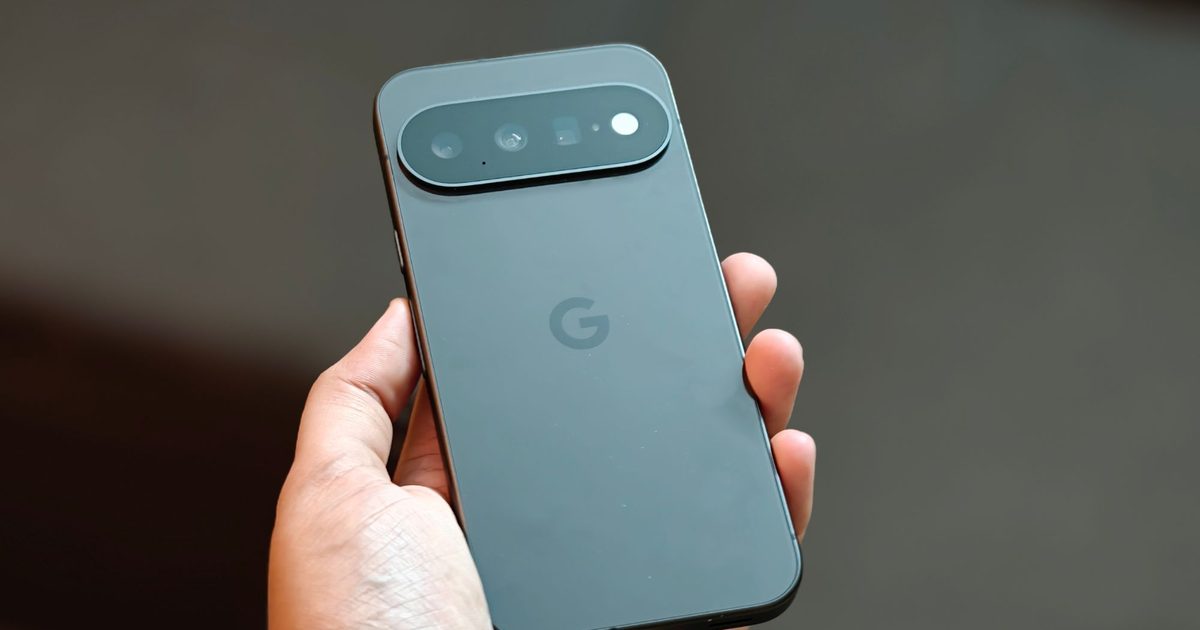
Google introduced a new Digital Wellbeing feature earlier this year to put a little friction between you and mindless scrolling. Called Pause Point, the feature adds a 10-second delay before opening an app you’ve flagged as distracting, giving you a brief moment to reconsider whether you really want to open it. Pause Point was expected to roll out to all eligible devices with Android 17, but a new report reveals that the feature is currently limited to Google’s latest flagships.

A Pixel 11 exclusive, for now

According to a Google support page first spotted by Android Authority, Pause Point is only “available on Pixel 11 series running Android 17 and later.” Although the page doesn’t say it’s exclusive to the latest models, it also doesn’t commit to a wider rollout.

Google’s own messaging isn’t fully consistent either. A promotional video posted on the official Android YouTube channel states that Pause Point is available on “select Android 17 devices,” but doesn’t name the Pixel 11 series directly. This suggests it may eventually reach older models.

How Pause Point works

Standard Android app timers only step in after you’ve already blown past a set limit, by which point the scrolling has already happened. Pause Point instead intervenes the moment you tap to open an app you’ve marked as distracting, before you’ve used it at all. You get a 10-second window to take a breather, start a fresh timer, flip through a photo slideshow, or switch to something else entirely, making it easy to decide whether opening the app was just a force of habit or intentional.

Android Pause Point featured.

Google also made the feature deliberately hard to quit. Disabling Pause Point entirely requires restarting your phone, a hurdle designed to keep turning it off from feeling like a reflex. In theory, the feature should help you cut down on mindless scrolling on apps like Instagram or TikTok. But since it’s currently limited to the Pixel 11 series, you’ll have to buy a new phone to find out if it works for you.

Share. Facebook Twitter Pinterest LinkedIn Telegram Reddit Email
Previous ArticleOpenAI wants to monitor AI abuse without forcing customers to hand over their data
Next Article LG’s new OLED tech can last 2.4x longer, and monitors are first in line

Related Articles

LG’s new OLED tech can last 2.4x longer, and monitors are first in line

LG’s new OLED tech can last 2.4x longer, and monitors are first in line

20 August 2026
OpenAI wants to monitor AI abuse without forcing customers to hand over their data

OpenAI wants to monitor AI abuse without forcing customers to hand over their data

20 August 2026
A boring tile wants to fix the worst problem of ultra-fast mmWave 5G connections for you

A boring tile wants to fix the worst problem of ultra-fast mmWave 5G connections for you

20 August 2026
My Mac never tells me where my internet goes, so I found an app that does

My Mac never tells me where my internet goes, so I found an app that does

20 August 2026
Motorola’s slick new charging puck joins Android’s tiny magnetic club

Motorola’s slick new charging puck joins Android’s tiny magnetic club

20 August 2026
A face-search tool left more than 9 million photos sitting unprotected

A face-search tool left more than 9 million photos sitting unprotected

20 August 2026
Demo
Stay In Touch
  • Facebook
  • Twitter
  • Pinterest
  • Instagram
  • YouTube
  • Vimeo
Don't Miss
You’ll need a Pixel 11 to try Android 17’s new trick to curb mindless scrolling

You’ll need a Pixel 11 to try Android 17’s new trick to curb mindless scrolling

By News Room20 August 2026

Google introduced a new Digital Wellbeing feature earlier this year to put a little friction…

OpenAI wants to monitor AI abuse without forcing customers to hand over their data

OpenAI wants to monitor AI abuse without forcing customers to hand over their data

20 August 2026
A boring tile wants to fix the worst problem of ultra-fast mmWave 5G connections for you

A boring tile wants to fix the worst problem of ultra-fast mmWave 5G connections for you

20 August 2026
My Mac never tells me where my internet goes, so I found an app that does

My Mac never tells me where my internet goes, so I found an app that does

20 August 2026
Tech Savvyed
Facebook X (Twitter) Instagram Pinterest
  • Privacy Policy
  • Terms of use
  • Advertise
  • Contact
© 2026 Tech Savvyed. All Rights Reserved.

Type above and press Enter to search. Press Esc to cancel.



