



Close Menu
Tech Savvyed
  • Home
  • News
  • Artificial Intelligence
  • Gadgets
  • Apps
  • Mobile
  • Gaming
  • Accessories
  • More
    • Web Stories
    • Spotlight
    • Press Release

Subscribe to Updates

Get the latest tech news and updates directly to your inbox.

What's On
Apple’s latest refurb drop brings cheaper MacBooks, iPhone 16 Plus, and Apple Watches

Apple’s latest refurb drop brings cheaper MacBooks, iPhone 16 Plus, and Apple Watches

15 August 2026
Apple has a plan to fix its memory chip problem, but the US government says no

Apple has a plan to fix its memory chip problem, but the US government says no

15 August 2026
Android 17 is getting a feature iPhone users have had for years

Android 17 is getting a feature iPhone users have had for years

15 August 2026
Facebook X (Twitter) Instagram
Tech Savvyed
SUBSCRIBE
  • Home
  • News
  • Artificial Intelligence
  • Gadgets
  • Apps
  • Mobile
  • Gaming
  • Accessories
  • More
    • Web Stories
    • Spotlight
    • Press Release
Tech Savvyed
Home»News»Android 17 is getting a feature iPhone users have had for years
News

Android 17 is getting a feature iPhone users have had for years

News RoomBy News Room15 August 20262 Mins Read
Android 17 is getting a feature iPhone users have had for years
Share
Facebook Twitter Reddit Telegram Pinterest Email

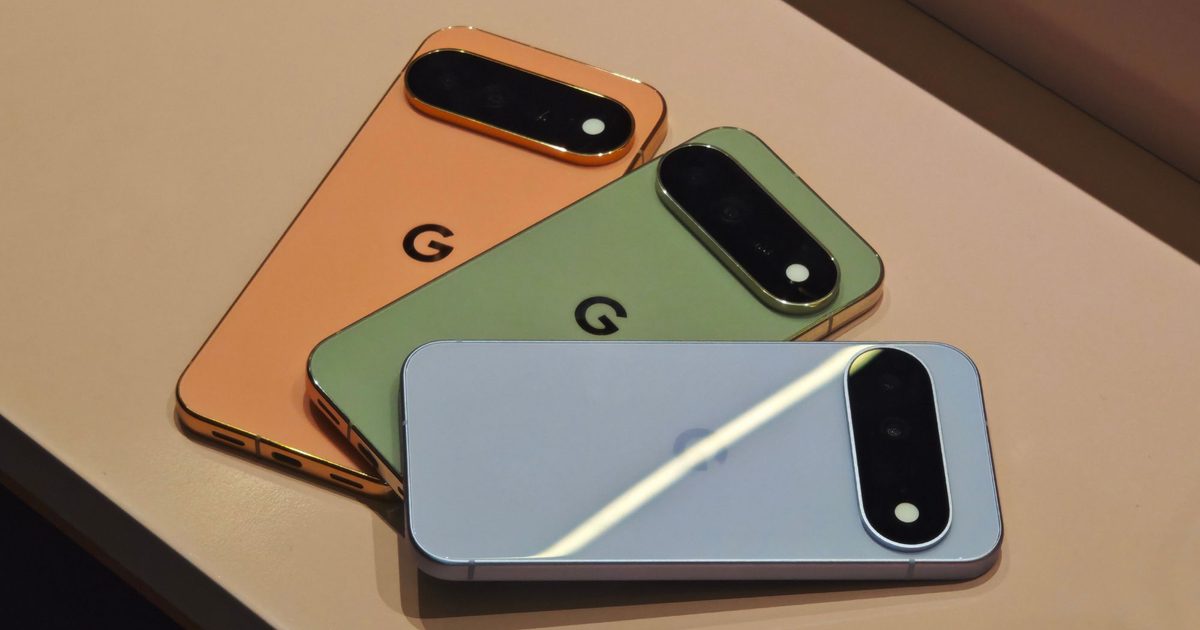
It happens to all of us. You hand your Pixel phone to a friend to show off a meme, and before you know it, they are swiping through your messages. Android 17 QPR2 Beta 3 finally gives Pixel users a way to stop that, with a native App Lock feature baked right into the system. It’s the kind of small addition Pixel fans have wanted for ages.

How does the new app lock actually work?

Long-press on any app icon, and you will spot App Lock sitting alongside the familiar App info, Pause app, Widgets, and other options in the Actions menu. Tap it to lock the app. Once you lock the app, it will demand your fingerprint or PIN through the system authentication sheet before it lets anyone in. So the next time someone tries to peek at your banking app or messages, they will hit a wall instead.

What actually happens once you lock an app?

Google isn’t just slapping a PIN screen on top and calling it done. As reported by 9to5Google, once you lock an app, its notification content gets hidden, so previews will not spoil anything sensitive on your lock screen. The app’s widgets and shortcuts also disappear, closing off any side doors into a locked app.

There is one exception worth knowing about. Any AI agents or services you have already given access to an app will still be able to reach its data. So the lock is built to keep out prying eyes, not the assistants you already trust.
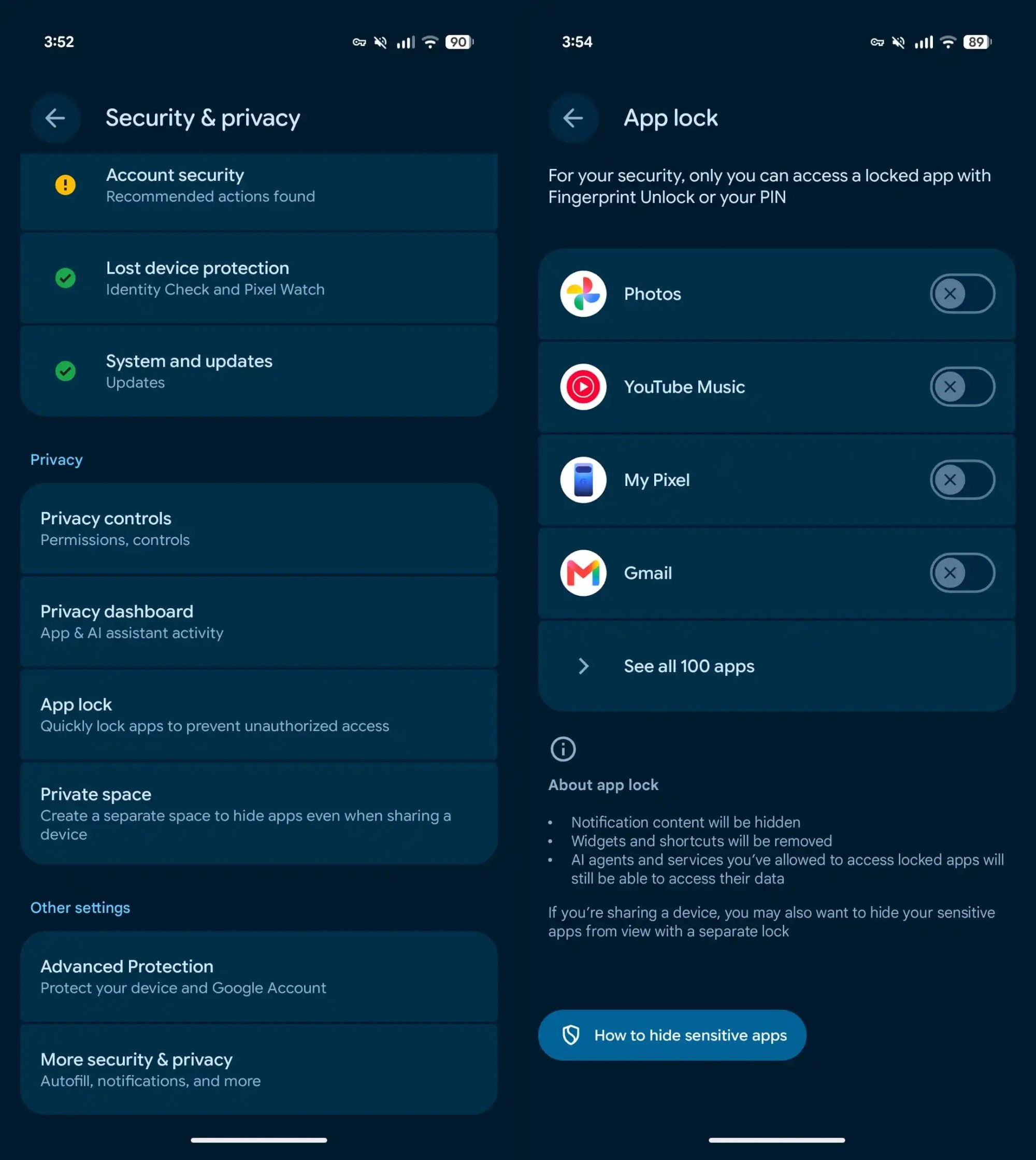
app lock settings option in Google Pixel

If you want to see everything you have locked or make quick changes, head over to Settings → Security & privacy → App lock. From there, you can add or remove apps in seconds.

I have wanted a feature like this on Android for a while now, especially for apps like banking or messaging that I don’t want anyone else opening, even by accident. Android 17 QPR2 is expected to roll out this December, so Pixel users will not have to wait too long to finally lock things down.

Share. Facebook Twitter Pinterest LinkedIn Telegram Reddit Email
Previous ArticleWhatsApp will finally let you react with the emoji you actually want, but there’s a catch
Next Article Apple has a plan to fix its memory chip problem, but the US government says no

Related Articles

Apple’s latest refurb drop brings cheaper MacBooks, iPhone 16 Plus, and Apple Watches

Apple’s latest refurb drop brings cheaper MacBooks, iPhone 16 Plus, and Apple Watches

15 August 2026
Apple has a plan to fix its memory chip problem, but the US government says no

Apple has a plan to fix its memory chip problem, but the US government says no

15 August 2026
WhatsApp will finally let you react with the emoji you actually want, but there’s a catch

WhatsApp will finally let you react with the emoji you actually want, but there’s a catch

15 August 2026
The best QLED TVs for 2026, after testing more than 20 models

The best QLED TVs for 2026, after testing more than 20 models

15 August 2026
U.S. courts will now make government use of spyware tools public

U.S. courts will now make government use of spyware tools public

15 August 2026
Google’s hyped-up RGB HiLight on the Pixel 11 Pro had me excited for nothing

Google’s hyped-up RGB HiLight on the Pixel 11 Pro had me excited for nothing

15 August 2026
Demo
Stay In Touch
  • Facebook
  • Twitter
  • Pinterest
  • Instagram
  • YouTube
  • Vimeo
Don't Miss
Apple has a plan to fix its memory chip problem, but the US government says no

Apple has a plan to fix its memory chip problem, but the US government says no

By News Room15 August 2026

Apple has a memory problem. With the global chip shortage squeezing supply and pushing prices…

Android 17 is getting a feature iPhone users have had for years

Android 17 is getting a feature iPhone users have had for years

15 August 2026
WhatsApp will finally let you react with the emoji you actually want, but there’s a catch

WhatsApp will finally let you react with the emoji you actually want, but there’s a catch

15 August 2026
The best QLED TVs for 2026, after testing more than 20 models

The best QLED TVs for 2026, after testing more than 20 models

15 August 2026
Tech Savvyed
Facebook X (Twitter) Instagram Pinterest
  • Privacy Policy
  • Terms of use
  • Advertise
  • Contact
© 2026 Tech Savvyed. All Rights Reserved.

Type above and press Enter to search. Press Esc to cancel.



