




Close Menu
Tech Savvyed
  • Home
  • News
  • Artificial Intelligence
  • Gadgets
  • Apps
  • Mobile
  • Gaming
  • Accessories
  • More
    • Web Stories
    • Spotlight
    • Press Release

Subscribe to Updates

Get the latest tech news and updates directly to your inbox.

What's On
Xbox Lays Off 268 More People, Hands Halo Series To Activision

Xbox Lays Off 268 More People, Hands Halo Series To Activision

22 September 2026
Self Assessment for Doctors Receiving Teaching and Examining Income

Self Assessment for Doctors Receiving Teaching and Examining Income

22 September 2026
Bungie Announces Plans To Restore Vaulted Destiny 2 Content And Substantial Reworks To Marathon

Bungie Announces Plans To Restore Vaulted Destiny 2 Content And Substantial Reworks To Marathon

21 September 2026
Facebook X (Twitter) Instagram
Tech Savvyed
SUBSCRIBE
  • Home
  • News
  • Artificial Intelligence
  • Gadgets
  • Apps
  • Mobile
  • Gaming
  • Accessories
  • More
    • Web Stories
    • Spotlight
    • Press Release
Tech Savvyed
Home»News»ChatGPT’s Chrome extension can now read your tabs, YouTube videos, and highlighted text
News

ChatGPT’s Chrome extension can now read your tabs, YouTube videos, and highlighted text

News RoomBy News Room31 July 20262 Mins Read
ChatGPT’s Chrome extension can now read your tabs, YouTube videos, and highlighted text
Share
Facebook Twitter Reddit Telegram Pinterest Email

ChatGPT just got a lot better at understanding what you’re actually looking at. OpenAI has rolled out updates to its Chrome extension and desktop app that let ChatGPT read your open tabs, react to highlighted text, and answer questions about YouTube videos. The update arrived shortly after OpenAI shelved its standalone Atlas browser to shift its focus toward tools people already use.

Good news for anyone with too many tabs: ChatGPT is getting better around the web.

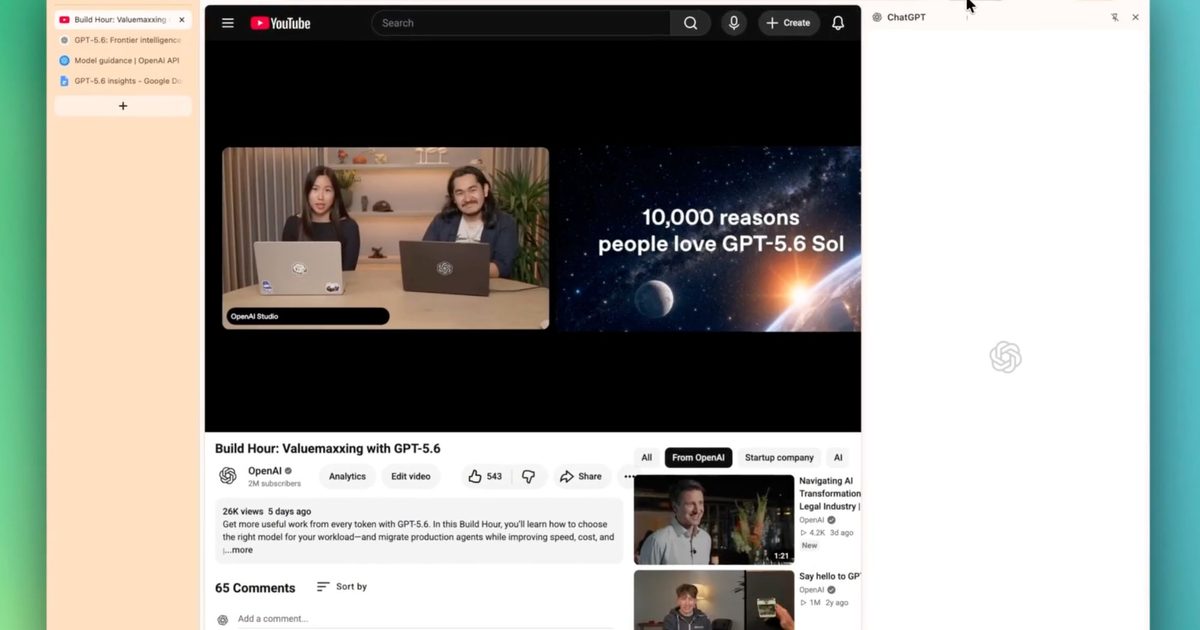
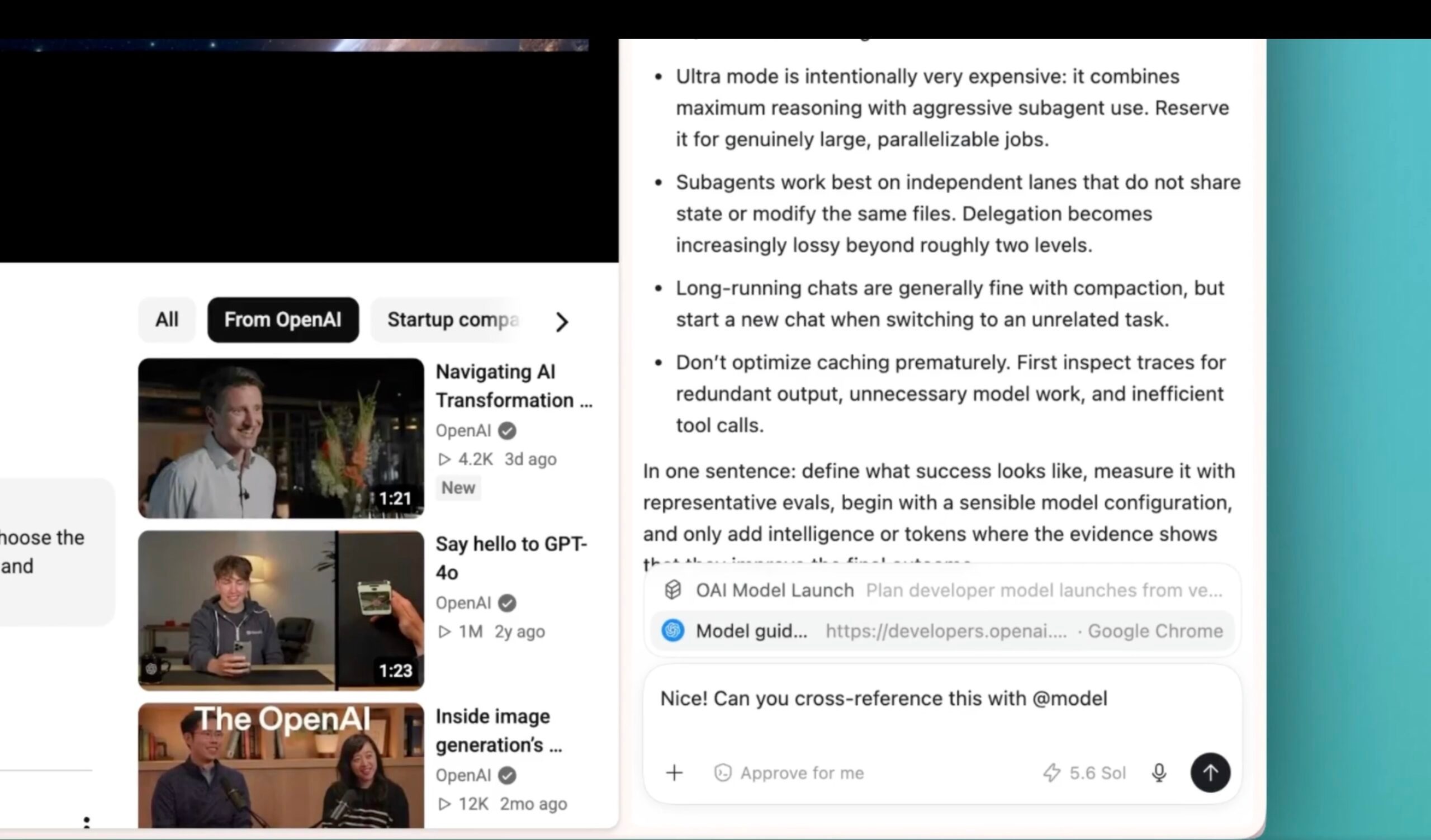
🧩 Chrome extension: In Side Chat, ask about a YouTube video, reference your open tabs, or highlight text on a page and ask away.

💻 Desktop app: Get URL suggestions as you type, revisit… pic.twitter.com/BIjS94jBQc

— ChatGPT (@ChatGPT) July 30, 2026

What’s new in ChatGPT’s Chrome extension?

Inside Side Chat, you can now reference your open tabs directly, so ChatGPT already has context without you having to explain anything. Highlighting text on a page works too, letting you ask a question about that exact section instead of describing it yourself.

If you ask about any YouTube video, ChatGPT will read it directly without requiring a manual summary request. There’s also a quicker shortcut built right into your browser. You can right-click anywhere on a page, select Ask ChatGPT, and the sidebar opens automatically.
Chatgpt-chrome-extension-updates

What’s new in ChatGPT’s desktop app?

The desktop app now suggests URLs as you type, and works like a normal browser address bar. You can also dig back through your browsing history from Settings, and ChatGPT can search that history whenever a task calls for a page you visited earlier.

OpenAI also rolled out a couple of smaller updates in the latest release. A new Activity view in the sidebar shows which chats you’ve engaged with recently and which ones still need your attention.

Reviewing code across multiple repositories in one project just got simpler, and generated images now open in an expanded viewer where you can leave comments before requesting edits. If you already use ChatGPT while researching online, these updates should make that workflow feel faster.

Share. Facebook Twitter Pinterest LinkedIn Telegram Reddit Email
Previous ArticleYour next Nvidia GPU could cost up to 30% more, and AI is to blame
Next Article GTA 6 owns November, unless the Ocarina of Time Remake has something to say about it

Related Articles

Soundcore Space 2 Pro headphones promise crystal-clear calls with Anker’s new AI chip

Soundcore Space 2 Pro headphones promise crystal-clear calls with Anker’s new AI chip

3 September 2026
Xbox Cloud Gaming is about to become a lot more appealing to casual gamers with a new pay-as-you-go option

Xbox Cloud Gaming is about to become a lot more appealing to casual gamers with a new pay-as-you-go option

3 September 2026
Lenovo reveals iMac rival that upstages Apple with more goodies at a lower price

Lenovo reveals iMac rival that upstages Apple with more goodies at a lower price

3 September 2026
Motorola’s new Edge 70 Plus packs a 200MP camera and a massive battery

Motorola’s new Edge 70 Plus packs a 200MP camera and a massive battery

3 September 2026
We got GTA VI limited-edition DualSense controllers before GTA VI

We got GTA VI limited-edition DualSense controllers before GTA VI

3 September 2026
Anker unveils smarter chargers and power banks built to fight heat and battery degradation

Anker unveils smarter chargers and power banks built to fight heat and battery degradation

3 September 2026
Demo
Stay In Touch
  • Facebook
  • Twitter
  • Pinterest
  • Instagram
  • YouTube
  • Vimeo
Don't Miss
Self Assessment for Doctors Receiving Teaching and Examining Income

Self Assessment for Doctors Receiving Teaching and Examining Income

By News Room22 September 2026

Many doctors undertake professional education work alongside their main clinical careers. Teaching medical students, supervising…

Bungie Announces Plans To Restore Vaulted Destiny 2 Content And Substantial Reworks To Marathon

Bungie Announces Plans To Restore Vaulted Destiny 2 Content And Substantial Reworks To Marathon

21 September 2026
Valor Mortis Preview: Uneven Difficulty Balance

Valor Mortis Preview: Uneven Difficulty Balance

21 September 2026
Silent Hill: Townfall Review: Addressing The Trauma

Silent Hill: Townfall Review: Addressing The Trauma

21 September 2026
Tech Savvyed
Facebook X (Twitter) Instagram Pinterest
  • Privacy Policy
  • Terms of use
  • Advertise
  • Contact
© 2026 Tech Savvyed. All Rights Reserved.

Type above and press Enter to search. Press Esc to cancel.



