





A phone stand is one of the smallest purchases on any back-to-school list, but it’s also one of the easiest to get wrong, especially since there are dozens of options available on Amazon. A good phone stand is one that does its job well and, more importantly, doesn’t put much of a dent in your budget.
This is one of those product categories where you don’t need to spend big, unless a MagSafe dock or a multi-device charging stand is genuinely useful for your desk or dorm setup. That is why this list begins with the most affordable options and works its way up to the more expensive ones. From a two-pack that costs about as much as a coffee to a three-in-one Apple charging station, I picked eight of Amazon’s best-reviewed phone stands worth considering this back-to-school season.
POQOD 2 Pack Cell Phone Stand
Pros
- Two stands for under $4, one for every surface in a dorm
- 5 adjustable angles for video calls, reading, or watching lectures
- Folds nearly flat, easy to pack away
- Works in both vertical and horizontal orientation
Cons
- Plastic construction feels basic next to aluminum stands
- Unlikely to survive a full four years of daily use
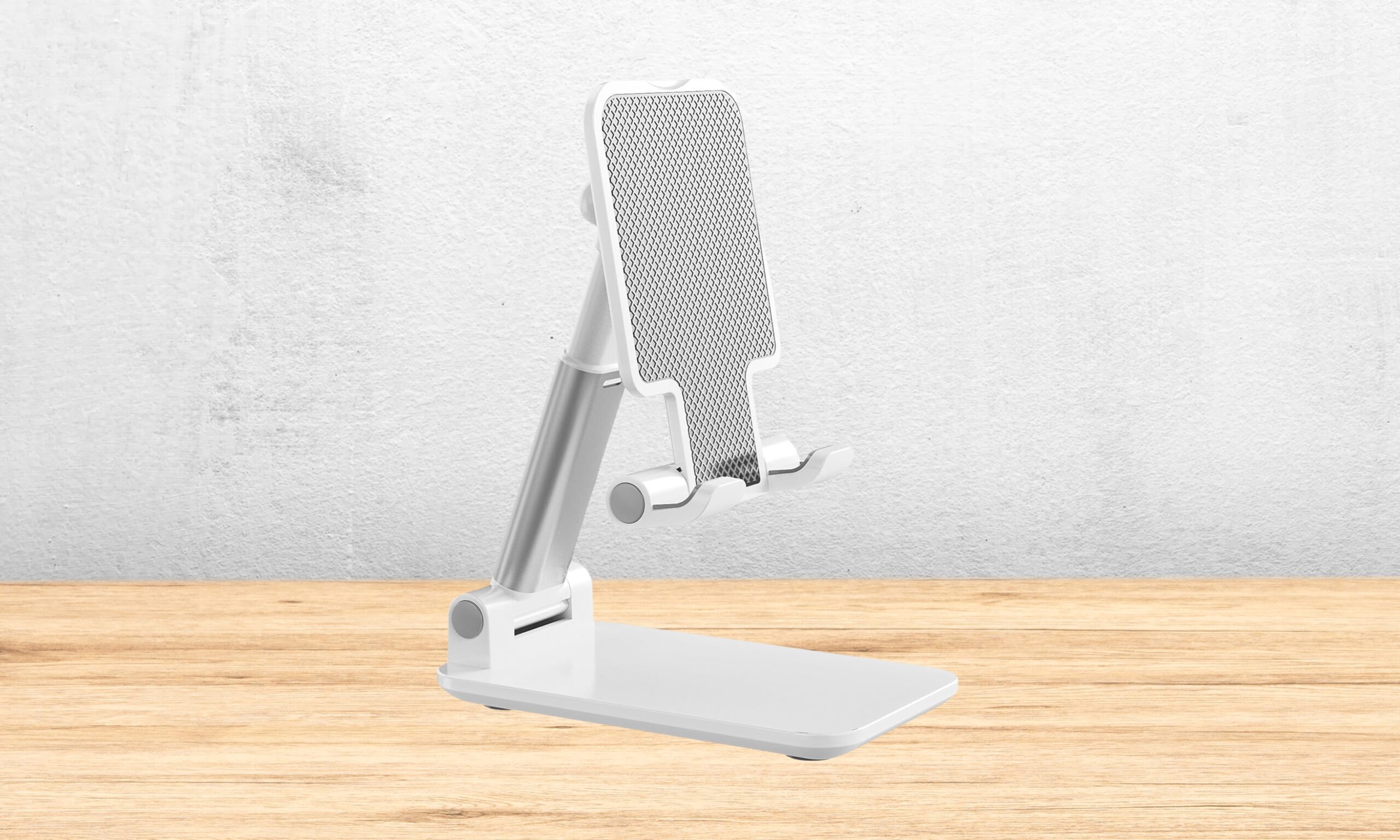
At $3.98 for two, this is the cheapest way to get a phone stand at every desk in your dorm room: one for your desk and another one for your nightstand. The best part, I’d say, is that you don’t need to spend more than a coffee.
Each stand folds nearly flat when not in use and unfolds into five different angles, so switching between a video call in landscape mode and scrolling recipes in portrait should take you barely a few seconds.
The plastic build means it’s not going to feel like a premium desk accessory. Further, it likely won’t survive four years of dorm-room abuse, but for the price, I wouldn’t expect it to.
OGMAPLE Phone Stand
Pros
- Folds smaller than the phone itself, fits in a pencil case
- Anti-slip silicone base plus weighted design for stability
- Portable enough for dorm, library, or coffee shop
- Under $6
Cons
- Not built for tablets larger than 8 inches
- Small footprint can still tip with a heavier case
The detail that stood out to me with the OGMAPLE stand is how small it folds down; smaller than the phone it’s holding. It basically disappears into a pencil case or the front pocket of a backpack, between classes.
Once it’s up, the anti-slip silicone base keeps a phone steady even while typing on the same desk, which matters more than it sounds during a video call with a shaky table. At $5.99, it’s an easy pickup for anyone who wants a portable stand that they can carry around without making additional room in their backpack.
It tops out around 8-inch tablets, so it’s built for phones, not iPads. Further, be careful while mounting the phone and setting the tilt angle, as heavier phones might tip more easily than lighter ones.
OMOTON Cell Phone Stand
Pros
- Adjusts up to 8.29 inches tall
- 45° tilt for eye-level viewing
- Cutout for a charging cable
- Heavy, anti-slip base
- Genuinely better for posture
Cons
- Designed for a fixed desk spot, not for travel
- Base pieces snap together permanently
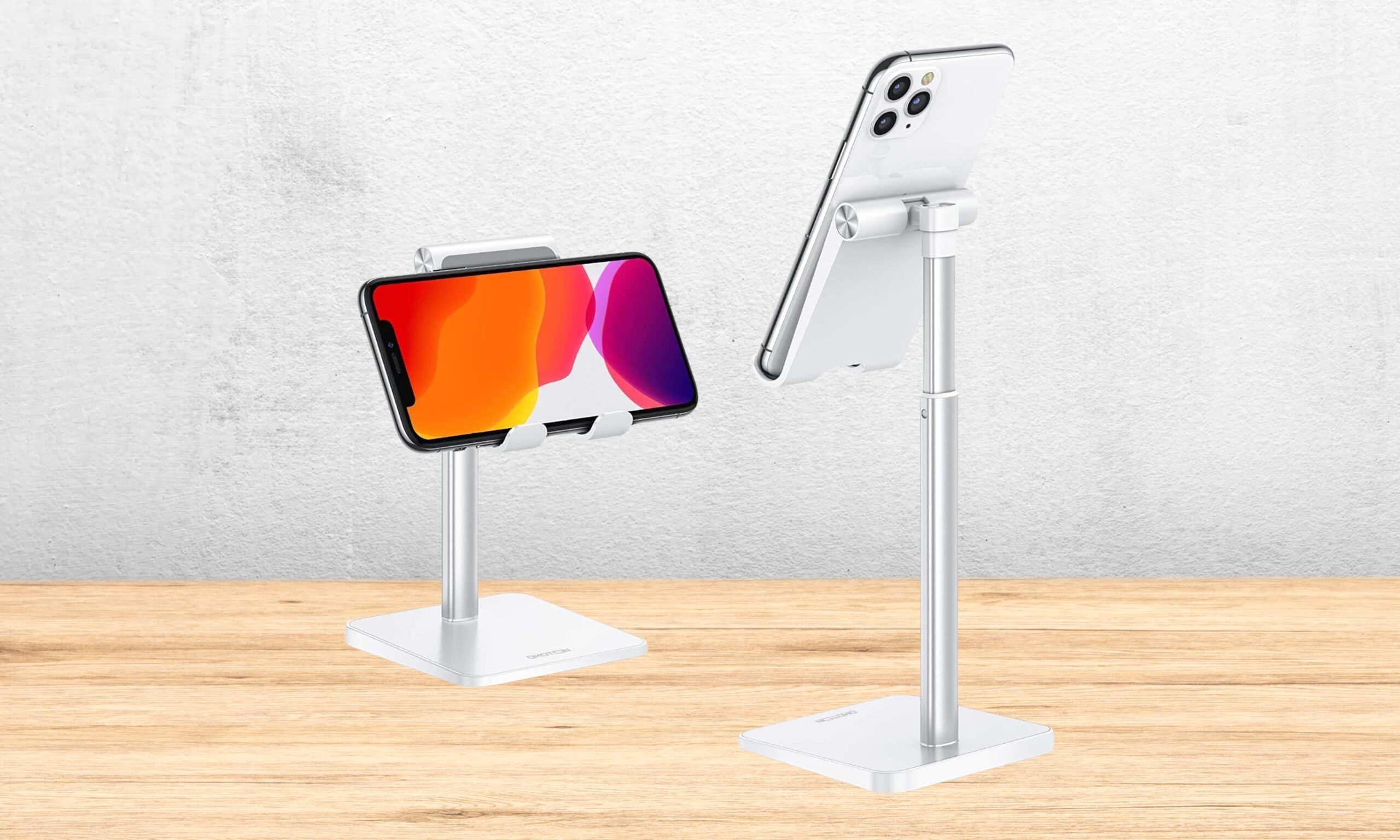
What sold me on the $8.54 OMOTON standing phone case is the height, not the price. It lifts a phone to eye level and locks in place with a weighted aluminum base, so you won’t end up hunched over a desk staring down during an hour-long lecture recording or video call. Believe me, that’s something that helps when you’re sitting for hours.
There’s a small cutout for a charging cable, so a phone can top up while it’s propped up overnight. The one real catch, something that I want you to know before buying this, is that this is a fixed-height desk stand, not a folding travel one. So, you need to assemble the base correctly the first time since the pieces lock together permanently.
Nulaxy 2 Pack Dual Folding Cell Phone Stand
Pros
- Two aluminum stands for $9.99
- Dual-hinge folding design
- Deep hook clearance fits phones with thicker cases
- You can charge your phone while it’s mounted
- Folds flat enough for a backpack or bag
Cons
- Hinges can feel stiff for the first several uses
- Not built to support tablets
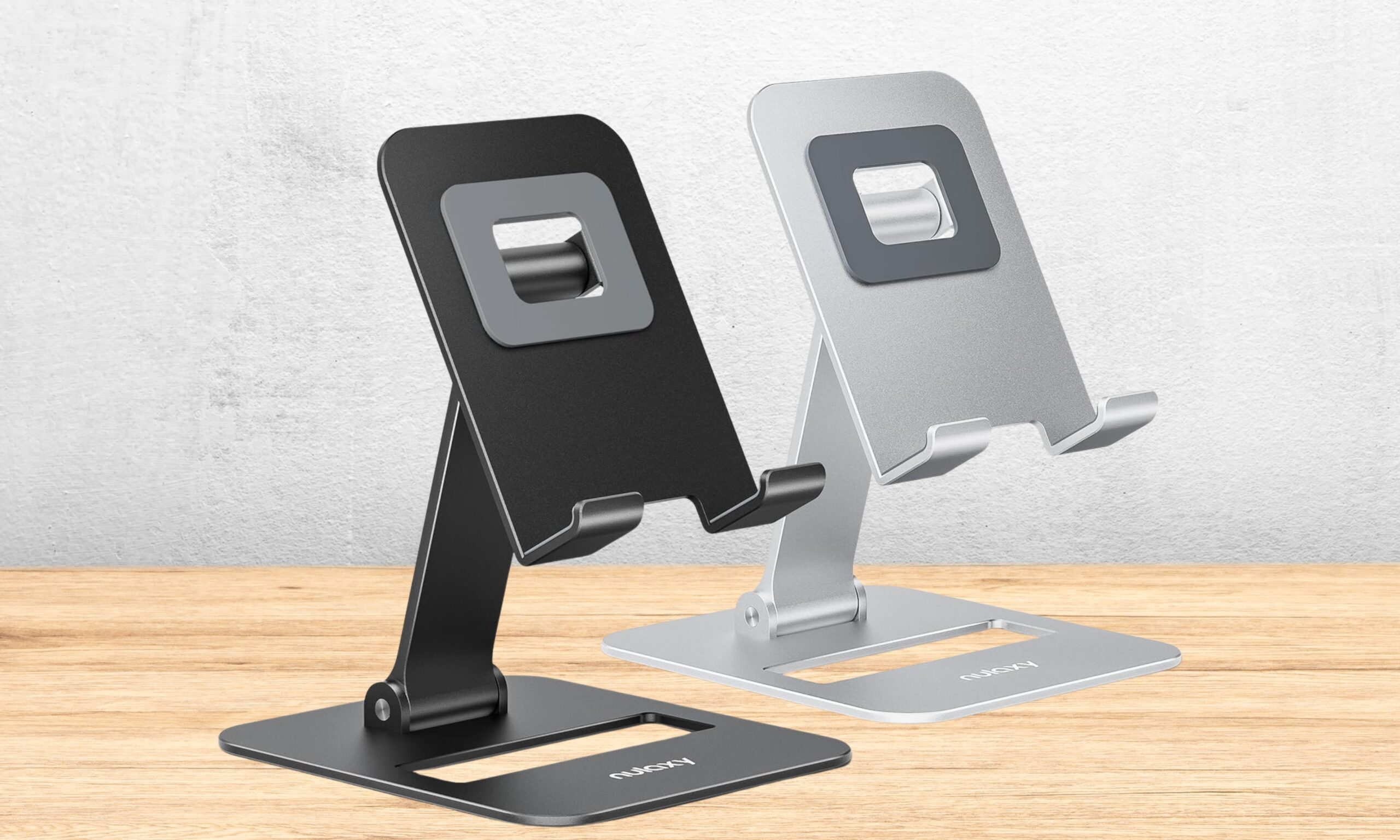
Two aluminum stands for $9.99 make the Nulaxy an easy one to double up on, especially if you need two aluminum phone stands, one at the dorm desk, one tucked in a bag for the library or your classroom. It folds flat enough to survive being tossed in with textbooks, so that’s a plus point.
The dual-hinge design lets it hold a phone securely, and there’s a cutout so a charging cable can stay plugged in. The hinges feel stiff for the first few adjustments, but they loosen with use. It’s not rated for anything heavier than a phone, so a tablet is asking too much of it, something I’d want you to know before you’re getting one.
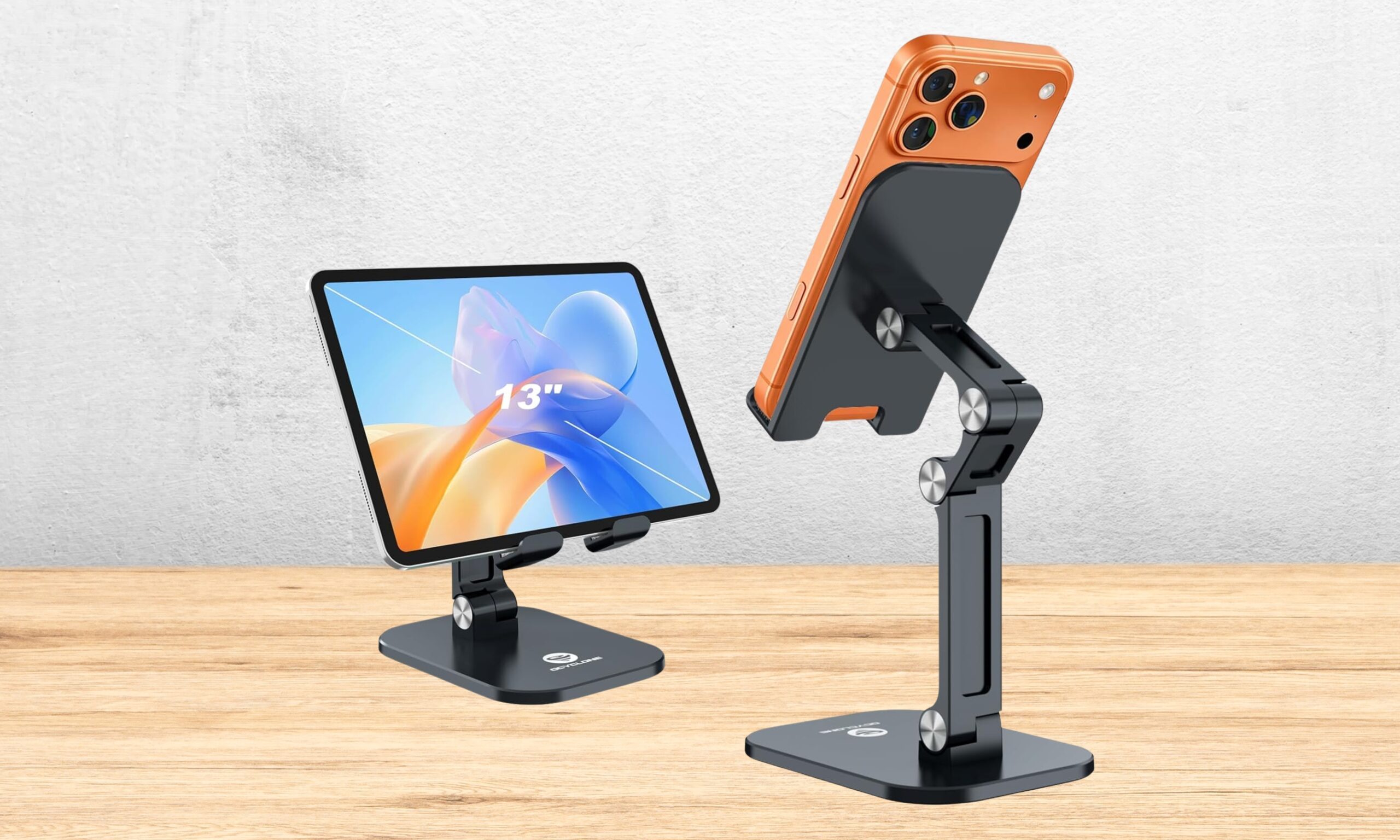
OCYCLONE Foldable Cell Phone Stand
Pros
- Works with tablets up to 13 inches
- Four adjustable points cover typing, calling, and viewing angles
- Folds down small enough to travel with
- Anti-slip pads on both the base and the device cradle
Cons
- Gets top-heavy with larger tablets
- No 360-degree swivel and joints are stiff at first
The $14.31 Ocyclone stand is the one stand on this list I’d trust for tablets with up to 10 or 12-inch displays. Basically, it doubles as an iPad or a tablet stand for reading or note-taking between classes or lectures. It adjusts across four points of height and angle, so you can position it low for typing, mid for video calls, high for watching a lecture recording.
Despite supporting devices bigger than a phone, it still folds down in a form factor small enough to travel with. The anti-slip pads keep it steady on a dorm desk. Push it toward the larger end of that range, though, and it gets top-heavy; be careful with that.
Vanmass Car Phone Holder

Pros
- Strong suction cup plus spring-loaded clip
- Built to hold in summer heat
- One-handed quick release for grabbing the phone safely
- Works with phones from 4 to 7 inches
- Genuinely useful for students who commute to campus by car
Cons
- Needs a smooth mounting surface for the suction cup to hold
- Won’t fit every vent shape
- No built-in wireless charging
This is the only mount on the list built for cars, not the desk. It’s here specifically for anyone driving to campus rather than living in a dorm. I recommend it primarily because of its strong suction cup and spring-loaded clip combination that holds through summer heat.
The one-handed release makes it easy to grab a phone at a red light without fumbling or taking your eyes off the intersection. What you should keep in mind before buying it is that It needs a reasonably smooth spot on the dashboard or windshield to grip properly.
It won’t fit every air vent, so it’s worth checking a car’s setup first. At $24.97, it’s a fair price for something built to hold up under real driving conditions.
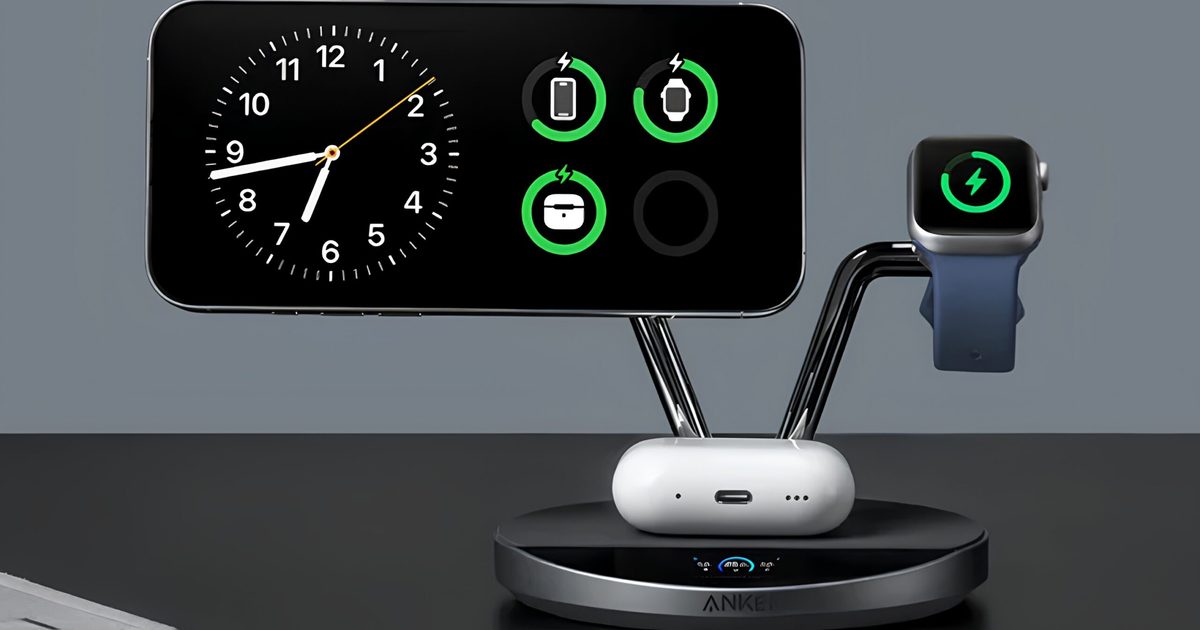
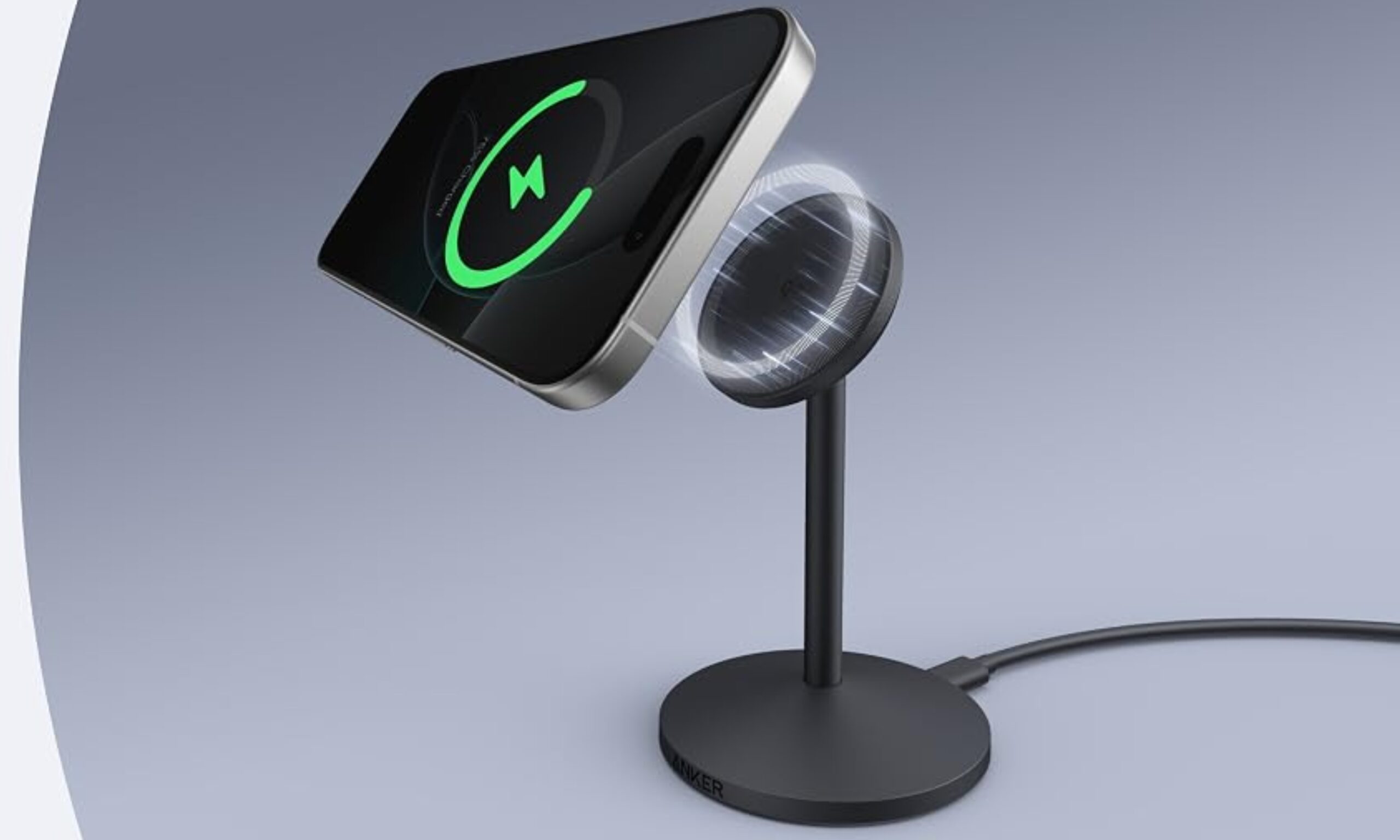
Anker MagGo Qi2 15W Wireless Charger
Pros
- Wireless charging means no cable to fumble with
- Doubles as a nightstand display while charging
- Advanced temperature monitoring for safer charging
- Reduces wear on a phone’s charging port over time
Cons
- Wall adapter sold separately
- Only charges one device at a time
- Only works with Qi2-certified phones
What I like about the $35.99 Anker MagGo is how it cleans up a desk. It simplifies the charging process so much, that once you start using, it will be difficult to go back to regular wired chargers.
Whether you’re using it at your dorm desk or your bedside nightstand, the wireless charger and phone stand takes away the hassle of finding cables in the dark and fraying the charging port from months of plugging and unplugging.
The stand rotates a full 360°, so it doubles as a nightstand clock or photo display while it charges. Further, Anker’s temperature monitoring is a genuine safety feature for something that’s going to sit charging overnight for months. The one thing to know upfront: it doesn’t come with a wall adapter, so budget for one separately, and it only works with Qi2-certified phones.
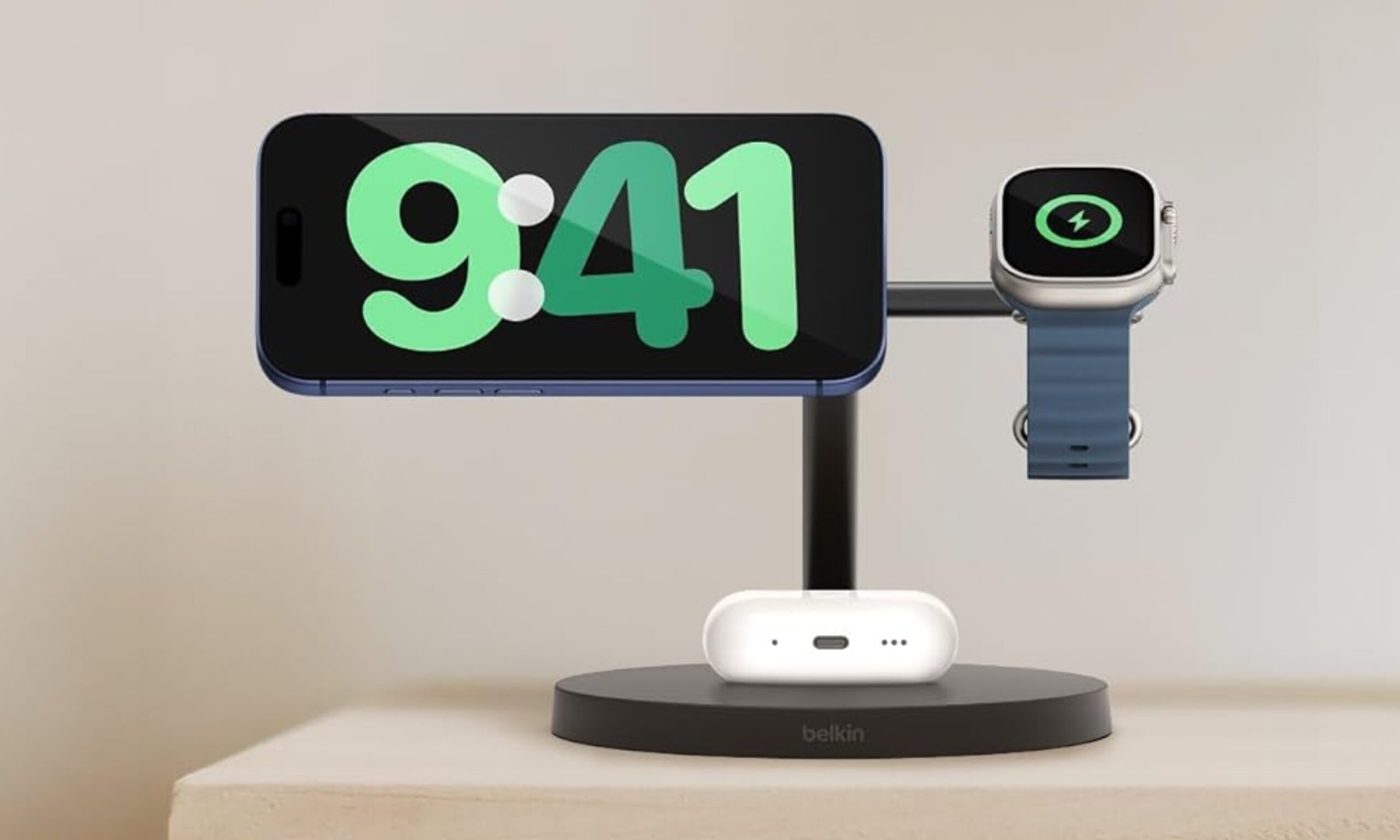
Belkin BoostCharge Pro 3-in-1 Charging Stand
Pros
- Charges iPhone, Apple Watch, and AirPods at the same time
- 40W power adapter included, no hidden extra purchase
- Adjustable tilt plus StandBy Mode support
- One dock instead of three separate cables and bricks
Cons
- The priciest pick on this list
- Only worthwhile for an all-Apple household
- Fixed setup, not something you’d travel with
This is the splurge pick for $66.49, and the reason I’d still consider it is that it charges an iPhone, Apple Watch, and AirPods all at once. I means you only need one dock instead of three separate cables tangled on a desk.
Belkin includes a 40W power brick in the box, which is a good thing. It only makes sense if you use multiple Apple devices on a daily basis, though. The tradeoff for having three charging spots built in is a stand that isn’t going anywhere once it’s set up.





