



Close Menu
Tech Savvyed
  • Home
  • News
  • Artificial Intelligence
  • Gadgets
  • Apps
  • Mobile
  • Gaming
  • Accessories
  • More
    • Web Stories
    • Spotlight
    • Press Release

Subscribe to Updates

Get the latest tech news and updates directly to your inbox.

What's On
You can now link your favorite apps to AI Mode in Google Search to get things done

You can now link your favorite apps to AI Mode in Google Search to get things done

16 July 2026
Your OnePlus phone is switching to ColorOS, whether you like it or not

Your OnePlus phone is switching to ColorOS, whether you like it or not

16 July 2026
Why Smart Businesses Are Making Company Checks Part of Their Routine

Why Smart Businesses Are Making Company Checks Part of Their Routine

16 July 2026
Facebook X (Twitter) Instagram
Tech Savvyed
SUBSCRIBE
  • Home
  • News
  • Artificial Intelligence
  • Gadgets
  • Apps
  • Mobile
  • Gaming
  • Accessories
  • More
    • Web Stories
    • Spotlight
    • Press Release
Tech Savvyed
Home»News»You can now edit videos in Google Vids by simply describing the changes
News

You can now edit videos in Google Vids by simply describing the changes

News RoomBy News Room16 July 20262 Mins Read
You can now edit videos in Google Vids by simply describing the changes
Share
Facebook Twitter Reddit Telegram Pinterest Email

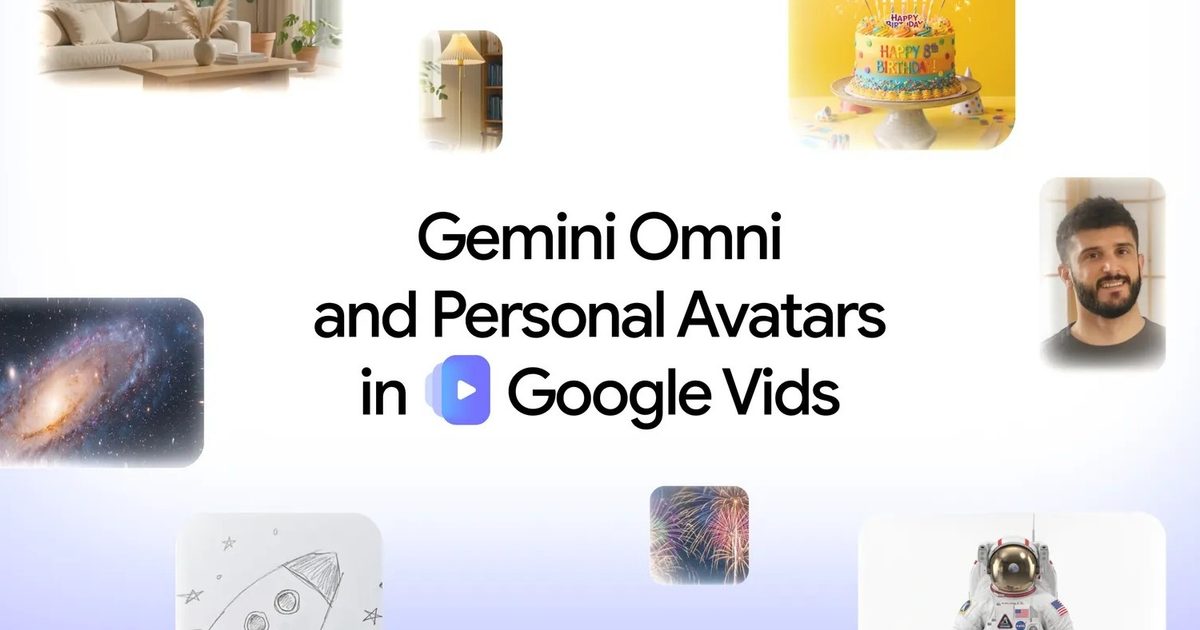
Google is bringing Gemini Omni and personal avatars to Google Vids, expanding the app’s AI-powered video creation tools for paid users. Gemini Omni can now generate and edit clips through natural language, while personal avatars let users appear in videos without recording themselves on camera.

Vids already offered Veo-powered video generation, AI presenters, screen recording, and tools for turning Slides presentations into narrated videos. Omni expands that setup into a more complete editing workflow, where users can keep refining a clip through conversation instead of rebuilding it after every change.

Today we’re bringing Gemini Omni and personal avatars to Google Vids 🎥

Now you can generate high-quality clips with simple prompts, chat to edit them step-by-step and create a digital avatar that looks and sounds like you. pic.twitter.com/PYyhV0dbSF

— Google (@Google) July 16, 2026

Gemini Omni handles the entire editing process

Gemini Omni was announced at Google I/O 2026 as an all-purpose content model capable of working from text, images, sketches, voice recordings, and existing footage. Inside Google Vids, users can begin by describing the clip they want and add reference images for more control over the final result.

Once the first version is ready, you can continue chatting with Omni to change the background, improve the lighting, add effects, or adjust individual parts of the scene. The same tools also work on videos recorded using a phone.

The conversational approach gives Omni an advantage over simpler video generators. Each new instruction builds on the last, helping preserve the look, setting, and subjects across repeated edits. It also removes much of the technical friction that comes with traditional editing software like Premiere Pro, DaVinci Resolve, or Final Cut Pro.

You can now create an avatar that looks and sounds like you

Personal avatars bring another interesting option to Vids. Upload a selfie and a short voice recording, type the script, and Google will create a digital version of you to deliver it on screen. The feature could come in handy for training videos, product demonstrations, company updates, or presentations where you do not have the time or equipment to record yourself properly.

Gemini Omni and personal avatars are available to Google AI Pro and Ultra subscribers and eligible Workspace business customers. Personal avatars are limited to adults in select regions and tied to the account holder’s likeness. Every generated clip also carries an invisible SynthID watermark.

Share. Facebook Twitter Pinterest LinkedIn Telegram Reddit Email
Previous ArticleHeave Ho 2 Review – Silly And Smart Go Hand In Hand
Next Article Star Ocean: The Second Story R Gets Switch 2 Edition, But With The Usual Square Enix Caveats

Related Articles

You can now link your favorite apps to AI Mode in Google Search to get things done

You can now link your favorite apps to AI Mode in Google Search to get things done

16 July 2026
Your OnePlus phone is switching to ColorOS, whether you like it or not

Your OnePlus phone is switching to ColorOS, whether you like it or not

16 July 2026
NotebookLM just got a new name and a serious upgrade for Google AI Pro subscribers

NotebookLM just got a new name and a serious upgrade for Google AI Pro subscribers

16 July 2026
Personal Intelligence in Search now connects to Google Calendar

Personal Intelligence in Search now connects to Google Calendar

16 July 2026
The TEWA MOTO M3 Pro is Making Waves in Electric Off-Road Riding

The TEWA MOTO M3 Pro is Making Waves in Electric Off-Road Riding

16 July 2026
This smart ring makes a blood pressure promise Apple and Oura still won’t

This smart ring makes a blood pressure promise Apple and Oura still won’t

16 July 2026
Demo
Stay In Touch
  • Facebook
  • Twitter
  • Pinterest
  • Instagram
  • YouTube
  • Vimeo
Don't Miss
Your OnePlus phone is switching to ColorOS, whether you like it or not

Your OnePlus phone is switching to ColorOS, whether you like it or not

By News Room16 July 2026

OnePlus has confirmed that OxygenOS, the Android skin that helped define the brand for more…

Why Smart Businesses Are Making Company Checks Part of Their Routine

Why Smart Businesses Are Making Company Checks Part of Their Routine

16 July 2026
Star Ocean: The Second Story R Gets Switch 2 Edition, But With The Usual Square Enix Caveats

Star Ocean: The Second Story R Gets Switch 2 Edition, But With The Usual Square Enix Caveats

16 July 2026
You can now edit videos in Google Vids by simply describing the changes

You can now edit videos in Google Vids by simply describing the changes

16 July 2026
Tech Savvyed
Facebook X (Twitter) Instagram Pinterest
  • Privacy Policy
  • Terms of use
  • Advertise
  • Contact
© 2026 Tech Savvyed. All Rights Reserved.

Type above and press Enter to search. Press Esc to cancel.



