
Close Menu
Tech Savvyed
  • Home
  • News
  • Artificial Intelligence
  • Gadgets
  • Apps
  • Mobile
  • Gaming
  • Accessories
  • More
    • Web Stories
    • Spotlight
    • Press Release

Subscribe to Updates

Get the latest tech news and updates directly to your inbox.

What's On
Pony Island 2: Panda Circus Arrives In April 2027

Pony Island 2: Panda Circus Arrives In April 2027

26 August 2026
The Witcher 3 is 11 years old, and CD Projekt Red still has remasters and expansions to keep us hooked

The Witcher 3 is 11 years old, and CD Projekt Red still has remasters and expansions to keep us hooked

26 August 2026
Gamescom Trailer Reveals First Gameplay (And A – Aug 25, 2026

Gamescom Trailer Reveals First Gameplay (And A – Aug 25, 2026

25 August 2026
Facebook X (Twitter) Instagram
Tech Savvyed
SUBSCRIBE
  • Home
  • News
  • Artificial Intelligence
  • Gadgets
  • Apps
  • Mobile
  • Gaming
  • Accessories
  • More
    • Web Stories
    • Spotlight
    • Press Release
Tech Savvyed
Home»News»If you miss the feel of paper in the digital age, this app gives your Mac’s screen a textured look
News

If you miss the feel of paper in the digital age, this app gives your Mac’s screen a textured look

News RoomBy News Room26 June 20262 Mins Read
If you miss the feel of paper in the digital age, this app gives your Mac’s screen a textured look
Share
Facebook Twitter Reddit Telegram Pinterest Email

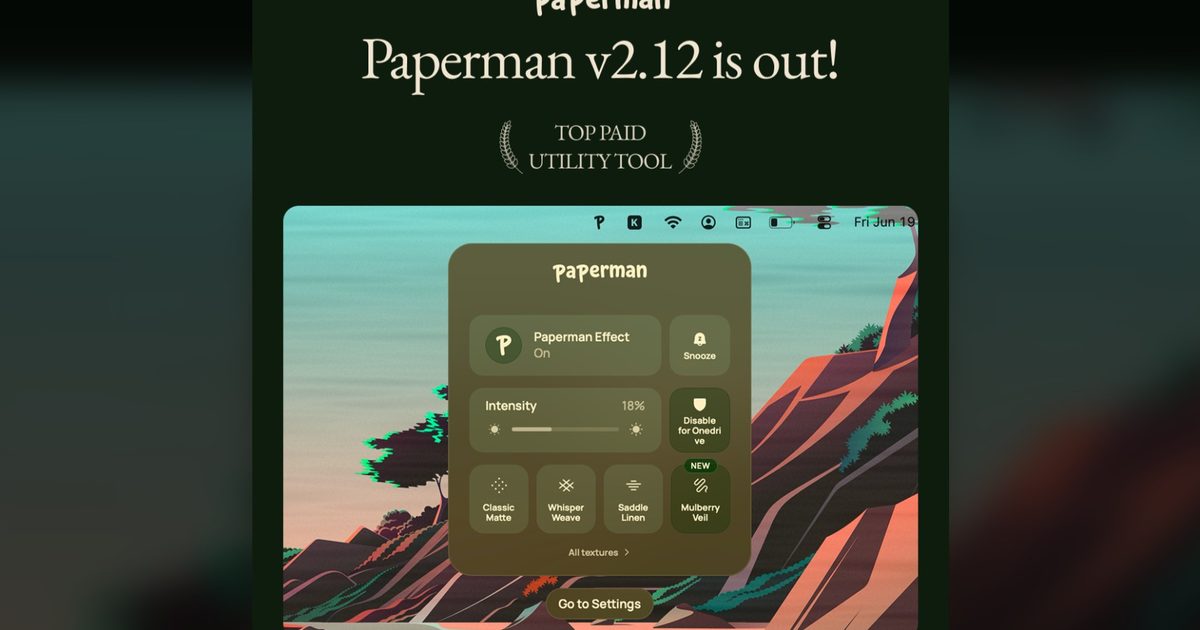
Most screen-comfort tools work by changing color temperature. Apple’s Night Shift makes the screen warmer, often giving everything an orange tint. Paperman is an interesting alternative because it adds a subtle paper-like texture over the display instead.

The app is available for Mac and Windows, and it is designed to make a screen look closer to paper, matte glass, or an e-ink display. It softens the harsh contrast and reduces the glossy look of modern screens during long reading or writing sessions.

A texture layer for your screen

Paperman runs as a lightweight overlay across the desktop. It does not take focus, and mouse clicks or keyboard inputs pass through it, so it should not interrupt normal use.

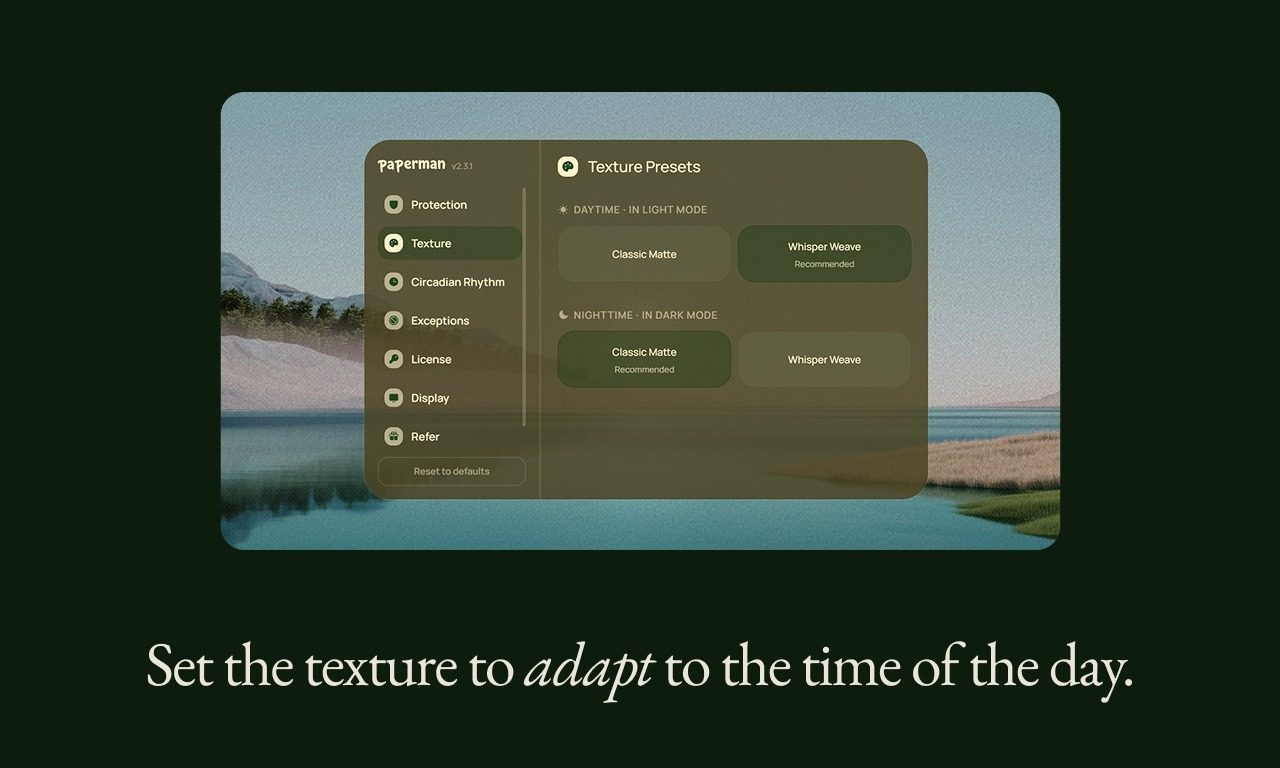
The app includes several texture options, including Classic Matte, Whisper Weave, Sunbaked Parchment, Saddle Linen, Painter’s Press, Vellum Mist, and Mulberry Veil. Users can adjust the intensity, set hotkeys, use Paperman across multiple monitors, and exclude specific apps, such as photo editors, video players, or design tools. It can also be snoozed temporarily or disabled automatically when a device is unplugged.

Since Paperman is only a software effect, it cannot fully replicate a real matte screen or an actual e-ink display. But it could appeal to people who find glossy, high-contrast screens tiring during long work sessions.
Text, Electronics, Outdoors

The texture stays static

It is worth mentioning that the paper texture does not scroll with your mouse or move with the content on screen. Paperman uses a static overlay, which makes the effect more subtle and helps keep resource use lower.

That also means it may not feel exactly like a physical sheet of paper moving under your hand. The developer says a moving texture was tested early on, but it used more battery and CPU/GPU resources than the team wanted. For now, the fixed texture is the default approach.

Paperman is currently available with a limited-time 50% discount at $5.99 for a lifetime license. On Windows, there is also a free tier with one hour of use per day.
Share. Facebook Twitter Pinterest LinkedIn Telegram Reddit Email
Previous ArticleRanking The Star Fox Series
Next Article The Video Games You Should Play This Weekend – June 26, 2026

Related Articles

The Witcher 3 is 11 years old, and CD Projekt Red still has remasters and expansions to keep us hooked

The Witcher 3 is 11 years old, and CD Projekt Red still has remasters and expansions to keep us hooked

26 August 2026
Instagram’s new editing tool ‘First Draft’ turns your clips into a Reel in seconds

Instagram’s new editing tool ‘First Draft’ turns your clips into a Reel in seconds

25 August 2026
NO LAW looks like Cyberpunk 2077 at home, but honestly, I’m here for it

NO LAW looks like Cyberpunk 2077 at home, but honestly, I’m here for it

25 August 2026
1001 Threads of Mizan is bringing Arabian Nights to life, and it looks stunning

1001 Threads of Mizan is bringing Arabian Nights to life, and it looks stunning

25 August 2026
Ananta finally gets a release date, and this anime GTA is coming in 2027

Ananta finally gets a release date, and this anime GTA is coming in 2027

25 August 2026
The new ROG Xbox Ally X20 Anniversary Bundle makes the PS5 Pro look cheap

The new ROG Xbox Ally X20 Anniversary Bundle makes the PS5 Pro look cheap

25 August 2026
Demo
Stay In Touch
  • Facebook
  • Twitter
  • Pinterest
  • Instagram
  • YouTube
  • Vimeo
Don't Miss
The Witcher 3 is 11 years old, and CD Projekt Red still has remasters and expansions to keep us hooked

The Witcher 3 is 11 years old, and CD Projekt Red still has remasters and expansions to keep us hooked

By News Room26 August 2026

When I got my first gaming laptop nearly a decade ago, Witcher 3 was one…

Gamescom Trailer Reveals First Gameplay (And A – Aug 25, 2026

Gamescom Trailer Reveals First Gameplay (And A – Aug 25, 2026

25 August 2026
Instagram’s new editing tool ‘First Draft’ turns your clips into a Reel in seconds

Instagram’s new editing tool ‘First Draft’ turns your clips into a Reel in seconds

25 August 2026
Wild Hunt Remastered Is a Free – Aug 25, 2026

Wild Hunt Remastered Is a Free – Aug 25, 2026

25 August 2026
Tech Savvyed
Facebook X (Twitter) Instagram Pinterest
  • Privacy Policy
  • Terms of use
  • Advertise
  • Contact
© 2026 Tech Savvyed. All Rights Reserved.

Type above and press Enter to search. Press Esc to cancel.