

Close Menu
Tech Savvyed
  • Home
  • News
  • Artificial Intelligence
  • Gadgets
  • Apps
  • Mobile
  • Gaming
  • Accessories
  • More
    • Web Stories
    • Spotlight
    • Press Release

Subscribe to Updates

Get the latest tech news and updates directly to your inbox.

What's On
LinkedIn now lets you make your own snazzy business card. Here’s how to make one

LinkedIn now lets you make your own snazzy business card. Here’s how to make one

21 November 2026
GTA VI just outsold every movie, album, and game launch ever

GTA VI just outsold every movie, album, and game launch ever

21 November 2026
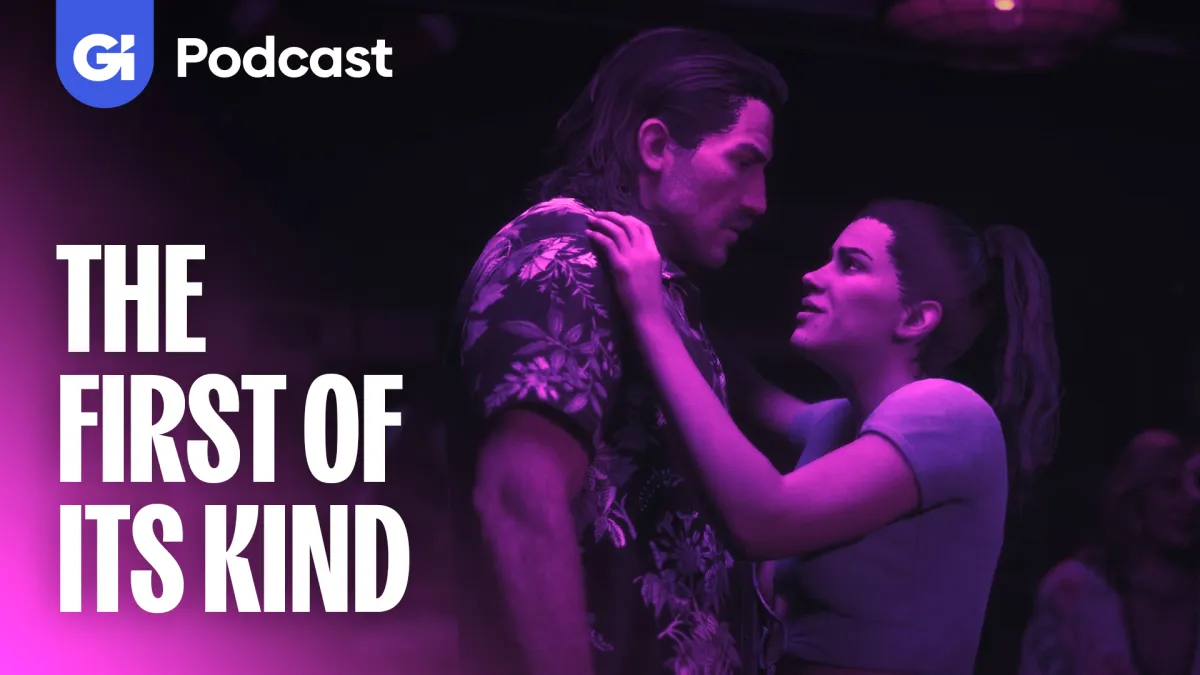
Grand Theft Auto VI Is The First Game Of Its Kind

Grand Theft Auto VI Is The First Game Of Its Kind

21 November 2026
Facebook X (Twitter) Instagram
Tech Savvyed
SUBSCRIBE
  • Home
  • News
  • Artificial Intelligence
  • Gadgets
  • Apps
  • Mobile
  • Gaming
  • Accessories
  • More
    • Web Stories
    • Spotlight
    • Press Release
Tech Savvyed
Home»News»LinkedIn now lets you make your own snazzy business card. Here’s how to make one
News

LinkedIn now lets you make your own snazzy business card. Here’s how to make one

News RoomBy News Room21 November 20263 Mins Read
LinkedIn now lets you make your own snazzy business card. Here’s how to make one
Share
Facebook Twitter Reddit Telegram Pinterest Email

LinkedIn has announced a digital business card that you can share when you meet someone in person, making it easier to stay in touch. It’s customizable card that can be added to Apple Wallet or Google Wallet and shared with others through a scan. At present, it’s only available on the LinkedIn mobile app in English, and the company says it plans to make it available on more devices and languages in future.

Why did LinkedIn decide to bring back the business card?

Principal product designer Kevin Arcara and product partner Luke Miller noticed that people attending events were using LinkedIn’s little-known QR code to exchange contact details. Arcara said in a LinkedIn post that since it was not easy to find, people found workarounds for sharing their info “from QR codes to even NFC tags in their nails.”

He added that LinkedIn staff at Cannes were doing exactly that, which gave the team the idea of adding the QR code to Apple Wallet. A prototype was built immediately and shared with colleagues at the event, who had their profiles in their wallets within a few hours. The team noticed how exchanging details at events resembling handing someone a traditional business card. “That led us to think, what if your QR code was more like a digital business card?” Arcara wrote.

You cam create and shared a card from the mobile app

LinkedIn Business Card_

Here’s how you can create and share a LinkedIn Business Card:

  1. Open LinkedIn and tap your profile photo at the upper-left corner, then tap the QR code at the top of your profile to open your LinkedIn Business Card. 
  2. Tap the Edit icon and use the options at the bottom to customize your card, including details like Layout, Font, Colors, Pattern, Stickers, and Doodle.
  3. Next, swipe the card to review both sides, then tap Save.
  4. Tap Add to Wallet and follow the on-screen directions to add the card to Apple Wallet or Google Wallet.
  5. To share it, show your QR code to the other person to let them scan and get your LinkedIn details. You can also tap the More icon in the upper-right corner, tap Share settings, and turn on the Auto-swap when you scan toggle to exchange cards in one scan.

Keep in mind that exchanging cards does not send a connection or follow request. Collected cards can be opened later from the Business card icon in the lower-right corner or from My Network, then Manage My Network, and then Business Cards.

Related Coverage

Share. Facebook Twitter Pinterest LinkedIn Telegram Reddit Email
Previous ArticleGTA VI just outsold every movie, album, and game launch ever

Related Articles

GTA VI just outsold every movie, album, and game launch ever

GTA VI just outsold every movie, album, and game launch ever

21 November 2026
AI-powered cyberattacks are here, and the EU just admitted to being a target for weeks

AI-powered cyberattacks are here, and the EU just admitted to being a target for weeks

21 November 2026
If you still use the Nest app, you have until January 25

If you still use the Nest app, you have until January 25

21 November 2026
USC engineers built a smart ring that detects stress with light

USC engineers built a smart ring that detects stress with light

21 November 2026
Lubdub’s waterproof ECG patch is heading into a clinical trial in Australia

Lubdub’s waterproof ECG patch is heading into a clinical trial in Australia

21 November 2026
Didn’t get enough sleep? This new feature in One UI 9.5 could prevent a car crash

Didn’t get enough sleep? This new feature in One UI 9.5 could prevent a car crash

21 November 2026
Demo
Stay In Touch
  • Facebook
  • Twitter
  • Pinterest
  • Instagram
  • YouTube
  • Vimeo
Don't Miss
GTA VI just outsold every movie, album, and game launch ever

GTA VI just outsold every movie, album, and game launch ever

By News Room21 November 2026

Take-Two Interactive announced that Grand Theft Auto VI generated a staggering $3.79 billion in retail…

Grand Theft Auto VI Is The First Game Of Its Kind

Grand Theft Auto VI Is The First Game Of Its Kind

21 November 2026
AI-powered cyberattacks are here, and the EU just admitted to being a target for weeks

AI-powered cyberattacks are here, and the EU just admitted to being a target for weeks

21 November 2026
If you still use the Nest app, you have until January 25

If you still use the Nest app, you have until January 25

21 November 2026
Tech Savvyed
Facebook X (Twitter) Instagram Pinterest
  • Privacy Policy
  • Terms of use
  • Advertise
  • Contact
© 2026 Tech Savvyed. All Rights Reserved.

Type above and press Enter to search. Press Esc to cancel.