




Onyx Boox Note Max
MSRP $629.99
“Maxed out e-ink goodness with great software and a light problem.”
Pros
- Gorgeous, paper-sized e-ink display
- Android with full Play Store
- Superb handwriting feel
- Excellent document and note apps
- Weeks-long battery mileage
Cons
- Severe input lag when typing
- No backlight, so useless in dark
- No physical volume rocker
- Spotty software update record
Quick review
I’ve spent years chasing the dream of a single slab of glass that could replace my notebook, my PDF stack, and maybe even my laptop. The Boox Note Max is the closest anyone has come to selling me that fantasy without leaning too much into a computing wannabe territory. And yes, it’s also the device that finally taught me why the fantasy keeps falling apart.
This is a behemoth. A 13.3-inch e-ink display built to mirror the exact dimensions of an A4 sheet, priced firmly in the premium tier at roughly $650–$699. It isn’t for everyone, and Onyx isn’t pretending otherwise. It’s for academics, data analysts, musicians who live on sheet music, and professionals who spend their days buried in dense PDFs and endless handwritten notes. If that’s you, keep reading. If it isn’t, you’ve probably already winced at the price that you’re going to pay for a mere e-ink slate with a stylus.
What sets this one apart, however, is the full-fledged Android experience, which blows past the walled gardens of the Kindle Scribe and reMarkable slates out there. You can pull almost any app from the Google Play Store, sync with Google Drive, and run two apps side-by-side. The writing experience is superb, helped enormously by Onyx’s decision to ditch the front backlight, which drags the stylus tip right up against the digital ink.
Yet, here’s the catch I kept running into. This slate’s greatest strength is also its worst undoing. Stuffing a full tablet OS onto an inherently sluggish e-ink panel produces real, visible input lag, worst of all when you type or browse. As a digital notebook and a large-format document reader, it’s extraordinary. As a laptop or iPad replacement, it simply isn’t, no matter how effective the slate’s (or the company’s) convincing game.
Onyx Boox Note Max design and build quality: A sleek giant that will pull eyeballs
The moment I took the Onyx Boox Note Max out of its box, its sheer footprint took me by surprise. This is roughly the size of a laptop screen, and yet, it pulls off a startling trick. It’s astonishingly thin. At just 4.6mm, it’s a full millimeter slimmer than an iPad Pro, and it still feels rock-solid. I twisted it, looked for flex, and found none. The white-and-gray chassis is pretty understated and has a decidedly professional look to it. It’s the kind of gadget that doesn’t announce itself in a meeting or on a classroom desk.

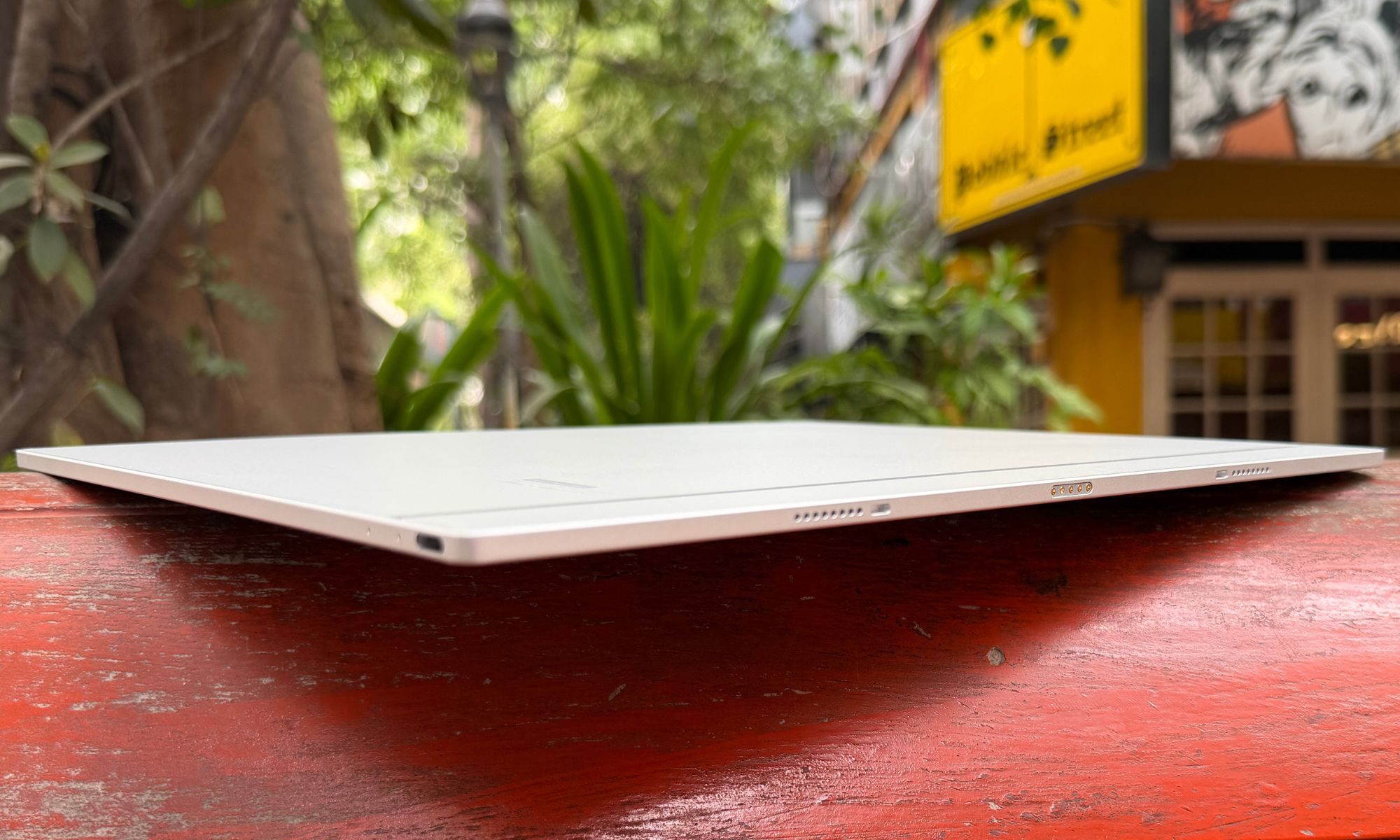
For all that surface area, it weighs only 615 grams (21.7 ounces). You won’t be holding this aloft in bed to read a novel one-handed, but resting on a desk, a music stand, or your lap on a commute, it sits exactly right. Onyx built in a functional asymmetrical bezel, and I came to appreciate it fast.
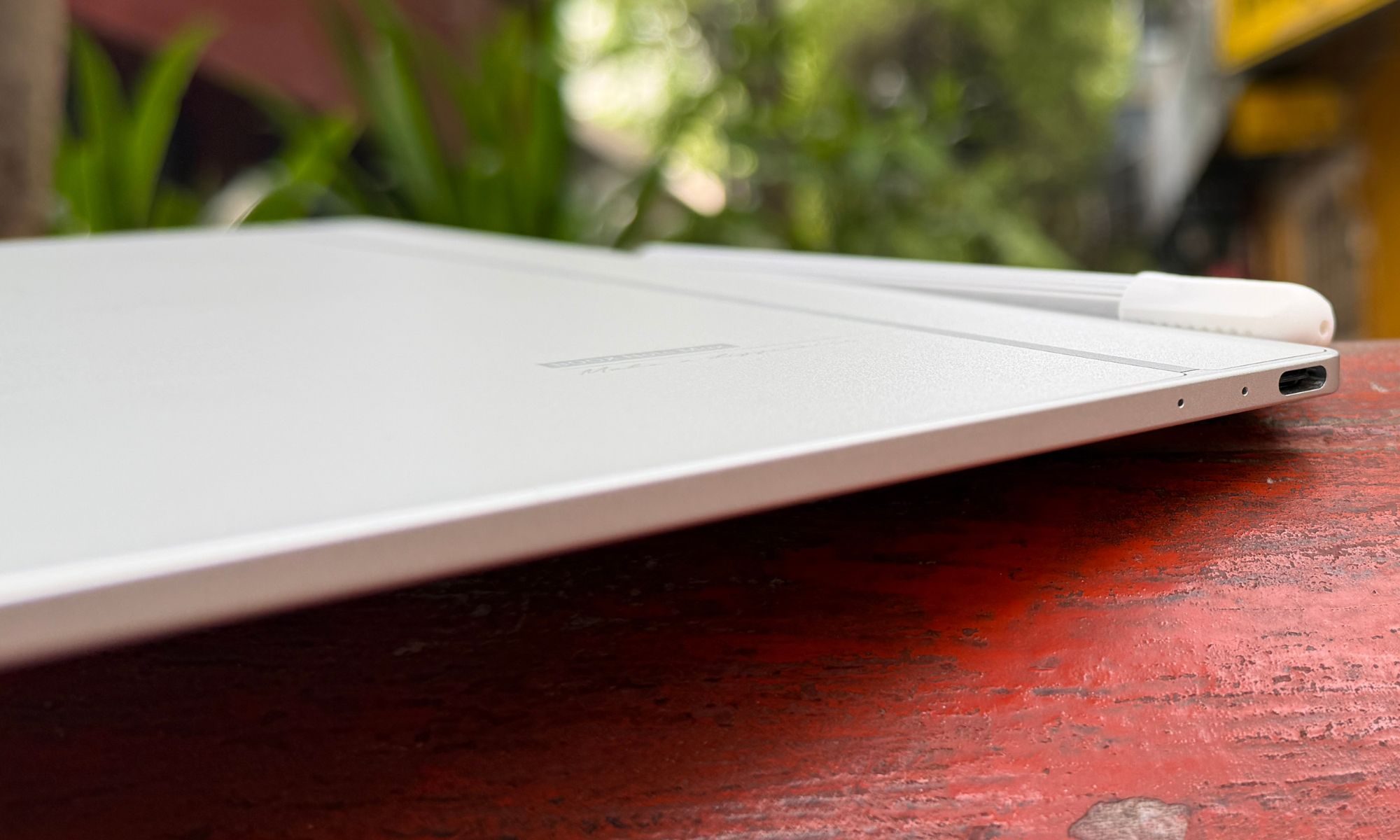
The left edge carries an inch-and-a-half border that gives you a secure, clipboard-style grip and keeps stray thumbs off the screen. The slate leans hard into magnets. The right side clamps the included stylus tightly enough that it survives a bag without wandering off, and the rear corners snap into the Boox Magnetic Case or the official Keyboard Cover.
Ports and buttons are sparse. There’s a top-right power button, a bottom-edge USB-C port for charging and OTG, dual downward-firing speakers, and a microphone for voice memos. What this misses out on is a dedicated volume rocker, and that omission really tested my patience with the muscle memory of using other tablets. To change the volume, you summon an on-screen slider from the notification shade, which feels frustratingly slow every single time on an e-ink panel.
Score: 8/10
Onyx Boox Note Max display: You’ll love it. You’ll be miffed by it. There’s no middle ground.
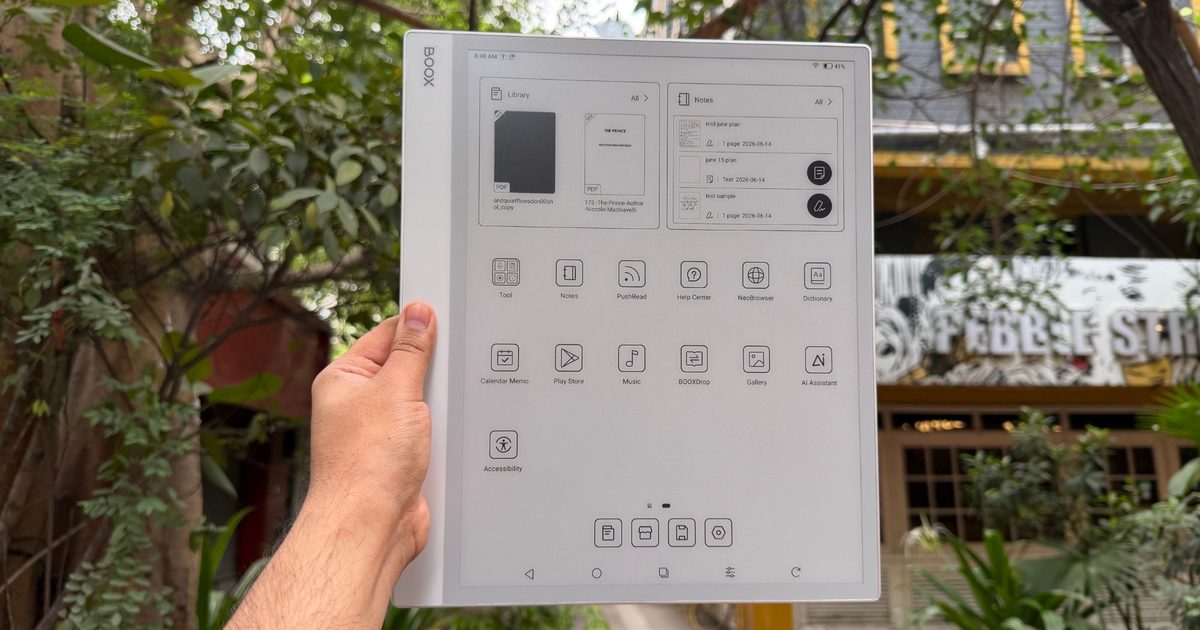
The display is the whole reason the Note Max exists. It serves a 13.3-inch E Ink Carta 1300 glass screen running at 3200 x 2400 pixels, delivering at a crisp 300 PPI of pixel density. I can’t overstate what this size does to the experience. If your days involve technical manuals, research papers, legal documents, or sprawling spreadsheets, this screen is a revelation.
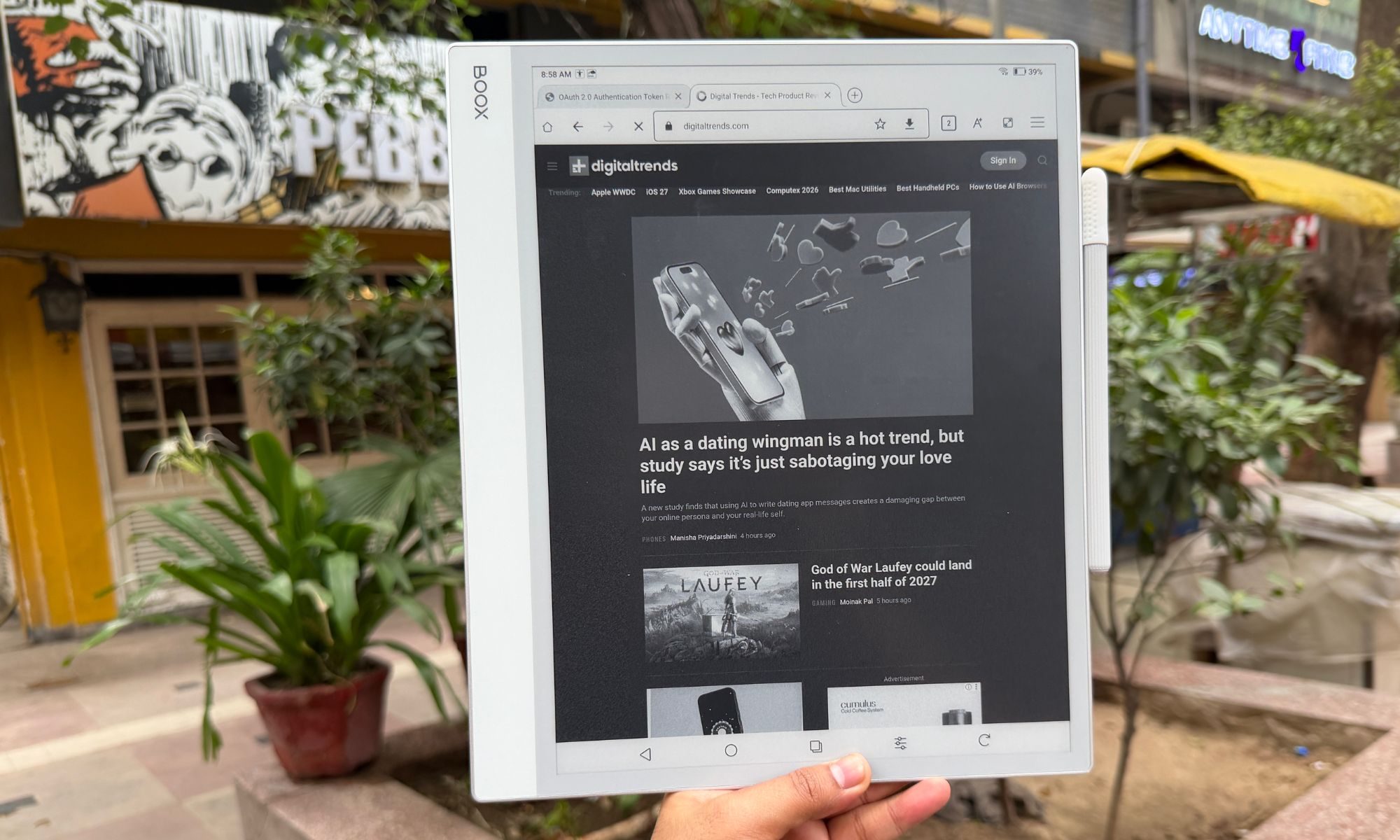
Standard 10-inch readers force you into an endless cycle of pinch, zoom, and pan. The Note Max shows A4 and US Letter documents at roughly the native size. Text is razor-sharp, and Carta 1300 delivers the contrast — deep blacks, clean whites — that makes everything from manga to sheet music to architectural plans a genuine pleasure to read.
But let’s address the elephant in the room. The display lighting situation. Or to put it more accurately, the lack of a backlight. The most divisive aspect about this screen is that there’s no front or backlight at all. You cannot read this device in the dark. In a dim lecture hall or a night flight, you’ll be squinting, and I won’t pretend otherwise.
This was a deliberate engineering trade, not an oversight. A front-light layer adds another sheet of material between the glass and the e-ink capsules. By stripping it out, Onyx shrank the gap between where your pen rests and where the ink lands. You sacrifice low-light reading to gain an authentic, parallax-free writing feel.
There’s a quieter upside, too. No backlight means zero blue light and total freedom from glare, which rewards anyone working under daylight or a decent lamp with something that genuinely looks like paper. The sunlit display, as I like to call such screens, actually adds to the appeal. It’s unlike reading or sketching on any other screen lying around.
Score: 7/10
Onyx Boox Note Max stylus experience: It’s sufficiently good, but not the best out there.
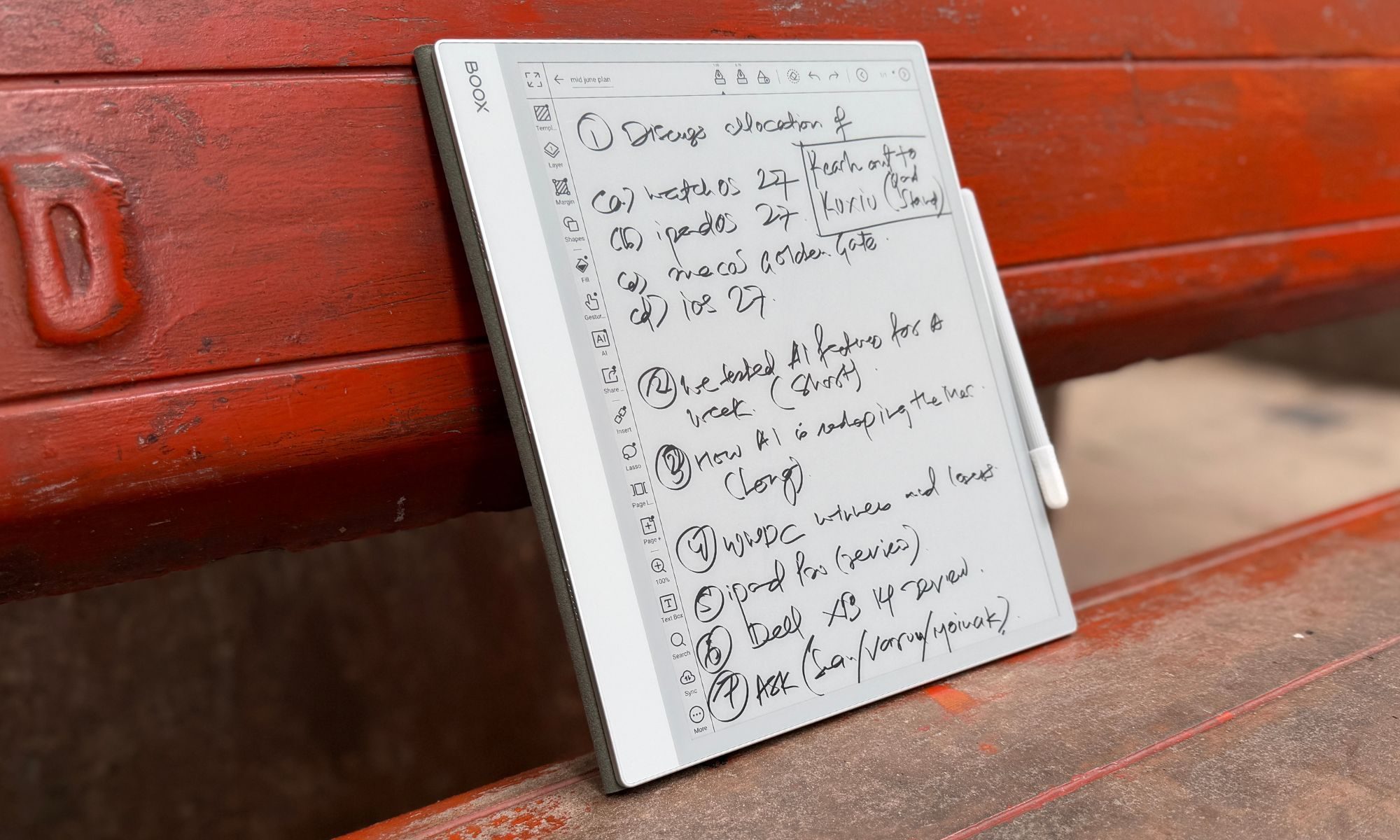
Writing on the Note Max is fluid, responsive, and quietly addictive. In the box, you get the Boox Pen Plus, a battery-free passive stylus that feels like a good ballpoint in the hand. The screen is glass with a matte finish, and when the Pen Plus’s 1.6mm nib drags across it, you get a subtle friction that mimics pencil on paper.
Thanks again to that absent front-light layer, the ink appears right under the tip, killing the “writing on thick glass” sensation that haunts most tablets. The lag is imperceptible. I just wish the panel had nearly as much friction as the Remarkable Paper Pure, but it isn’t bad by any stretch of the imagination.
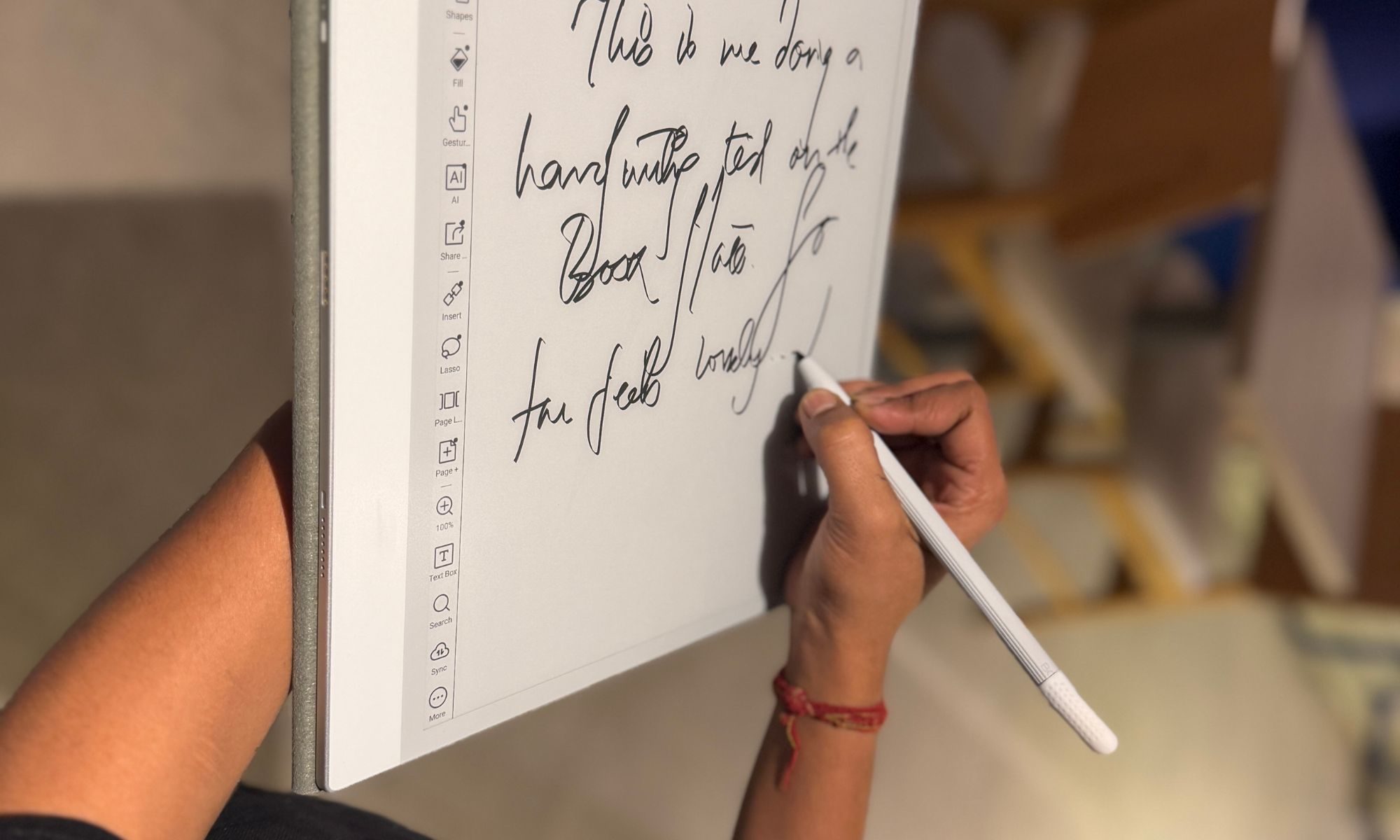
The stylus offers 4,096 levels of pressure sensitivity, and in the native Notes app, it flexes its muscle pretty well. With the fountain pen or pencil tool, line weight swells and thins as you lean into a stroke, capturing the character of your handwriting with near-zero latency. What it doesn’t do is tilt. You can’t lay the pen over for broad shading, which artists will notice immediately. Broadly, however, I had an enjoyable time polishing my Arabic calligraphy skills.
The Pen Plus is excellent, but it has no eraser on the back end. If that’s part of your muscle memory, you’ll want the Boox Pen 2 Pro, which adds an eraser and a heftier, more balanced feel. It also costs $79.99, so you might consider that extra fee. I also hit the occasional palm-rejection stumble, where resting my hand close to the edge made the page jump. It’s a minor blemish on an otherwise elite writing tool, but a year later, the palm rejection still gives me trouble from time to time. For a slate that leans heavily into the promise of a pristine digital slate, that’s a crucial flaw that must be fixed.
Score: 9/10
Onyx Boox Note Max software: Rewarding, and occasionally overwhelming
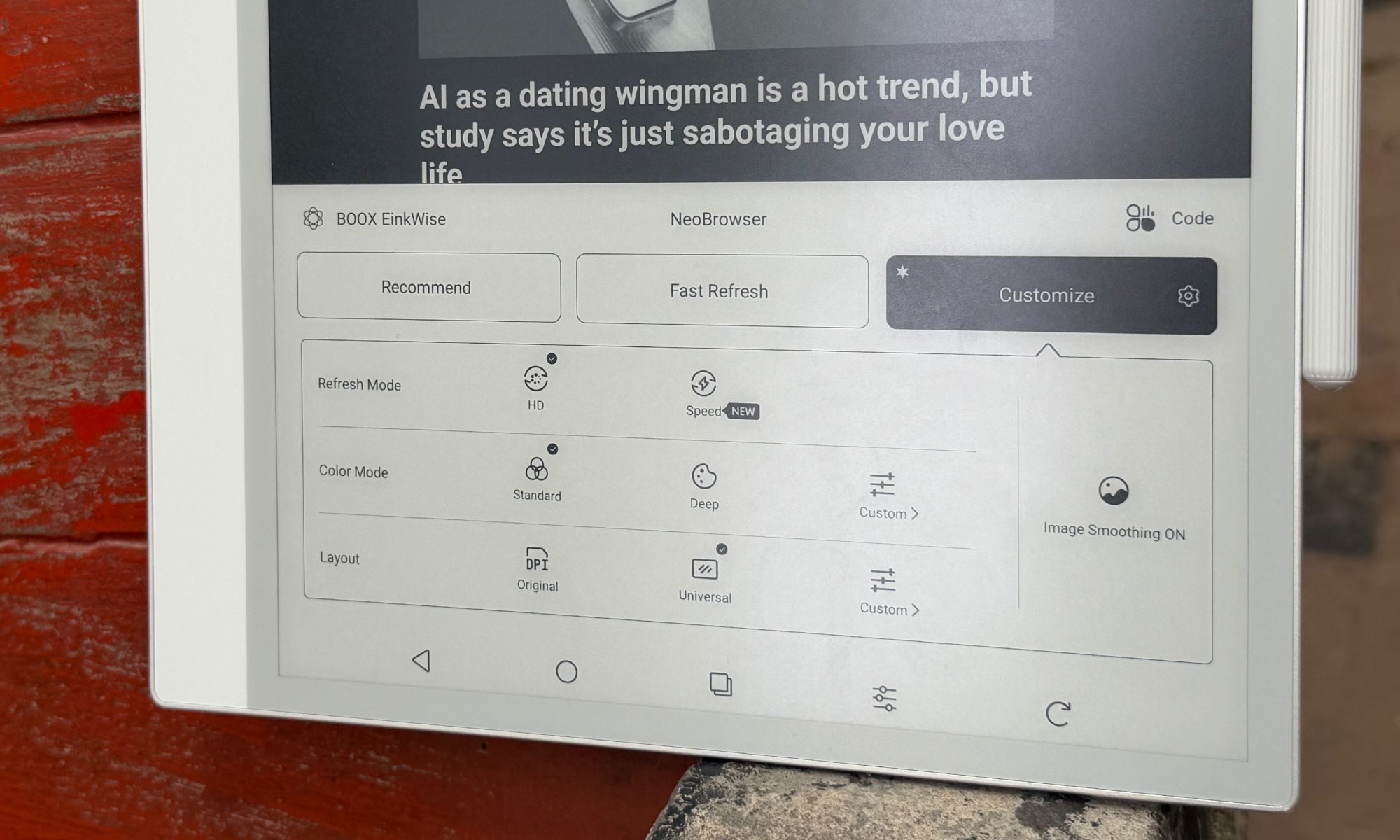
The software is what truly separates the Boox Note Max from every other e-reader out there. Where rivals ship proprietary systems with barely any flexibility (except the Xteink X4 and the open-source CrossPoint firmware), Onyx hands you a fully unlocked Android 13 experience. That single choice turns the device from a digital notepad into an ambitious productivity machine. And yeah, that also saddles it with a steep learning curve and a fistful of frustrating compromises.
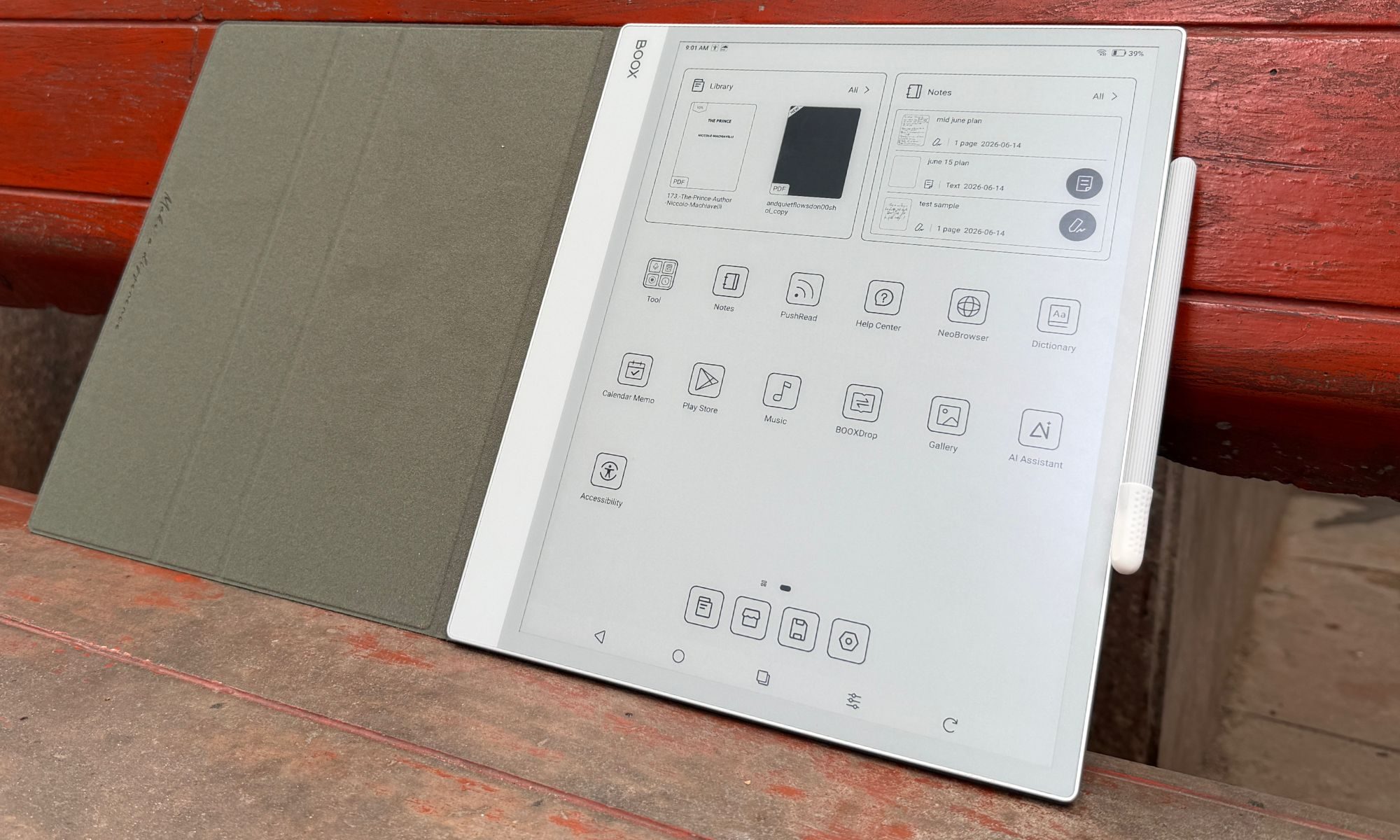
Since the Boox Note Max runs Android 13, the Google Play Store is right there out of the box. You don’t have to go through any technical hell in order to unlock Google Play services on this giant digital notebook. You aren’t limited to Amazon’s store subscriptions. Kindle, Kobo, Libby, or whatever reading service you prefer, they can all live on the same slab, with proprietary apps or just as a web browser experience.
More importantly, for working professionals, you can install Google Drive, Dropbox, Notion, Evernote, Microsoft Word, and Outlook. It slots into your existing cloud setup without any technical hiccups. All you need to do is open your preferred drive container, tap the file, download it, and you’re good to go.
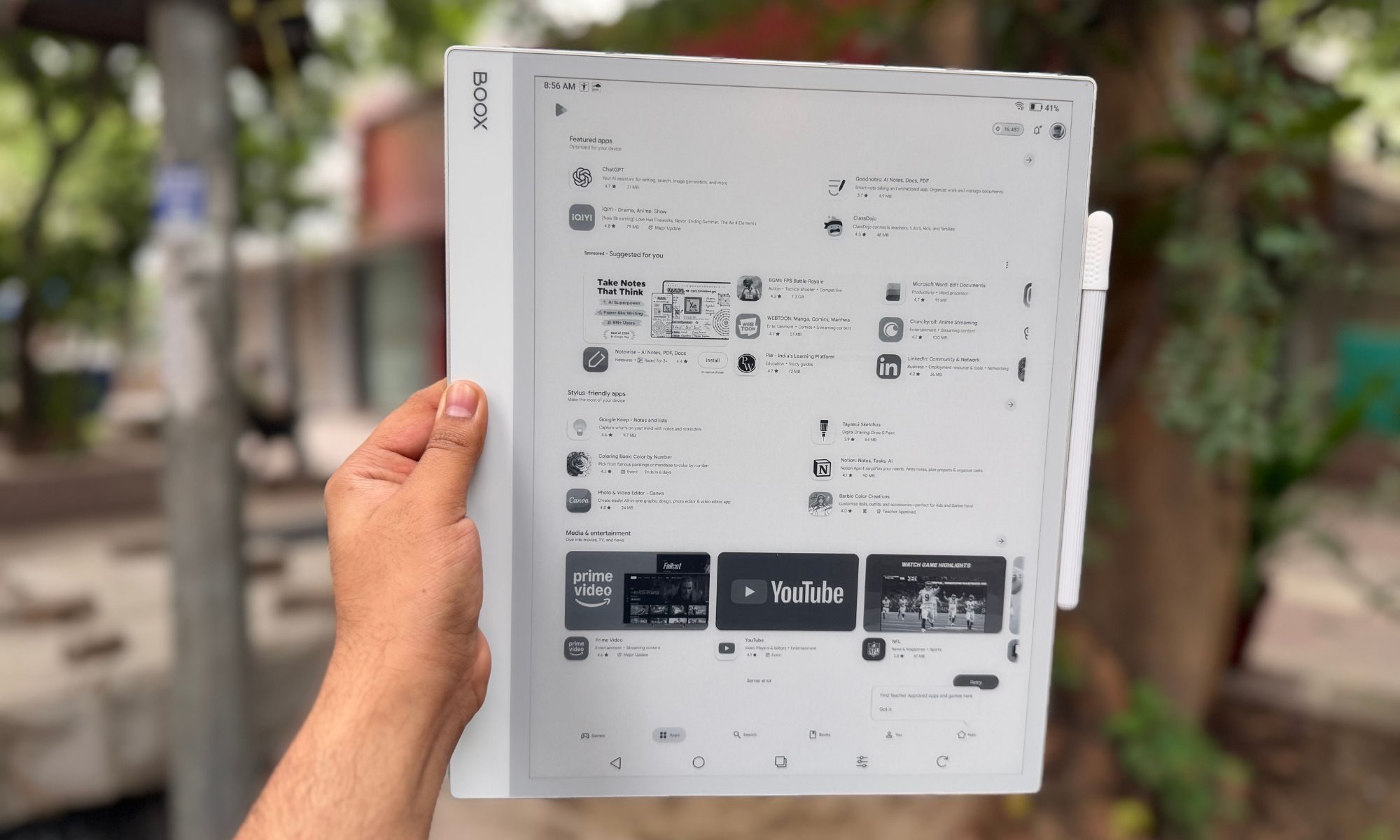
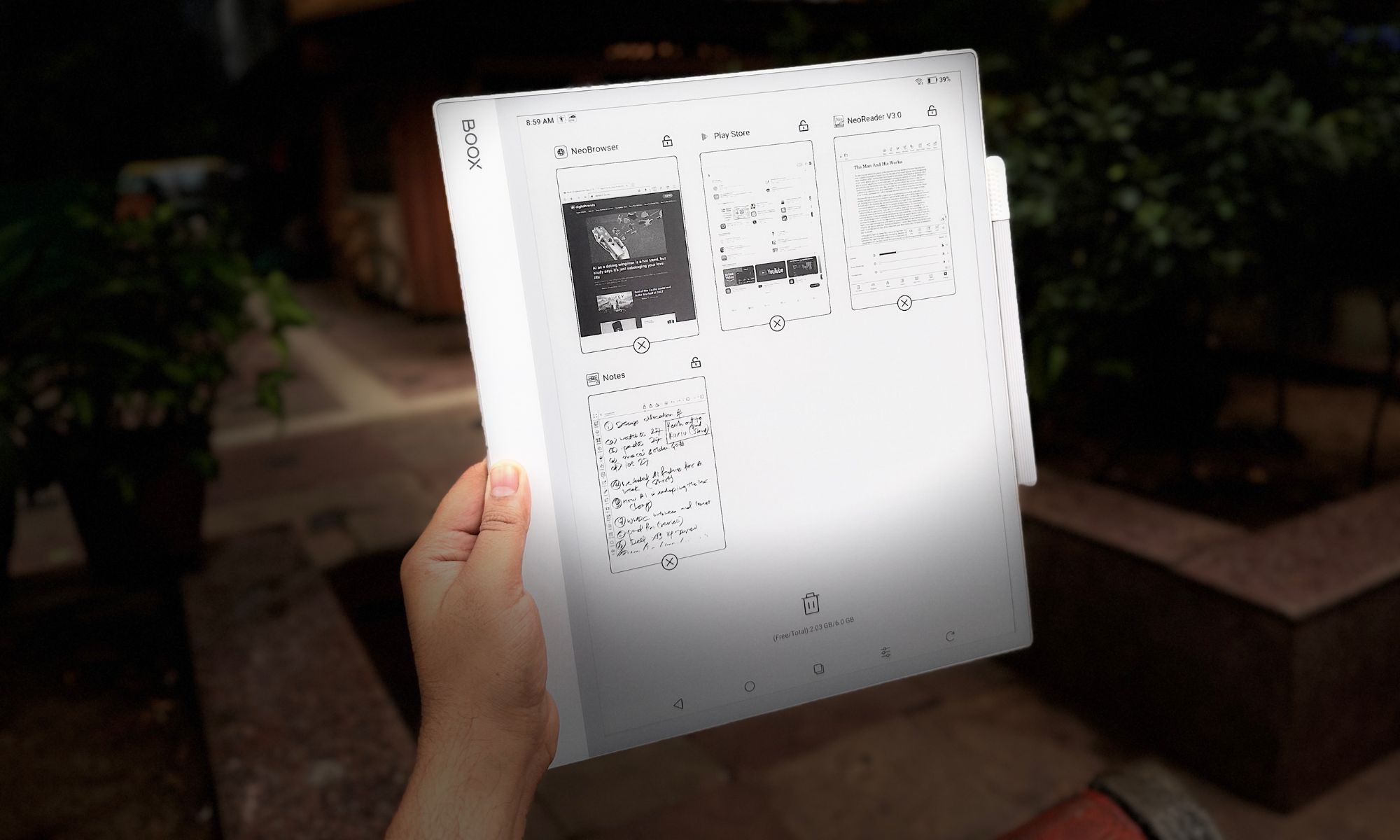
The slate’s 13.3-inch canvas also makes Android’s split-screen multitasking genuinely useful instead of a cramped party trick. I could keep a browser, a (grainy, black-and-white) YouTube video, or a dense PDF on the left while a blank notebook stayed open on the right for live notes.
As much as the third-party apps sell the device, it’s at its best running Onyx’s own finely tuned software. For starters, the NeoReader is the built-in document engine, and it’s arguably the finest document handler out there. It chews through multi-hundred-page files without complaint. You can crop margins to enlarge text, use article mode to reflow messy multi-column layouts, and annotate straight onto the page.
The pre-installed Notes App is also a power user’s playground. It brings layers (a must for serious sketching), AI handwriting recognition, and a deep bench of writing tools. The standout tool, however, is the custom template engine. All you need to do is drop in any PDF or PNG as a background and write over it. You can also load a daily planner, a corporate review form, or a photography spot sheet and get going. It even uses the microphone to record voice memos tied to specific strokes, so you never lose the context behind a scribble.
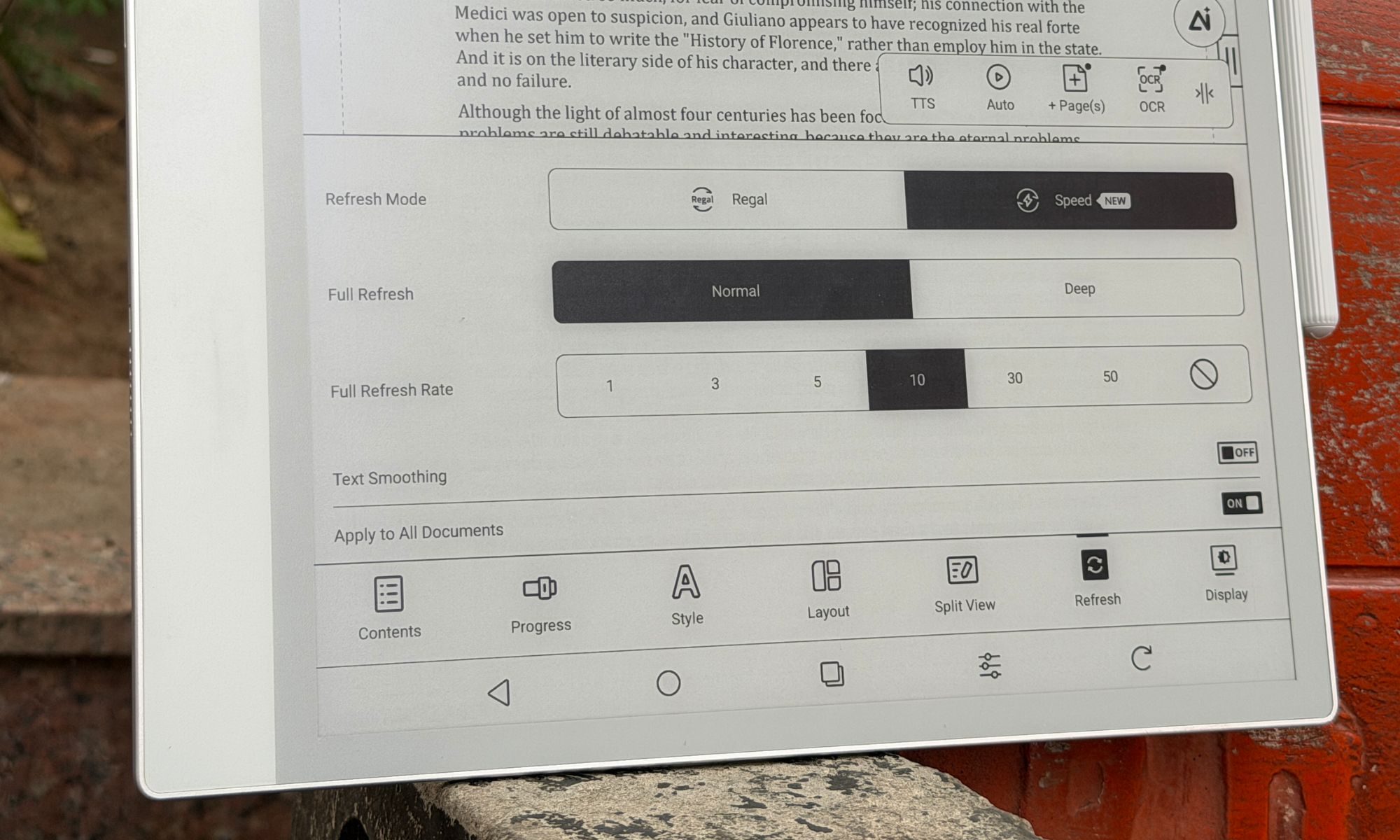
And this is where things take the wrong functional turn. Android was built for snappy 60Hz-to-120Hz color screens, not slow, monochrome e-ink. To make Android livable, Boox bundles a sprawling E-Ink Center that effectively drafts you as the system tuner. For every app you install, you adjust the optimization settings by hand. For example, when you open Chrome, you might notice the screen flashing black or rendering improperly, leading to legibility issues. All you need to do is open the E-Inki center from the buttom (or the assigned button shortcut), dive into the optimization menu, and manually tweak DPI, bleach the background, embolden the text, and pick a refresh rate.
Boox gives you several refresh modes, depending on the content you’re consuming. Here’s a quick rundown:
- Normal Mode: Maximum sharpness, ideal for books, but with heavy ghosting if you scroll.
- Regal Mode: A reading-friendly mode that is balanced with light scrolling.
- A2 and X-Mode: This one reduces the resolution to chase faster refresh, enough to scroll the web or watch video without jarring stutters.
The constant tinkering wore me down, however. It’s the polar opposite of the “it just works” mantra that brands love to talk about. Power users will love the granular controls, though. For users craving a frictionless experience, they will find it overwhelming. On top of it, navigating Android menus on an e-ink display is still a laggy experience, which is akin to wading through molasses at times. Boox softens the blow with a “NaviBall,” a floating on-screen widget you can load with the shortcuts of your choice.
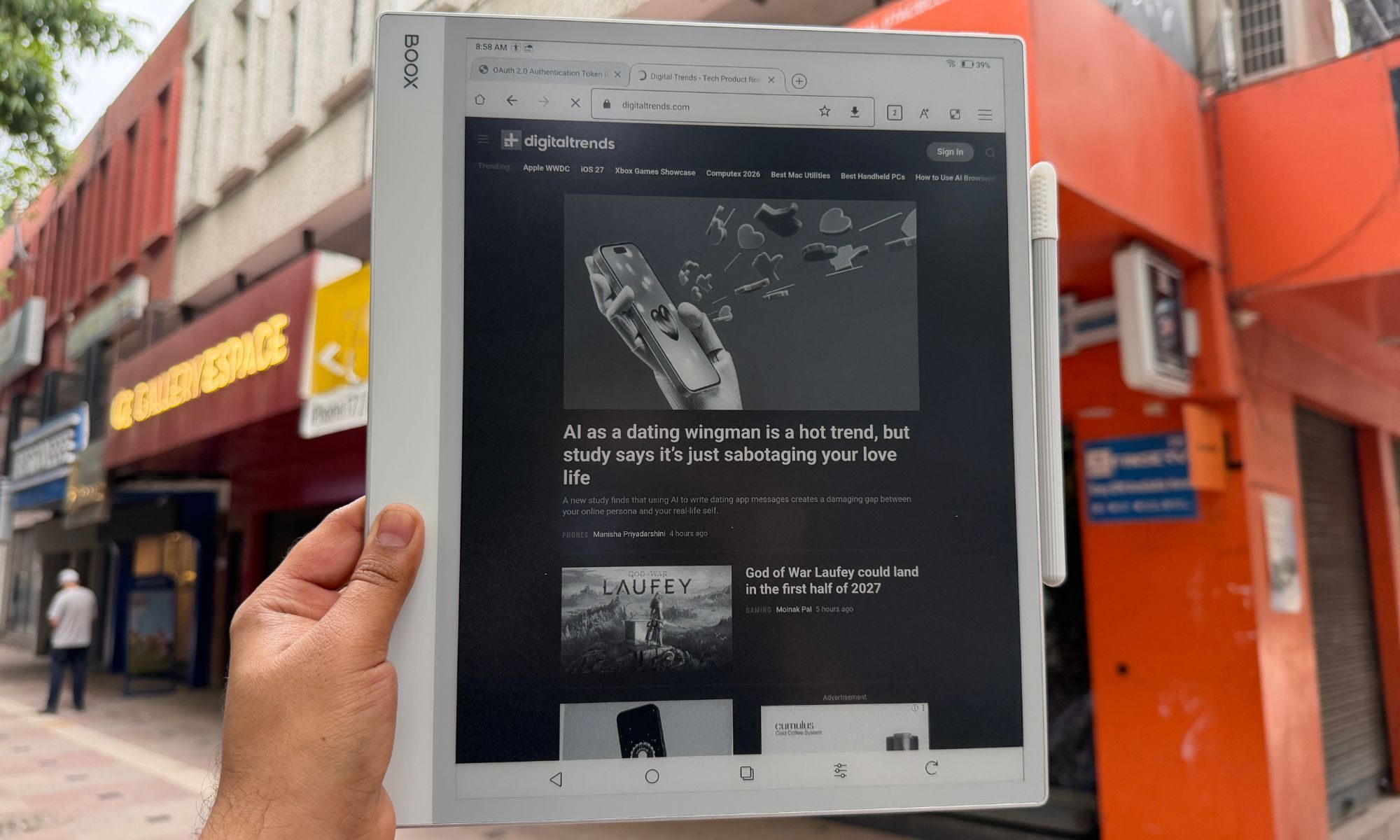
Onyx pitches the Note Max as a potential laptop stand-in, especially alongside the official Keyboard Cover. This is exactly where the software-hardware bridge collapses. As you type a long document in Word or Google Docs, the e-ink refresh simply can’t keep pace with normal typing speed. The lag is pretty obvious and hard to ignore.
I would finish a sentence, glance up, and sit there waiting several seconds for the letters to surface. It bleeds into the trackpad too, where the cursor drags like it’s stuck in a digital syrup. As a handwriting and reading tool, the Boox Note Max soars, thankfully. As a replacement for your laptop’s word processing, it doesn’t get off the ground.
There’s also the matter of longevity. Onyx iterates hardware at a furious pace, launching new devices almost yearly. Additionally, the brand’s record on long-term Android updates for older models is spotty at best. So yeah, before you hit checkout on the card, consider the software longevity situation.
Score: 8/10
Onyx Boox Note Max battery life: A no-concern, almost.
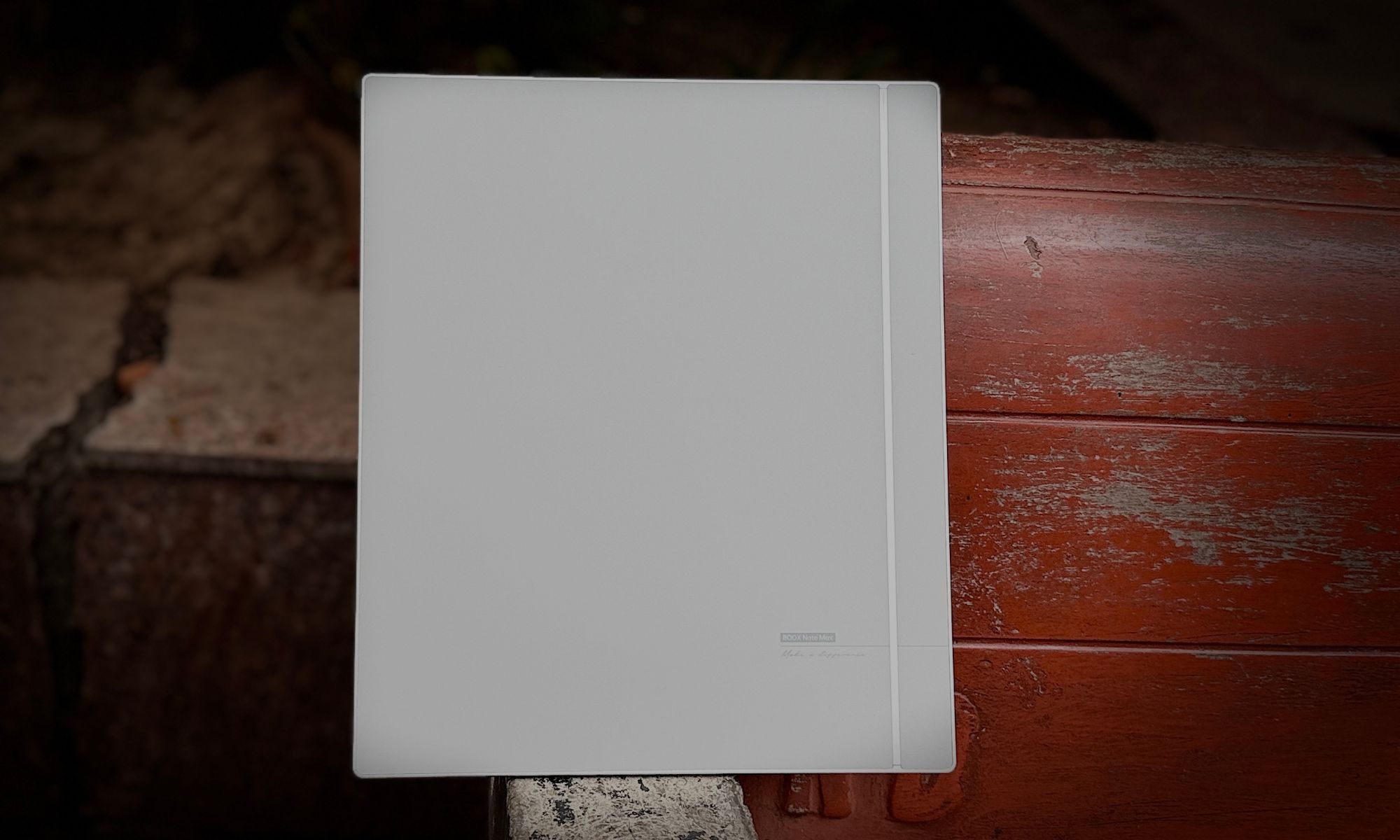
E-ink devices have a solid reputation for their electrochemical stamina, and the Boox Note Max doesn’t break the streak. The 3,700mAh lithium-ion polymer battery fitted inside the jumbo-sized Boox slate comfortably outlasts any conventional tablet. Without a backlight to feed, it sips power while you read extremely frugally.
When used purely as a notebook and PDF reader with Wi-Fi turned off, it stretches to weeks on a charge. But as you lean on it harder, with Wi-Fi on, Google Drive syncing, Bluetooth linked up, and hours of split-screen work to go, it drains at a pace of roughly 8-10% per hour, which still works out to a solid week of intense daily use between charges. When it finally empties, wired charging pulls an empty shell to the 50% level in roughly 30 minutes.
Score: 8/10
Should you buy
The Onyx Boox Note Max is a niche, luxury productivity tool, and it’s happiest when you treat it as one. You should buy it if you’re a researcher, academic, lawyer, or musician forever wrestling with A4-sized PDFs and sheet music. If your day means marking up large documents, keeping orderly handwritten notebooks, and syncing through the cloud, this is close to a dream.
The writing experience is top-tier, and the eye comfort of that vast e-ink panel is unmatched for long, focused stretches of learning. On the flip side, you should skip it if you want something to replace your laptop for typing, or looking at it as an iPad alternative for media. The input lag makes keyboard work an exercise in patience, and the missing backlight rules it out for reading in bed at night.
Why not try
reMarkable Paper Pro — If pure paper replacement with the lowest-latency writing on the market is your priority, reMarkable is the gold standard. It’s a simple, distraction-free UI with subtle color e-ink now in the mix. But there are no Android apps, no real web browsing, and no easy cloud syncing. It’s as bare-bones as it gets, which is charming and frustrating, depending on the use-case scenario.
Kindle Scribe — For a lot less money, Amazon’s premium reader offers a lovely front-lit 10.2-inch display and a fine stylus for note-taking. It’s perfect for reading books and casual note-taking, but it has none of the Boox’s open versatility or app support.
iPad Air — It’s more expensive than ever. But the iPad Air paired with an Apple Pencil gives you a far better typing experience, blistering app speed, full-color screen, and a brilliant backlight. You lose the battery life and eye comfort of e-ink, but you gain a vastly more capable all-around computer that is also plenty distracting.
How we tested
For nearly a year, I carried the ONYX Boox Note Max in my backpack and used it as my primary note-taking device. During the course of testing, I installed a whole bunch of productivity apps such as Teams, Slack, Drive, Kindle, and even YouTube for the occasional video-watching sessions. For reading and document editing, I stuck with Onyx’s pre-installed apps. I used a generic USB-C charger and cable to keep the built-in battery topped up. Likewise, only the supplied passive stylus was used for note-taking on this slate.
For a comparative perspective, I pit the reading and note-taking experience on Onyx Boox Note Max against the Kindle Scribe and the remarkable Paper Pro. For qualitative software analysis, I compared it against the vanilla Android experience on normal tablets as well as devices in its category that ship with their own custom software.