






If Android Pulse showed up in your Play Store updates this weekend and looked a bit suspicious, you’re not alone. Your phone hasn’t been hacked either.
It’s an app from Google that watches for misbehaving or suspicious apps or software on your Android phone. Even more surprising, the app has been sitting on millions of smartphones since March 2026.
So what exactly is Android Pulse?
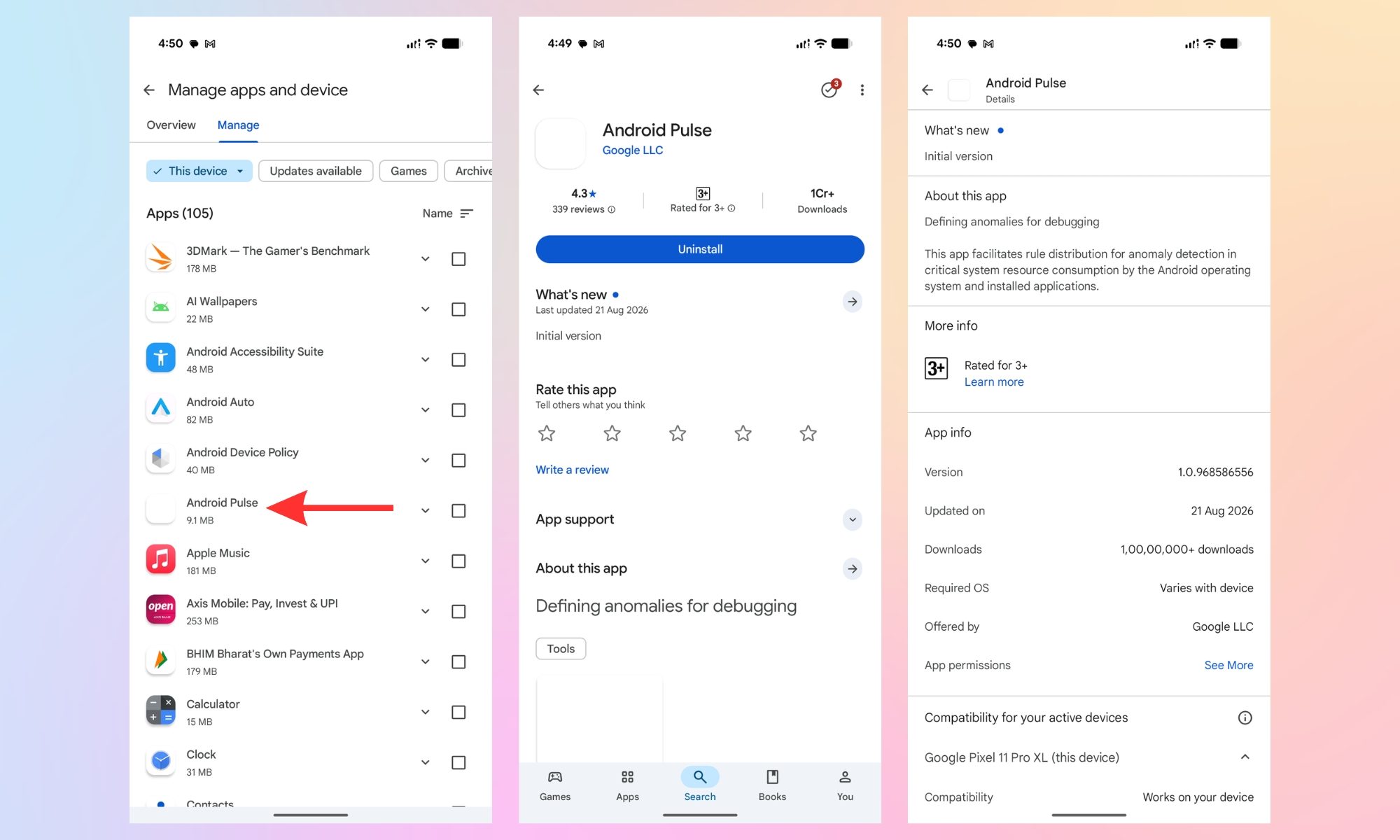
Google’s own explanation, mentioned in the app’s Play Store listing (via 9To5Google), says the system app helps with rule distribution and anomaly detection in system resource consumption by Android (the operating system) and the apps on your smartphone.
I’m reading between the lines here, but it sounds like a coastguard or a watchdog that flags software (Android itself) the moment it starts behaving strangely, which could be anything from staying awake in the background, leading to unusual battery drains, excessive non-required CPU usage, or high memory consumption when the screen is locked.
None of this is actually new. Per APKMirror, Google has released several versions since March 2026, with half a dozen quiet releases before this one. I just checked the Google Play listing, and more than 10 million downloads already sit against its name. In other words, plenty of phones, quite possibly yours, have carried it around for months.

Why should any of this matter to you?
If Pulse works as described, your phone could get better at catching the software that downgrades your Android experience. It could be an app quietly draining your battery overnight, something hogging memory until your phone starts lagging badly, a background process overheating your device, or something similar.
What’s even better is that Google doesn’t require you to toggle any switches or fiddle around with any settings.
Curious whether it’s already sitting on your phone? Head to the Play Store > profile picture > Manage apps and device > Manage, sort the apps by Name, and you might have the Android Pulse app sitting on your Android device as well. I don’t remember installing the app on the Pixel 11 Pro XL I received a few days ago, but there it was, sitting silently on the unit.
